
Your Second Brain for Focus & Productivity
Tired of productivity systems that promise everything but deliver confusion? The Notion productivity system PARA built specifically for ADHD and neurodivergent minds. This isn’t another complex setup that takes hours to learn. This is clarity in action.
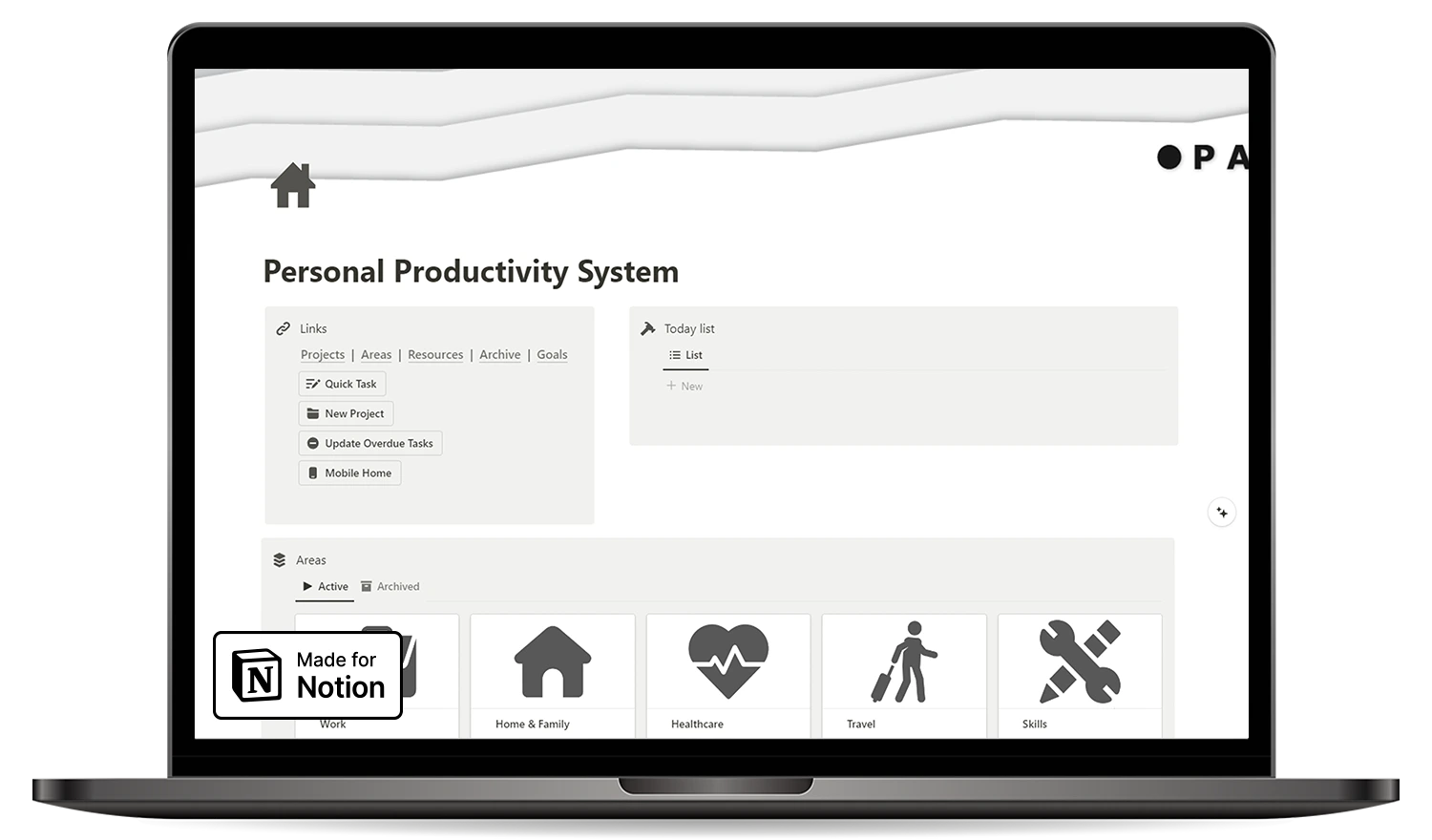
Why Most Productivity Systems Fail ADHD Brains
You’ve tried the apps. Downloaded the planners. Watched the tutorials. But here’s the problem: most productivity tools are built for neurotypical brains. They add friction instead of removing it.
The Problem: They demand perfect organization from minds that work differently.
This second brain Notion ADHD template takes the opposite approach. Every feature fights distraction. Every design choice reduces decision fatigue.
The Solution: No complexity. No overwhelm. Just what works.
The PARA Method: Proven Structure Without the Stress
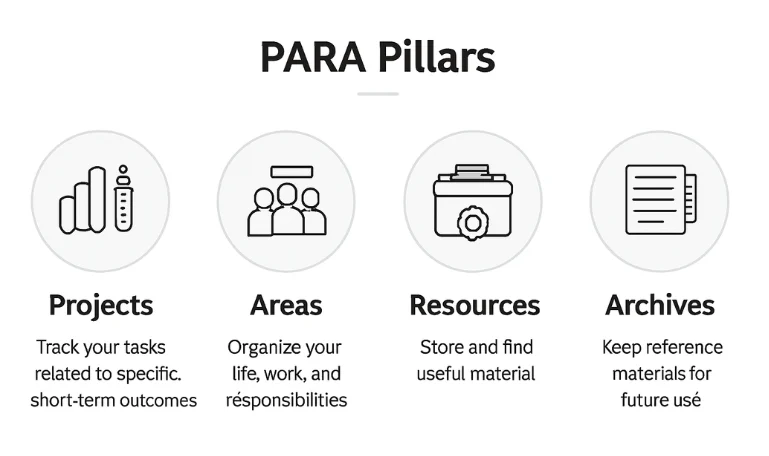
Built on Tiago Forte’s PARA method, this system organizes your entire life into four simple categories. Your brain stops asking “where does this go?” and starts focusing on what matters.
Projects
Active work with deadlines
Areas
Ongoing responsibilities (health, finances)
Resources
Reference materials you need later
Archives
Completed items (out of sight, never lost)
Mobile Dashboard: Your Productivity in Your Pocket
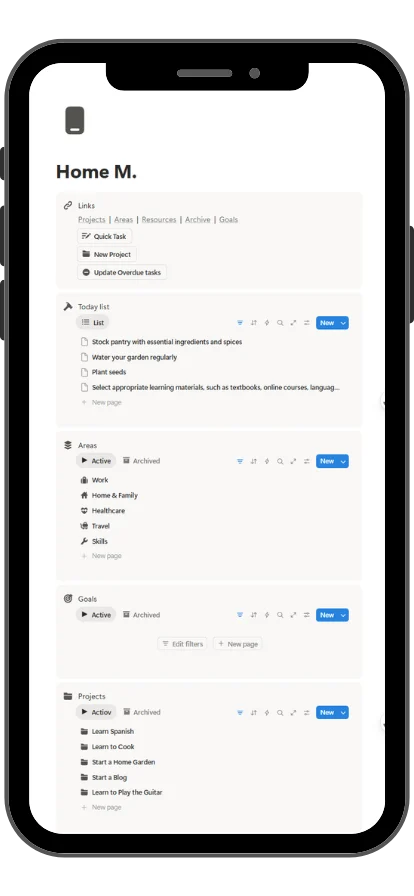
Most Notion templates look terrible on mobile. This one was designed mobile-first. Capture thoughts during your commute. Review goals while waiting in line.
- Quick-action buttons for instant task capture
- Today's priorities at a glance
- Goal progress tracking
- One-tap access to all four PARA sections
- Seamless desktop-to-phone sync
Capture thoughts during your commute. Review goals while waiting in line. Your entire system travels with you.
Built for ADHD: Features That Actually Help
Visual clarity. Reduced cognitive load. Built for how your brain works.
Visual Progress Tracking
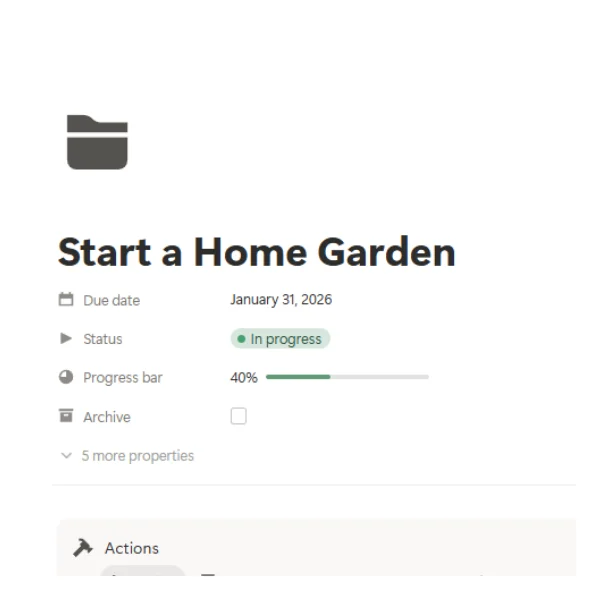
See momentum building. Celebrate small wins. Stay motivated with automatic progress bars.
Time-Boxed Focus
Work with your attention span, not against it.
Distraction-Free
Clean layouts. Purposeful color coding. Zero clutter.
One-Click Capture
Brain dump instantly. No forms. No friction.
The Complete System: Everything You Need
ADHD Notion template Pre-built. Ready to use. Duplicate once, organized forever.
- Pre-configured PARA databases
- Mobile-optimized dashboard page
- Task management with focus modes
- Goal tracking framework
- Visual progress indicators
- Quick-capture inbox
Who This System Is For
For anyone who thinks differently and achieves brilliantly.
- Neurodivergent individuals seeking structure without sensory overload
- ADHD minds needing visual clarity and reduced friction
- Busy professionals juggling multiple projects and life areas
- Students managing coursework, goals, and personal development
- Mobile-first users who need seamless device sync
- PARA method enthusiasts wanting a ready-to-use system
- Minimalists who value simplicity over complexity

How It Works: Get Started in 3 Steps
See these surprising results about the Personal productivity system - ADHD Notion template! Watch how it becomes even more useful.
1
Duplicate
One click. Instant copy to your Notion workspace.
2
Add First Task
Open the mobile dashboard. Start capturing.
3
Let it Work
Tasks organize automatically. Progress tracks visually.
No tutorials needed. No setup overwhelm.
The Difference: Action Over Planning
From chaos to clarity in one duplicate.
Action over Planning
Less time organizing. More time doing.
Clarity over Complexity
Simple structure. Powerful results.
Progress over Perfection
Visual tracking shows movement, not just completion.
Your Brain over the system
Adapts to how ADHD minds work. Not the other way around.
Happy Customers
Here what our satisfied customers have to say
I never thought organizing my tasks could be this simple. The Personal Productivity System by PARA Method is intuitive and user-friendly. I especially appreciate the unique mobile view, which allows me to check my progress on the go. This template has definitely increased my productivity and helped me achieve my goals faster!
Mia Brown
Absolutely love this template! It has transformed how I organize my work and personal life. The PARA Method is genius, and the layout makes it super easy to stay on top of everything. The best part, It’s helped me stay focused and reduce distractions. If you’re serious about getting organized, this template is a must-have!
Ethan Martinez
As someone who struggles with ADHD, the Personal Productivity System by PARA Method has simplified my life. The one-page layout and mobile-friendly design mean I can manage my tasks and projects effortlessly, no matter where I am. Highly recommend it to anyone looking to boost their productivity!
A. Johnson
Frequently Asked Questions
PARA stands for Projects, Areas, Resources, and Archives. Tiago Forte developed it as a universal system for organizing digital information across any tool. It works in Notion because Notion's databases, linked views, and flexible structure map perfectly to the four PARA categories. People choose PARA over other systems because it focuses on actionability, not filing. Instead of organizing information by topic or type, you organize by how soon you need to act on it. This keeps your workspace lean, your priorities clear, and your to-do list short.
You need four core databases: one for Projects (active goals with deadlines), one for Areas (ongoing responsibilities like health or finances), one for Resources (reference material), and one for Archives (completed or inactive items). Each database needs at minimum a title, status, and date property. Link your tasks database to your Projects database so tasks connect to goals. Then build a dashboard page that shows all four sections at once. That's the complete foundation. If you want to skip setup entirely, duplicate the Personal Productivity System PARA - ADHD Notion template and start using it in 60 seconds.
Tasks belong in a separate Tasks database, linked to your Projects via a relation property. Notes belong in your Resources or Archives section depending on whether they're still useful. The key is a quick-capture inbox: one place where tasks and notes land before being sorted into PARA categories. Review this inbox daily during a 5-minute triage. Anything with a deadline goes to Projects. Anything reference-only goes to Resources. Anything done goes to Archive. The Personal Productivity System PARA template includes this capture system pre-built, so you skip the setup entirely.
Use a Relation property in your Tasks database that points to your Projects database. Then add a Rollup property in Projects to count or display related tasks. For Areas, create a second relation in Tasks pointing to your Areas database. This gives every task a clear home: it either belongs to an active Project (has a deadline) or to an Area (ongoing maintenance). When you open any Project page, all related tasks appear automatically. No manual cross-referencing needed.
The best starting point is the Notion Marketplace, which lists hundreds of PARA templates sorted by duplicates. For an ADHD-optimized version with mobile support, the Personal Productivity System PARA | ADHD template on this page is free and requires no Notion experience. You also find PARA templates on Gumroad, Etsy, and creator websites like fayedtion.com. When choosing, prioritize templates that include a mobile dashboard and a quick-capture inbox. Those two features make the biggest difference for daily use.
Notion addresses ADHD challenges in four direct ways. First, it reduces working memory load by externalizing everything: tasks, deadlines, ideas, and goals live in the system, not in your head. Second, custom views let you see only what matters right now, cutting visual overload. Third, relation properties connect daily tasks to bigger goals, which helps with motivation and context-switching. Fourth, recurring templates and pre-built structures remove decision fatigue from setup. The key is using a template designed for ADHD from the start, not adapting a generic productivity system after the fact.
Ask three questions before choosing. First: does it work on mobile? ADHD minds capture ideas everywhere. A desktop-only template fails by 9 AM. Second: how long does setup take? If it needs more than 30 minutes to configure, most ADHD users abandon it before day two. Third: does it minimize visual clutter? Dense, complex interfaces increase cognitive load. Look for clean layouts, quick-capture buttons, and pre-built views that show today's priorities at a glance. The Personal Productivity System PARA template meets all three criteria and is specifically built for neurodivergent workflows.
Start with three properties in your Tasks database: Name, Priority (select: High, Medium, Low), and Due Date. Add a Status property with three options: To Do, In Progress, Done. Then create two views: a Today view filtered to tasks due today or marked High Priority, and a Someday view for tasks with no due date. Keep the Today view as your default. Open Notion, see only what needs to happen today, do those things, close Notion. That's the full system. Add complexity only when the basic version fails you, not before.
Five features stand out. Database views let you filter and sort the same data in multiple ways, so you see only what's relevant right now. Relation properties connect tasks to projects without duplicating information. Templates (inside databases) pre-fill recurring task types, removing setup friction. Quick-capture buttons on a mobile dashboard let you log a task before the thought disappears. And linked databases let you show the same data on different pages, so your daily dashboard always reflects your real project list. Together, these features turn Notion from a note-taking app into a functional neurodivergent task manager.
Three places worth checking. The Notion Marketplace has a growing collection of ADHD-tagged templates, though quality varies. Gumroad has independent creators building ADHD-specific systems, often with more personal explanations of how to use them. And dedicated template websites like fayedtion.com offer templates designed by creators who work with neurodivergent users directly. For this specific template, the Personal Productivity System PARA | ADHD is free, mobile-optimized, and ready to use in under a minute. It is the fastest way to get a working ADHD productivity system in Notion without starting from scratch.
Start Today For Free
Celebrate the joy of accomplishment with template designed to track your progress and motivate your efforts.
Enter your valid email to receive the template instantly.
Related Articles
Explore these blog posts to get to know more about the template and other cool stuff!
Unlock 5 Free Notion Templates + Weekly Productivity Hacks
Our Notion templates are built to solve the real problems that slow people down — and to give you systems that actually work in daily life
Boost Your Productivity with Free Notion Resources
Join 15,000+ creators and entrepreneurs who get:
🎁 Exclusive free Notion templates
🛠 Weekly tips to organize life & work
🚀 Insider strategies to save time and stay focused
No spam. Just one powerful email per week.