Planning email campaigns without a calendar is like driving without directions. You might get somewhere, but you will waste time, miss turns, and lose momentum along the way.
For creators, marketers, and small business owners juggling multiple channels, an email marketing calendar provides the structure to keep campaigns consistent, timely, and aligned with business goals.
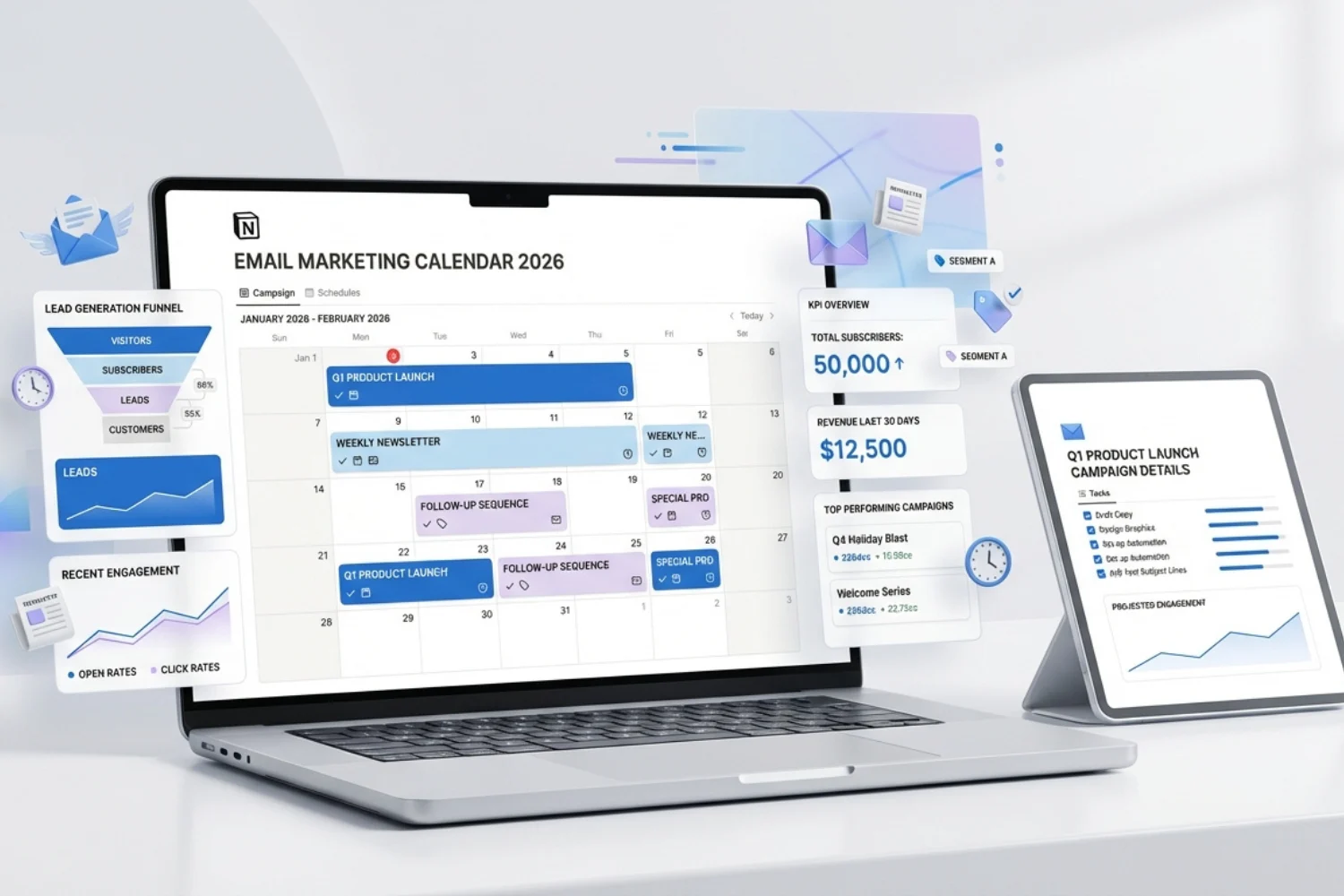
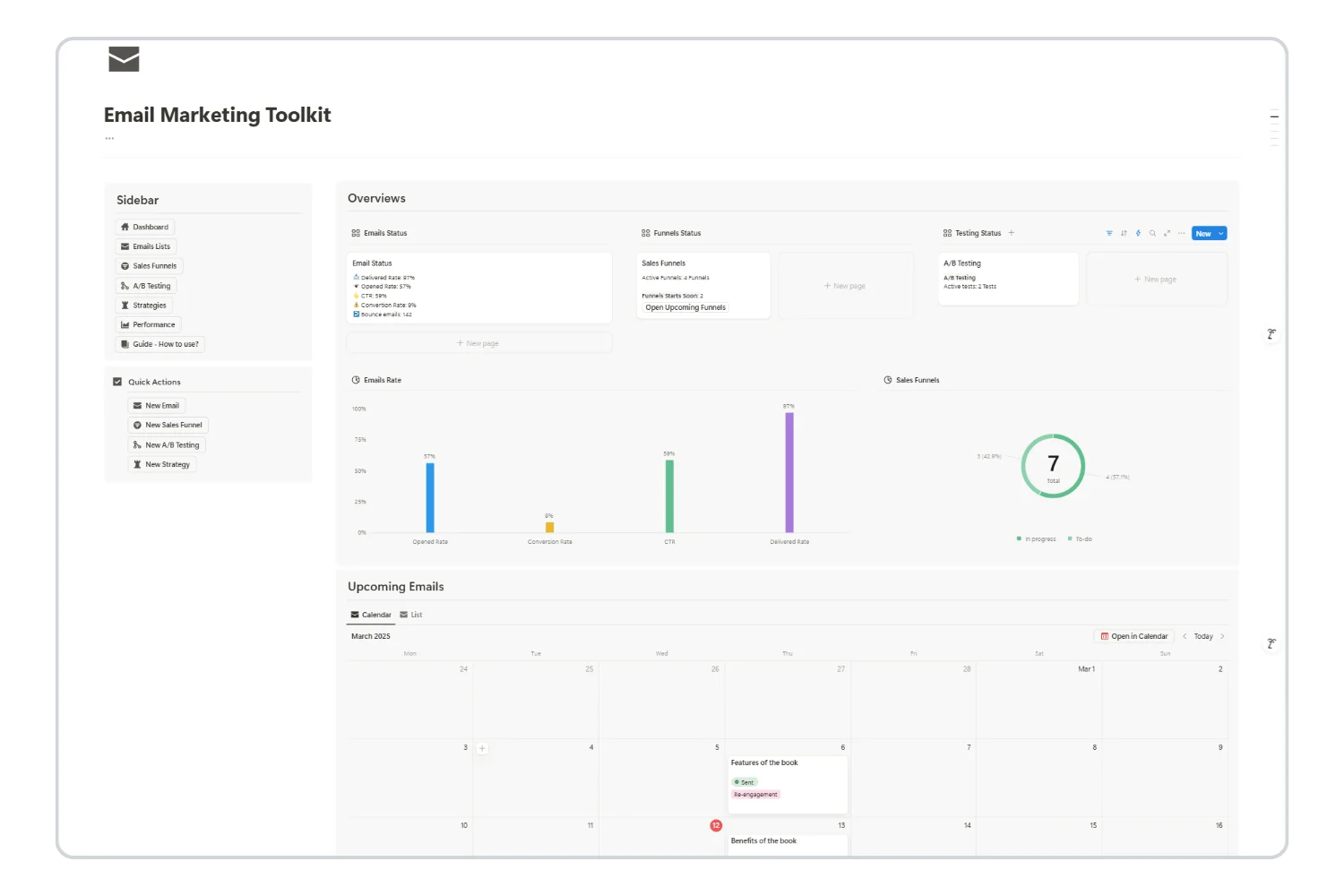
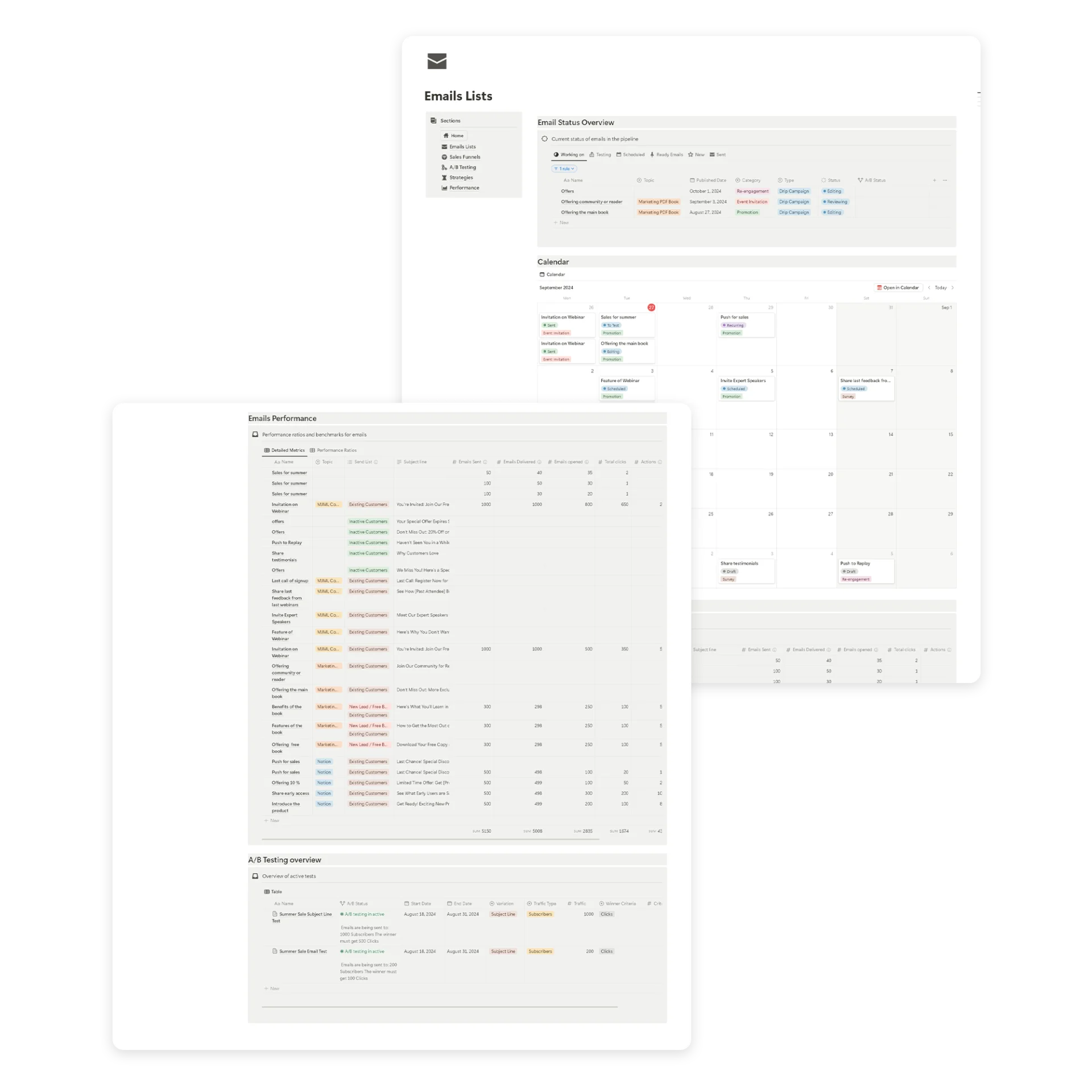
This guide shows you how to create an email marketing calendar using the Email Marketing Toolkit for Notion. You will learn how to plan campaigns, organize email sequences, build sales funnels, run A/B tests, and track performance in one workspace.
Table of Contents
What You’ll Learn
What Is an Email Marketing Calendar?
An email marketing calendar is a planning tool that maps out every email you intend to send over a specific time period. It includes details like:
Unlike a basic spreadsheet or content calendar, a proper email marketing calendar connects your email content to your workflow, analytics, and broader marketing strategy.
Most marketers start with Google Sheets or Excel. The problem? Spreadsheets break down when you need to track performance, manage funnels, or run A/B tests. They are flat files without relational logic.
The Email Marketing Toolkit for Notion solves this by giving you a connected email marketing calendar with built-in databases for campaigns, funnels, A/B tests, and analytics.
Here is what an email marketing calendar gives you:
1. Consistency That Builds Trust
Subscribers respond to predictable patterns. When emails arrive on a regular schedule, your audience knows what to expect. Consistency improves open rates and reduces unsubscribe rates over time.
2. Strategic Alignment
A calendar forces you to plan emails around business goals, product launches, seasonal promotions, and key dates. Every email has a purpose instead of being sent on impulse.
3. Visibility Across Campaigns
When every email is mapped on a calendar, you can spot gaps, prevent overlap, and balance promotional content with value-driven emails. You see the full picture at a glance.
4. Better Collaboration
If you work with a team, an email marketing calendar creates a shared source of truth. Everyone knows what is going out, when, and who is responsible.
5. Data-Driven Optimization
Tracking performance alongside your schedule reveals patterns. You learn which days, times, and content types drive the best results.
How to Create an Email Marketing Calendar in Notion (Step-by-Step)
The Email Marketing Toolkit gives you everything you need to build a professional email marketing calendar without starting from scratch. Here is how to set it up.
Step 1: Define Your Email Goals and KPIs
Before adding anything to your calendar, define what each email campaign needs to achieve.
The metrics that matter most:
Open rate — confirms your subject lines and timing work
Click-through rate (CTR) — measures interest in your message
Conversion rate — tracks real business impact (sales, signups, downloads)
Unsubscribe rate — signals over-sending or misaligned content
Bounce rate — indicates list health and deliverability issues
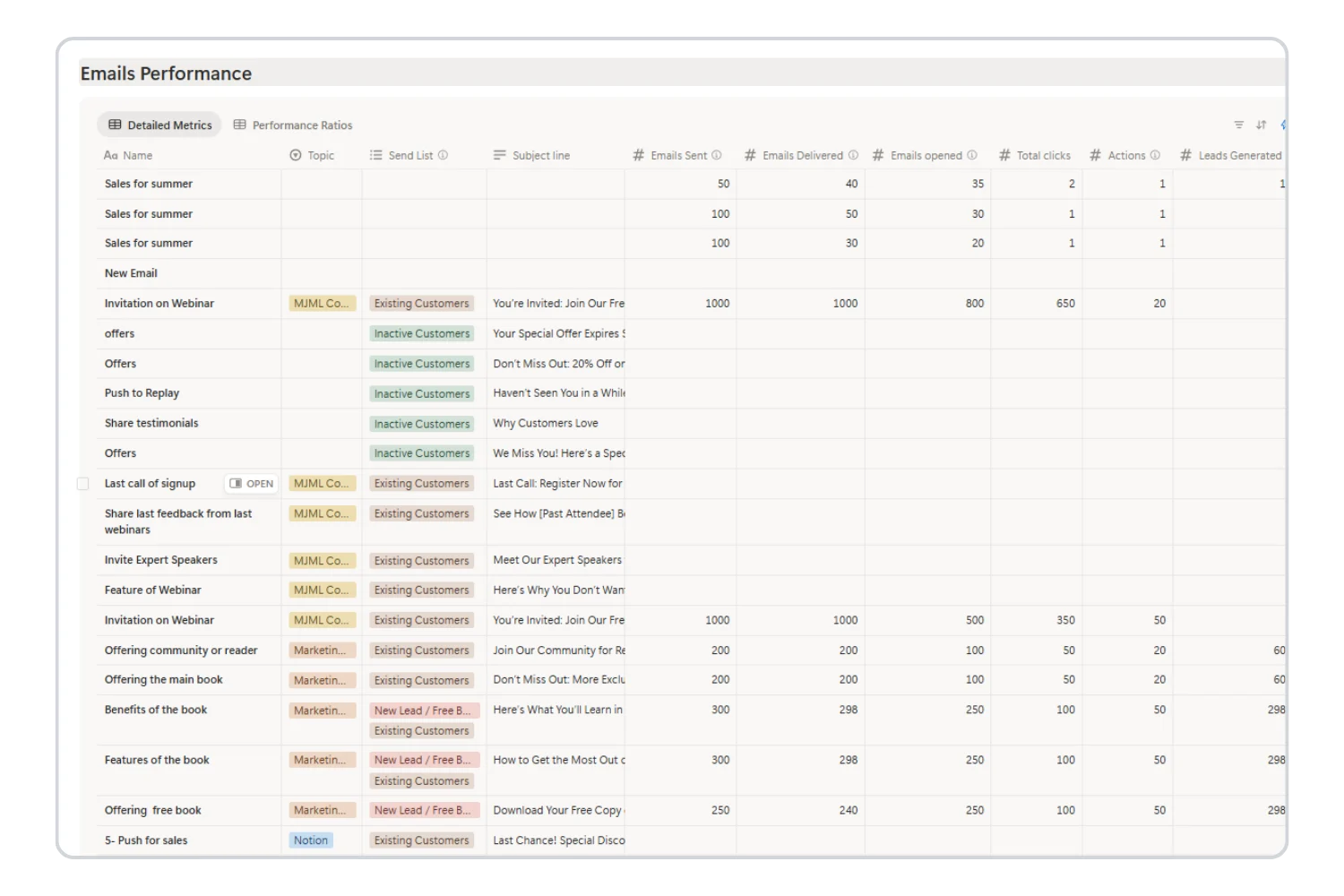
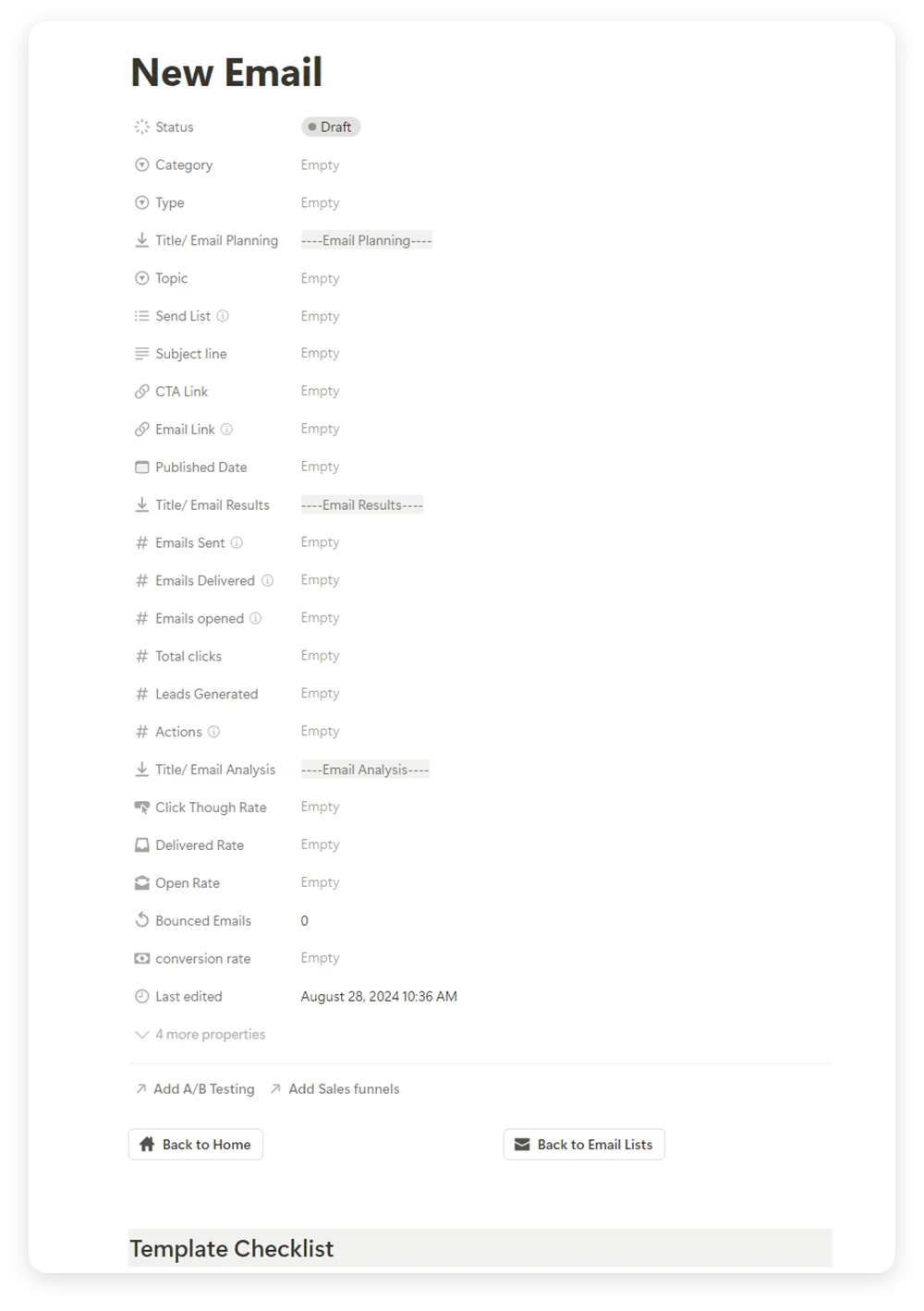
The Email Marketing Toolkit includes a Performance Page that auto-calculates these metrics for every email. You enter the raw numbers (sent, delivered, opened, clicked, converted) and the toolkit handles the math.
Pro tip: Limit each campaign to one primary goal and one main metric. This keeps reporting simple and makes optimization straightforward.
Step 2: Map Emails to the Customer Lifecycle
Not every subscriber should receive the same email. Map each campaign to where the recipient is in their journey:
New subscribers → Welcome sequences, onboarding tips, free resources
Engaged leads → Educational content, case studies, product comparisons
Active customers → Product updates, tips, upsell offers
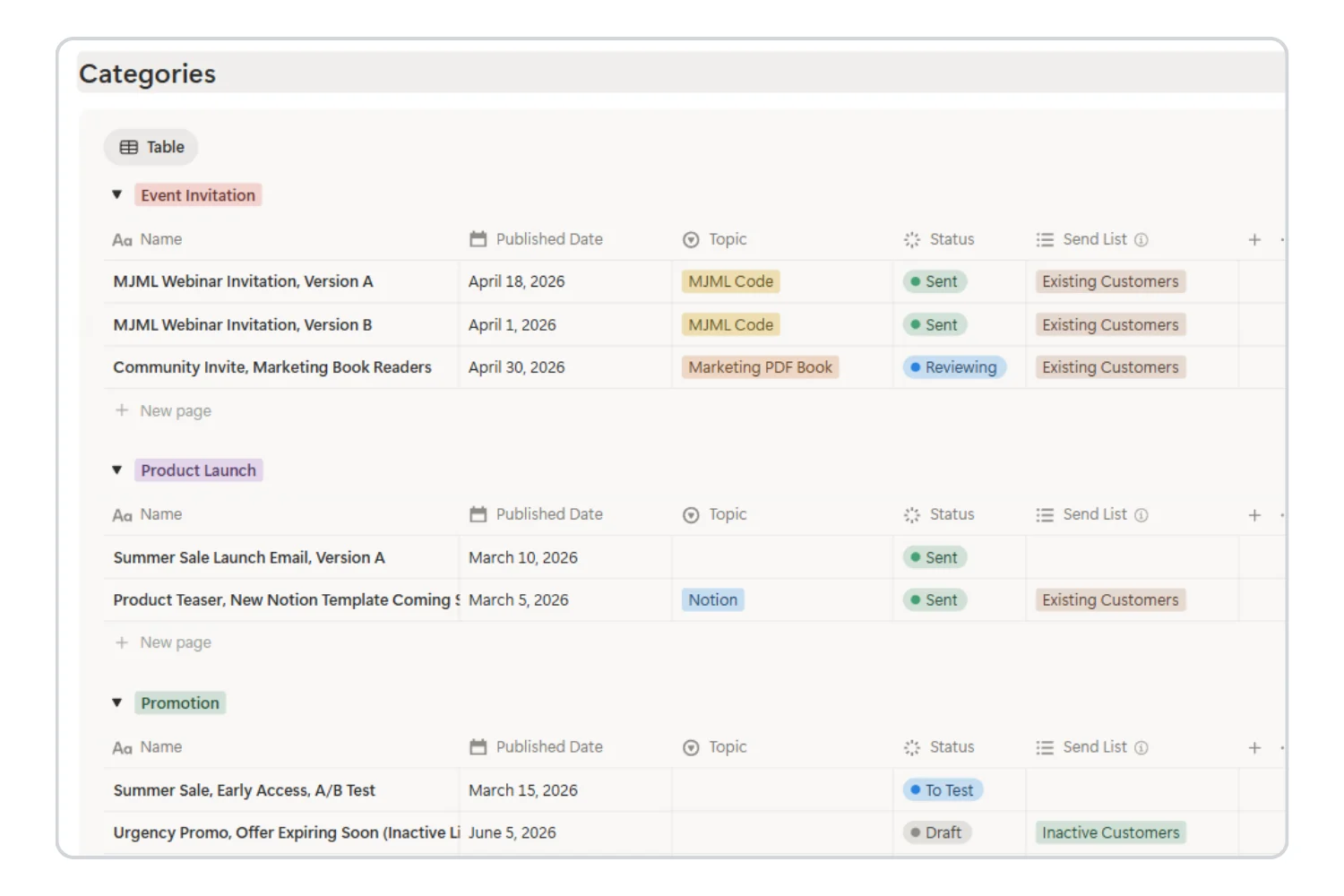
The toolkit lets you tag each email with a category (Welcome, Newsletter, Promotional, Sales Funnel, Re-engagement, Transactional) so you can filter your email marketing calendar by lifecycle stage.
Step 3: Choose the Right Email Frequency and Cadence
Sequence-based — drip campaigns triggered by actions
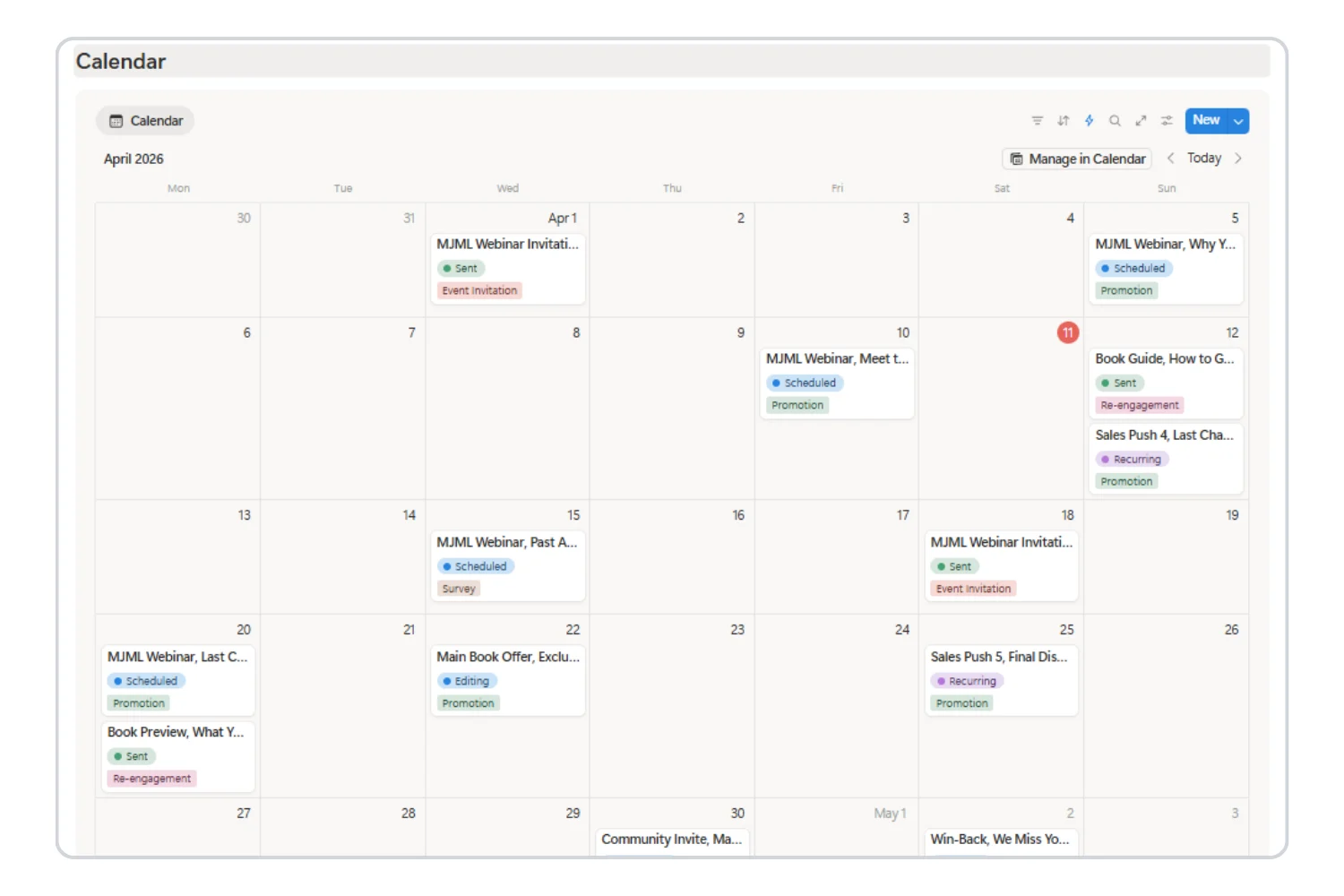
The email marketing calendar view in the toolkit lets you see all scheduled emails on a visual calendar. You can drag and drop to reschedule, spot gaps in your sending rhythm, and prevent email fatigue by spacing out campaigns.
Pro tip: Review your calendar from the subscriber’s perspective. If multiple emails land in the same week, space them out to protect open rates.
Step 4: Plan Content Themes and Campaign Types
Structure your calendar around content themes to maintain balance:
Educational — how-to guides, tips, industry insights
Transactional — order confirmations, shipping updates
Re-engagement — win-back campaigns for inactive subscribers
A healthy email marketing calendar balances value-driven content with promotional sends. The 80/20 rule works well: 80% value, 20% promotion.
Each email in the toolkit has a dedicated page where you can draft content, add notes, link to campaigns, and set the format (standalone or drip campaign). This keeps your planning and drafting in one place.
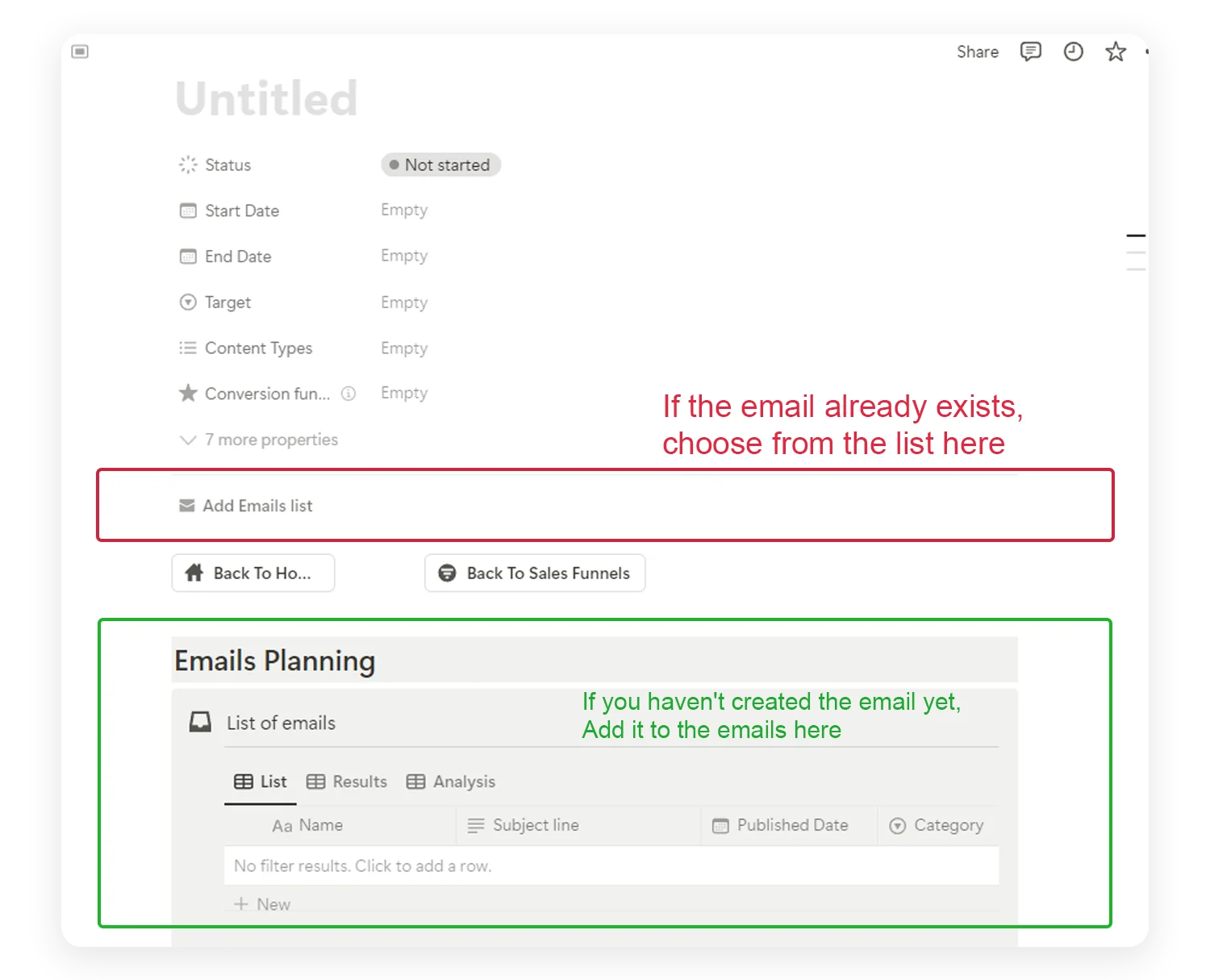
Create a new funnel and define the objective (increase sales, gain subscribers, brand awareness, lead generation)
Add emails in sending order
Link existing emails or create new ones directly from the funnel page
Each funnel stage displays the corresponding emails with dynamic status indicators. You can see which emails are drafted, scheduled, or sent, and where gaps exist in the sequence.
Step 7: Set Up A/B Testing
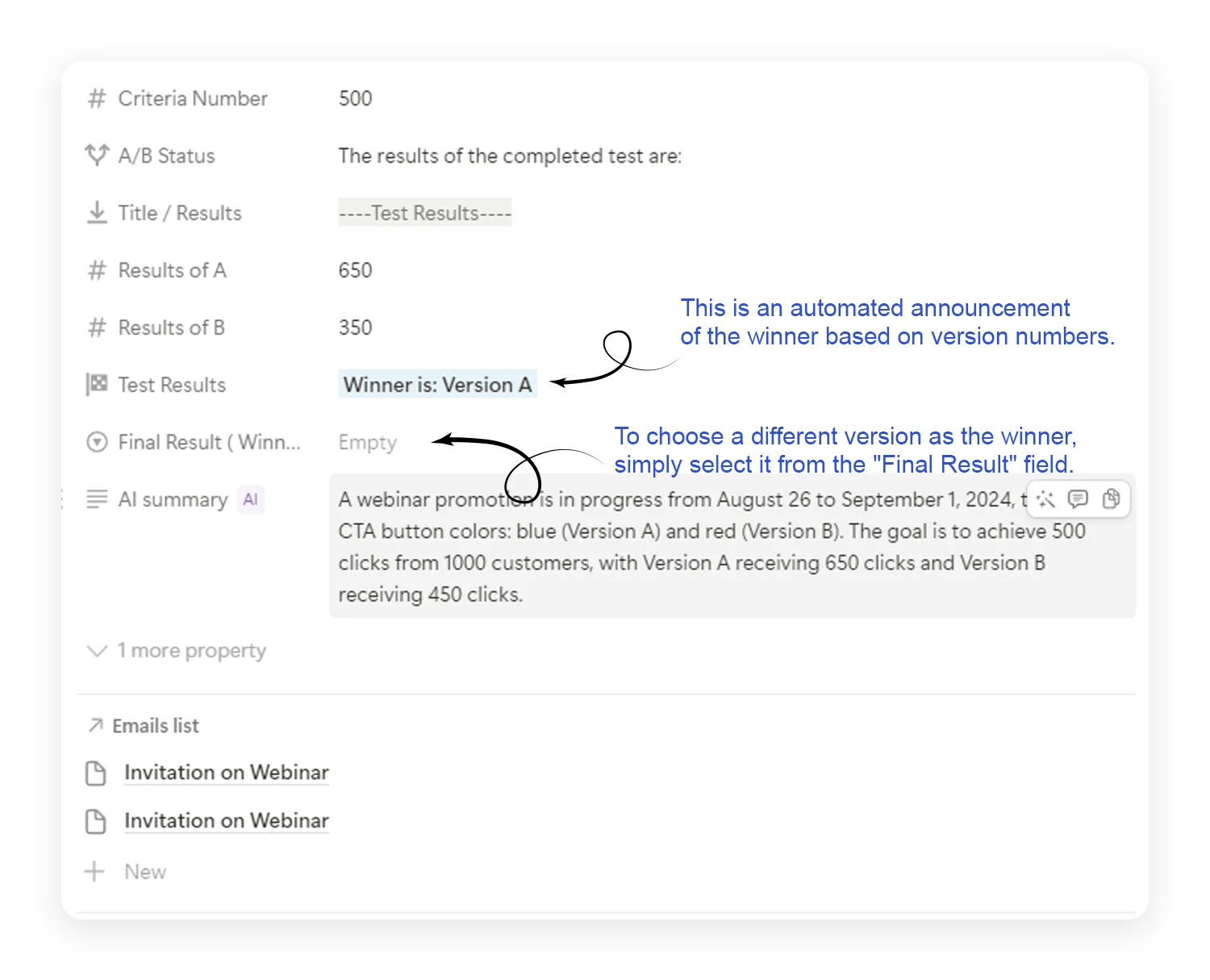
Most email tools limit A/B testing to subject lines. The Email Marketing Toolkit lets you test anything:
Subject lines — which hook gets more opens
CTA buttons — which color or text drives more clicks
Images — which visual resonates with your audience
Content layouts — which structure keeps readers engaged
Send times — which timing produces better results
How to run an A/B test:
Create a new A/B test page
Define the variation type (content, color, image, button, subject line, CTA, layout)
Seasonal: Black Friday, New Year, back-to-school promotions
The Email Marketing Toolkit handles all these scenarios. Each email type gets its own entry with full tracking, and the calendar view shows everything in context.
How to Track and Optimize Your Email Marketing Calendar
Planning is only half the equation. The real value of an email marketing calendar comes from tracking results and optimizing over time.
Performance Tracking
After each email is sent, record the metrics in the toolkit:
Emails sent and delivered
Opens and clicks
Conversions and revenue
Bounces and unsubscribes
The toolkit auto-calculates delivery rate, open rate, and click-through rate. You can compare performance across campaigns, funnels, and time periods.
What to Optimize
Subject lines: Test different hooks, lengths, and personalization approaches
Send times: Experiment with different days and times based on your audience
Content format: Compare long-form vs. short-form, image-heavy vs. text-focused
CTA placement: Test above-the-fold vs. end-of-email CTAs
Frequency: Find the sweet spot between too many and too few emails
Managing Emails From Multiple Platforms
If you use more than one email service provider (ConvertKit for newsletters, Mailchimp for promotions, Gumroad for product delivery), the toolkit brings all your emails into one email marketing calendar.
Track, compare, and optimize emails from different platforms in a single workspace. No more switching between dashboards to understand your full email performance.
Each email entry includes a platform link field so you can quickly jump to the original email in your ESP when needed.
Email Marketing Calendar Best Practices
1. Keep Your Email List Clean
Regularly remove invalid, inactive, and duplicate addresses. A clean list improves deliverability and ensures you reach engaged subscribers.
2. Segment Your Audience
Group subscribers by interests, behaviors, or purchase history. Targeted emails consistently outperform mass blasts.
Pre-built templates for emails, funnels, and tests
Multi-platform support for tracking across ESPs
Built-in checklists and guides on every email page
Frequently Asked Questions
What should an email marketing calendar include?
At minimum: send date, campaign name, email type (newsletter, promotional, transactional), target audience segment, subject line, CTA, and status (draft, scheduled, sent). For deeper tracking, add performance metrics like open rate, CTR, and conversion rate. The Email Marketing Toolkit for Notion includes all of these fields built in.
How far ahead should I plan my email calendar?
Plan 4 weeks ahead for recurring emails (newsletters, tips). Plan 8-12 weeks ahead for product launches, seasonal promotions, and sales campaigns. This gives you enough lead time to draft, review, and schedule without rushing.
How often should I send marketing emails?
It depends on your audience and content type. A common starting point: 1-2 emails per week for most businesses. Newsletters work well weekly. Promotional emails perform better when spaced bi-weekly or tied to specific events. Track your unsubscribe rate. If it climbs above 0.5% per send, reduce frequency.
What is the best day and time to send marketing emails?
Tuesday, Wednesday, and Thursday mornings (9-11 AM in your audience’s timezone) tend to perform best across industries. But your audience is unique. Use A/B testing to find your optimal send times and track results over 4-6 weeks before drawing conclusions.
What is the difference between an email marketing calendar and a content calendar?
A content calendar covers all content types: blog posts, social media, videos, podcasts. An email marketing calendar focuses specifically on email campaigns with email-specific details like subject lines, audience segments, send times, and performance metrics. Both work together but serve different purposes.
How do I organize emails for multiple campaigns running at the same time?
Use categories and color-coding to separate campaign types visually. The Email Marketing Toolkit lets you filter by category (Welcome, Newsletter, Promotional, Sales Funnel, Re-engagement) and view everything on a single calendar. This prevents overlap and email fatigue for your subscribers.
Do I need a separate calendar for drip campaigns and automated sequences?
No. Include drip campaigns on the same calendar as standalone emails. Tag each email as “drip” or “standalone” so you can filter when needed. The toolkit supports both types and lets you build full sales funnels with linked email sequences alongside your regular sends.
How do I measure if my email marketing calendar is working?
Track three key trends over time: open rate (are subject lines and timing improving?), click-through rate (is content driving action?), and unsubscribe rate (are you sending too often or missing the mark?). Review these monthly and compare against your baseline from before you started using a calendar.
Get Started With Your Email Marketing Calendar
Stop planning emails in scattered spreadsheets and hoping for the best. The Email Marketing Toolkit gives you a professional email marketing calendar that connects planning, execution, and optimization in one Notion workspace.
Whether you are sending your first newsletter or scaling a multi-funnel operation, this toolkit keeps every email organized, tracked, and optimized.
📌 Screenshot Placement #12: Insert a hero/banner screenshot of the toolkit’s main dashboard or calendar view as a closing visual before the CTA button.