Stop Losing Your Day to Chaos. Daily Flow Gives You Structure That Actually Sticks
Most people start their day with good intentions.
By 10 AM, those intentions are buried under notifications, unclear priorities, and a to-do list that feels impossible.
You’re busy. But busy isn’t the same as productive. And at the end of the day, that gap between what you planned and what you actually did? That’s not a motivation problem. That’s a system problem.
You Don’t Have a Daily System. You Have a Daily Guess.
You write tasks on sticky notes. You keep a mental list. You open three different apps.
But nothing is connected. Nothing shows you the full picture of your day at a glance.
When structure is missing, every decision, even small ones, costs energy. And for people with ADHD or high-output workdays, that energy drain is the silent killer of productivity.
The result? Tasks slip. Routines break. You end the day feeling like you did everything and nothing.
One Page. Everything Your Day Needs.
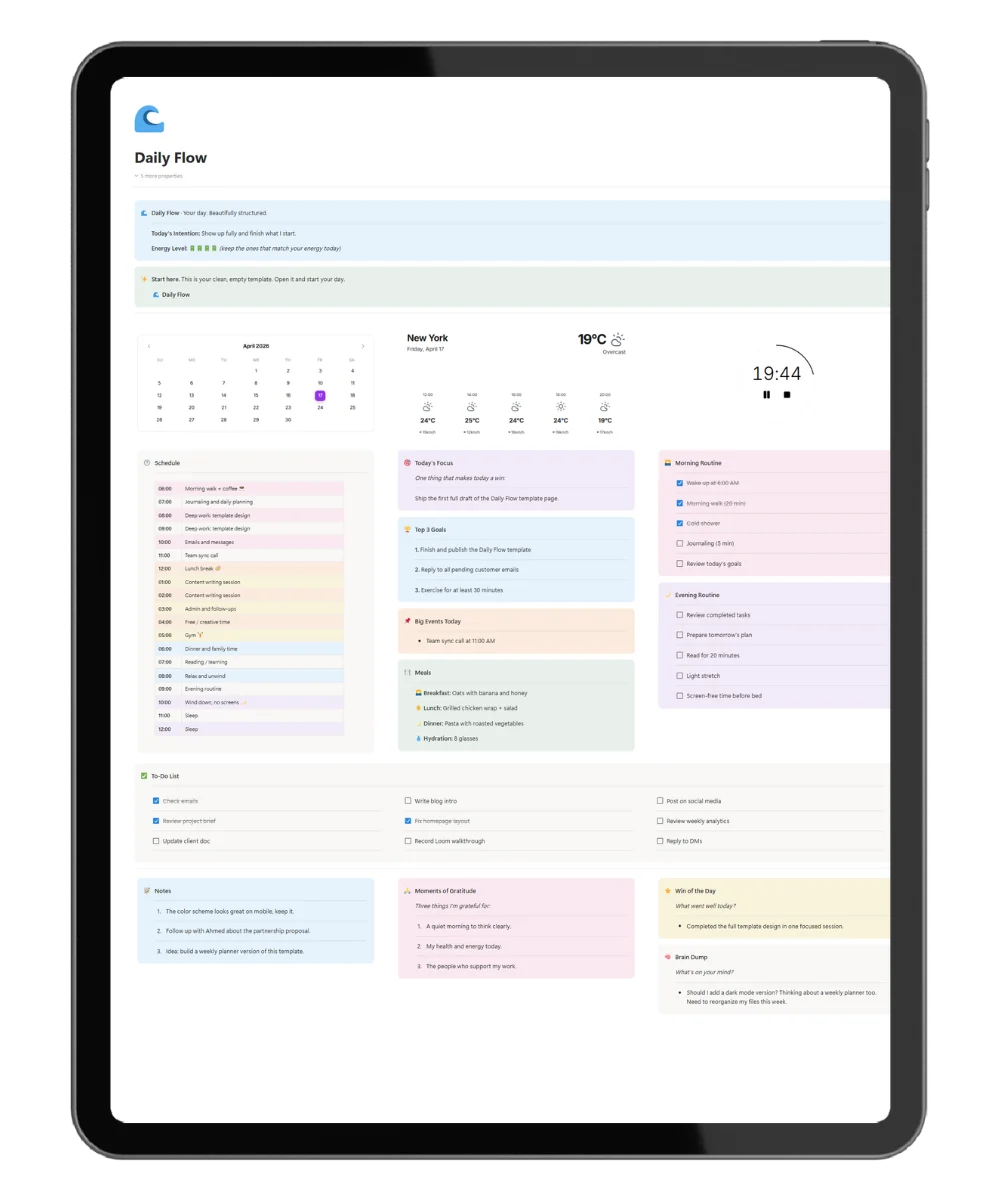
By using Daily Flow, you will plan, execute, and reflect on your entire day from a single Notion page. No overwhelm. No confusion. No losing track of what matters.
Open it in the morning. Close it at night. Every hour, every habit, every goal. Right there.
What Makes Daily Flow Different
Most daily planners give you a list. Daily Flow gives you a system.
Other Notion planners are either too minimal (just a checklist) or too complex (15 databases, 40 properties). Daily Flow hits the exact middle: structured enough to create clarity, simple enough to actually use every day.
It’s not a productivity hack. It’s a daily operating system built for real humans.
How Daily Flow Works
Daily Flow is built around one core idea: every part of your day deserves a dedicated space.
Here’s what’s inside:
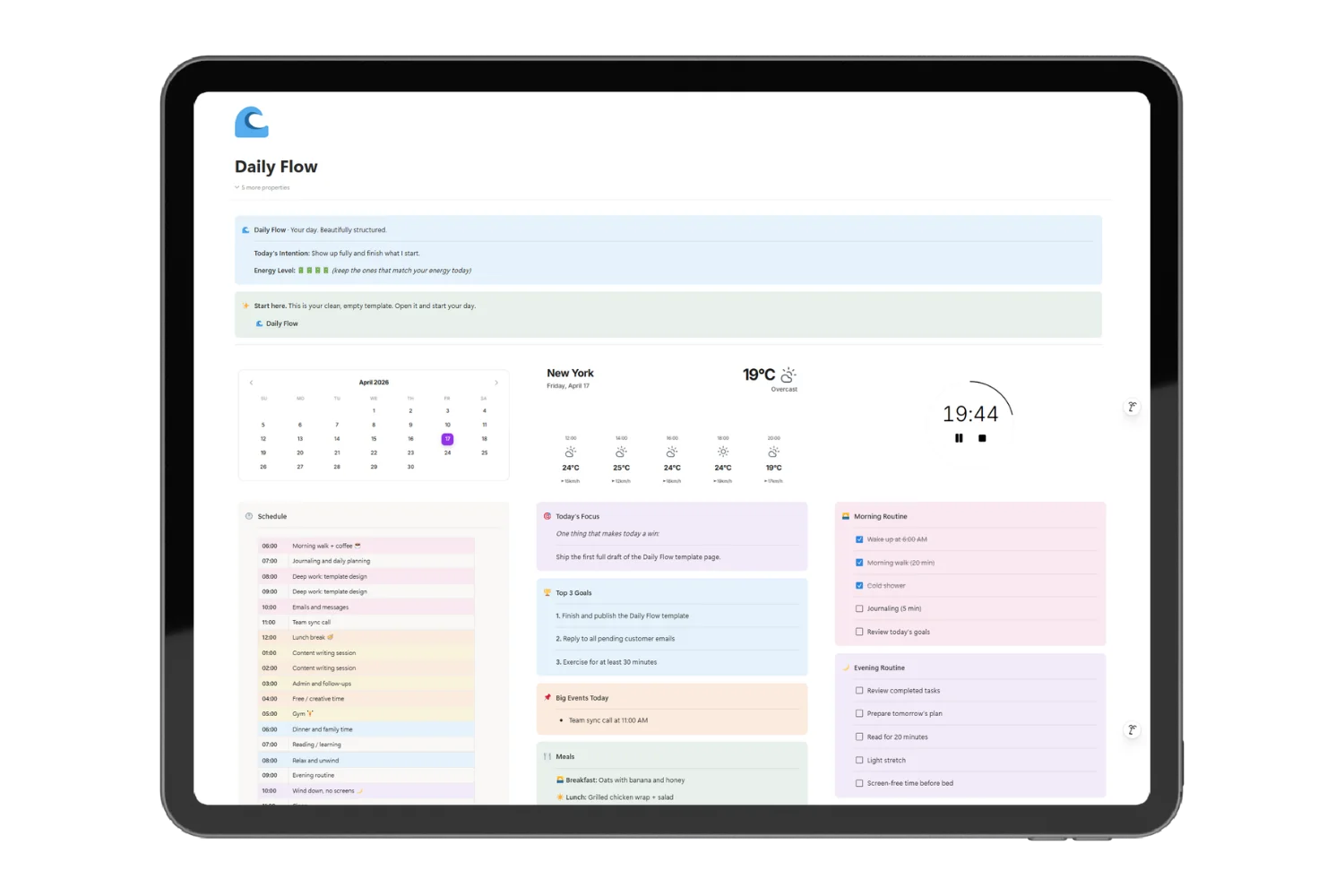
- Color-Coded Schedule – Visual time-block table from morning to midnight. Morning in pink. Afternoon in orange. Evening in blue and purple. See your day before it starts.
- Today’s Intention + Energy Level – Set the tone before the first task. One line that anchors your mindset.
- Today’s Focus (MIT) – One Most Important Thing. The single outcome that makes the day a win, even if nothing else gets done.
- Top 3 Goals – Specific, trackable, realistic. Written in the morning. Reviewed at night.
- Big Events – Your meetings, calls, and commitments. No surprises.
- Meals – Breakfast, lunch, dinner, hydration. Keep health on the page, not in your head.
- Morning + Evening Routines – Separate habit checklists for both halves of your day.
- To-Do List – 3-column grid layout for better task overview at a glance.
- Moments of Gratitude – Three things. 60 seconds. Shifts your mindset before the day ends.
- Notes – Capture ideas, decisions, and updates as they come.
- Win of the Day – One reflection. What actually went well? Write it down.
- Brain Dump – Clear your head. Get it on the page. Move on.
Built for People Who Think in Systems
Daily Flow is for you if:
- You want structure but hate rigid planners
- You have ADHD and need visual clarity to stay on track
- You use Notion as your second brain and want everything in one place
- You’ve tried other daily planners but they felt too complex or too empty
- You believe a good system is the difference between a good day and a wasted one
What You Get
- ✅ Daily Flow Notion Template (duplicate and use immediately)
- ✅ Color-coded visual schedule
- ✅ 12 structured sections covering your full day
- ✅ Morning + Evening routine checklists
- ✅ Brain dump and reflection prompts built in
- ✅ Clean, aesthetic design. No clutter.
- ✅ Lifetime access + all future updates
No subscriptions. No hidden fees. One purchase, one system, every day.
Frequently Asked Questions
Do I need to know Notion to use Daily Flow?
No. If you can open a page and type, you can use Daily Flow. It’s ready to go the moment you duplicate it.
Does it work on mobile?
Yes. Daily Flow works on any device where Notion runs. Desktop gives the best visual experience, but mobile works fine for quick updates.
Do I need a paid Notion plan?
No. Daily Flow works on the free Notion plan.
Can I customize it?
Yes. Every section is fully editable. Add, remove, or rename anything to fit your routine.
Is this a one-time purchase?
Yes. One payment, lifetime access, and all future updates included.
What happens after I buy?
You get a link to duplicate the template directly into your Notion workspace. Setup takes under two minutes.
Does this work for ADHD?
Yes. Daily Flow was designed with ADHD in mind. Visual structure, short sections, and a clear daily focus help reduce decision fatigue and keep you on track.
The Simplest Action That Changes Your Day
Open Daily Flow tomorrow morning. Fill in your intention and your MIT. Block two hours for deep work.
That’s it. That’s the first step.
You’ll feel the difference by noon.