The Notion Productivity System That Runs Your Whole Day From One Dashboard
If you’re tired of juggling Todoist, Streaks, Google Calendar, Notes, and a journal app, this is the Notion productivity system you’ve been looking for. One dashboard. Five connected databases. Your entire day in one place.
The Hidden Cost of a Scattered Day
You have a task app. A habit tracker. A calendar. A journal. A notes app.
Five apps. Five tabs. Five separate pieces of your day.
By 10 AM you’ve switched between them a dozen times. By noon you’ve forgotten half of what was on the list. By night, you cannot name three things you actually finished.
This is not a willpower problem. It’s a fragmentation problem. Your day cannot hold together when it lives in five different places.
The best Notion templates solve this. Daily Command was built for this exact problem.
The Promise: One Dashboard, Your Whole Day
Imagine opening one Notion page in the morning. On that page:
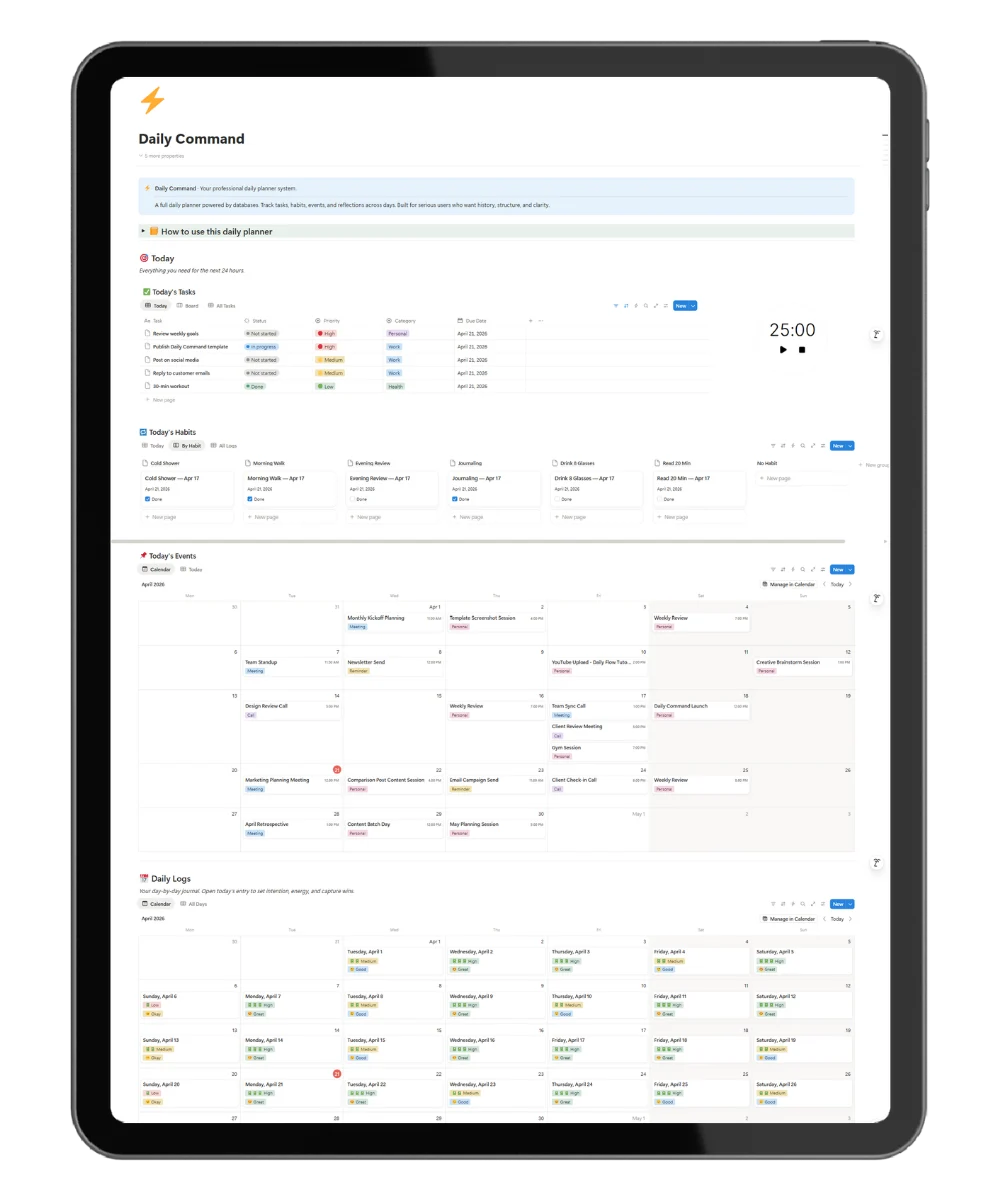
Today’s tasks are already there, filtered to just today. Your habits are ready to check off, sorted by morning, afternoon, and evening. Your meetings for today are listed with times. Your daily log is waiting for your intention and energy level.
No switching. No syncing. No tabs.
You finish your morning planning in five minutes. You check back throughout the day to mark things done. At night, you close out the log with your win and a brain dump.
This is what Daily Command delivers. A single Notion productivity system that holds your entire day.
What Makes Daily Command Different
Most Notion templates for productivity fall into one of two traps:
- Too simple. A pretty page with checkboxes. No history. No tracking. You abandon it by Thursday.
- Too complex. 20 databases. 50 properties. You spend three weekends setting it up and never actually use it.
Daily Command is the only professional Notion template built on five connected databases that work together out of the box. You get the power of a full system with the setup of a single page. Five minutes to duplicate. No configuration. Just start using it.
That is the gap it fills. Between “pretty but useless” and “powerful but unusable.” Daily Command is both powerful and usable.
The Unique Mechanism: Auto-Filtering Today Views
Here is what makes Daily Command different from every other Notion productivity template on the market.
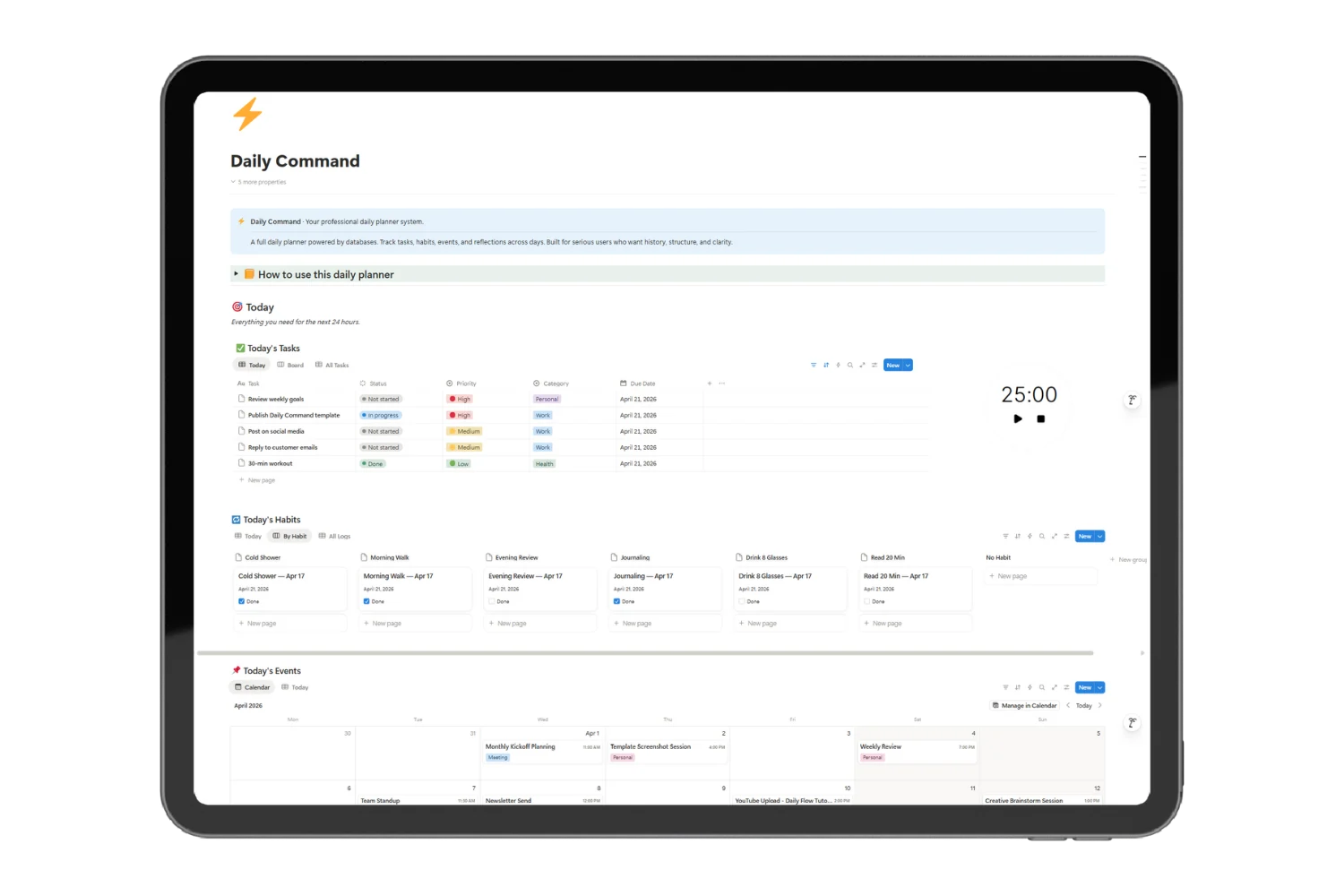
Every single view on the dashboard uses a relative date filter set to “today.” The tasks view shows only tasks due today. The habits view shows only today’s habit check-ins. The events view shows only today’s meetings.
Tomorrow, the same dashboard shows tomorrow’s data automatically. Next week, next week’s. Forever.
You never move anything. You never reorganize. You never clean up “yesterday.” The dashboard refreshes itself every day. Forever.
This is why users stick with Daily Command when they’ve quit every other planner. There is nothing to maintain. The system maintains itself.
What’s Inside the Daily Command System
Five connected databases power the entire dashboard:
Daily Logs • One entry per day. Capture your intention, energy level, mood, win of the day, and brain dump. Your journal lives here. Build a history across weeks and months.
Tasks • Full task management. Status (Not Started, In Progress, Done). Priority (High, Medium, Low). Category (Work, Personal, Health, Errands). Due Date. Filter by today, view by board, or browse all.
Habits • Master list of habits grouped by time of day. Morning, afternoon, evening, or anytime. Add an icon, mark active.
Habit Tracker • Daily check-ins connected to your habits. Check off what you did. Build streaks over time. See patterns across the month.
Events • Meetings, calls, reminders. Scheduled on your calendar. Filtered to today on the dashboard. Build your week ahead in minutes.
All five databases are pre-configured with the right properties, views, and filters. You open the dashboard and start using it. No setup. No configuration.
Who This Is For
This Notion productivity template is built for:
- Solopreneurs running every part of their business
- Creators who need tasks, habits, and reflections in one place
- Freelancers tired of subscription fatigue across 5 productivity apps
- Notion users who want a system, not just a pretty page
- Anyone who has quit every other planner after two weeks
If you want something simpler, try the free Daily Flow template. If you want a basic starter, grab the free Daily Planner. If you want a professional system that scales with you, this is it.
How to Set Up in 5 Minutes
- Click Download. You’ll get the template link instantly.
- Duplicate to your Notion. One click. The free Notion plan works.
- Add your habits to the master list. Takes 2 minutes.
- Create today’s daily log. Set your intention and energy.
- Start using it. The dashboard does the rest.
No tutorials. No setup videos. Just open it and go.
Why This Beats Five Separate Apps
The average productivity app stack costs $100+ per year. Todoist Pro. Streaks. A journaling app. Calendar upgrades. It adds up fast, and you still have to context-switch between them.
Daily Command lives in Notion. The free plan works. No monthly fees. No syncing. No switching between tabs.
Open Notion. Open the dashboard. Start your day. Close it when done.
That’s the entire workflow.
One payment. Lifetime access. Free updates forever.
Frequently Asked Questions
How is this different from a regular daily planner template?
A daily planner is a single page you fill in. Daily Command is a full system with connected databases. You get tracking, history, filtering, and views that adapt automatically every day.
How long does setup take?
Five minutes to duplicate and start. About 15 minutes if you want to customize your habit list and task categories.
Can I use it on mobile?
Yes. Notion works on desktop and mobile. The dashboard is fully readable on phone.
Can I customize it?
Yes. Every database, view, and property is editable. Add fields, change colors, adjust filters. It’s yours after you download.
Will I get updates?
Yes. Every future version is included free for life.
What if I want something simpler?
Check out the free Daily Flow template. It’s a beautiful single-page daily planner without the database system.
Take Control of Your Day
The best time to fix your fragmented day was a year ago. The second best time is right now.
Download Daily Command and run tomorrow from one Notion dashboard.