Creator Work Desk — A Notion Template for Content Creators Who Need to Ship
Notion content creator template One page. One daily deliverable. Top 3 creator priorities. A built-in Pomodoro timer and a shipping log. Built for solo creators who feel the publishing cadence pressure.
Drowning in Ideas, Shipping Almost Nothing?
Most creator tools track ideas. Almost none of them help you finish.
- Your content backlog has 80 ideas. Last week shipped one.
- You context-switch between scripting, recording, editing, and posting six times a day.
- Every “focus block” turns into research that turns into another idea.
- The publishing cadence slips, and the algorithm punishes you for it.
- You end the week with no clear answer to “what did I actually publish?”
Creator Work Desk is the desk that closes loops.
Meet Creator Work Desk — A Notion Template for Solo Creators
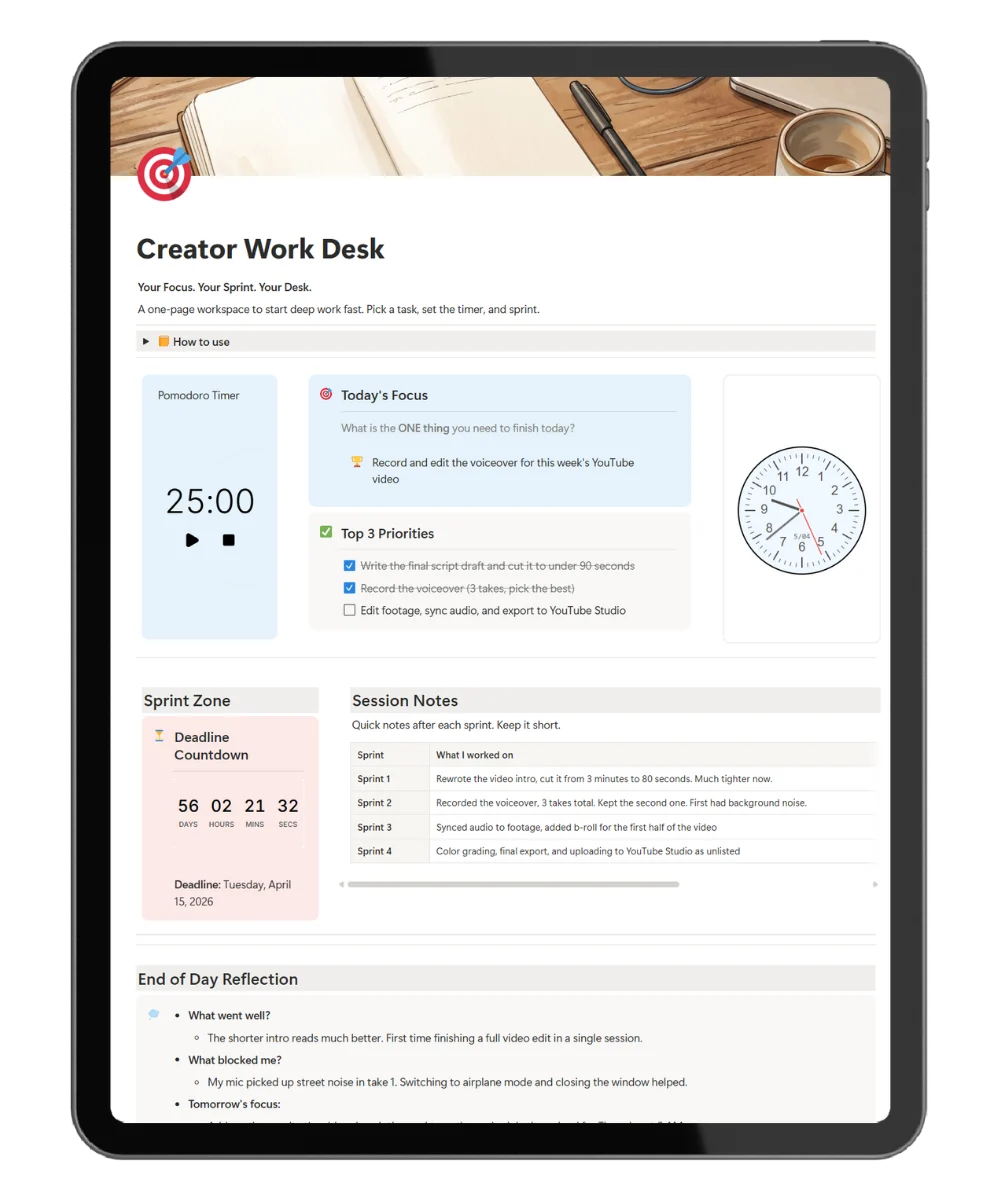
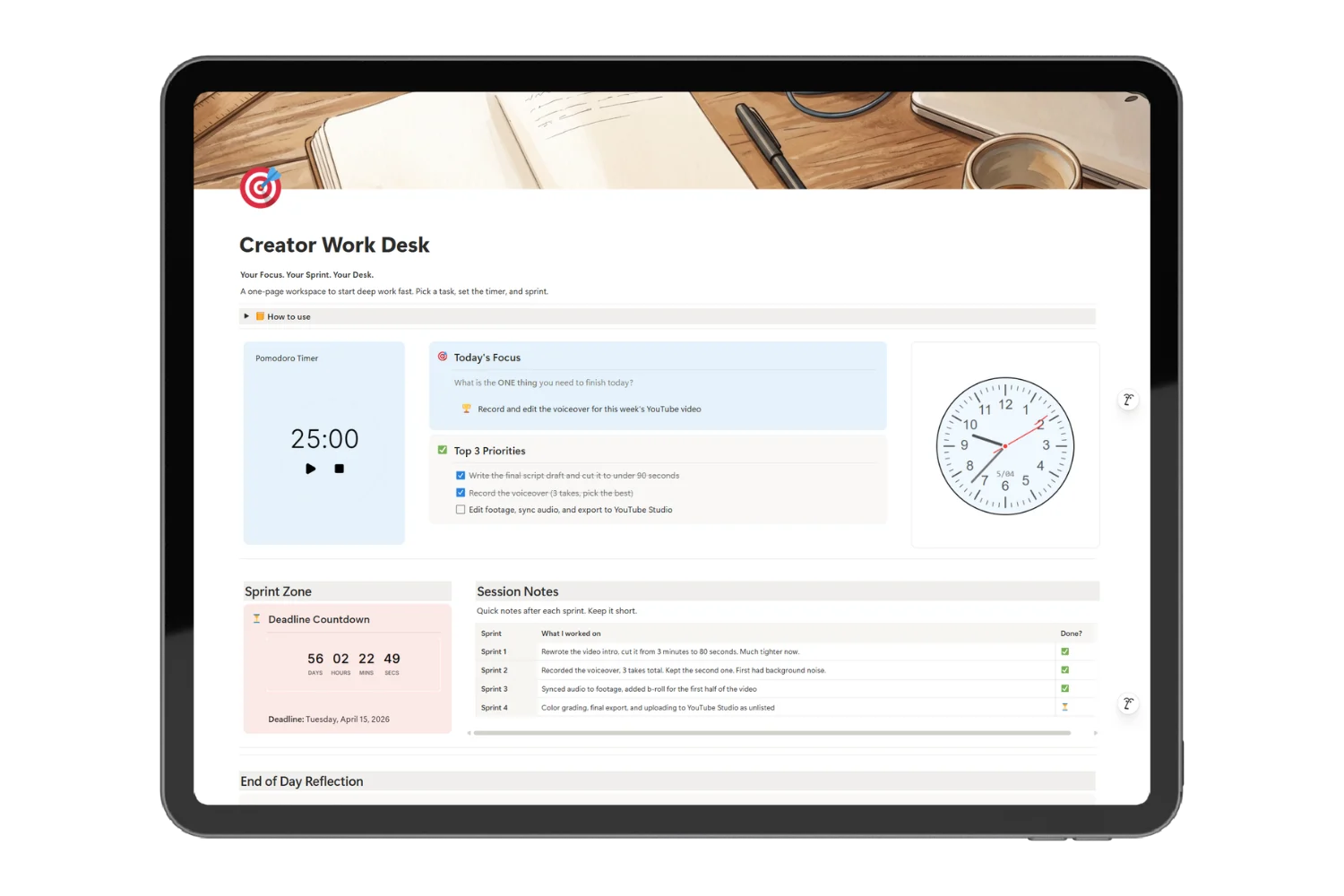
Creator Work Desk is a single-page Notion content creator template for YouTubers, writers, podcasters, designers, and indie makers. One daily deliverable, three creator priorities, a built-in Pomodoro timer, a deadline countdown, a shipping log, and end-of-day reflection prompts tuned for creator burnout patterns.
Not a content calendar. Not a CRM. A focused desk where the work actually gets shipped.
What’s Inside Notion content creator template
🎯 Today’s Deliverable
What: One shipping target for the day (a script, a draft, an edit, a post).
Why: So creator work ends in something published, not something “in progress.”
✅ Top 3 Creator Priorities
What: Three slots ordered by what moves the publishing cadence forward.
Why: So the 80-item backlog stops competing with today.
⏱️ Built-In Pomodoro Timer
What: A focus timer running inside Notion.
Why: So scripting, editing, and post-writing get clean blocks instead of fragmented attention.
⏳ Publishing Deadline Countdown
What: A live countdown to your next publish date.
Why: So the cadence stays visible while you work.
📋 Shipping Log
What: A log of every piece shipped with type, channel, and date.
Why: So the end-of-month review shows real output, not effort.
💭 End-of-Day Creator Reflection
What: Three prompts: what did I ship, what blocked production, what is tomorrow’s deliverable.
Why: So tomorrow’s first sprint is set before you close the laptop tonight.
Everything Inside Creator Work Desk
✅ Today’s Deliverable block
✅ Top 3 Creator Priorities
✅ Built-in Pomodoro timer widget
✅ Publishing deadline countdown
✅ Shipping log database (type, channel, date)
✅ End-of-day creator reflection prompts
✅ Setup instructions on the page
✅ Free updates as new creator modules ship
Get Creator Work Desk Today
One-time purchase. Lifetime use. Free Notion plan compatible.
Frequently Asked Questions
Is this Notion content creator template right for YouTubers?
Yes. The shipping log captures video scripts, edits, thumbnails, and uploads. Creators who run on a publishing schedule get the strongest results.
Will it work for newsletter writers and podcasters?
Yes. The deliverable block is content-type agnostic. Issues, episodes, posts, and scripts all log the same way.
Do I need a paid Notion plan?
No. The free Notion plan covers every feature.
How is this different from a content calendar?
A content calendar tracks what you plan to publish. Creator Work Desk runs the actual work sessions and logs what shipped. Use both together for full coverage.
How is this different from Focus Sprint Desk?
Focus Sprint Desk is built for general deep work. Creator Work Desk swaps task language for deliverable language and adds a publishing-specific shipping log.
Can I batch-create with this template?
Yes. Set today’s deliverable to “batch four scripts” and the Pomodoro blocks run back to back. The shipping log captures each piece as it lands.
Ship More. Plan Less.
A creator backlog will eat your week if you let it. Creator Work Desk gives you one page, one daily deliverable, and a timer. The rest is shipping.