Study Sprint Desk — A Notion Study Template Built for Sprint-Style Learning
One page. One study goal. Top 3 subjects. A built-in Pomodoro timer and a session log. Designed for students who want to study harder, not longer.
Studying Hard but Still Falling Behind?
Most students do not have a focus problem. They have a planning problem.
- You open six tabs, two PDFs, and Notion before you ever start studying.
- Exam week arrives and your notes are scattered across apps.
- You study for four hours but only remember 20 minutes of it.
- You lose track of which deadlines are real and which are fake urgency.
- You finish the day unsure whether you made progress on the syllabus.
Study Sprint Desk fixes the planning side so the studying part actually counts.
Meet Study Sprint Desk — A Notion Study Template for Sprint Learners
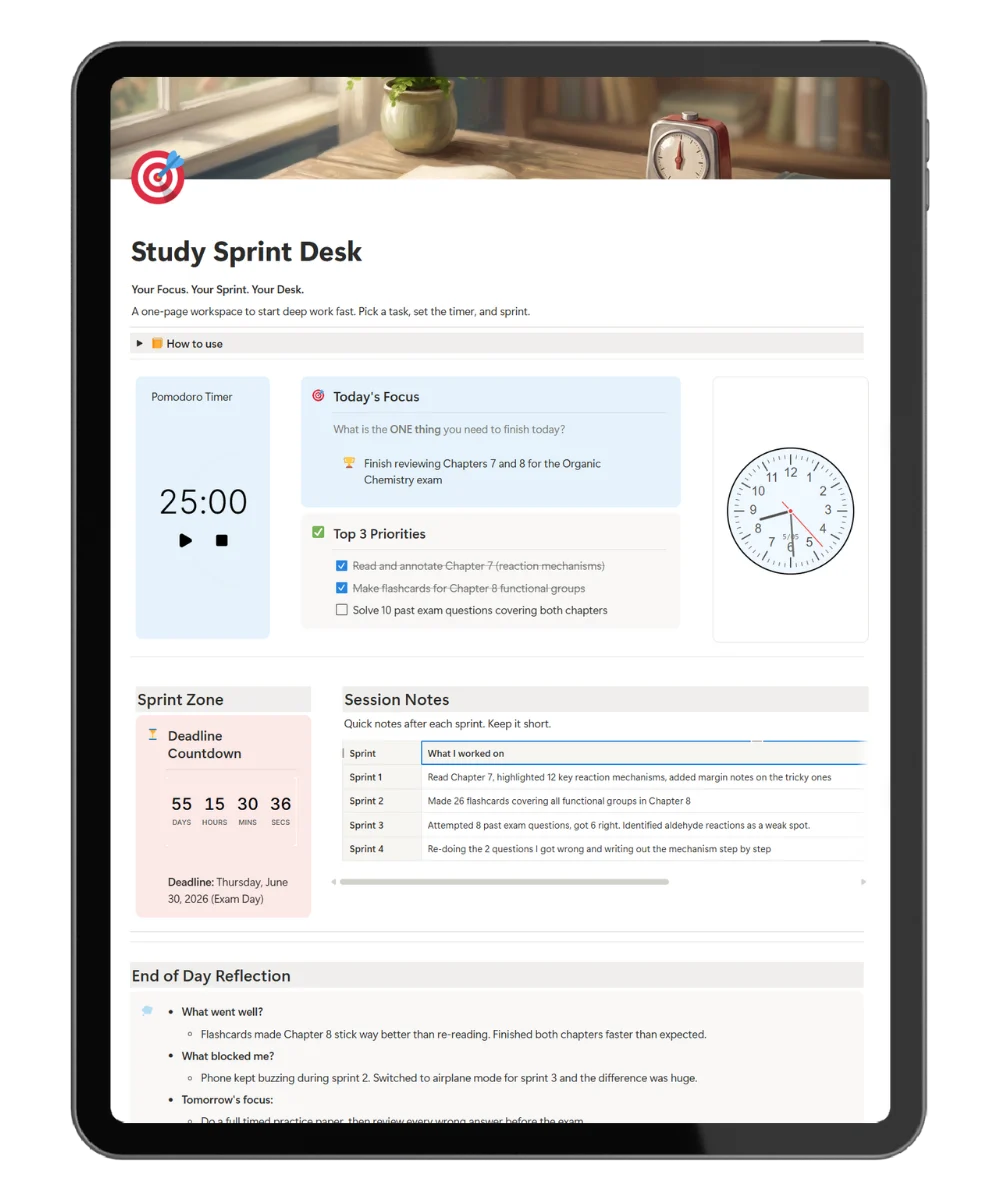
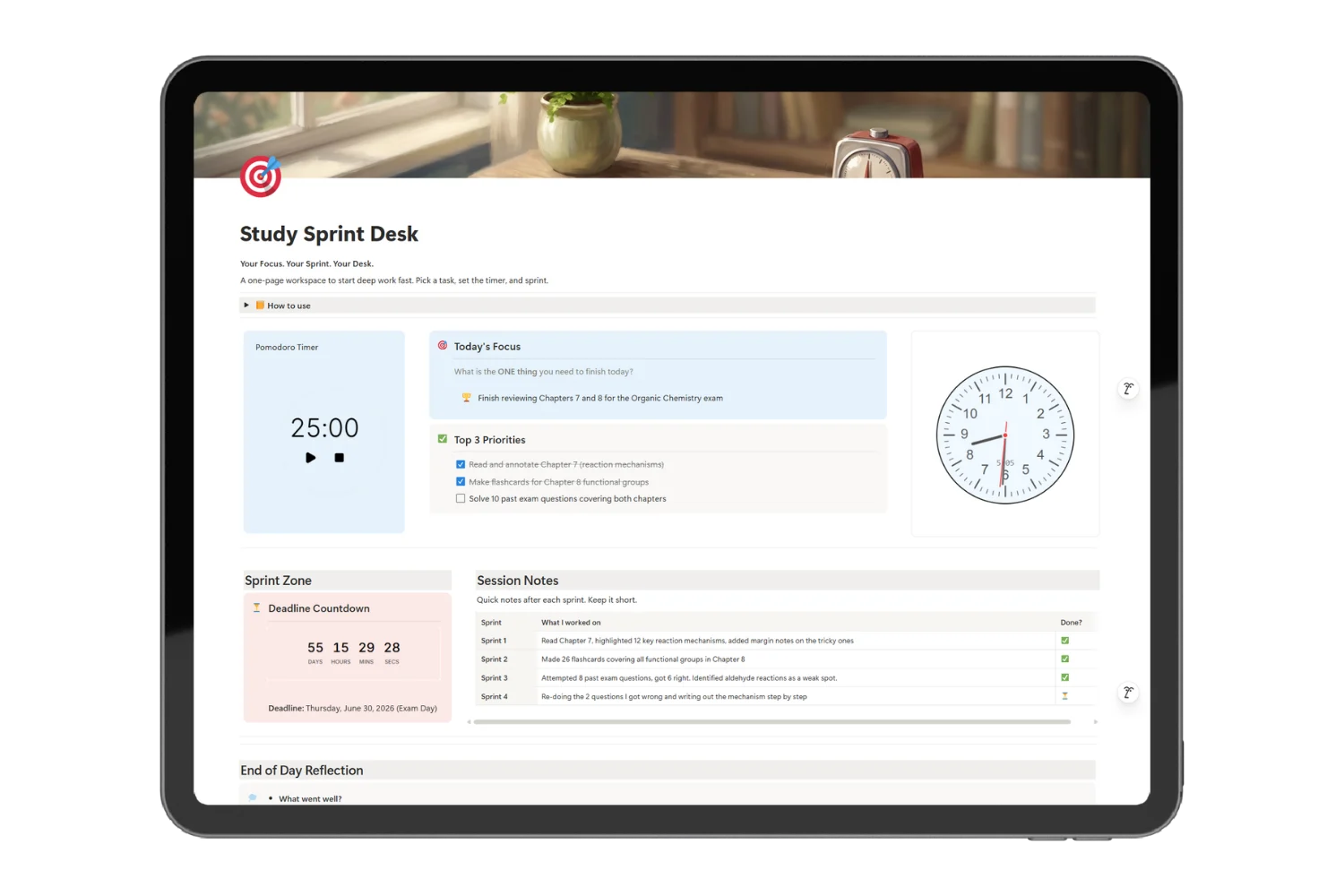
Study Sprint Desk is a single-page Notion study template for high school, university, and self-taught learners. Set today’s study goal, queue three subjects, run focused sprints with the built-in Pomodoro timer, log every session, and reflect at the end of the day.
Not a course tracker. Not a flashcard app. A focused desk that keeps your study sprints honest.
What’s Inside Study Sprint Desk
🎯 Today’s Study Goal
What: One outcome for the day, set before the first sprint.
Why: So you study toward a goal, not toward an empty timer.
📚 Top 3 Subjects
What: Three subject slots, ordered by priority.
Why: So exam-week panic does not pull you across seven subjects in two hours.
⏱️ Pomodoro Study Timer
What: A built-in focus timer with break tracking.
Why: So you work in research-backed 25-minute blocks without leaving Notion.
⏳ Deadline Countdown
What: A live countdown to your next exam, deadline, or submission.
Why: So you study for what is next, not what is comfortable.
📋 Study Session Log
What: A log of every sprint with subject, duration, and topic covered.
Why: So weekly reviews show real coverage, not vibes.
💭 End-of-Day Recall Prompts
What: Three prompts: what did I learn, where did I get stuck, what is the next sprint.
Why: So active recall happens daily, not the night before the exam.
Everything Inside Study Sprint Desk
- ✅ Today’s Study Goal block
- ✅ Top 3 Subjects with priority order
- ✅ Built-in Pomodoro study timer
- ✅ Deadline countdown for exams or assignments
- ✅ Study session log database
- ✅ End-of-day recall prompts
- ✅ Setup instructions on the page
- ✅ Free updates for new student-focused modules
Get Study Sprint Desk Today
One-time purchase. Lifetime use. Free Notion plan compatible.
Frequently Asked Questions
Will Study Sprint Desk work for university students?
Yes. The template was tested with high school, undergrad, and self-taught learners. Subjects, deadlines, and session logs scale to any course load.
Do I need a paid Notion plan?
No. The free Notion plan covers every feature in this Notion study template.
Can I track multiple courses at once?
Yes. The Top 3 Subjects block ranks today’s three subjects. The session log captures every course you sprint on across the week.
How is this different from a flashcard app?
Flashcard apps drill recall. Study Sprint Desk runs the actual study sessions, logs them, and prompts daily recall. Use both together for the strongest exam prep.
Can I use this on mobile during commutes?
Yes. Notion mobile renders the entire template. Sprints can be started and logged from a phone.
Stop Studying Long. Start Studying Hard.
Four focused 25-minute sprints beat four hours of half-attention every time. Study Sprint Desk gives you the page, the timer, and the prompts. You bring the subject.