PARA Method Notion Template – One Dashboard, Four Categories
Dashboard Planner is a PARA method Notion template that runs your entire life and work from a single page. One Notion PARA dashboard. Four categories. No tab spaghetti, no nested wikis, no tutorial week. Open the page, capture an item, set its type, and the PARA Notion planner sorts it for you.
Your Notion Setup Has 14 Databases and Still Feels Disorganized
Most Notion productivity systems collapse under their own weight. The promise was clarity. The result is a maze.
- You bookmarked five PARA tutorials and built none of them.
- Your tasks live in one database, your notes in another, your projects in a third, and nothing links cleanly.
- The “life dashboard Notion template” you downloaded last month has 9 sub-pages and zero clear entry point.
- Weekly reviews never happen because finding what to review takes 20 minutes.
- Capturing a new idea means choosing between three databases, so you stop capturing.
Dashboard Planner replaces the maze with one page.
Meet Dashboard Planner – A PARA Notion Planner Built on One Database
Dashboard Planner is a PARA method Notion template inspired by Tiago Forte PARA template thinking but stripped down to the smallest setup that still works. One database holds every item you would normally split across four. A single “PARA Type” property routes each entry into Projects, Areas, Resources, or Archive. Filtered views handle the rest.
The PARA Notion planner workflow stays simple: capture, set type, organize, review, archive. The Tiago Forte PARA template framework runs in the background. You stay on one page.
What’s Inside the PARA System Notion Setup
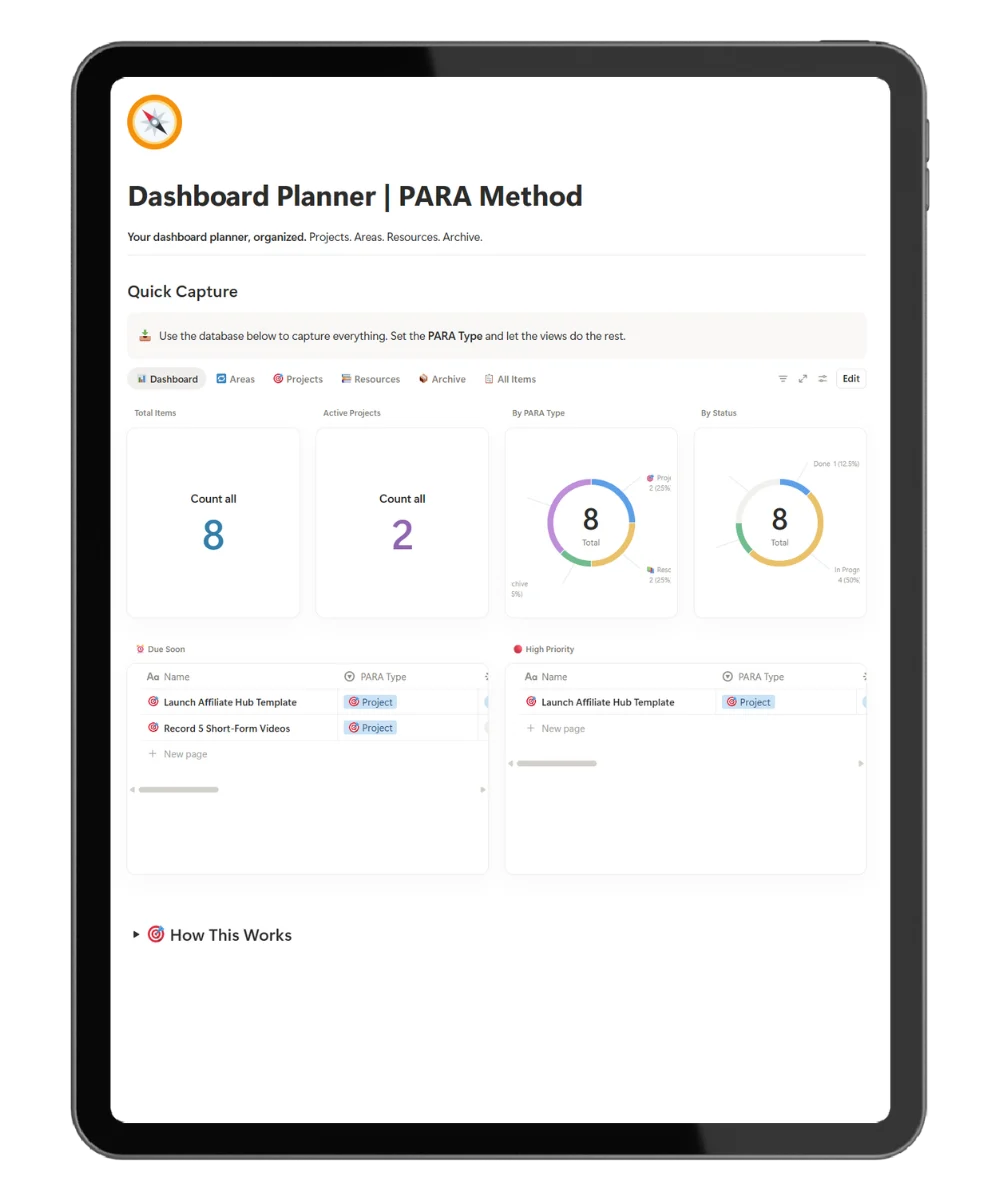
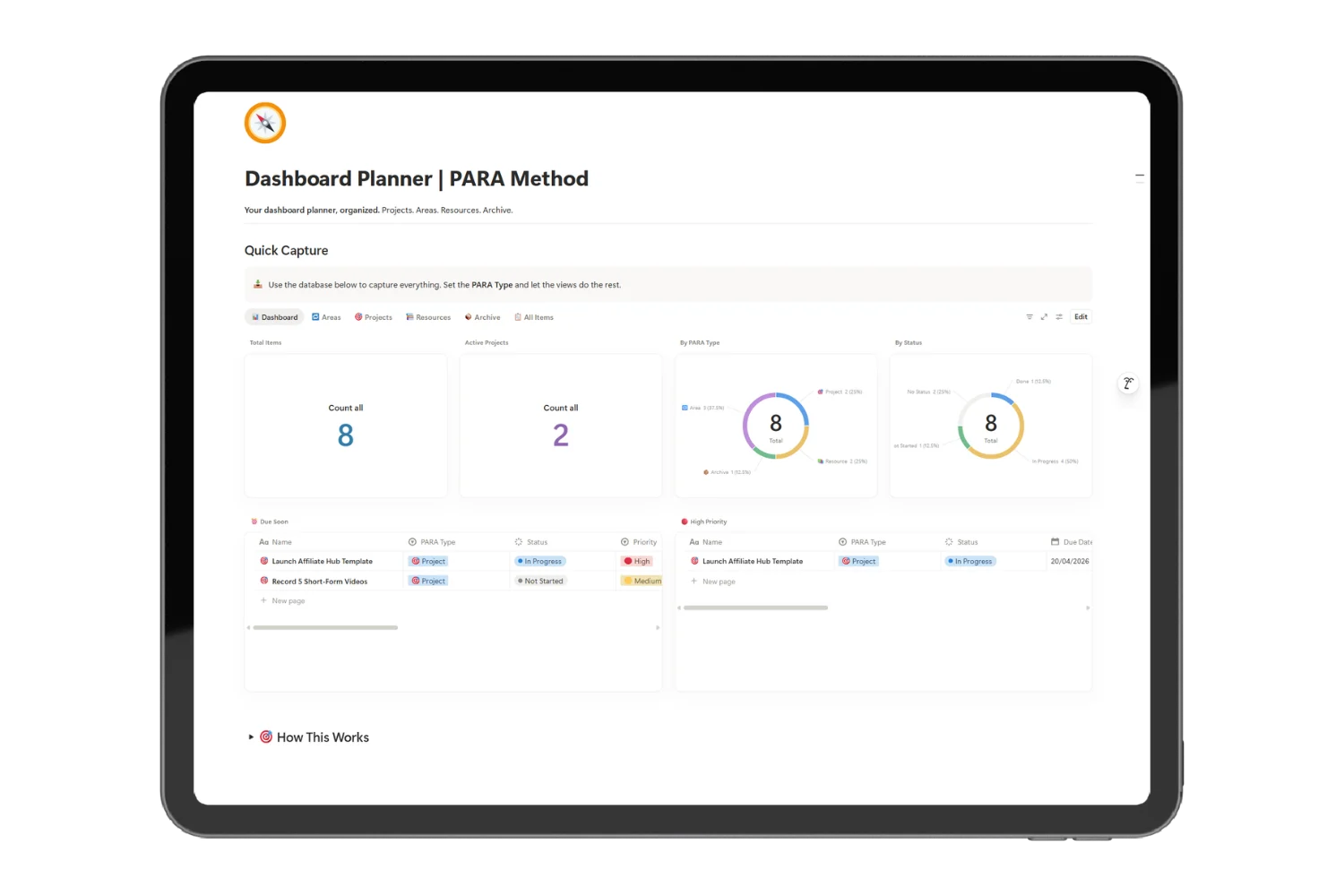
🎯 Visual Notion PARA Dashboard
What: A homepage with active project counts, due-soon items, priority colors, progress bars, and category breakdowns.
Why: So your Notion PARA dashboard doubles as a Notion productivity dashboard you actually open every day.
📊 Four PARA Categories on One Database
What: Projects (deadline-driven), Areas (ongoing responsibilities), Resources (saved references), Archive (completed or inactive).
Why: So the PARA system Notion setup stays exactly four categories, not 14.
📄 Pre-Structured Page Templates per Category
What: Each PARA category opens with the right structure:
- Projects → task checklists, milestones, weekly review prompts, notes log
- Areas → purpose statement, standards, key metrics, monthly review prompts
- Resources → summary, key takeaways, source table, application prompts
- Archive → completion summary, lessons learned
Why: So a new entry never opens as a blank page asking “what do I write here?”
🔗 Project → Area Relations
What: Link a Project to its parent Area in one click.
Why: So you see which ongoing responsibility every active project serves, the exact link the PARA system Notion approach is built around.
🚦 Priority Colors and Progress Bars
What: Color-coded priority levels and progress bars on every Project.
Why: So the Notion productivity dashboard scans in under three seconds.
🔄 Weekly and Monthly Review Prompts
What: Built-in review prompts on the dashboard and inside Project and Area templates.
Why: So reviews happen on schedule, not when guilt forces them.
Everything Inside the One Database Notion Template
- ✅ One database powering the entire PARA system Notion setup
- ✅ Four filtered views: Projects, Areas, Resources, Archive
- ✅ Visual Notion PARA dashboard homepage with counts, priorities, and progress bars
- ✅ Pre-structured page templates for each PARA category
- ✅ Project → Area relations
- ✅ Priority levels with color tags
- ✅ Due-soon and overdue smart views
- ✅ Weekly and monthly review prompts on the dashboard
- ✅ Replaces every standalone life dashboard Notion template you have collected
- ✅ Designed as a Notion productivity dashboard you open daily
- ✅ Works on the free Notion plan
- ✅ Free updates as new modules ship
Get the PARA Method Notion Template Today
One-time purchase. Lifetime use. Free Notion plan compatible.
Frequently Asked Questions
Is this a real PARA method Notion template, or a generic planner with PARA labels?
A real one. The PARA method Notion template uses Tiago Forte’s Projects, Areas, Resources, Archive structure as the core property routing every item, not as cosmetic tags on top of an unrelated planner.
Does this follow the original Tiago Forte PARA template framework?
The Tiago Forte PARA template framework defines four buckets: Projects, Areas, Resources, Archive. Dashboard Planner ships those four exact buckets with no extra layers, plus the Project → Area relation that the framework relies on.
Will it work as a Notion productivity dashboard for my whole work and life?
Yes. The Notion productivity dashboard view is the homepage. Projects, Areas, Resources, and Archive all live in the same database, so personal areas (health, finances) and work projects coexist without separate workspaces.
Is the PARA system Notion setup good for students?
Yes. Courses become Areas, assignments become Projects, lecture notes and references become Resources, and completed semesters move to Archive. The PARA system Notion view scales to any course load.
Replace Every Half-Built Life Dashboard With One That Works.
The PARA method Notion template you keep meaning to build is already built. Dashboard Planner gives you the life dashboard Notion template, the PARA system Notion structure, and the review prompts that turn one page into a real operating system.