

You are sending emails. People are opening them. But nobody is buying.
The problem is not your writing, your offer, or your audience. It is the structure. You are broadcasting when you should be funneling.
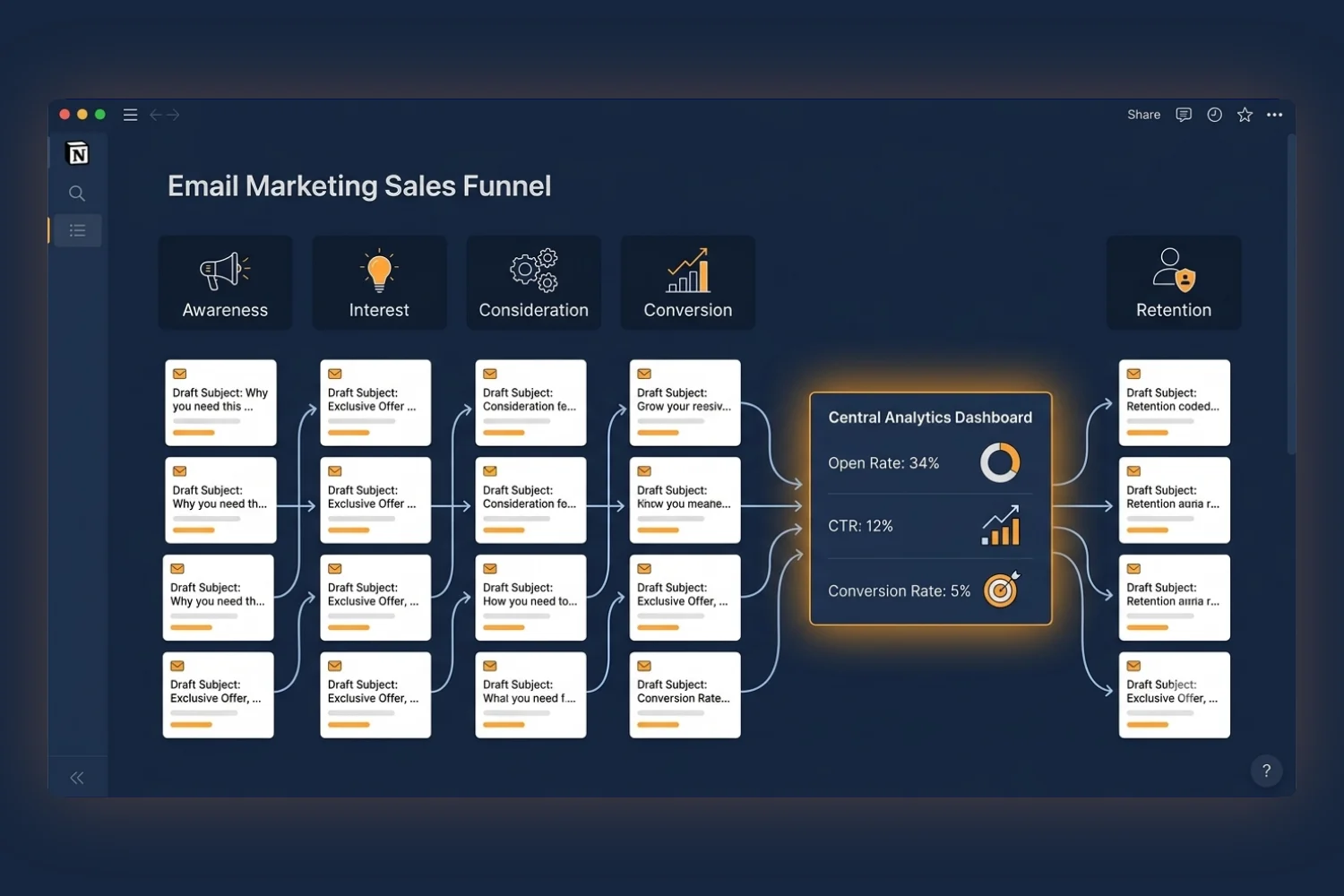
An email marketing sales funnel turns random email sends into a strategic sequence guiding subscribers from “Who are you?” to “Take my money” on a predictable path.
This guide breaks down what an email marketing sales funnel is, how each stage works, and how to build an email funnel inside Notion to track, optimize, and scale.
What Is an Email Marketing Sales Funnel?
An email marketing sales funnel is a structured sequence of emails moving subscribers through specific stages from first contact to purchase and beyond.
Think of it like a guided path:
- Top of funnel (TOFU): Attract and capture new subscribers
- Middle of funnel (MOFU): Build trust and educate
- Bottom of funnel (BOFU): Convert subscribers into customers
- Post-purchase: Turn customers into repeat buyers and advocates
Unlike one-off promotional emails, a funnel works as a system. Each email has a specific job, and they work together to create a predictable conversion machine.
Why Funnels Outperform Random Email Sends
The numbers tell the story:
- Email marketing delivers an average ROI of $36 to $42 for every $1 spent
- Automated email sequences generate 320% more revenue than non-automated emails
- Segmented funnel emails see 14.31% higher open rates than broadcast campaigns
- Companies running marketing funnels are 33% more likely to hit their revenue goals
Random broadcasts treat every subscriber the same. Funnels treat each subscriber based on where they sit in the journey, which is the structural reason they convert at higher rates.
The 5 Stages of an Email Marketing Sales Funnel
Every effective email funnel follows these five stages. Understanding each one helps you write emails meeting subscribers exactly where they are.
Stage 1: Awareness (Lead Capture)
Goal: Get the right people onto your email list.
This is not about collecting as many emails as possible. It is about attracting people who need what you offer.
How it works:
- Create a lead magnet (free guide, template, checklist, mini-course)
- Set up opt-in forms on your website, blog, and social media
- Use landing pages optimized for a single conversion action
Key metrics to track:
- Opt-in conversion rate (target: 20-40% for landing pages)
- Cost per lead (if running paid ads)
- Lead magnet download rate
Example lead magnets with strong conversion:
- Free template or toolkit (like the Email Marketing Mini Planner)
- Checklist or cheat sheet
- Short video training
- Quiz or assessment
Stage 2: Interest (Welcome Sequence)
Goal: Make a strong first impression and set expectations.
The welcome sequence is your most important email series. It runs immediately after someone subscribes and shapes their entire relationship with your brand.
Typical welcome sequence (3-5 emails over 7-10 days):
Email 1 (Day 0). Delivery and Welcome:
- Deliver the lead magnet immediately
- Thank them for subscribing
- Set expectations (what you send, how often)
- Encourage a reply to lift engagement
Email 2 (Day 2). Value and Story:
- Share your story or mission
- Provide a quick win related to the lead magnet
- Build personal connection
Email 3 (Day 4). Education:
- Teach something useful
- Address a common pain point
- Position yourself as an authority
Email 4 (Day 7). Social Proof:
- Share testimonials or case studies
- Show results others have achieved
- Hint at your paid solution
Key metrics:
- Welcome email open rate (target: 50%+)
- Reply rate (engagement signal)
- Click-through rate on delivered content
Stage 3: Consideration (Nurture Sequence)
Goal: Deepen trust and demonstrate expertise.
Subscribers know who you are now, but they are not ready to buy. The nurture sequence keeps you top-of-mind while building the case for your product.
Content types working at this stage:
- How-to tutorials and guides
- Behind-the-scenes content
- Common mistakes and how to avoid them
- Industry insights and trends
- User-generated content and community highlights
Email frequency: 1-2 emails per week
Key metrics:
- Open rate consistency (are they still engaged?)
- Click-through rate on educational content
- Forward and share rate
- Unsubscribe rate (should stay below 0.5%)
Pro tip: Use behavioral triggers to move engaged subscribers to the next stage faster. If someone clicks on product-related content 2-3 times, they are showing buying signals.
Stage 4: Conversion (Sales Sequence)
Goal: Turn interested subscribers into paying customers.
This is where many marketers either push too hard or do not push at all. A good sales sequence balances urgency with value.
Typical sales sequence (4-6 emails over 7-10 days):
Email 1. Soft Introduction:
- Present the problem your product solves
- Share a transformation story
- Introduce your product naturally
Email 2. Deep Dive:
- Walk through features and benefits
- Show exactly how it works
- Address the “Is this for me?” question
Email 3. Social Proof:
- Customer testimonials and reviews
- Case studies with specific results
- Before and after comparisons
Email 4. Objection Handling:
- Address common concerns (price, time, complexity)
- Offer a guarantee or risk reversal
- Compare to alternatives
Email 5. Urgency and Scarcity:
- Deadline for discount or bonus
- Limited availability
- “Last chance” messaging
Email 6. Final Call:
- Summary of everything they get
- Last reminder of deadline
- Clear, single call-to-action
Key metrics:
- Email-to-sale conversion rate (target: 2-5% for warm leads)
- Revenue per email
- Average order value
- Objections mentioned in replies
Stage 5: Retention (Post-Purchase Sequence)
Goal: Turn one-time buyers into repeat customers and brand advocates.
Most businesses stop emailing after the purchase. It is a missed opportunity worth real money: acquiring a new customer costs 5 to 7 times more than retaining an existing one.
Post-purchase email sequence:
Email 1 (Immediately). Confirmation and Onboarding:
- Confirm the purchase
- Provide access and delivery instructions
- Set expectations for what comes next
Email 2 (Day 3). Check-In:
- Ask how setup is going
- Provide quick-start tips
- Offer support
Email 3 (Day 7). Advanced Tips:
- Share power-user features
- Link to tutorials or guides
- Encourage community participation
Email 4 (Day 14). Feedback Request:
- Ask for a review or testimonial
- Offer an incentive for feedback
- Show you value their opinion
Email 5 (Day 30). Cross-Sell or Upsell:
- Introduce complementary products
- Offer a loyalty discount
- Share what other customers bought next
Key metrics:
- Repeat purchase rate
- Customer lifetime value (CLV)
- Review and testimonial conversion rate
- Referral rate
How to Build Your Email Marketing Sales Funnel in Notion
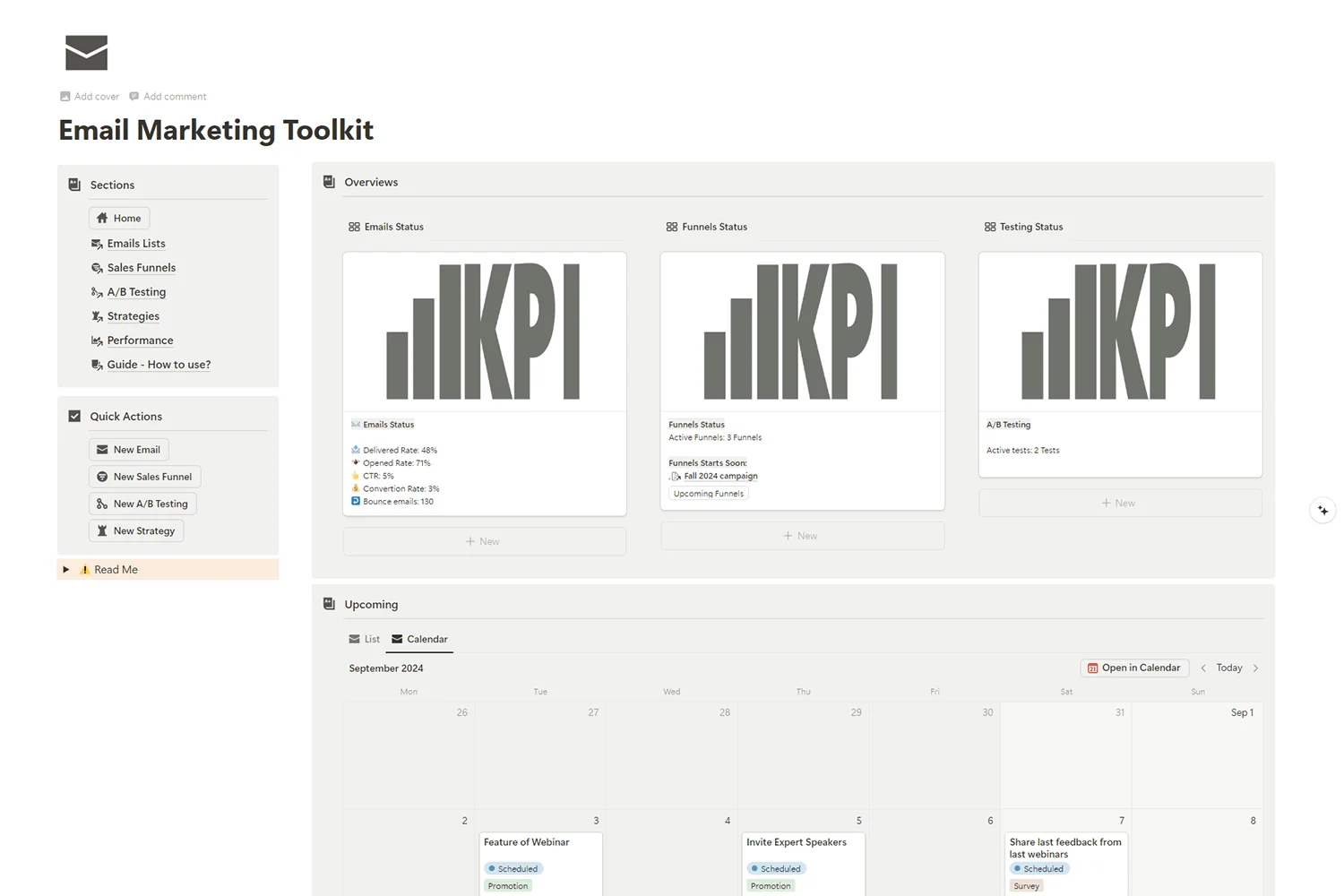
Now you understand the stages. Time to build your sales funnel in Notion. The Email Marketing Toolkit gives you everything to plan, build, and track your entire funnel.
Step 1: Map Your Funnel Structure
Before writing a single email, map out your complete funnel:
- Define your lead magnet. What free resource will attract your ideal subscriber?
- Set your end goal. What product or service are you selling?
- Count your emails. How many emails does each stage need?
- Set your timeline. What is the delay between emails?
- Identify triggers. What actions move someone to the next stage?
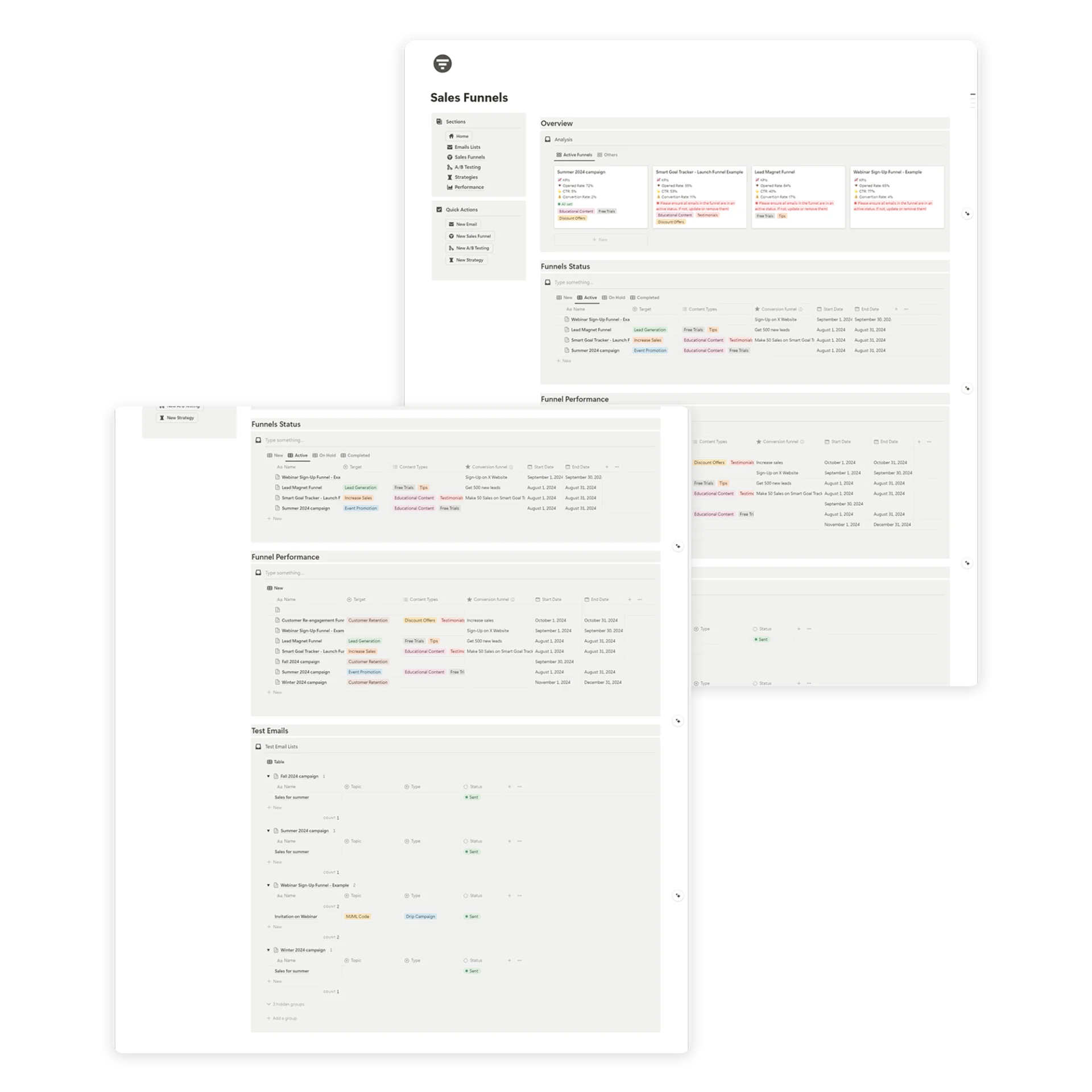
Inside the Email Marketing Toolkit, use the Sales Funnels database to create a new funnel page. Name it, set the target, and define the conversion goal.
Step 2: Write Your Email Sequence
For each email in your funnel:
- Define the purpose. What single action should the reader take?
- Write the subject line. Aim for curiosity, urgency, or direct benefit.
- Build the hook. First 2-3 sentences pulling attention.
- Deliver the value. Main content educating or persuading.
- Add the CTA. One clear call-to-action per email.
- Write the preview text. Complement the subject line.
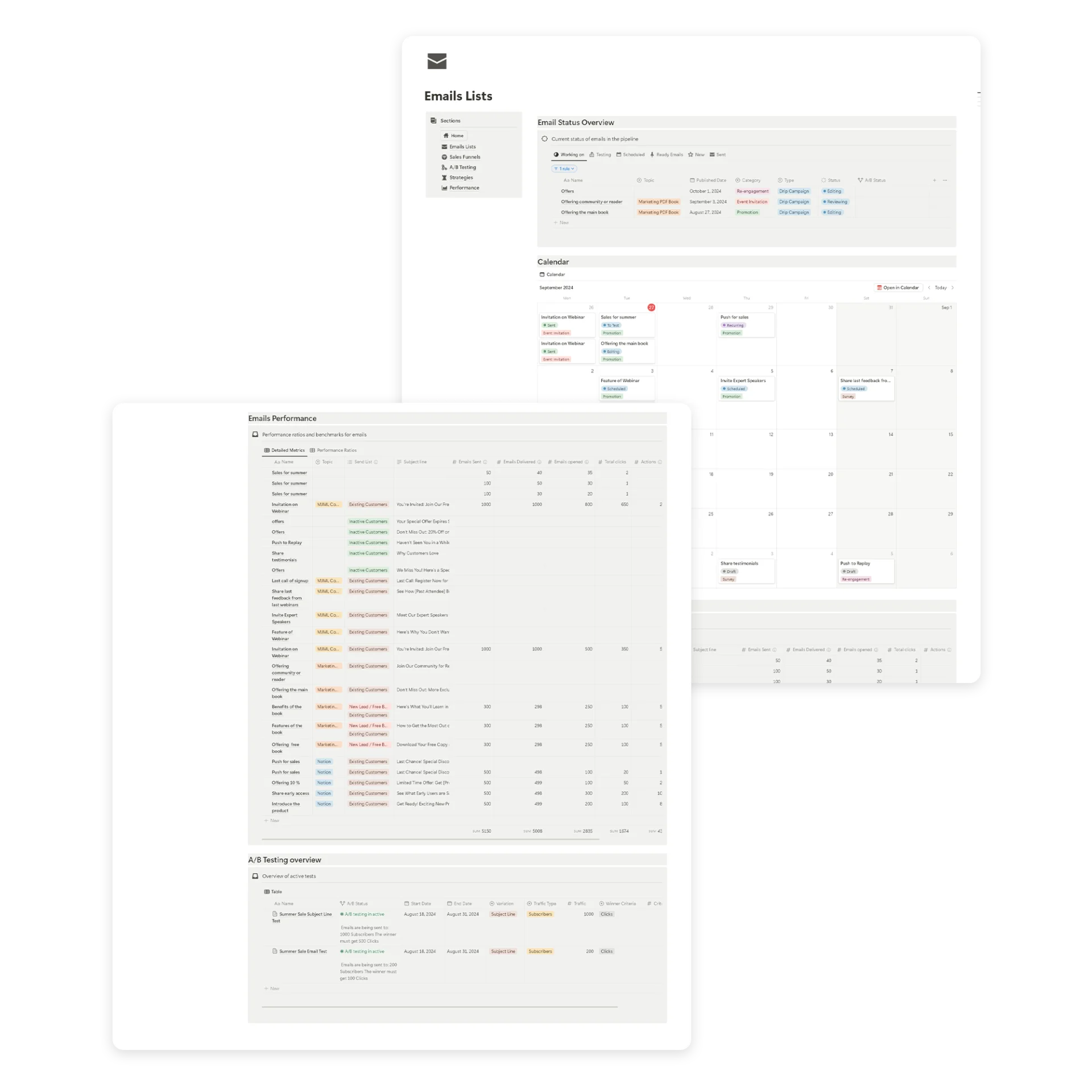
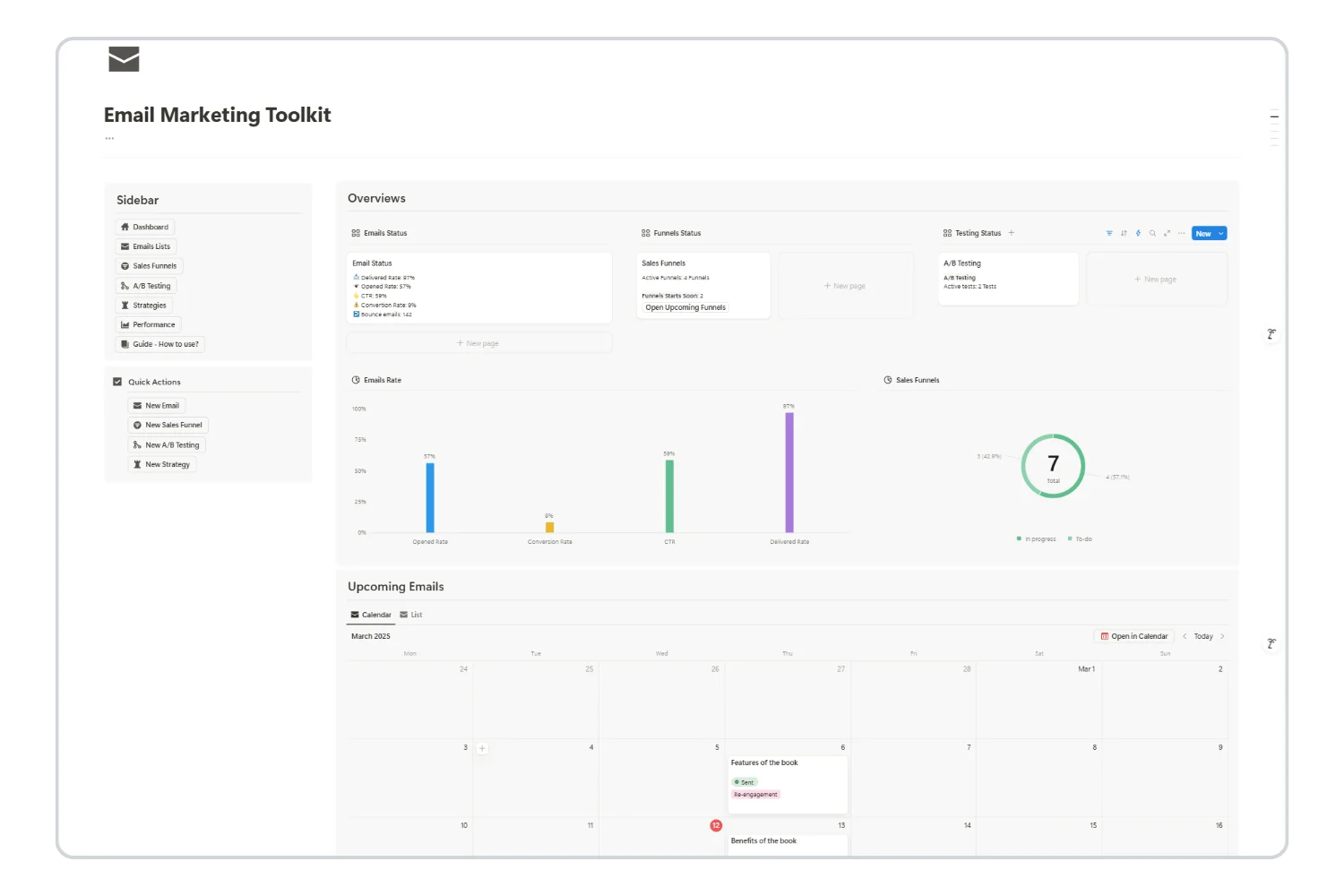
The toolkit’s Emails database organizes each email with subject lines, send dates, content type, category (Newsletter, Promotion, Sales Funnels, Transactional, Welcome, Re-engagement), and status tracking.
Step 3: Set Up Tracking
A funnel without tracking is a guess. Track these metrics for every email:
- Open rate. Is your subject line working?
- Click-through rate (CTR). Is your content compelling?
- Conversion rate. Are people taking the desired action?
- Unsubscribe rate. Are you sending too much or missing the mark?
The Email Marketing Toolkit’s analytics and KPIs dashboards log these metrics per email and per funnel so you see exactly where subscribers drop off.
Step 4: Analyze and Optimize
After your funnel has run for 30+ days with enough data:
- Find the leaks. Where are the biggest drop-offs between stages?
- Test subject lines. A/B test the lowest-performing open rates.
- Improve CTAs. Test different calls-to-action on low-CTR emails.
- Adjust timing. Try different delays between emails.
- Segment further. Build different paths for different subscriber behaviors.
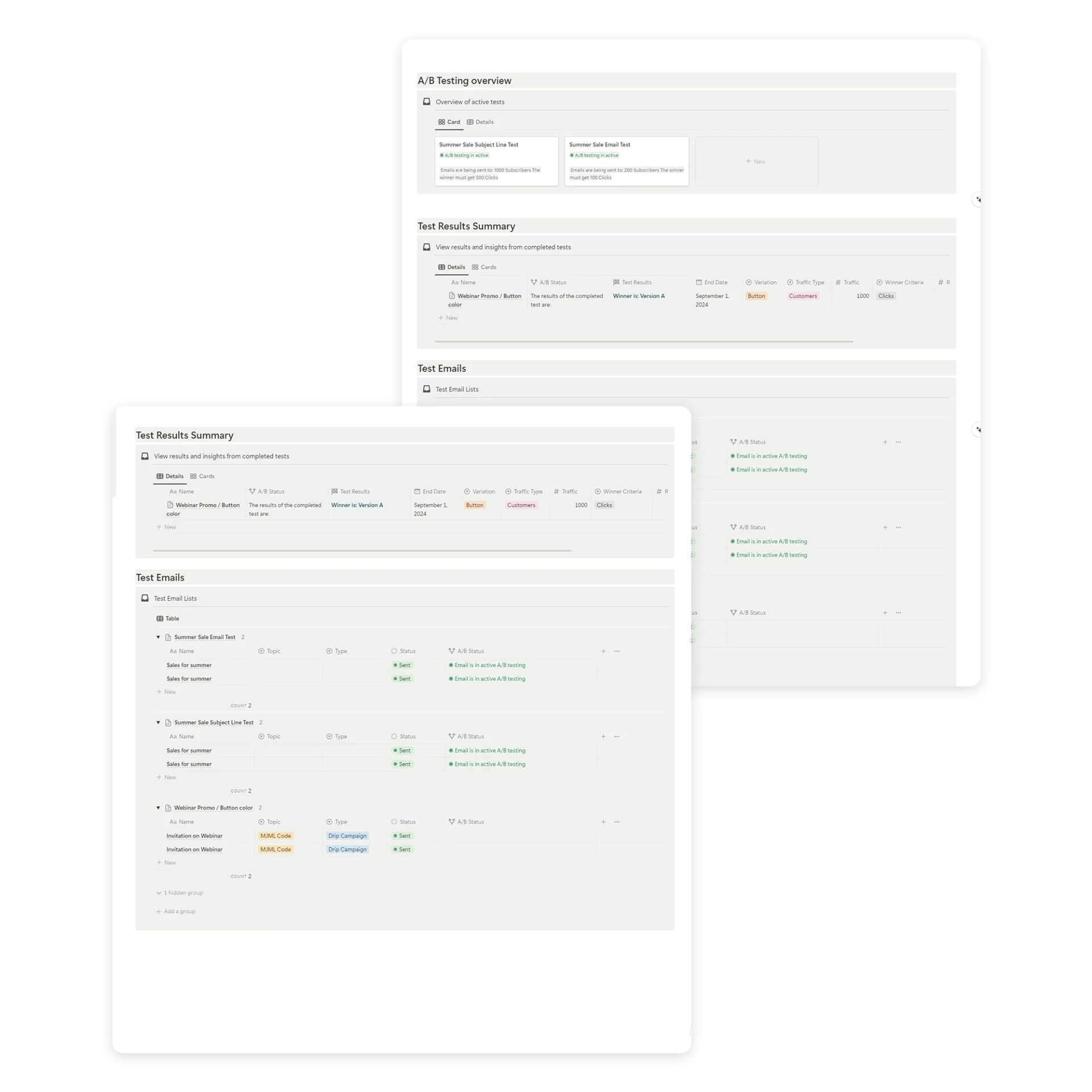
The toolkit’s A/B Testing database logs Version A vs Version B, traffic size, winner criteria (replies, downloads, clicks, likes, purchases), and the final decision with reasoning.
Supercharge Your Email Marketing with the Ultimate Toolkit!
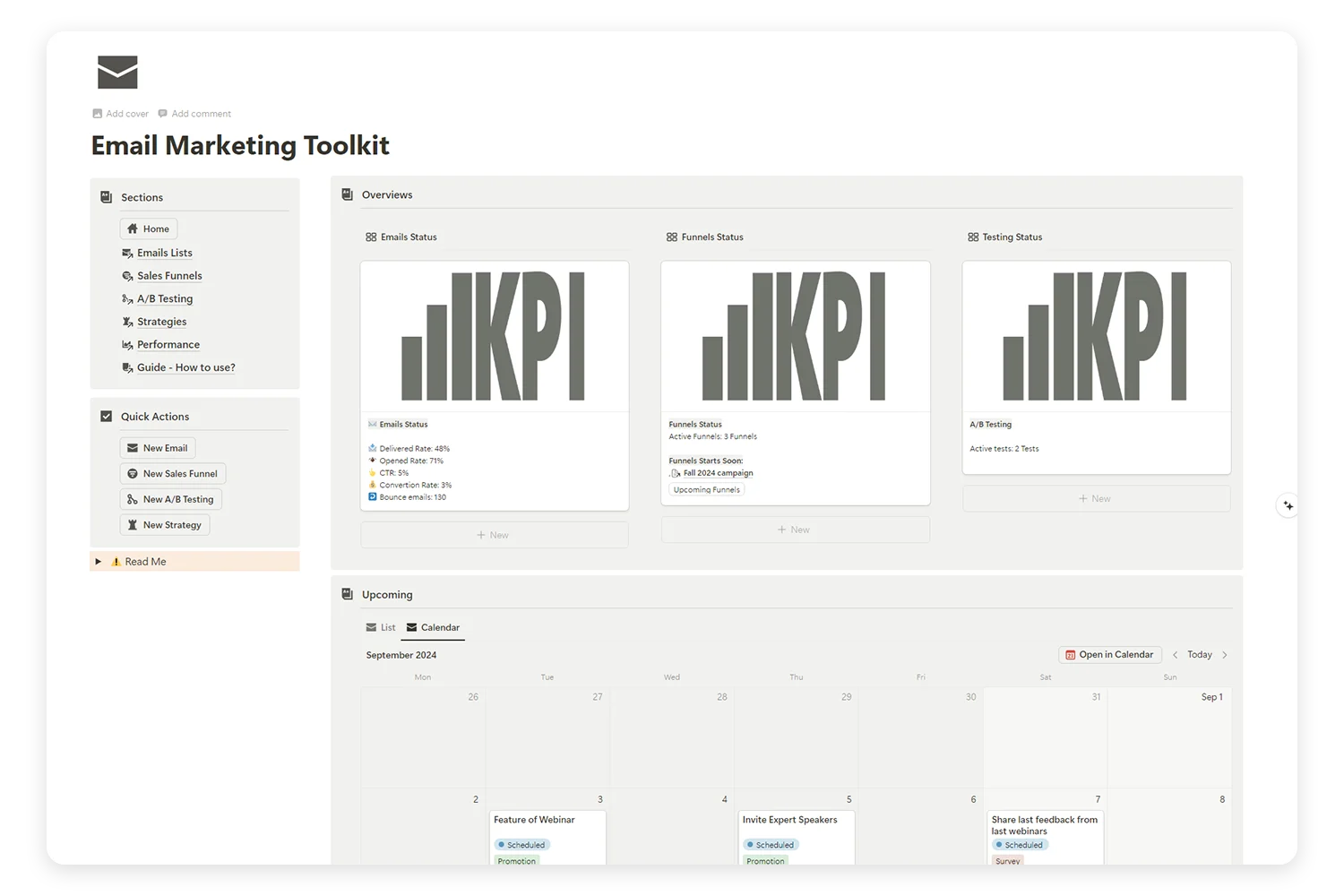
Tired of juggling multiple platforms to manage your email campaigns, sales funnels, and A/B tests? Our Email Marketing Toolkit is here to organize, analyze, and optimize your email strategies—all in one place.
3 Email Marketing Funnel Templates to Use Today
Each email marketing funnel template below is a complete blueprint to plug into the Email Marketing Toolkit and adapt to your offer.
Template 1: The Product Launch Funnel
Best for: Launching a new product or service
| Stage | Emails | Timeline |
|---|---|---|
| Teaser | 2 emails | 2 weeks before launch |
| Launch | 3 emails | Launch week |
| Cart close | 2 emails | Final 48 hours |
| Post-purchase | 3 emails | First 2 weeks after |
Total: 10 emails over about 4 weeks
Template 2: The Evergreen Sales Funnel
Best for: Selling an existing product on autopilot
| Stage | Emails | Timeline |
|---|---|---|
| Welcome | 3 emails | Days 0-4 |
| Nurture | 4 emails | Days 5-14 |
| Sales | 5 emails | Days 15-24 |
| Follow-up | 2 emails | Days 30-37 |
Total: 14 emails over about 5 weeks
Template 3: The Lead Nurture Funnel
Best for: Building relationships before selling
| Stage | Emails | Timeline |
|---|---|---|
| Welcome | 3 emails | Days 0-5 |
| Education | 6 emails | Days 7-28 (weekly) |
| Soft pitch | 2 emails | Days 30-33 |
| Hard pitch | 3 emails | Days 35-42 |
Total: 14 emails over about 6 weeks
How to Pick the Right Funnel Template
Three funnels, three jobs. Pick by what you are launching:
- Pick the Product Launch Funnel if you are running a launch window with a hard close date. Best for course drops, product releases, and limited-time offers.
- Pick the Evergreen Sales Funnel if your product sells year-round and you want it on autopilot. Best for digital downloads, templates, and SaaS subscriptions.
- Pick the Lead Nurture Funnel if your audience needs longer trust-building before any pitch. Best for high-ticket coaching, B2B services, and unfamiliar product categories.
If you are unsure, start with the Evergreen Sales Funnel. It is the most reusable structure and the easiest to optimize after 30 days of data.
Common Email Funnel Mistakes (and How to Fix Them)
Mistake 1: Selling Too Early
The problem: Pitching your product in the welcome email.
The fix: Spend at least 3-5 emails building value before any sales mention.
Mistake 2: No Clear CTA Per Email
The problem: Multiple links and asks confuse subscribers.
The fix: One email equals one primary action. Every email should have a single clear next step.
Mistake 3: Ignoring Non-Buyers
The problem: Subscribers who do not buy during the sales sequence get abandoned.
The fix: Build a “did not buy” branch returning them to nurture content, then retarget them later.
Mistake 4: Not Tracking Funnel Metrics
The problem: You do not know where subscribers drop off.
The fix: Track open rate, CTR, and conversion rate for every email. The Email Marketing Toolkit makes this visual and easy.
Mistake 5: One-Size-Fits-All Sequences
The problem: Every subscriber gets the same emails regardless of behavior.
The fix: Segment based on engagement. Send different content to active vs inactive subscribers.
Mistake 6: Setting and Forgetting
The problem: Building a funnel once and never optimizing it.
The fix: Review funnel performance monthly. Test subject lines, content, timing, and CTAs continuously.
Email Marketing Funnel Metrics Cheat Sheet
Here are the benchmarks to aim for at each funnel stage:
Awareness (Lead Capture):
- Landing page conversion: 20-40%
- Opt-in form conversion: 2-5% (on blog posts)
Welcome Sequence:
- Open rate: 50-70%
- Click-through rate: 10-20%
- Reply rate: 5-10%
Nurture Sequence:
- Open rate: 25-40%
- Click-through rate: 3-7%
- Unsubscribe rate: <0.5% per email
Sales Sequence:
- Open rate: 20-35%
- Click-through rate: 3-10%
- Conversion rate: 2-5% (warm leads)
Post-Purchase:
- Open rate: 40-60%
- Review request conversion: 5-15%
- Repeat purchase rate: 20-30% (within 90 days)
Who This Guide Is For
This guide fits you if you sit in one of these three buckets:
- Solopreneurs and digital creators selling templates, courses, or ebooks on Gumroad, Lemon Squeezy, or your own site. You want one workspace for drafts, funnels, and reporting instead of five tabs.
- Small business owners and freelancers running a newsletter alongside client work. You need predictable signups, scheduled sends, and visibility into which emails drive sales.
- Marketing operations leads at small SaaS or D2C teams stitching weekly reports from ConvertKit, Klaviyo, or Iterable into something leadership reads. You want strategy, KPIs, and email execution living in one Notion view.
If you bill clients, sell digital products, or run a newsletter feeding a paid offer, an email marketing funnel template is the next move.
When to Build Your First Funnel
Build your first funnel when one or more of these is true:
- You have at least 100 active email subscribers and a paid offer ready.
- You ran a launch and lost track of which emails brought sales versus which fell flat.
- You spend more than 2 hours a week pasting metrics from your ESP into a spreadsheet for review.
- You are about to launch a new product or course and want a repeatable system before send day.
- Your welcome email has been the same since the first signup and you have not measured its open rate in months.
If none of the above apply yet, start with the Email Marketing Mini Planner and graduate to the full toolkit when your list crosses 100 subscribers.
Frequently Asked Questions
How many emails should my sales funnel have?
Most effective funnels run 10 to 20 emails total across all stages. Start with 10 to 12 emails and expand based on performance data. More is not always better. Each email should earn its place.
How long should my email funnel be?
Typical funnels run 4 to 8 weeks from opt-in to first purchase offer. Higher-priced products need longer nurture periods. A $20 template often needs a 2-week funnel, while a $500 course often needs 6 to 8 weeks.
What is the difference between an email funnel and a drip campaign?
A drip campaign sends pre-written emails on a fixed schedule regardless of behavior. A funnel adapts based on subscriber actions like opening emails, clicking links, or making purchases. Funnels are smarter and convert at higher rates.
Is it possible to run multiple funnels at the same time?
Yes. Most businesses run several funnels in parallel: a welcome funnel for new subscribers, a sales funnel for warm leads, and a re-engagement funnel for inactive subscribers. The Email Marketing Toolkit tracks all of them in one place.
How do I know if my funnel is working?
Track the conversion rate at each stage. If subscribers move from one stage to the next at healthy rates (see benchmarks above), your funnel works. A big drop-off at a specific stage tells you exactly where to optimize first.
Tools and References
External research and tools worth bookmarking when building your funnel:
| Resource | What it covers | Link |
|---|---|---|
| HubSpot Marketing Statistics | Open rate, CTR, and conversion benchmarks by industry | hubspot.com |
| Mailchimp Email Benchmarks | Open rate and CTR by industry and list size | mailchimp.com |
| Litmus State of Email | Annual deliverability, engagement, and design research | litmus.com |
| Campaign Monitor Resources | Source for the $36 to $42 per $1 email ROI figure | campaignmonitor.com |
Key Takeaways
- An email marketing funnel template turns one-off email sends into a 5-stage system: awareness, interest, consideration, conversion, retention.
- Random broadcasts treat every subscriber the same; funnels adapt to where each subscriber sits in the journey, which is the structural reason they convert at higher rates.
- The welcome sequence (3 to 5 emails over 7 to 10 days) is the highest-leverage part of any funnel. It sets every expectation downstream.
- A funnel without tracking is a guess. Open rate, CTR, conversion rate, and unsubscribe rate per email are the minimum viable metrics.
- Three funnel structures cover most cases: Product Launch (hard close), Evergreen Sales (autopilot), and Lead Nurture (long trust-build).
- Build your first funnel after you reach 100 active subscribers and have a paid offer ready. Before then, the Email Marketing Mini Planner is enough.
- The Email Marketing Toolkit centralizes funnels, emails, A/B tests, strategies, and analytics in one Notion workspace so optimization stops living in a spreadsheet.
Start Building Your First Email Funnel Today
An email marketing funnel template is not complicated. It is intentional. Instead of hoping subscribers will eventually buy, you guide them through a proven path from awareness to purchase.
The email marketing funnel template gives you everything to plan your funnel, write your emails, track your metrics, and optimize for higher conversions inside Notion.
→ Get the Email Marketing Toolkit
Prefer to start with the basics? The free Email Marketing Mini Planner includes simplified funnel planning to get you started:
