

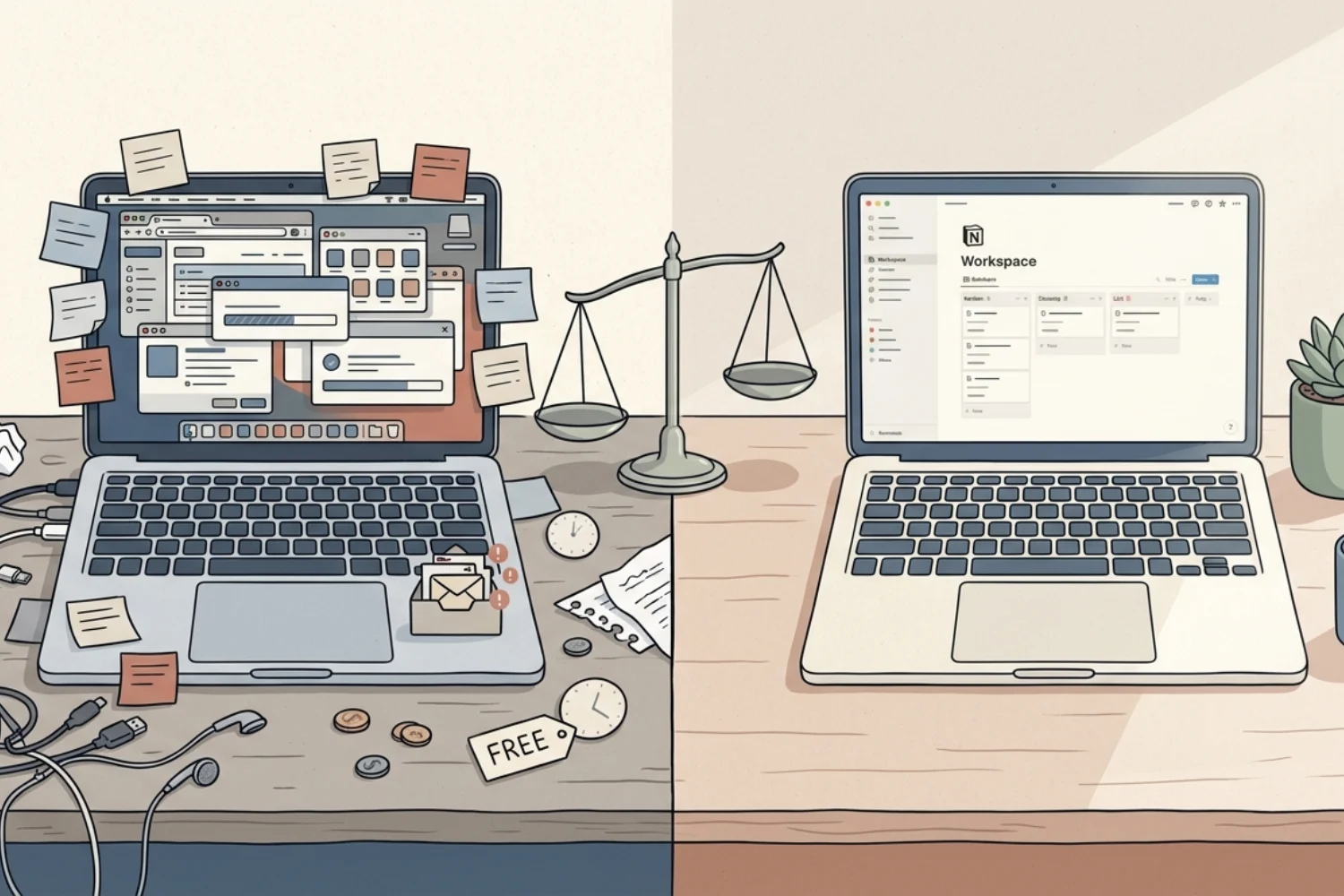
You downloaded a free project manager. Then a free note-taking app. Then a free CRM. Then a free scheduling tool. Then a free form builder. Now you have 9 free tools, zero dollars on your invoice, and somehow you are still losing money.
The free tools cost is not on your credit card statement. It is buried in your time, your attention, and your workarounds. This article breaks down the hidden cost of free software, explains why the freemium trap catches almost every small business owner, and shows you when paying for one tool is cheaper than using five free ones.
Table of Contents
What You’ll Learn
The Freemium Trap: How Free Tools Hook You
Most free tools follow the freemium model. You get a basic version for free, and the company hopes you upgrade later. That sounds fair. The problem is what happens between signing up and upgrading.
You build your workflow around the free version. You enter your data. You train yourself on the interface. You create templates, connect integrations, and invite your team. Then you hit a limit. Storage cap. User cap. Feature gate. Export restriction.
Now you have two choices: pay to upgrade (often at a price higher than you would have chosen from the start) or migrate to a different tool (losing all the setup time you invested). Both options cost more than if you had chosen the right paid tool on day one.
This is the freemium trap. The tool is free to start, but expensive to leave.
5 Hidden Costs of Free Software
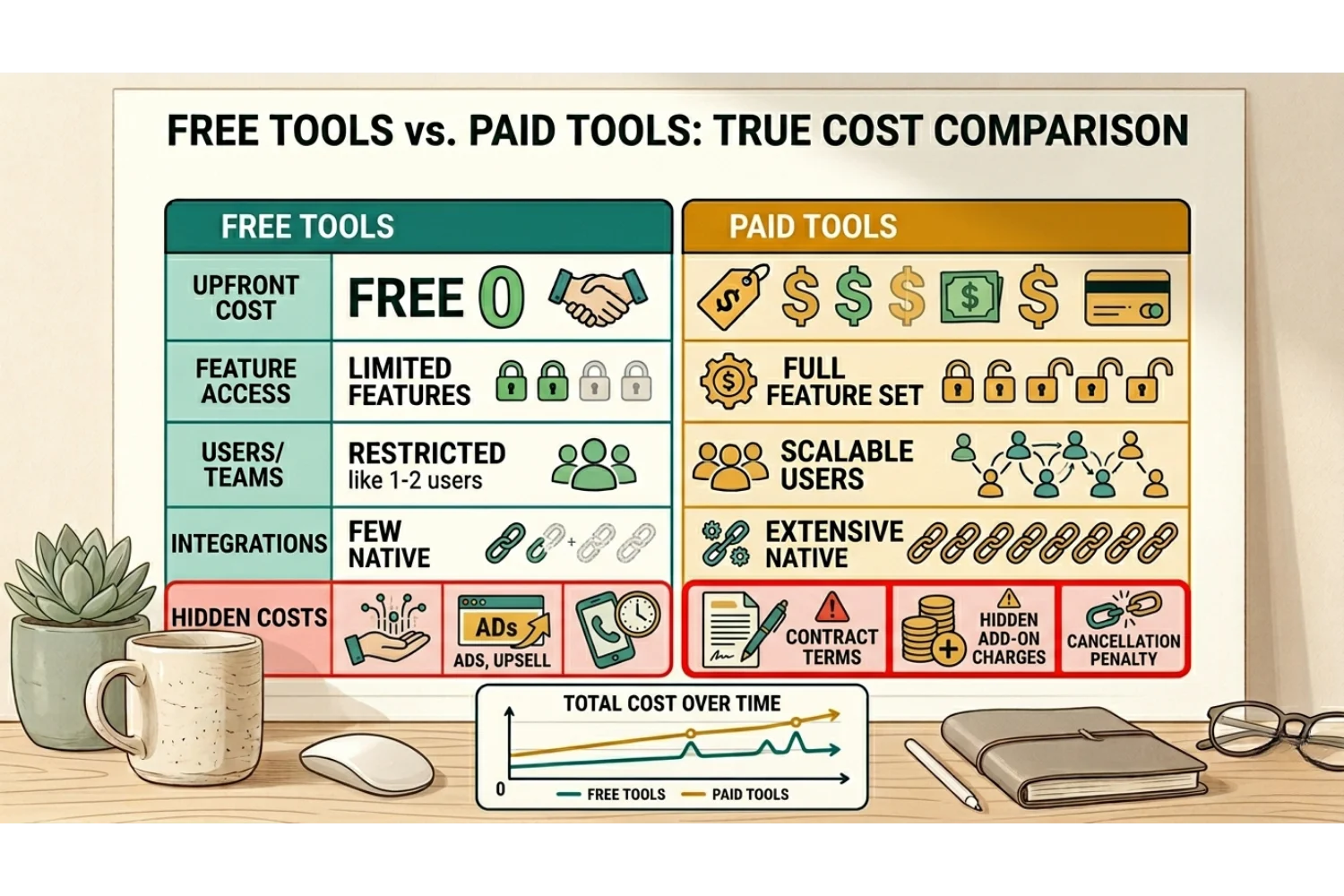
The price tag says zero. But the real free tools cost shows up in five places.
1. Time spent on workarounds
Free versions remove key features. So you build workarounds. You export data manually. You copy-paste between tools. You create formulas to compensate for missing automations. Every workaround is unpaid labor.
2. Data scattered across tools
When you use 5 free tools instead of 1 paid platform, your data lives in 5 places. Finding what you need takes longer. Reporting becomes manual. You lose the single source of truth that keeps a business organized.
3. Integration gaps
Free tiers often limit or block integrations. So your tools do not talk to each other. You become the integration layer, manually moving information between apps.
4. Security and privacy trade-offs
Some free tools monetize your data. Others lack basic security features like two-factor authentication, encryption, or audit logs on the free tier. The hidden cost of free software sometimes includes your data being the product.
5. Context switching overhead
Every additional tool is another tab, another login, another interface to remember. Research shows context switching costs knowledge workers over 6 hours per week. Five free tools cause more switching than one paid workspace.
Free vs Paid Tools: The Real Math
Here is a common scenario. A solopreneur uses these free tools:
| Tool | Monthly Cost |
|---|---|
| Free project manager | $0 |
| Free note app | $0 |
| Free CRM | $0 |
| Free spreadsheet | $0 |
| Free form builder | $0 |
| Total visible cost | $0/month |
Now add the invisible costs.
- 3 hours/week on workarounds and manual data transfer
- 2 hours/week lost to context switching between 5 tools
- 1 hour/week searching for information across scattered apps
- Total: 6 hours/week
At $50/hour (a conservative rate for a business owner), that is $300/week, or $1,200/month in lost productive time.
Compare that to one paid workspace at $10 to $20/month that replaces 4 of those tools. The free vs paid tools math is not even close. Paying $20 saves you hundreds.
SaaS Hidden Costs Nobody Talks About
Beyond the obvious time loss, SaaS hidden costs include:
Upgrade pressure at the worst time. Free tools often hit their limits right when you are busiest. A storage cap during a product launch. A user limit when you hire your first contractor. The upgrade becomes urgent, and urgent purchases are rarely the best deals.
Vendor lock-in without paying. Even on free tiers, you build dependencies. Your data format, your workflow logic, and your team habits all shape around the tool. Switching costs grow every month, even when you pay nothing.
Feature removal. Free tiers change. Companies remove features, add restrictions, or sunset free plans entirely. If your business depends on a free tool, you have no contract, no SLA, and no leverage when the terms change.
The comparison tax. When you use many free tools, you spend time comparing them to alternatives. You read reviews. You test new options. You wonder if there is something better. This comparison loop is a hidden time cost that consolidation eliminates.
When Free Tools Make Sense
Free tools are not always wrong. They work in specific situations.
Testing before committing. A free trial or free tier is useful for evaluating whether a tool fits your workflow. The key is setting a deadline. If you have not upgraded or decided within 14 days, move on.
Single-purpose utilities. A free PDF converter, a free image compressor, or a free QR code generator. Tools you use once a month for a simple task do not need a paid plan.
Temporary projects. If you need a tool for a one-time event or short-term project, free is fine. Just do not let temporary tools become permanent fixtures.
The rule is simple: if you use a free tool daily and it touches your core workflow, it is not really free. It is just billing you in time instead of money.
How to Escape the Freemium Trap
Step 1: List every free tool you use
Include apps, browser extensions, and free tiers of paid products.
Step 2: Mark which ones you use daily
These are the ones costing you the most in workarounds and switching.
Step 3: Calculate your time cost
Estimate how many hours per week you spend on workarounds, manual transfers, and searching across tools. Multiply by your hourly rate.
Step 4: Find one paid tool that replaces multiple free ones
The goal is consolidation. One workspace that handles projects, notes, databases, and planning eliminates 3 to 4 free tools at once.
Step 5: Migrate in one weekend
Pick one Saturday. Move your active projects and data into the new system. Cancel the free tools you no longer need. Do not try to migrate everything. Start with what you use this week.
Many solopreneurs and small teams use Notion as their single workspace for this exact reason. Projects, notes, CRM, content calendar, and task management in one place. One subscription replaces a stack of free tools that were never truly free.
Frequently Asked Questions
Are free tools really that expensive?
Yes. The free tools cost is measured in time, not dollars. If you spend 6 hours per week on workarounds and context switching across free apps, that is 300 dollars or more per week in lost productivity.
What is the freemium trap?
The freemium trap is when you build your workflow around a free tool, invest time and data into it, then hit a limit that forces you to either pay a premium to upgrade or spend even more time migrating to another tool.
When should I pay for a tool instead of using a free one?
If you use the tool daily and it touches your core workflow, pay for it. The time you save on workarounds and context switching will exceed the subscription cost within the first week.
How do I know if a free tool is costing me money?
Track your workarounds. If you spend more than 30 minutes per week compensating for a missing feature, manual export, or integration gap, the tool is costing you more than a paid alternative would.
What is the best way to replace multiple free tools?
Consolidate into one workspace that handles multiple functions. Look for a platform that covers project management, notes, databases, and planning. One paid tool at 10 to 20 dollars per month almost always beats 5 free tools.
Key Takeaways
Free tools cost more than they save. The hidden cost of free software shows up in workarounds, scattered data, integration gaps, and context switching. The freemium trap locks you into tools that bill you in time instead of money. When comparing free vs paid tools, count your hours, not just your invoices. One paid workspace that replaces multiple free tools is almost always the better deal.
