Notion Launch Template: One Page for Every Product Launch You Run
The Notion creator launch page template for indie creators, course makers, and digital product sellers who want to run every launch from one page without juggling spreadsheets, project boards, and sticky notes.
Instant Notion duplication. No subscription. Works on the Notion free plan.
Still Launching Across 5 Tools and Praying for Sales?
You’re not the only creator stuck switching between tools.
- You set a revenue goal once and forget by Day 2
- You scatter promo tasks across Trello, Notion, and sticky notes
- You skip the Day-5 follow-up email because nobody is tracking it
- You log sales in a spreadsheet you open three times a week
- You start each new launch from a blank page
The Creator Launch Page exists for one reason: to end this loop.
Introducing the Creator Launch Page, A Notion Launch Template Built for Real Launches
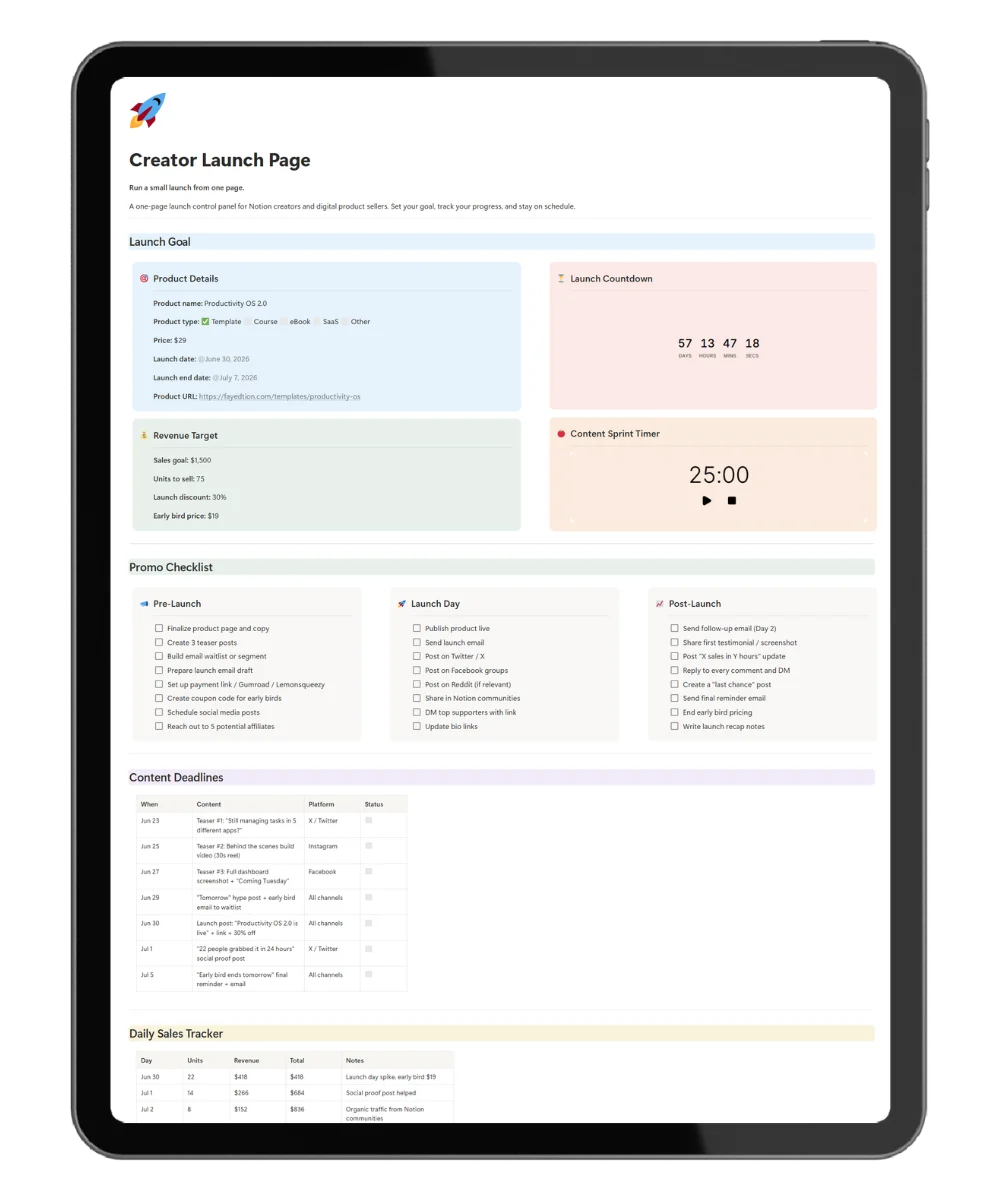
The Creator Launch Page is a Notion launch template for indie creators who want one source of truth for every launch. The page centralizes goal, countdown, promo checklist, content deadlines, and daily sales on a single Notion view.
Unlike project tools built for teams, this Notion workspace lives inside your account, embeds the urgency widgets a launch needs, and duplicates for every new product in two clicks.
Here’s What You Get Inside the Launch Page
Launch Goal Block
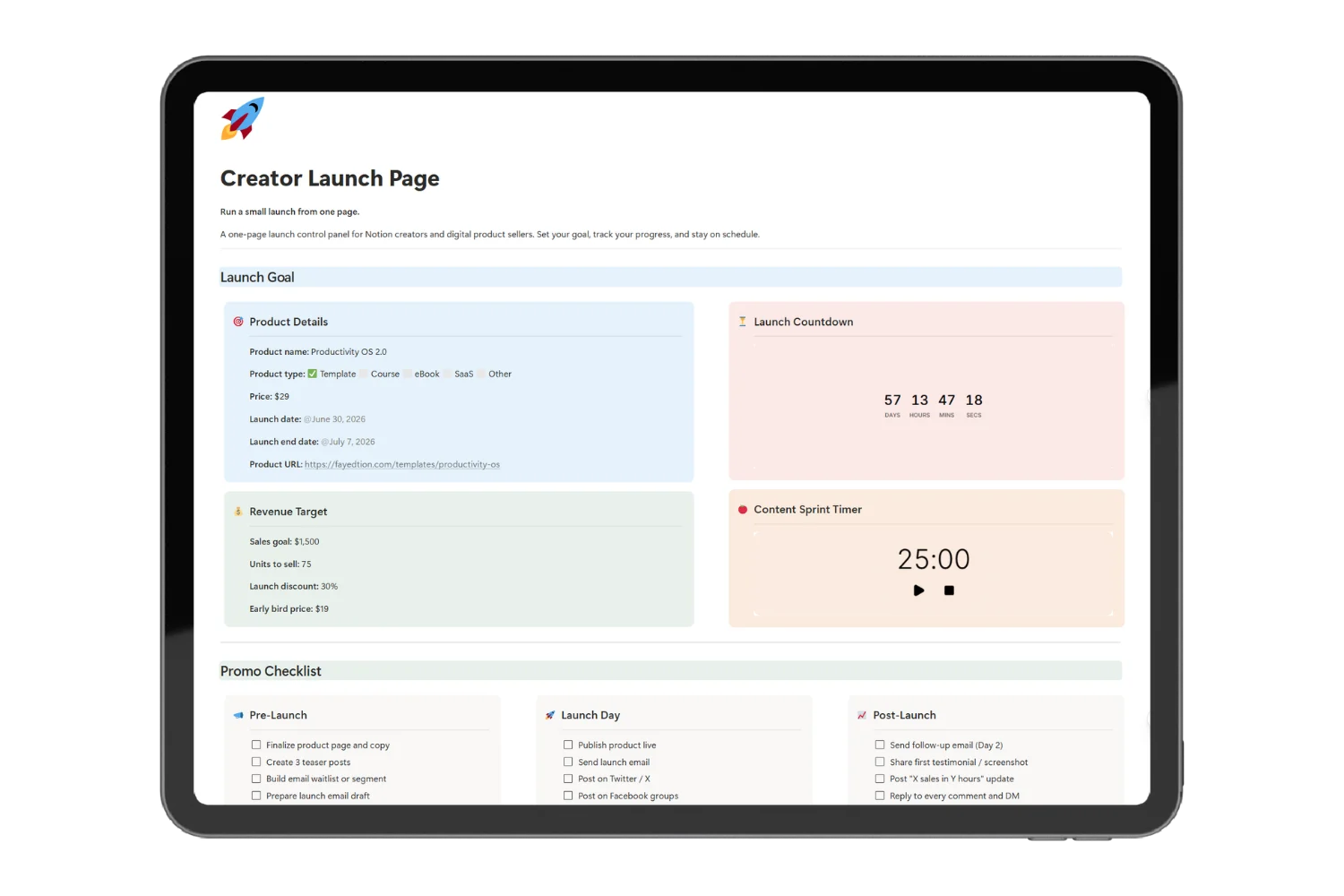
A single block for product name, type, price, launch dates, and product URL.
This means every launch decision starts from the same source of truth.
Revenue Target Tracker
A target block with sales goal, units to sell, launch discount, and early-bird price.
This means you know your number every morning, not on Day 7 when the launch ends.
Embedded Launch Countdown Widget
A live countdown clock pinned to your launch date.
This means urgency stays visible every time you open the page.
Embedded Content Sprint Pomodoro Timer
A pomodoro timer built into the page for focused launch-week work.
This means launch-week prep happens in 25-minute focused sprints, not 4-hour panic blocks.
Phased Promo Checklist
Three column-based checklists for Pre-Launch, Launch Day, and Post-Launch.
This means you stop forgetting the Day-2 follow-up email, the launch-day Reddit post, and the final “last chance” reminder.
Content Deadlines Table
A table mapping every teaser post, launch post, social proof update, and email by date and platform.
This means your content calendar lives next to your goal, not in a separate Google Doc.
Daily Sales Tracker
A day-by-day table for units, revenue, running total, and notes.
This means you spot the slow day on Day 3 and react with a fresh post, not after the launch ends.
Launch Notes Block
A post-launch block for what worked, what to improve, and key numbers.
This means every launch makes the next launch better.
Everything Included in the Creator Launch Page
- ✅ Launch Goal block with product name, price, dates, and URL
- ✅ Revenue target tracker with sales goal, units, and early-bird pricing
- ✅ Embedded launch countdown widget
- ✅ Embedded content sprint pomodoro timer
- ✅ Pre-Launch checklist (8 promo and setup tasks)
- ✅ Launch Day checklist (publishing, posting, outreach)
- ✅ Post-Launch checklist (follow-up emails, social proof, recap)
- ✅ Content deadlines table by date and platform
- ✅ Daily sales tracker with running total
- ✅ Launch notes block (what worked, what to improve, key numbers)
- ✅ Built-in How-to-use guide for new users
- ✅ Lifetime free updates
Total value if built from scratch: 5 to 8 hours of Notion setup.
Get the Creator Launch Page Today, One-Time Payment
- Lifetime access
- Free future updates
- Works on the Notion free plan
- Instant duplication into your workspace
- Use on phone, tablet, and laptop
👉 Get Instant Access for Free
Frequently Asked Questions
Is the Creator Launch Page right for solo creators and indie makers?
Yes. The page suits anyone running solo product launches: template creators, course makers, ebook authors, indie SaaS founders, and side-hustlers.
What format does the Creator Launch Page come in?
You receive a Notion duplication link. Click the link and the page copies into your own Notion workspace in one click.
Do I need a paid Notion plan to use the page?
No. The page works on the Notion free plan. No upgrades required.
What product types does the launch page work for?
Notion templates, widget packs, courses, ebooks, SaaS early access, beta launches, and any digital product with a defined launch window.
What if the page doesn’t fit my launch style?
Reply within 14 days for a full refund. No questions asked.
How do I get access after purchase?
You receive the duplication link by email immediately after checkout. Save the link for every future launch.
Does the page work on mobile?
Yes. The Creator Launch Page runs on the Notion mobile app on iOS and Android. Track sales and tick off promo tasks from your phone.
Will I get future updates?
Yes. Every update lands in your version of the page for free. No re-purchase required.
Stop Launching From 5 Scattered Tabs. Start Launching From One Page.
The Creator Launch Page turns your next launch into your calmest one. One Notion launch template. Goal, countdown, promo, content, and sales on one page, every product you launch from now on.
Instant delivery. One-time payment. No subscription.