Run SEO Like a System, Not a Stack of Tools
The SEO Notion template senior SEOs use when they are done losing eleven hours a week to copy-paste between Ahrefs, Search Console, Sheets, and a content tracker that broke at three projects.
Why your SEO workflow keeps breaking at three projects
You started with a clean Notion content tracker. By month two you added a backlinks tab. By month four a separate report doc. By month six the tracker is read-only and your real work happens in five tabs you alt-tab through every Monday morning.
The problem is not your discipline. It is that no SEO Notion template in 2026 was ever built to connect keywords, briefs, pages, backlinks, and reports natively. They are content trackers with extra columns.
Sound familiar?
- Your data lives everywhere. Your decisions live nowhere.
- Your team logs into five tools just to write one brief.
- You cannot tell if your work is moving the needle.
- Onboarding a junior SEO takes three weeks because nothing is documented in one place.
- Every algorithm update wrecks your month because you have no recovery plan.
- Clients want their report yesterday and you rebuild it every Friday.
- You publish content and forget to refresh it. Six months later it is dead and you do not know why.
A different approach: the connected stack
This SEO operating system Notion workspace is built around one rule. Every record links to every other record that depends on it.
Log a keyword. It shows up on the brief that targets it. That brief connects to the page that gets published. That page accumulates backlinks. Those backlinks feed the next monthly report.
You log once. The system propagates. The cross-referencing tax disappears.
The transformation is specific:
- Your Sunday-night client report drops from 40 minutes to 4.
- A new junior SEO ships their first project in five days, not three weeks.
- Cannibalization gets caught the week it happens, not the quarter after.
- Your $199 a month Semrush plan becomes optional, not survival.
- You reclaim eight hours a week per SEO on your team.
- Algorithm updates stop wrecking your month. The recovery playbook is waiting before the panic starts.
What makes this agency SEO Notion template different from V.01 and every other SEO workspace
V.01 was a content tracker. V.02 is an operating system.
The difference is not how it looks. It is how it behaves under pressure. V.01 worked for six weeks then collapsed at three client sites. V.02 has been running my work and my clients’ work for three years without rebuilding.
What you get is the version a senior SEO would build if they had three years and the patience to ship it. I had both.
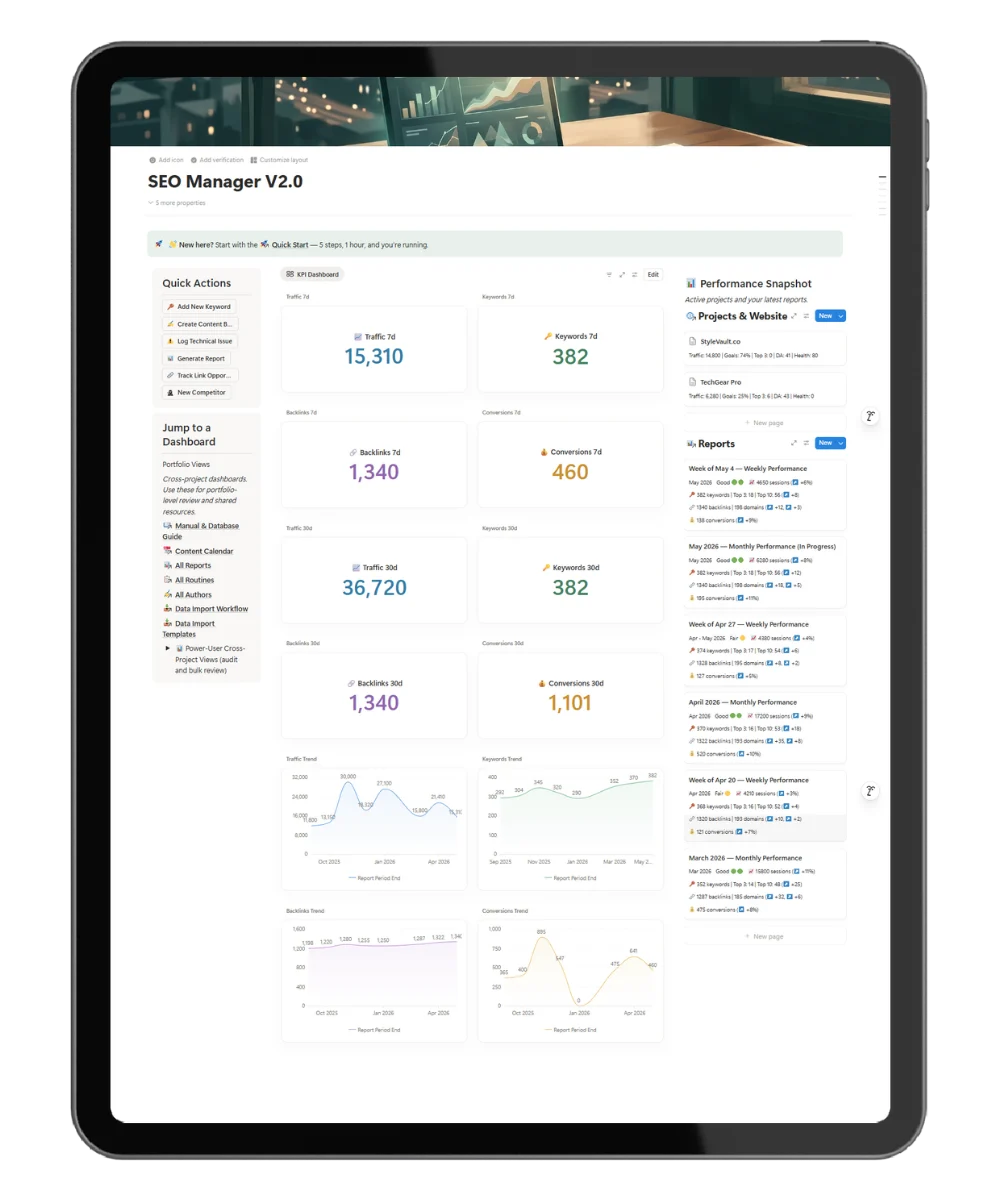
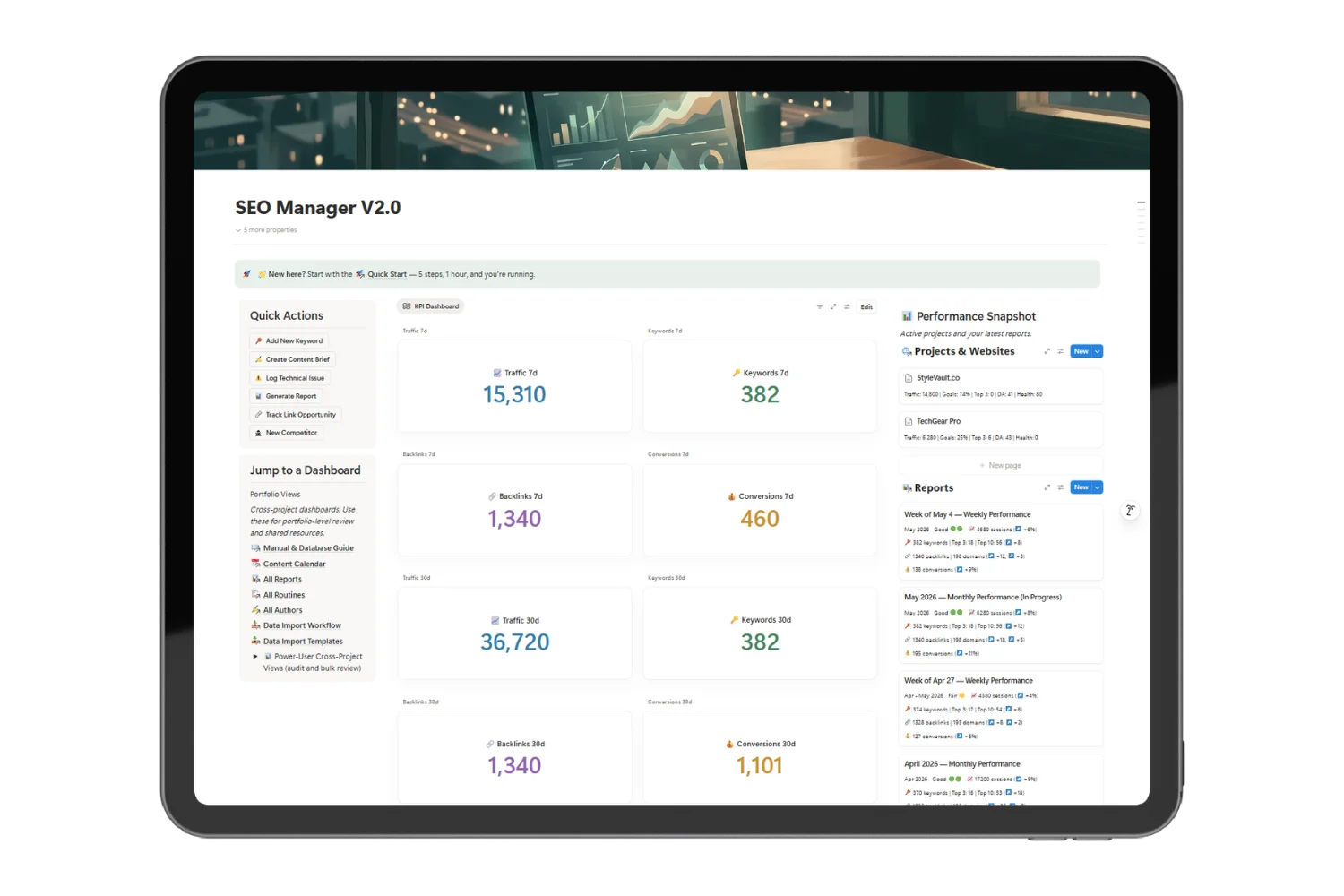
- A landing page that forces focus on active projects and the latest results, not a wall of sidebar items. Think of it as a Notion SEO planner that doubles as your command center.
- An operations manual split by experience level so anyone on your team self-serves.
- Playbooks for the repeating SEO work nobody writes down. Weekly Search Console refresh. Cannibalization fixes. Pillar-page launches. Algorithm-update triage. Monthly backlink audits.
- Brief frameworks for pillar, supporting, transactional, and comparison content so writers stop guessing what good looks like.
- A reusable project setup that spins up a new client site or personal project in seconds.
- Import flows for Google Search Console, GA4, Ahrefs, SEMrush, and Screaming Frog.
- Recurring routines wired to the calendar so weekly, monthly, and quarterly maintenance never gets skipped.
- A self-audit framework that scores your own SEO setup so you always know what to fix next.
- A competitor intelligence layer that connects shared keywords and shared backlinks.
How SEO Notion template works in practice
Step 1: Duplicate and onboard
Click duplicate. Pick your level: Beginner, Junior, or Expert. The workspace walks you through your first project setup.
Step 2: Capture your first 20 keywords
Use the keyword research routine. Paste from Ahrefs, Search Console, or SEMrush using the import flows. The system scores intent and assigns target pages.
Step 3: Write your first brief
Open the supporting-article brief. Target keywords and target pages auto-populate from the keyword row.
Step 4: Publish and connect
Log the published URL once. Backlinks targeting that URL feed back automatically. The brief, the keyword, and the report all see the page without you typing anything twice.
Step 5: Generate your first report
Open the Reports section. Pick the month. The card builds itself from data already in the system.
The untold story: every senior SEO knows the cross-referencing pain. Almost no template solves it because solving it requires designing the relations first and the columns second. Most builders do the opposite.
Three onboarding tracks built in
Beginner Track — I am new to SEO
Start here if jargon like canonical, cannibalization, or EEAT still feels foreign. Walks you through keyword research fundamentals, on-page essentials, and your first optimized post.
Junior Track — I do SEO every week
For the practitioner who pulls Search Console every Monday and writes briefs every Friday. Covers content clusters, internal linking, technical-issue triage, and basic backlink outreach.
Expert Track — I run SEO at scale
For senior SEOs, heads of growth, and consultants juggling complex sites or multiple clients. Covers cannibalization repair, topical authority modeling, link velocity strategy, algorithm-update recovery, and competitive moat building.
Built by an SEO who got tired of being a data shuffler
I built V.01 as a content tracker for myself in 2022. It worked for six weeks, then collapsed under three client sites. I rebuilt it three times before I realized the problem was not the columns. It was the lack of native connection.
SEO Notion template V.02 is the version I use every day across my own site, my client work, and the templates business. The same workspace I open at 7 AM Monday is the one shipping in your hands today.
What changes the moment you click Buy
You get the workspace I run my entire SEO operation inside. Not a sample. Not a stripped-down demo. The full thing.
You get the playbooks that took four years to write. The onboarding flow that saved me 80 hours of training time last year alone. The brief frameworks that turn writers into shippers. The report cards that have already saved me a Friday a month for two years.
You get three onboarding paths so anyone on your team picks the right one and self-serves from there. Beginner. Junior. Expert.
You get lifetime updates. Every new SEO challenge, every new Notion feature, every new playbook ships to you free. Free upgrade to SEO Notion template V.03 when it ships.
One payment. No subscription. No upgrade tier. No locked-out features.
Frequently asked questions
Do I need a paid Notion plan to use this?
No. The free Notion plan works for solo use. Plus or Business is recommended for teams that need permission groups and unlimited file uploads.
How long does setup take?
The Beginner quick-start takes 30 minutes. You ship your first connected project on day one.
Can I use it for multiple client sites?
Yes. A new client site spins up in seconds and stays cleanly separated from the rest. The active project filters every view automatically so you never see another client’s data while working on this one.
Does it work with Search Console, GA4, Ahrefs, and SEMrush?
Yes. Standardized import flows turn CSV exports from each tool into clean, queryable inputs. No paid integrations or APIs required.
What if I am brand new to SEO?
The Beginner track is built for that exact case. Walks you through keyword research, on-page essentials, and your first optimized post.
Run SEO like a system, not a stack.
Click Buy. Duplicate. Ship your first connected SEO project tonight.
SEO Manager V.02 is an SEO Notion template for SEO operations, content marketing, and link building in 2026. It works as a Notion SEO planner, an SEO project tracker, and a client-ready SEO reporting workspace. Whether you run SEO as a solopreneur, manage SEO for an agency, or lead SEO in-house at a growing company,
this Notion SEO template gives you a connected operating system to run keyword research, content briefs, on-page SEO, technical SEO, backlink tracking, and monthly SEO reports inside one workspace. Built and maintained by Fayedtion since 2022. Lifetime updates.