Build, Ship, and Track Your Software in One Notion Workspace.
You write code for a living. Your project management setup should not require a second job.
Software Development OS is the connected Notion system that tracks your projects, versions, bugs, tasks, expenses, revenue, and team. One workspace. Zero context-switching.
Your dev workflow is held together with duct tape.
You might be thinking: “I already have a system.” Right?
So here’s what that system looks like for most developers:
- Bugs sit in GitHub Issues. Disconnected from your sprint board.
- Tasks live in a spreadsheet or Trello. No link to the version they belong to.
- Versions exist in your head or a CHANGELOG file nobody checks.
- Expenses hide in your bank app. No clue what each project costs you.
- Revenue shows up in Stripe or Gumroad dashboards. Never compared against costs.
- Team info floats in Slack DMs. Good luck finding that freelancer’s timezone at 2 AM.
- Code snippets are scattered across random Notion pages. Unfindable when you need them.
Nothing talks to each other. Every context-switch costs you 15 minutes. Every week, something slips: a missed bug, a forgotten renewal, a version shipped without a changelog update.
Let’s be honest. You don’t have a productivity problem. You have a system problem.
One workspace. Everything connected. Nothing slips.
By using Software Development OS, you will:
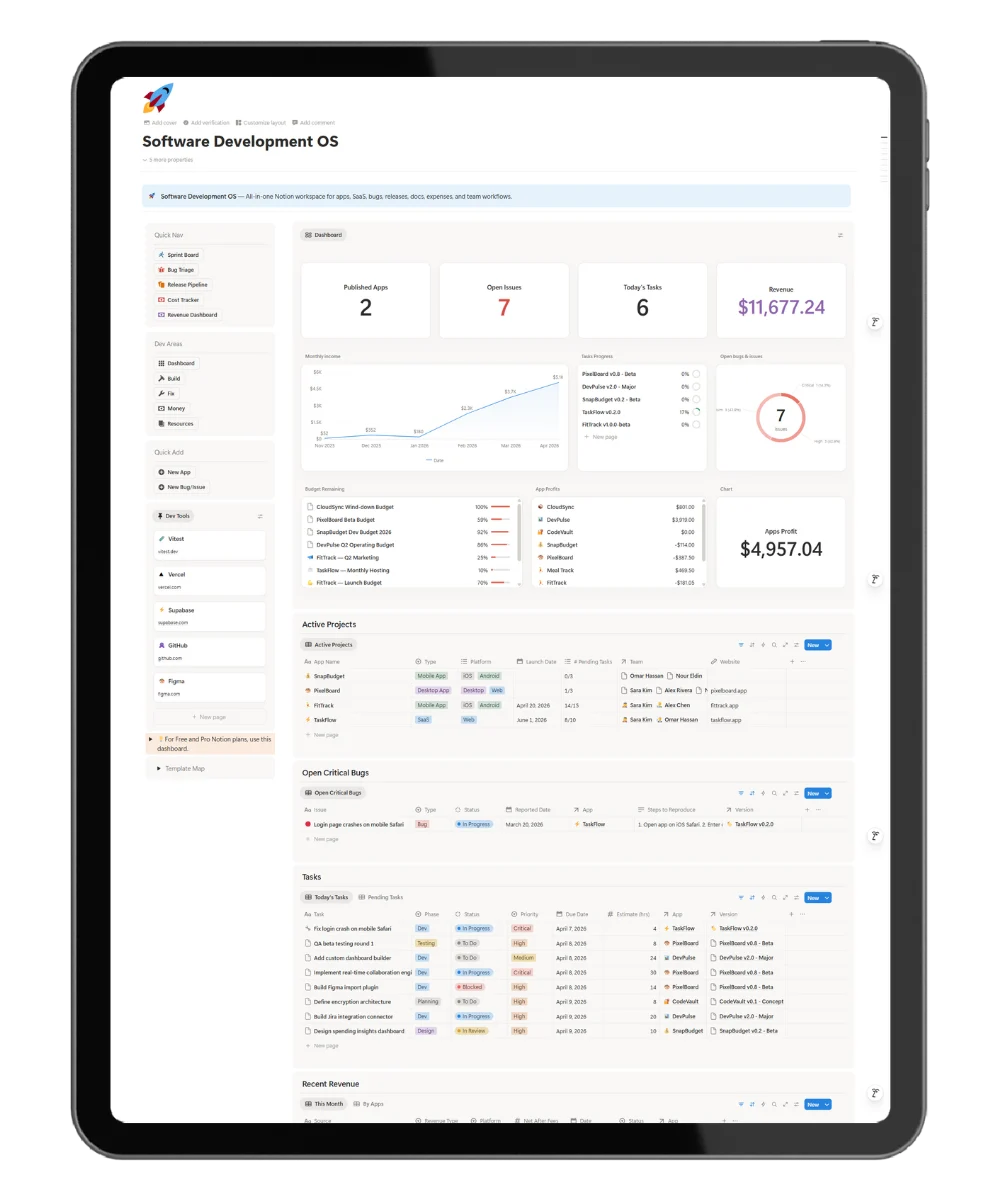
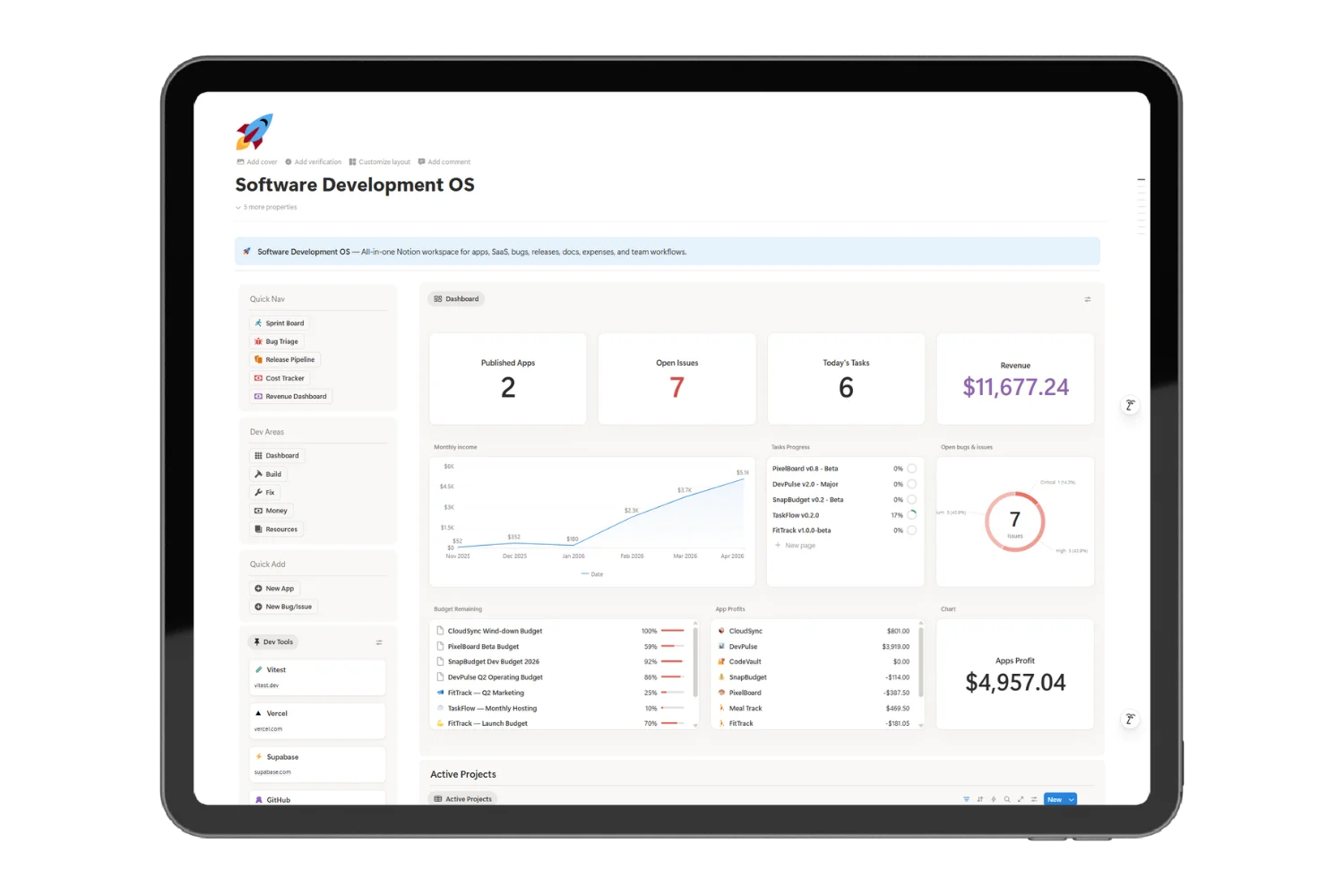
- See every app’s full picture on one dashboard: versions, bugs, tasks, expenses, revenue, tools, and team
- Kill context-switching forever. Stop jumping between 5 tools to answer one question.
- Ship faster. Sprint boards, release pipelines, and bug triage in dedicated workflow pages.
- Know your numbers. Track what each app costs and earns with auto-calculated budgets and net-after-fees formulas.
- Never lose a decision. Code snippets, architecture notes, and API docs linked to the exact project and version.
- Onboard contributors in minutes. Pre-built role templates for devs, designers, QA, DevOps, and freelancers.
The system grows with your app. From first commit to public launch and beyond.
Not a database. An operating system.
Most Notion templates for developers give you a kanban board and call it a day.
This is different. Software Development OS connects. Everything links back to the project it belongs to.
| What you track | What it connects to |
|---|---|
| A bug | → the app, the version, and the task that fixes it |
| A task | → the app, the version, and the issue it resolves |
| An expense | → the app it’s charged against, with budget goal tracking |
| A version release | → the app, its issues, tasks, and related code snippets |
| A team member | → every app they contribute to |
Open any project page. See everything at a glance: open bugs, pending tasks, version history, expenses, revenue, tools, docs, and team. No clicking, filtering, or searching.
No dead links. No manual copying. No broken references.
This is not a template. It’s how developers should manage software.
9 dedicated pages. 30+ views. Set up in 10 minutes.
Here’s exactly what happens after you duplicate the template:
Step 1: Add your app
Open Projects. Create a page. Set platform (Web, iOS, Android, Desktop), type (SaaS, Mobile, API), and status.
Step 2: Plan releases
Open the Release Pipeline. Add versions with semver numbers, changelogs, and dates. Pick from 4 built-in templates: Full Plan, Patch, Feature Release, or Major Launch.
Step 3: Triage bugs
Open Bug Triage. Log issues by type (Bug, Feature, Improvement, Tech Debt, Security) and priority (Critical → Low). The kanban board shows your open pipeline.
Step 4: Sprint your tasks
Open the Sprint Board. Create tasks linked to the app, version, and issue. Set phase, priority, due date, and time estimate. Switch between kanban, table, timeline, and phase views.
Step 5: Track your money
Open the Money page. Log expenses with billing cycles. Set budget goals per app. Record revenue by platform. See auto-calculated net-after-fees and remaining budget side by side.
Step 6: Document everything
Store code snippets, API references, and architecture notes in Snippets & Docs. Each entry is linked to its specific project and version.
Step 7: Manage your team
Add contributors with roles, GitHub profiles, emails, and timezones. Track who works on what.
Step 8: Check the dashboard
Return to the Homepage. Live widgets show: active projects, open critical bugs, pending tasks, and recent revenue. All updating in real time.
Total setup time: under 10 minutes.
Everything you need. One purchase. Lifetime access.
Here’s what’s inside:
✅ 30+ pre-built pages— table, kanban, timeline, gallery, charts
✅ Dashboard homepage with live data widgets
✅ 9 dedicated workflow pages — Sprint Board, Bug Triage, Release Pipeline, Cost Tracker, Revenue Dashboard, Build, Fix, Money, Resources
✅ 4 version planning templates — Full Plan, Patch, Feature, Major Launch
✅ 5 team onboarding templates — Developer, Designer, QA, DevOps, Freelancer
✅ Quick Add forms for fast data entry
✅ Auto-calculated formulas — remaining budget, net after platform fees, rollup counters
✅ Realistic example data for 2 apps — see the system working from day one
✅ Works on Notion free plan (chart dashboard needs Plus; fallback included)
✅ Lifetime access — duplicate once, use forever, free updates
Pricing
$39 $29 — one-time purchase
That’s less than one hour of developer time. And it saves you hundreds of hours.
FAQ
Do I need a paid Notion plan?
Most features work on the free plan. The dashboard chart view needs Notion Plus or above. A fallback dashboard for free-plan users is included.
How many apps or projects does it support?
Unlimited. Every database filters and groups by project. One app or fifty.
Is this a project management tool or a financial tracker?
Both. Build (projects, versions, tasks) + Fix (issues, bugs) + Money (expenses, budgets, revenue). Three systems in one workspace.
How is this different from a basic Notion project tracker?
Most templates give you a single kanban board. This connects 10 databases with two-way relations, rollup formulas, 30+ views, and 9 dedicated workflow pages. Open a project and see everything linked to it.
How long does setup take?
Under 10 minutes. Duplicate the template, rename the sample apps to yours, and start tracking.
Is there example data included?
Yes. Two sample apps (TaskFlow and FitTrack) with realistic data across all 10 databases. Delete them when you’re ready.
Will I get future updates?
Yes. Lifetime access. All future updates are free.
What’s your refund policy?
Due to the nature of digital products, all sales are final. If you have a serious issue, reach out and we’ll work it out.
Stop switching tools. Start shipping software.
You’ve spent enough time stitching GitHub Issues, spreadsheets, Trello, and bank apps together.
Duplicate one template. Set up in 10 minutes. Track everything that matters.
Build apps. Ship versions. Fix bugs. Manage money. All in Notion.
Get Software Development OS