

Three creators chase you for sample tracking. Two usage rights expire today. One campaign paid back 4x and you struggle to tell which one.
This is the operating reality of running UGC creator programs on Amazon without a proper system. Samples ship into a void. Content deadlines slip through email threads. Rights expire while the ad keeps running. Spreadsheets stop making sense the moment relationships, deadlines, and dollars need to talk to each other.
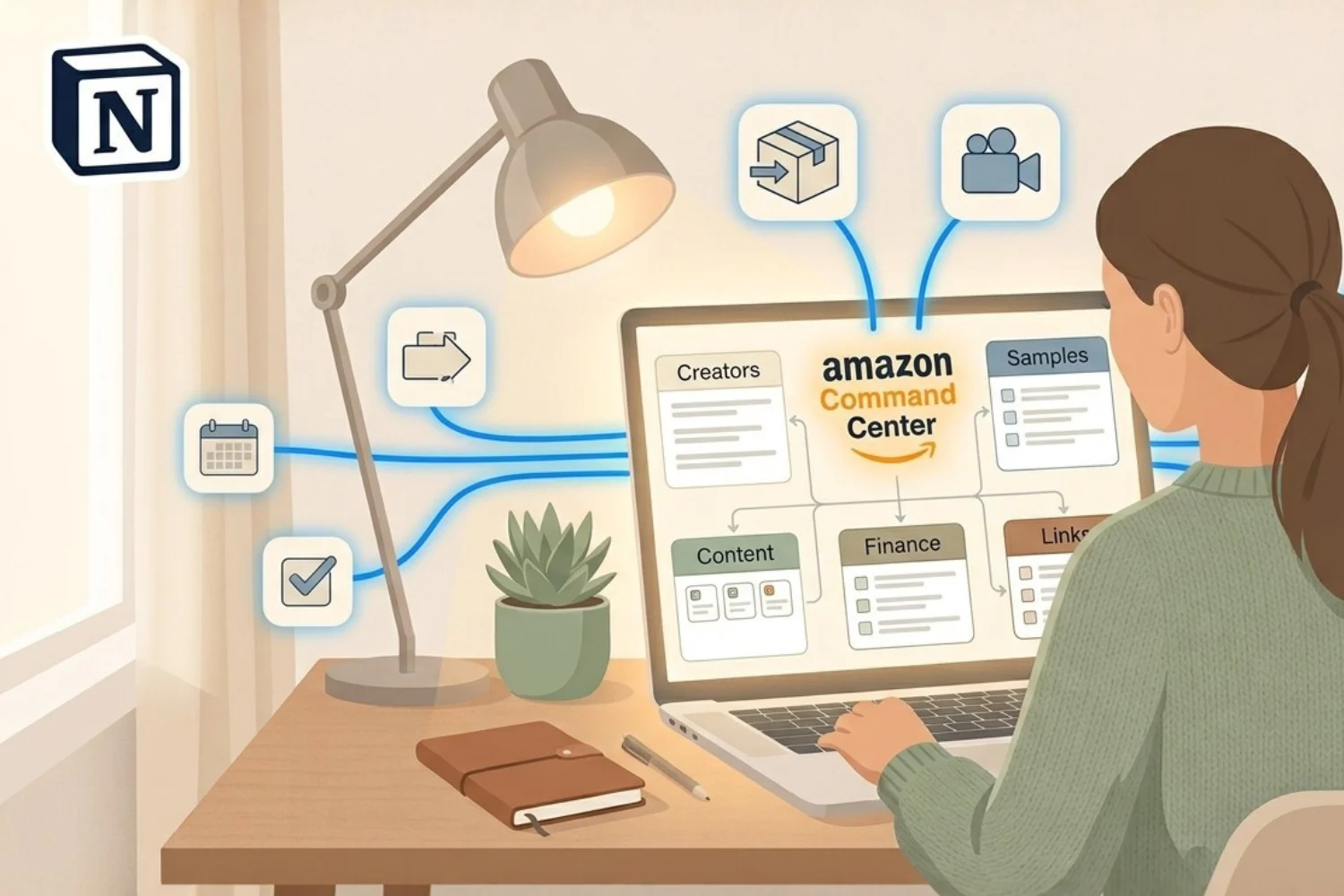
An Amazon UGC creator management template fixes the gap between the four tools most sellers stack. This guide covers what such a template is, the six workflows it must include, and how to build one in Notion using Amazon Seller OS.
What Is an Amazon UGC Creator Management Template?
An Amazon UGC creator management template is a connected workspace where creators, samples, campaigns, content rights, finance, and tracking links all live in one system. Not a spreadsheet. Not a folder of docs. A single source of truth where a change to a creator record updates the sample they own, the campaign they belong to, and the ROI the campaign generates.
Amazon sellers running UGC in-house lose the most time to information friction. Where is the sample? Who owns the content rights? Did the creator ever ship the second video? A proper Amazon seller Notion template answers those questions in one click, not four.
Why the 4-Tool Stack Breaks
Most solo sellers run UGC across four disconnected surfaces:
- Google Sheets for creator contact info
- Email or WhatsApp threads for deal negotiation
- A notes app for sample tracking
- Memory for content rights expiry
Each tool knows a piece of the story. None of them knows the whole. When a creator asks where their sample is on Wednesday afternoon, the seller opens three tabs and still guesses.
An Amazon UGC tracker built on connected databases solves this by design. A single click on a creator record surfaces every sample sent, every content deliverable owed, every dollar spent, and every rights expiry date on the calendar.
The 6 Workflows Every Amazon UGC Operation Needs
Amazon Seller OS ships with six connected workflows. Each one owns a single job. Together they replace the 4-tool stack.
1. Creator CRM
Every outreach, every deal, every follow-up in one database. Track creator handles, rate cards, content formats they specialize in, past collaborations, and current status. An Amazon creator CRM lives on relationships, not receipts. This is the layer where you decide who to reach next quarter.
2. Sample Tracker
Pairs every shipment with the content it owes. When a sample ships, the tracker records the creator, product, tracking number, expected delivery date, and content deliverable owed in return. The seller sees which samples are in transit, which have landed, and which are overdue for content.
3. Campaign Hub
Ties product, budget, creators, and ROI together. Every campaign links to the SKUs it promotes, the creators assigned, the total spend, and the sales attributed. Campaign-level ROI stops being a monthly calculation and becomes a live view.
4. Content Library with Rights Expiry
Every piece of UGC gets logged with its usage rights term, start date, and expiry date. A rollup surfaces content expiring in the next 30 days. The seller catches an expired right before the ad keeps running on borrowed content. An Amazon UGC content rights tracker is not optional at scale. One missed expiry burns $500 to $5,000 in ad spend.
5. Finance Ledger
Live profit by campaign. Every creator payment, every sample cost, every ad spend line rolls up to a campaign-level P&L. The seller sees which campaigns pay back and which quietly drain the budget.
6. Links Manager
Clicks, sales, and conversion per tracking link. Every campaign short link gets logged with source, medium, and destination. Sales attribution stops being guesswork.
How to Build an Amazon UGC Creator Management Template in Notion
Step 1: Model the Data Before Building
Sketch the six databases first: Creators, Samples, Campaigns, Content, Finance, Links. Draw the relations on paper. A Creator has many Samples. A Sample belongs to one Campaign. A Campaign has many Content pieces. Content has one rights expiry date. Finance rolls up to Campaign.
The Amazon seller Notion template fails when built database-by-database without the relation map. Model first. Build second.
Step 2: Build the Databases
Create each database with the minimum properties needed. Skip the fields you might use someday. Every extra field is future maintenance. Start with:
- Creators: Handle, Platform, Rate, Status, Contact
- Samples: Tracking Number, Ship Date, Landed Date, Creator (relation), Product (relation)
- Campaigns: Name, Start Date, Budget, SKU (relation), Status
- Content: Title, Format, Creator (relation), Campaign (relation), Rights Start, Rights End
- Finance: Line Item, Amount, Type, Campaign (relation)
- Links: Short URL, Destination, Campaign (relation), Clicks, Sales
Step 3: Connect the Relations
Every database talks to at least one other. A Sample points to a Creator and a Campaign. Content points to a Creator, a Campaign, and inherits rights dates. Finance rolls up to Campaign. Links tie back to Campaign.
Two-way relations are the difference between a spreadsheet stack and a real Amazon UGC tracker. A change in the Creator record updates every related Sample, Content piece, and Finance line at once.
Step 4: Build the Command Center
One dashboard. Five daily views:
- Samples in transit
- Content deliverables due this week
- Rights expiring in 30 days
- Campaign ROI live
- Creator follow-ups overdue
The dashboard is the first page the seller opens every morning. If it shows the five things above, the operation runs.
Amazon Seller OS ships all six databases, all relations, and the Command Center already configured. Grab it at Fayedtion for $49 launch price.
3 Amazon UGC Setups Ranked by Team Size
Solo Seller (1 person, 1-3 SKUs)
| Component | What to include |
|---|---|
| Databases | Creators, Samples, Content, Finance |
| Dashboards | 1 daily view |
| Frequency | Weekly 30-min review |
| Tools around it | Gmail + Google Drive |
Skip the Campaign Hub layer until you run 3+ concurrent campaigns. A solo operation with five active creators does not need campaign-level rollups yet.
Small Team (2-5 people, 3-10 SKUs)
| Component | What to include |
|---|---|
| Databases | All 6 workflows |
| Dashboards | Command Center + role-specific views |
| Frequency | Daily 15-min standup |
| Tools around it | Slack + Google Drive |
Assign one owner per database. The Creator CRM belongs to the outreach lead. The Sample Tracker belongs to the ops person. Nobody owns everything. Nobody owns nothing.
Agency-Style (6+ people or multiple brands)
| Component | What to include |
|---|---|
| Databases | All 6, plus a Brands database |
| Dashboards | Per-brand Command Centers |
| Frequency | Daily views + weekly cross-brand review |
| Tools around it | Slack + Notion + Airtable for finance if needed |
Layer a Brands database on top. Every Creator, Sample, Campaign, and Content record links to a Brand. Filters on the dashboard let you slice by brand or view the full agency portfolio.
How to Pick the Right Setup
Ask three questions:
- How many active creators? Below ten, run the solo setup. Between ten and thirty, use the small team setup. Above thirty, go agency-style.
- How many concurrent campaigns? Below three, skip the Campaign Hub. Between three and ten, use it. Above ten, layer role-based views.
- Who else touches the system? Solo means you own everything. Team means one owner per database. Agency means role-based access and cross-brand filters.
The wrong setup for your stage costs more than the missing one. A solo seller running the agency setup drowns in database maintenance. A five-person team on the solo setup loses information across handoffs.
Common Mistakes When Building an Amazon UGC Tracker
- Building all six databases at once. Ship two. Use them for a week. Add the third only when the first two feel solid.
- Skipping the relations. Six unconnected databases are six spreadsheets. The connections are the product.
- Overloading properties. Every field is future maintenance. Start with the minimum. Add fields when a real workflow demands one.
- No daily view. If the seller opens Notion and sees six database icons, the system fails on day two. Ship a Command Center or nothing.
- No rights expiry alert. Content Library without expiry rollups is a graveyard. Track the date. Filter for the next 30 days. Review weekly.
- Manual campaign ROI. If ROI is a monthly spreadsheet export, the connected database is doing nothing. Build the rollup once. Read it forever.
Metrics Cheat Sheet
| Metric | Where it lives | How often to check |
|---|---|---|
| Samples in transit | Sample Tracker view | Daily |
| Content deliverables overdue | Content Library filter | Daily |
| Rights expiring in 30 days | Content Library rollup | Weekly |
| Campaign ROI | Campaign Hub rollup | Weekly |
| Creator response rate | Creator CRM filter | Monthly |
| Total UGC spend | Finance Ledger rollup | Monthly |
Six metrics. Three cadences. If the dashboard surfaces all six on demand, the operation is instrumented.
Who This Guide Is For
- Solo Amazon FBA brand owners running UGC creator programs in-house
- Small ecommerce teams (2-5 people) managing 3+ concurrent creator campaigns
- Agencies or COOs running UGC across multiple brands
- Brand operators switching from Sheets, Airtable, or Slack DMs to a connected workspace
If you outsource UGC entirely to an agency, this guide is not for you. The template is built for in-house operators.
When to Build Your First Amazon UGC OS
Build the template when you notice three signals:
- You struggle to answer “where is the sample” without opening four tabs.
- A creator has ghosted you and you cannot tell which deliverable they owed.
- You suspect one campaign is losing money but the numbers live in QuickBooks.
Any one signal on its own is a warning. All three at once means the 4-tool stack is already costing you. Build the OS the same week.
FAQ
What is the difference between an Amazon UGC creator management template and a full creator agency stack?
An Amazon UGC creator management template runs in-house on Notion for a one-time cost. A creator agency stack combines SaaS subscriptions (Airtable, ClickUp, Slack, Zapier) with an agency retainer of $500 to $5,000 per month. The template covers 80% of what the agency stack does, at $79 one time, for sellers ready to own the workflow themselves.
How is an Amazon seller Notion template different from a generic CRM?
A generic CRM tracks contacts and deals. An Amazon seller Notion template also tracks samples in transit, content deliverables owed, usage rights expiry, and campaign ROI. Every workflow is Amazon-UGC-specific by design.
Do I need to be technical to set up an Amazon UGC tracker in Notion?
No. If you have used Notion for one week, you have the skills. Amazon Seller OS ships with all six databases, relations, and the Command Center already built. Setup is duplication plus renaming.
What is included in an Amazon creator CRM built for UGC?
Handle, platform, content formats, rate card, past collaborations, current status, contact info, and a live view of samples sent and content owed. Every creator record shows the full history in one page.
Why does an Amazon UGC content rights tracker matter so much?
One expired usage right burns $500 to $5,000 in ad spend while the ad keeps running on borrowed content. A rights expiry rollup with a 30-day filter catches every one before it burns budget. This is the single highest-leverage feature in the template.
Tools and References
| Tool | Use case | Link |
|---|---|---|
| Notion | The workspace layer | https://notion.so |
| Amazon Seller OS | The Notion OS for Amazon UGC | Amazon UGC Tracker — The Notion OS for Amazon Sellers |
| UGC Sample Tracker (Free) | Sample-tracking starter | Amazon UGC sample tracker: free Notion template for solo sellers |
| Notion Marketplace | Product discovery | https://notion.com/templates |
Key Takeaways
- An Amazon UGC creator management template replaces the 4-tool stack most sellers run today.
- The six workflows every Amazon UGC operation needs: Creator CRM, Sample Tracker, Campaign Hub, Content Library with rights expiry, Finance Ledger, Links Manager.
- Relations between databases are the product. Six unconnected databases are six spreadsheets.
- A daily Command Center dashboard is non-negotiable. Ship it or ship nothing.
- Rights expiry tracking is the single highest-leverage feature. One missed expiry costs $500 to $5,000 in ad spend.
- Match the setup to the stage. Solo, small team, and agency-style each have their own shape.
- An Amazon UGC creator management template built in Notion pays back within one caught rights expiry.
Start Today
The full Amazon UGC creator management template is Amazon Seller OS.
- Grab it at Fayedtion for $49 launch price (first 30 sales only, regular price $79 after).
- Alternate store: Gumroad.
- Not ready for the full system? Grab the free UGC Sample Tracker starter and upgrade later.
Ship your first connected workflow this week. Ship the second next week. In a month, the 4-tool stack is a memory.
