Notion App Version Tracker Template for Solo Developers
The Notion App Version Tracker Template is a minimal release log for developers who ship real products. Log every version, write changelogs, and flag breaking changes in one clean Notion workspace. No setup. No integrations. Just open it and track.
One Notion Template to Log Every App Version You Ship
Most developers track versions across Git commits, sticky notes, and spreadsheets that nobody updates. That’s not a system. That’s controlled chaos. This Notion app version tracker gives you the clean, minimal version log your apps deserve.
You’re Building. You’re Shipping. But Where Is Version 1.3.2?
What changed between the last patch and the one before it? Was that a breaking change? Did you flag it? Who knows.
Every developer who’s shipped more than a handful of releases has felt this: version history scattered across tools, changelogs buried in READMEs nobody reads, and no single view of what’s live, what’s in testing, and what’s still a draft.
The problem isn’t discipline. It’s the absence of a proper system.
A Clean Release History in Your Notion App Version Tracker Template
With the Notion App Version Tracker Template, you’ll have a clean, complete release history for every app you build — always up to date, always easy to read.
No more digging through commits. No more guessing what changed. Every version logged, every changelog written, every breaking change flagged. In one place.
Why This Notion Version Tracker Beats a Spreadsheet
Most version management tools are built for teams. They’re heavy, opinionated, and require setup time you don’t have.
This template is built for solo developers and indie makers. It does one thing well: tracks your versions. No integrations to configure. No permissions to manage. No learning curve.
You open it. You add a row. You write the changelog. Done.
That’s the unique selling proposition: the simplest version log that actually works for how solo developers build.
How the Notion App Version Tracker Template Works
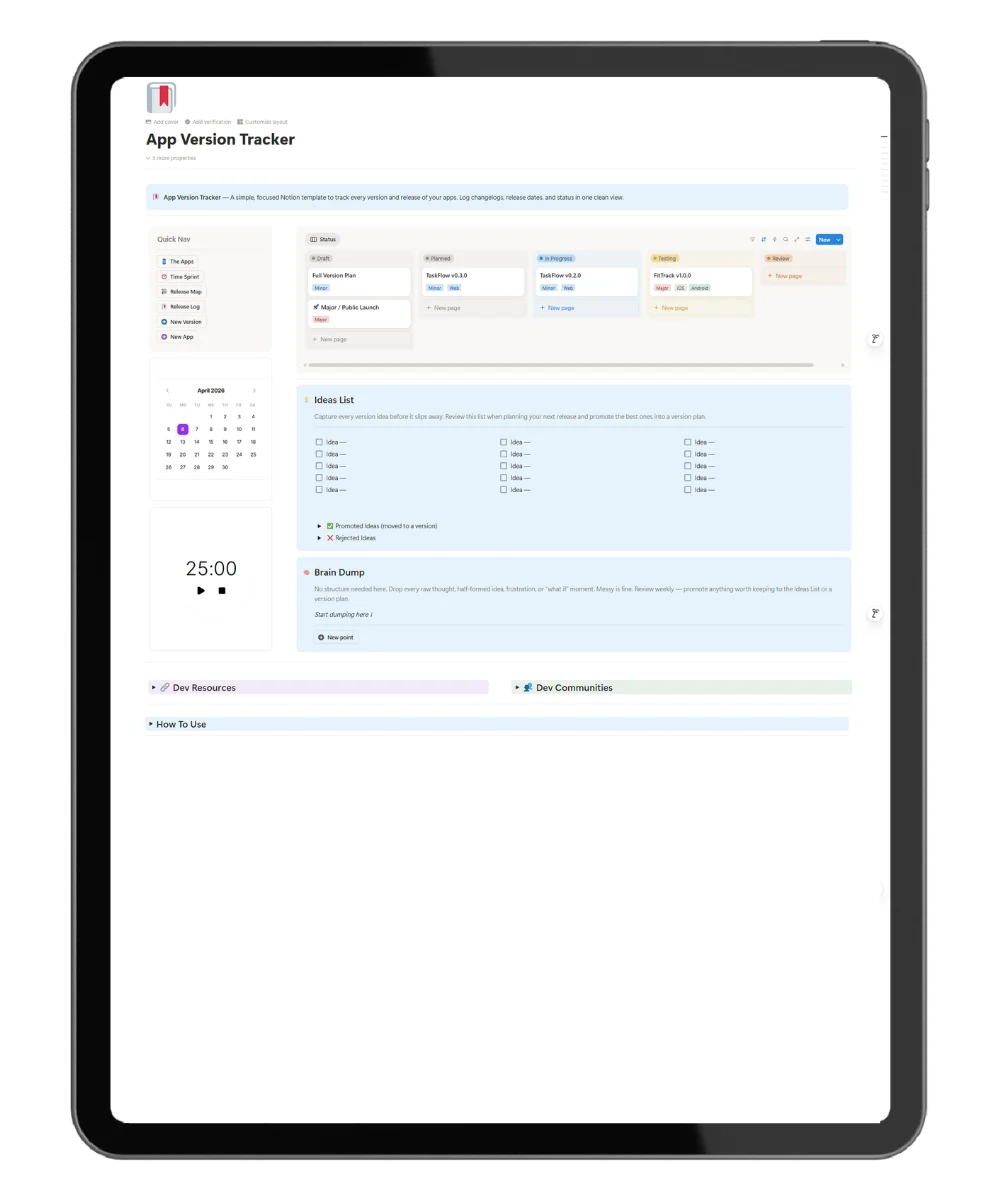
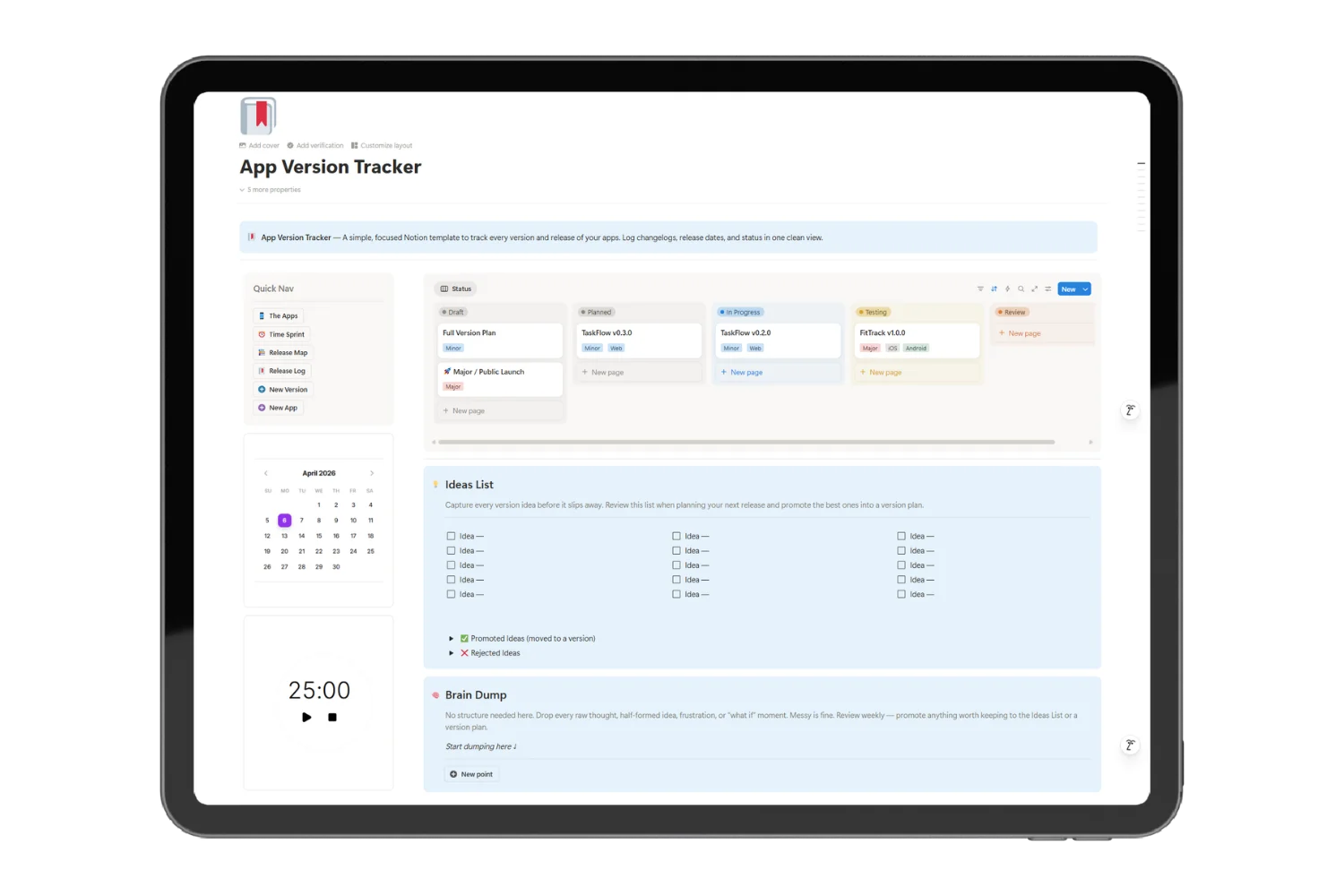
The template runs on a single database with five pre-built views. Every version entry captures:
- Version number (Major, Minor, Patch, Hotfix, Beta, Alpha)
- Status workflow: Draft → In Progress → Testing → Released → Deprecated
- Release date and platform
- Breaking Changes flag — so nothing catches you off guard
- Changelog — written directly inside the page
The five views give you full visibility:
- All Versions — flat list, sorted by date
- By Status — kanban for your active release pipeline
- Timeline — visual history of every release
- By App — grouped by project if you manage multiple apps
- By Type — filter by Major, Patch, Hotfix, etc.
No complex setup. No relations to external databases. Open it and start logging.
Get the Notion App Version Tracker Template
The Notion App Version Tracker Template is available now on Fayedtion.
Get it, duplicate to your Notion workspace, and log your first release in under 10 minutes.
One template. Every version. Zero chaos.
Want More?
This template is part of the Software Development OS — a full Notion workspace connecting versions to issues, tasks, expenses, revenue, team members, and code snippets. If you’re building seriously, the full OS is worth it.
Who Is This For?
- Solo developers managing multiple side projects
- Indie makers who ship fast and need a lightweight release log
- Mobile developers tracking iOS, Android, or cross-platform builds
- SaaS builders who need a changelog without a full PM tool
- Anyone currently tracking versions in a spreadsheet — or not at all
What’s Included
- 1 standalone Version Tracker database
- 5 pre-built views: All Versions, By Status, Timeline, By App, By Type
- Version types: Major, Minor, Patch, Hotfix, Beta, Alpha
- Status workflow: Draft → In Progress → Testing → Released
- Breaking Changes flag
Frequently Asked Questions
What is the Notion App Version Tracker Template?
It’s a minimal, standalone Notion template for logging every version of your apps — release date, type, status, changelog, and breaking changes — all in one place.
Do I need any Notion experience to use this?
No. If you know how to add a row to a table, you’re ready. The template is set up and ready to use on day one.
Does it work for multiple apps?
Yes. The “By App” view groups all versions by app name. Track as many projects as you want in one place.
Can I customize the version types or status options?
Yes. Every select and status option is fully editable in Notion. Add, rename, or remove options to match your workflow.
Is this a one-time purchase?
Yes. Buy once, duplicate to your Notion workspace, use forever. No subscription.
What if I already use Git for versioning?
Git tracks code changes. This tracks your public release history — what shipped, when, what changed, and what broke. They serve different purposes. Most developers use both.
Does it connect to GitHub or any other tools?
Not out of the box. It’s a standalone Notion template. No integrations required.
What Notion plan do I need?
The free Notion plan works. All features in this template are available on free accounts.
Stop Losing Your Version History — Get the Notion Template Today
Every release you ship deserves a proper record. Not a commit message buried in a repo. Not a row in a spreadsheet nobody opens. A clean, searchable log you’ll actually use.
The Notion App Version Tracker Template gives you that in 10 minutes.
One template. Every version. Zero chaos.