Most Black Friday “deals” are not deals. Here’s how to know the difference.
Every November, prices change. Some go down. A lot go up first, then come back to where they started.
Without a price tracker, you can’t tell the difference.
You see a 40% off badge. It feels urgent. You buy.
Two weeks later you find out the price was the same in August.
That’s not a deal. That’s a marketing trick. And it works because most people have no record of what things actually cost.
What if you had proof before every purchase?
Imagine opening your price tracker and seeing:
- The baseline price you logged in October
- Every price change since then, with date and source
- A clear target price you set yourself
- Whether today’s Black Friday price actually beats it
No guessing. No FOMO. Just data.
That’s what tracking price consistently gives you. And the Black Friday Price Tracker is built to make it simple.
Introducing the Black Friday Price Tracker
The Notion price tracker built for smart shoppers.
This is not a wishlist. It’s not a spreadsheet you abandon by day two.
It’s a structured Notion template with one job: track prices over time so you can buy at the right moment.
Start tracking in early October. By the time Black Friday hits, you have weeks of price history. Fake markdowns are obvious. Real deals stand out immediately.
Why tracking price changes everything
Here’s the thing about Black Friday: retailers know you’re watching.
Some raise prices in the weeks before the sale. Others keep prices flat and just add a discount badge. A few genuinely drop to the lowest price of the year.
You cannot tell which is which without a price tracker.
The Black Friday Price Tracker fixes this with four price types you log for every item:
- Baseline snapshot — the normal price before any sale talk starts
- Current — the live price as you check it
- Black Friday listed — the advertised sale price
- Final — what you actually paid
With these four data points, every deal is transparent. You see the full picture, not just the badge.
What’s inside the price tracker
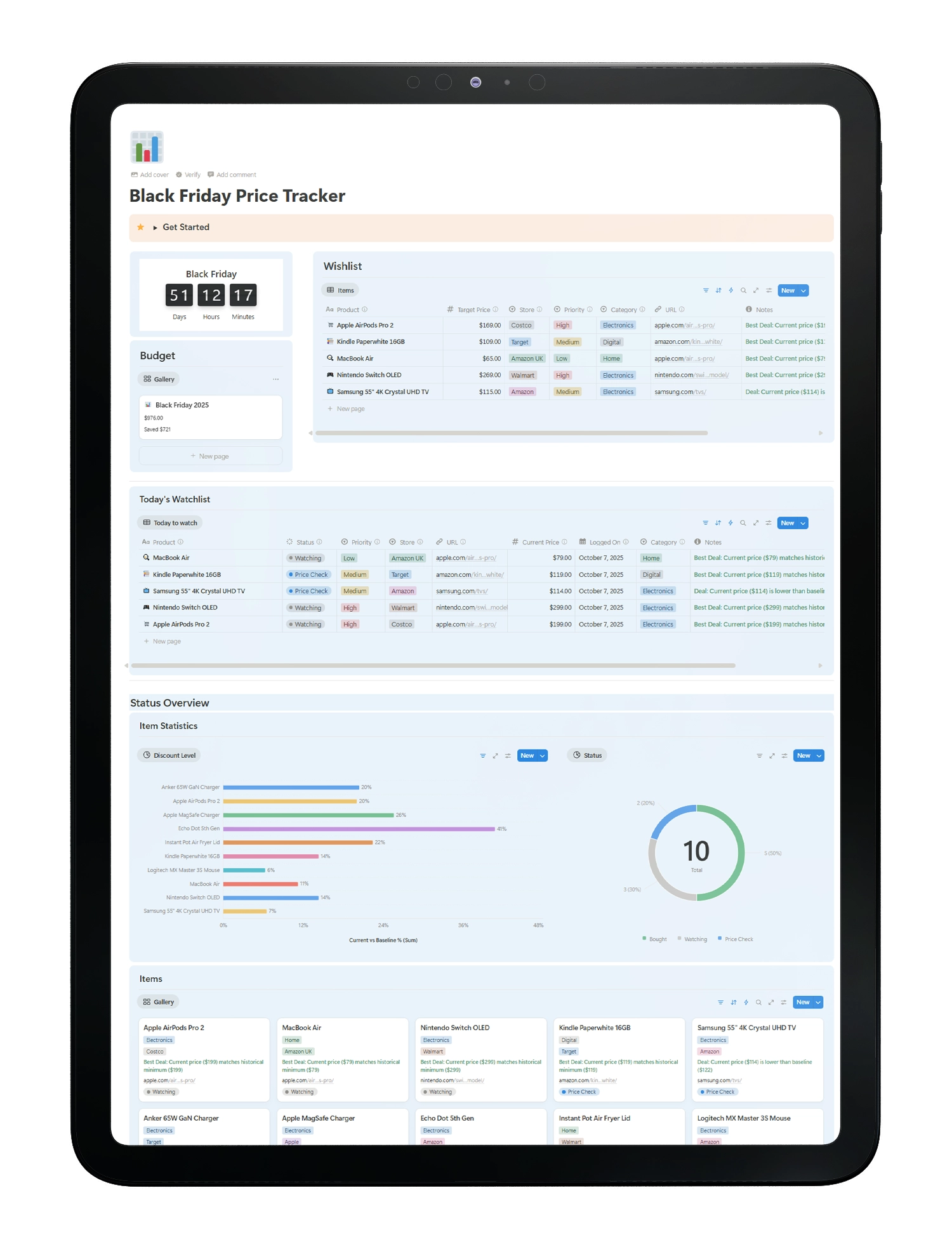
- Deals Database — Add product name, URL, store, category, target price, and status.
- Pricing Records — Log every price change with date, source link, and price type.
- Today’s Watchlist — Focus on active items that are close to your target price.
- Status Overview — Quick read on all your deals at a glance.
- Budget Tracker — Set a spending target. Compare it to what you actually spend.
- Key Dates Calendar — See Black Friday, Cyber Monday, and your own custom dates in one view.
One hub. Everything connected. No scattered tabs or forgotten lists.
The proof is in the price history
Tracking price is not complicated. The barrier is never starting.
Most people check prices the day of the sale, with no reference point. They buy based on the percentage badge, not actual evidence.
People who start tracking price in October consistently report:
- Catching fake markdowns before Black Friday
- Buying fewer items, but the right ones
- Staying inside their budget because they planned ahead
- Zero post-purchase regret
The system works when you use it early. This template makes that easy.
Who this price tracker is for
- Savvy shoppers who want evidence before spending, not just a sale badge
- Holiday gift planners managing multiple items across different stores
- Budget-conscious buyers who set a spending limit and want to stick to it
- Notion users who want a clean, connected system instead of scattered screenshots
- Power users and builders who want a clear, auditable price tracking workflow
If you’ve ever bought something on Black Friday and regretted it, this is for you.
One purchase. Use it every year.
Black Friday Price Tracker — Notion Template
- Instant download. Duplicate to your workspace in under 2 minutes.
- Full template with all databases, views, and price tracking structure
- Works on desktop and mobile
- One-time payment. No subscription. No expiry.
- Reuse it every Black Friday season