


You pay for 8 tools. You use 4 of them daily. The other 4 sit in the background, billing you quietly every month. Sound familiar?
A tool stack audit fixes this. It is a simple, structured review of every app and subscription in your business. The goal: find what is redundant, what overlaps, and what you no longer need. The whole process takes 30 minutes.
This guide walks you through how to audit your tools step by step, with a SaaS audit checklist you can copy and use right away.
Why You Need a Tool Stack Audit
Subscription creep is real. You sign up for a free trial, forget to cancel, and six months later it is still charging your card. Or you adopt a new app for one feature without checking if your existing tools already do the same thing.
The result: too many subscriptions draining your budget and too many dashboards splitting your attention.
Gartner estimates companies waste up to 30% of their SaaS spending on tools that are underused or duplicated. For solopreneurs and small teams, that waste hits harder because every dollar matters.
A tool stack audit surfaces these blind spots. It gives you a clear picture of what you use, what you pay, and what you should cut.
The 30-Minute How to Audit Your Tool (Step by Step)
Set a timer. This entire process fits into 30 minutes if you stay focused.
Step 1. List Every Tool You Use (5 min)
Open your email and search for “receipt,” “subscription,” or “payment confirmation.” Check your bank and credit card statements for recurring charges. Open your phone and laptop. Write down every app, platform, and service you use for work. Include free tools. If it touches your workflow, it goes on the list.
Step 2. Score Each Tool: Daily, Weekly, Rarely, Never (5 min)
Next to each tool, mark how often you use it.
- Daily means it is core to your workflow.
- Weekly means it supports your work.
- Rarely means you open it once a month or less.
- Never means you forgot it existed until this audit.
Step 3. Flag Overlaps and Duplicates (5 min)
Look at your list. Do two tools do the same job? A project manager and a to-do app? A spreadsheet and a database? A CRM and a contact list in your email tool? Mark every overlap. These are the biggest sources of wasted time and money.
Step 4. Check the Cost vs. Value (5 min)
For each tool, write down the monthly cost. Then ask: does this tool save me more time or money than it costs? If the answer is no, or if you scored it “Rarely” or “Never,” flag it for removal.
Step 5. Decide: Keep, Replace, or Cut (10 min)
Now make the call for each tool.
- Keep means the tool is essential, used frequently, and worth the cost.
- Replace means the tool is useful but another platform already covers its function.
- Cut means the tool is redundant, unused, or not worth the spend. Cancel it today.
SaaS Audit Checklist (Copy This)
Use this checklist every quarter to keep your stack clean.
- [ ] List all paid and free tools in one place
- [ ] Mark usage frequency: Daily, Weekly, Rarely, Never
- [ ] Identify tools with overlapping features
- [ ] Calculate total monthly SaaS spend
- [ ] Flag tools scored Rarely or Never
- [ ] Check if existing tools can absorb the flagged ones
- [ ] Cancel or downgrade unused tools immediately
- [ ] Set a calendar reminder to repeat this audit in 90 days
- [ ] Document which tools you kept and why (for next quarter)
- [ ] Review integrations. If a connection breaks and nobody notices, the tool is not essential.
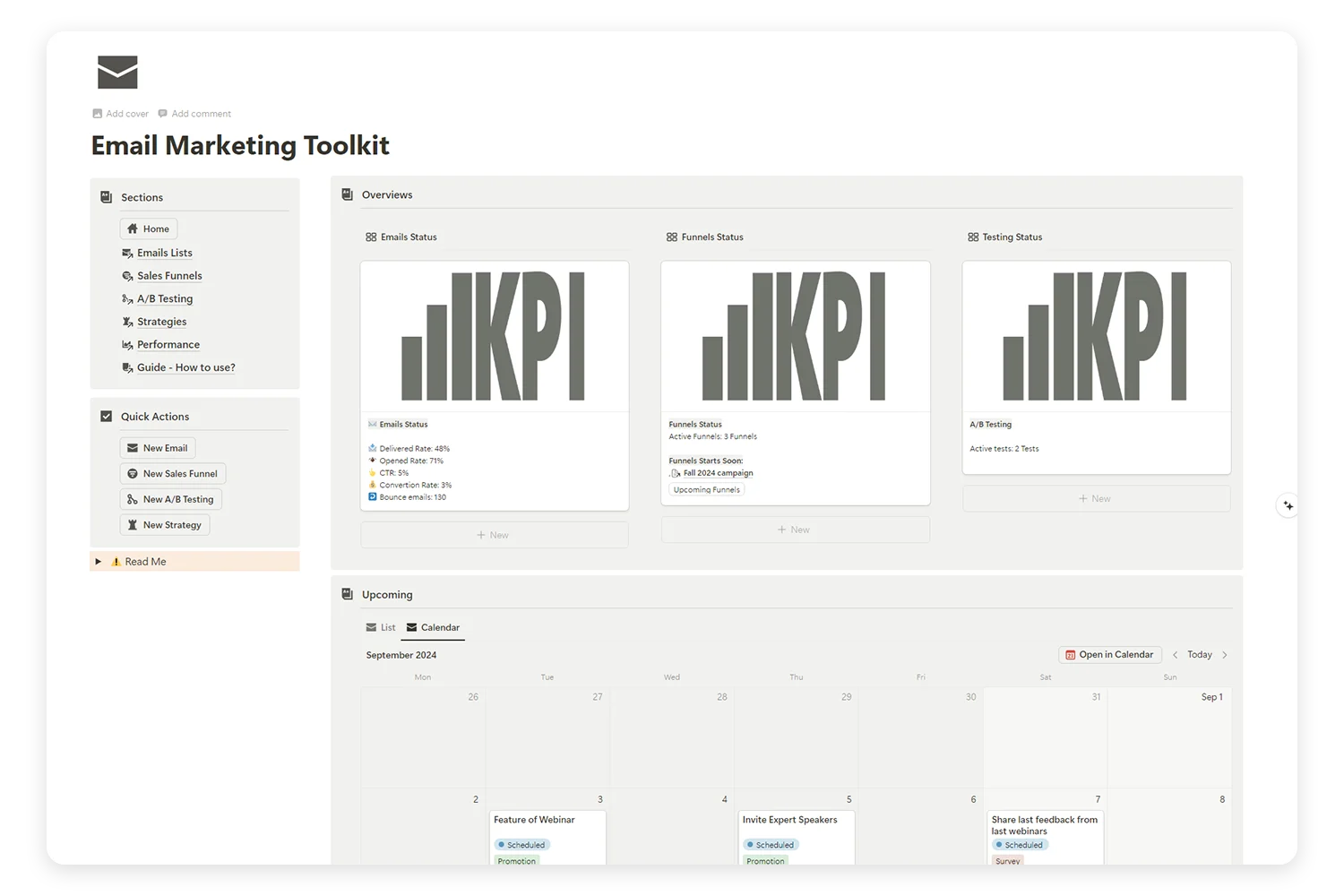
Supercharge Your Email Marketing with the Ultimate Toolkit!
Tired of juggling multiple platforms to manage your email campaigns, sales funnels, and A/B tests? Our Email Marketing Toolkit is here to organize, analyze, and optimize your email strategies—all in one place.
What to Do After the Audit
The audit tells you what to cut. The next step is deciding where to consolidate.
The fastest way to reduce business tools is to pick one workspace that handles multiple functions. Instead of a separate project manager, note app, CRM, and spreadsheet, move them into a single platform.
Many solopreneurs and small teams use Notion as their central workspace. One system replaces the scattered stack. Projects, notes, databases, content planning, and client tracking live in one place.
Migration tips:
- Move one system at a time. Start with the tool that causes the most friction.
- Export your data before canceling any tool.
- Give yourself a week to test the new setup before fully committing.
- Do not try to replicate your old tool exactly. Adapt the workflow to the new system.
Frequently Asked Questions
How often should I audit my tool stack?
Run a tool stack audit every 90 days. Subscriptions change, new tools appear, and usage patterns shift. Quarterly reviews keep your stack lean.
What if I find tools I barely use but might need later?
Cancel them. Most SaaS tools let you reactivate at any time. Paying monthly for something you might need someday is a losing bet.
How do I know if two tools overlap?
If both tools store the same type of data (tasks, contacts, notes) or perform the same function (scheduling, tracking, reporting), they overlap. Keep the one that does it better or the one that integrates with your main workspace.
Is a spreadsheet enough for a tool audit?
Yes. A simple table with columns for Tool Name, Cost, Frequency, and Decision (Keep/Replace/Cut) works. You do not need a specialized app to audit your apps.
What is the biggest mistake people make during a tool audit?
Keeping tools out of guilt or sunk cost. “I already set it up” is not a reason to keep paying. If you do not use it weekly, cut it.
Key Takeaways
A tool stack audit takes 30 minutes and saves you hours every month. List everything, score usage, flag overlaps, check costs, and make a decision for each tool. Use the SaaS audit checklist every quarter. The goal is not zero tools. The goal is the right tools, doing the right jobs, in one place.
