


Your client report is due, and the data lives in six places. Google Search Console for impressions. GA4 for sessions. Ahrefs for backlinks. Asana for the editorial calendar. A Google Sheet for keyword rankings. Slack threads where a brief got buried. You start copying, pasting, reformatting. The deck is half built and you have lost track of which keyword feeds which page. This is the cost of treating SEO as a stack of tools instead of an SEO operating system.
You rebuild these connections by hand every report. Every brief lives separate from the keyword it targets. Every report starts from a blank file. The work compounds, but only the busywork.
An SEO operating system flips this pattern. One workspace. A keyword you log feeds the brief written for it, the published page targeting it, the backlink campaign chasing it, and the client report summarizing its performance. Nothing gets copy-pasted twice, because everything links back to a single project record.
In this guide, you will see what a real connected SEO workspace looks like in Notion, the five pillars behind it, and the exact pages to open first inside the SEO Manager V.02 template.
Table of Contents
What You’ll Learn
Who This Guide Is For
This guide is built for four kinds of operators who all share one problem: SEO work is spread across too many tools.
- Solo SEOs and freelancers who own every step of the workflow and have no time to stitch tools together every week.
- Small agency owners (1 to 5 people) managing two or more client sites and needing one workspace where every project lives apart.
- In-house content and SEO leads replacing a sprawl of Asana boards, Google Sheets, and orphan Notion pages with a single source of truth.
- Affiliate and content site owners running their own properties who want repeatable systems, not a one-off template rebuilt each quarter.
If any of those sound like you, the rest of this guide maps directly to the work you do.
When to Use This Template
SEO Manager V.02 is not the right pick for every situation. It earns its place when these signals show up.
- Your SEO data lives in four or more tools and you find yourself rebuilding the same dashboard each reporting cycle.
- You manage at least one live project with active keyword research, content production, and reporting work happening in parallel.
- You want one workspace rather than five subscriptions, and you treat GSC, GA4, and Ahrefs as data sources rather than UIs.
- You plan to scale, whether by adding a junior, onboarding a freelancer, or moving from one site to three.
- You are tired of project trackers with beautiful screenshots and a three-week life span.
Skip this template if you publish one article a month with no team, no client work, and no plan to grow. A plain note app handles the load.
What an SEO Operating System Actually Means
Software has an operating system because applications need shared memory, shared files, and shared rules. Without it, every app would rebuild networking, storage, and windowing from scratch.
SEO has the same problem. Keyword research, content briefs, on-page work, technical fixes, link building, and reporting all need shared memory of the same project, the same URLs, the same authors, and the same competitors. When the memory is fragmented across Ahrefs, Asana, Sheets, and Slack, every workflow rebuilds context from zero.
A connected SEO workspace solves this by making one place the source of truth. The keyword you log connects to the page it targets, the brief written for it, the writer who wrote it, the tasks behind the work, the experiments testing it, the backlinks pointing at it, and the report summarizing its performance. The data stops being a snapshot. It becomes a memory.
This is the difference between a stack of SEO tools and an SEO project management template built as an operating system.
The 5 Pillars of an SEO Operating System
Five pillars hold the system up. Each one removes a specific Sunday-night pain. Each one maps to a real page inside SEO Manager V.02, so you have somewhere to look while you read.
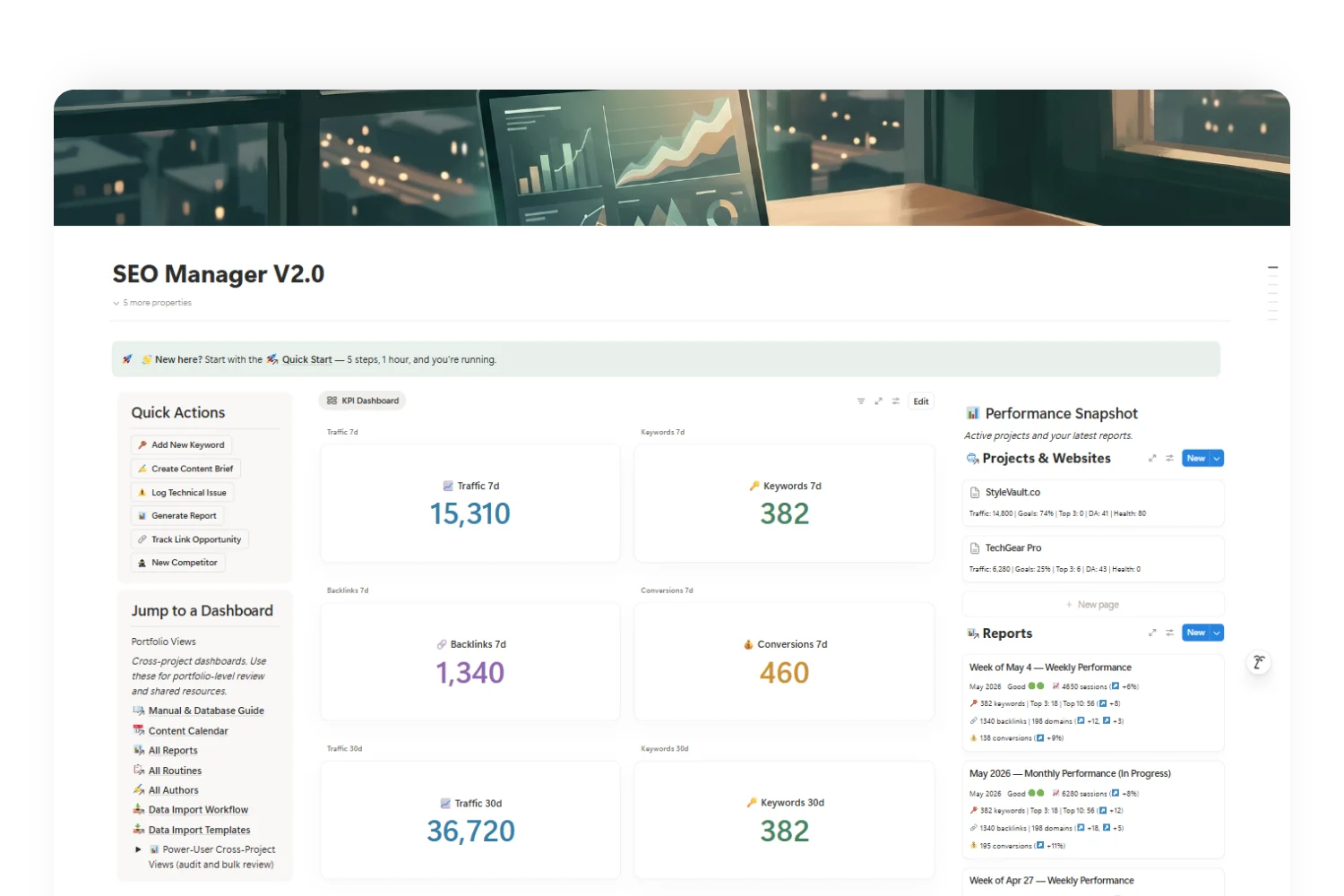
Pillar 1: One Project View Replaces the Hunt for Context
Pain it removes: Switching tabs to remember which client you are on, which domain, which goal, which sprint.
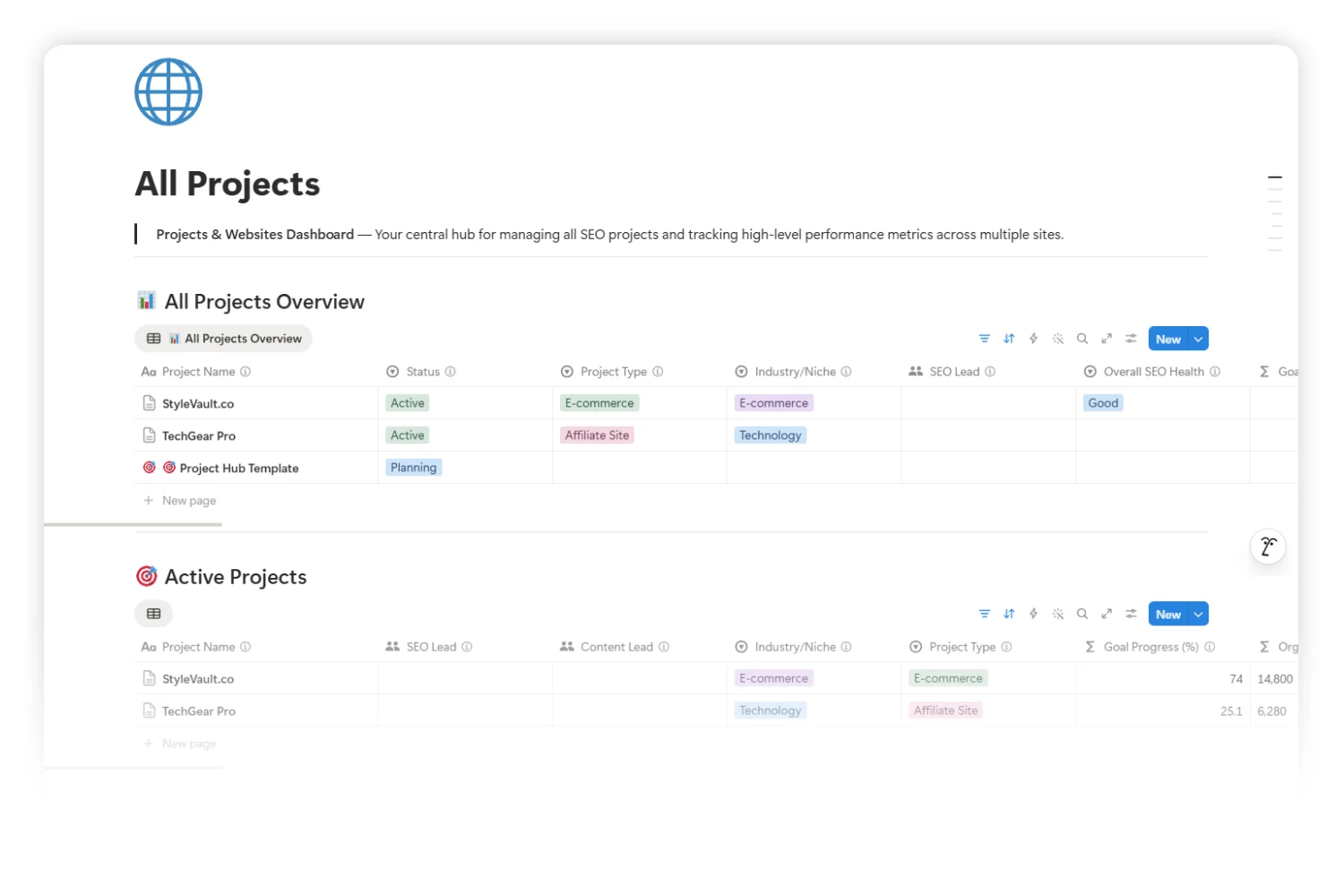
Every operational record in an SEO operating system links back to one parent: the project. Open a project once, and you see the website, the active goals, the live tasks, the keyword universe, the published pages, the open tech issues, the backlink pipeline, and the competitor list, all in one scroll. No tab-switching, no context loss between the brief on Monday and the report on Friday.
In SEO Manager V.02, this lives at All Projects. It is the surface where every other database checks in. Open the dashboard before any deep work, and the rest of the system orients itself around the project you picked.
Pillar 2: The Keyword to Brief to Page to Report Chain
Pain it removes: “Where is the brief for this keyword again?” “Which page targets this query?” “Did we ever publish this?”
In a fragmented stack, those four objects live in four tools. In this system, they live in one chain. A keyword row holds search volume, intent, and difficulty. It links forward to the brief written for it. The brief links forward to the published page. The page links to the report card summarizing its monthly traffic. The chain reads in one direction, and every step shows you the next.
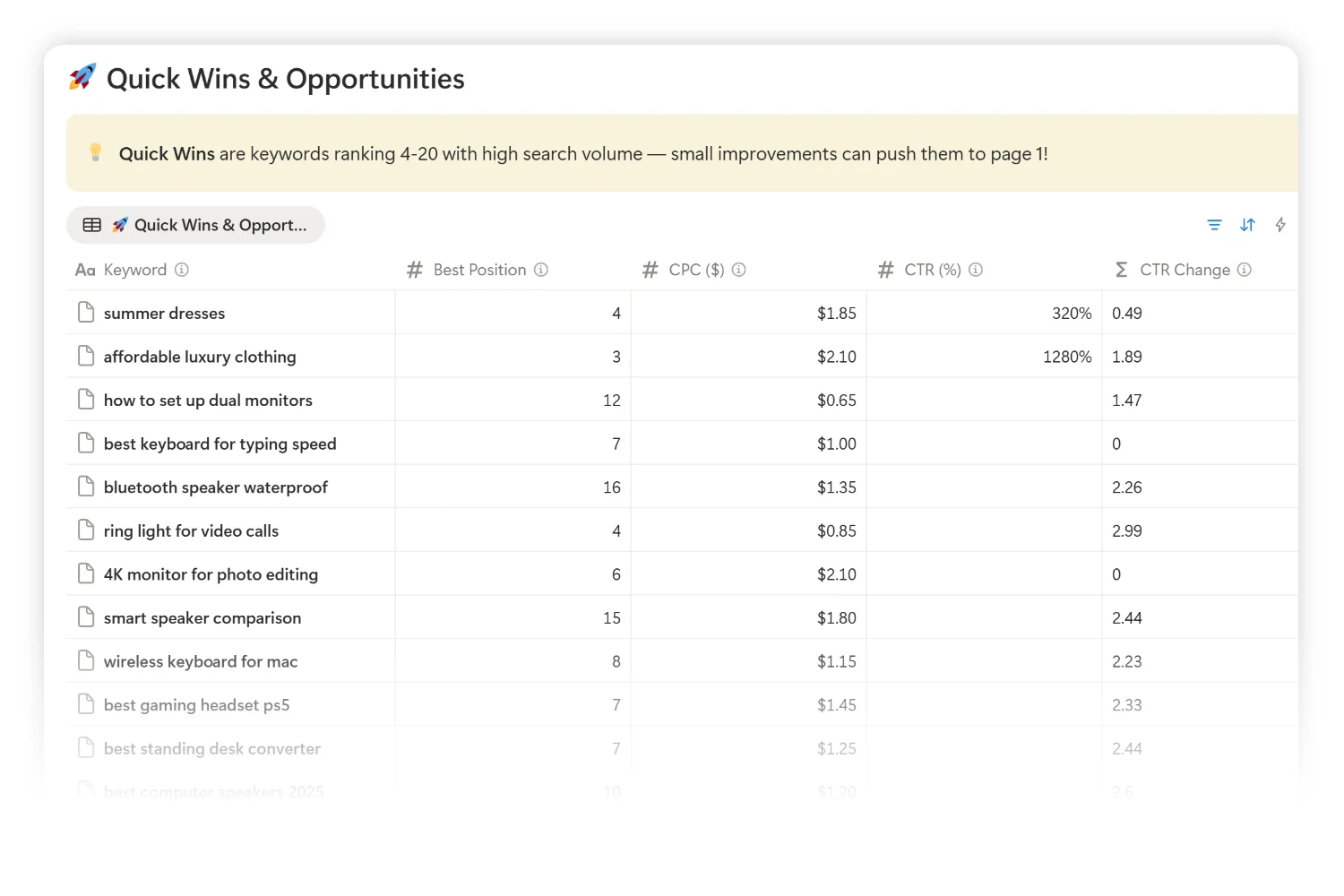
This is also where the All Keywords dashboard becomes the daily home base. Filter by Quick Wins (positions 4 to 20 with high search volume) and you have your week of work planned in three clicks.
Pillar 3: Routines Wired to the Calendar
Pain it removes: Forgetting the weekly GSC pull until the data is two weeks stale, then guessing what changed.
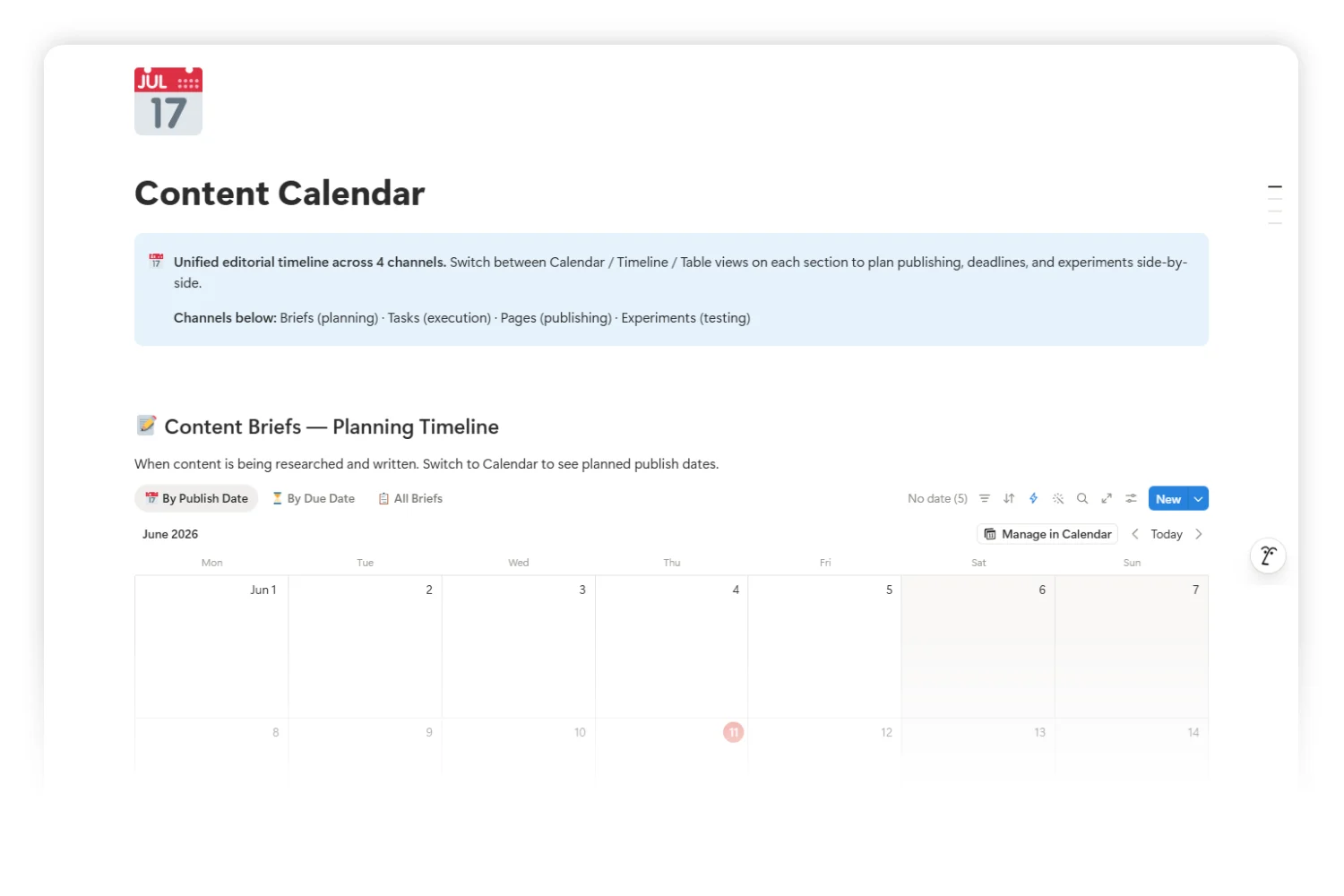
SEO is a marathon, and marathons need cadence. An SEO operating system holds three default cadences: a weekly GSC pull, a monthly GA4 traffic review, and a quarterly Ahrefs audit. Each cadence is a row in a Routines database with a Next Due date and an Overdue flag. Each cadence also shows up on the editorial calendar next to publishing deadlines, so refresh days and ship days share one visual schedule.
The Content Calendar is the unified timeline. Briefs, tasks, pages, and experiments all appear on the same calendar surface, so you see content production and reporting cadence side by side.
Pillar 4: Reports Build Themselves From Live Data
Pain it removes: Spending two hours on Sunday rebuilding a monthly client report from screenshots.
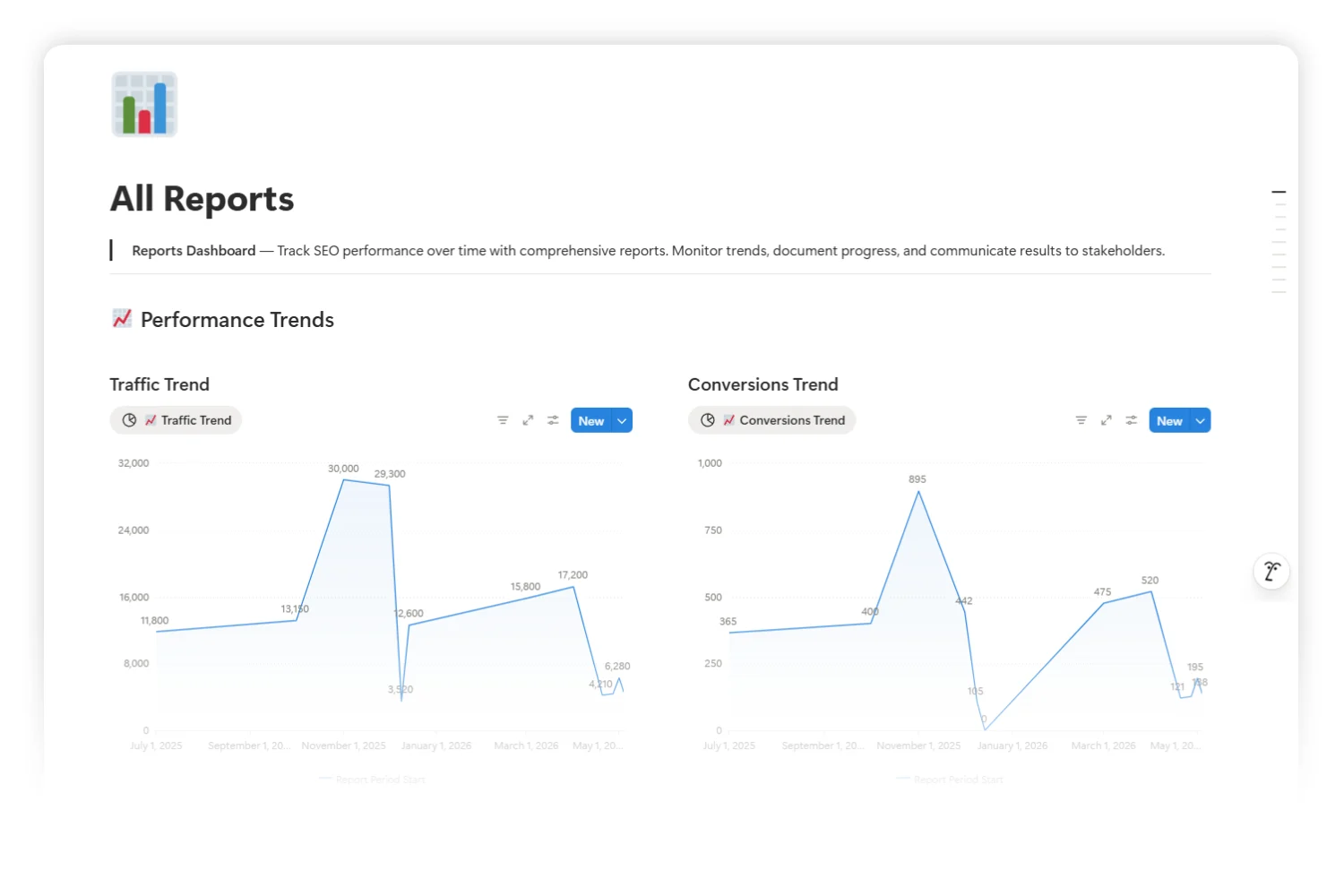
When every keyword, page, and backlink lives inside the workspace, a report is no longer a hand-built deck. It is a query. The All Reports dashboard surfaces traffic trends, conversion trends, backlinks growth, monthly report cards, growth tracking, and technical health (pulled from Screaming Frog crawls), each as a live database view. The Monday rebuild gets shorter every week because the data does not move. It updates in place.
The client gets the same view you have. The trust gap between “what you measure” and “what you show” closes to zero.
Pillar 5: Onboarding Scales the Team Without a Loom Library
Pain it removes: Spending a Friday writing onboarding docs for a junior who quits in three months.
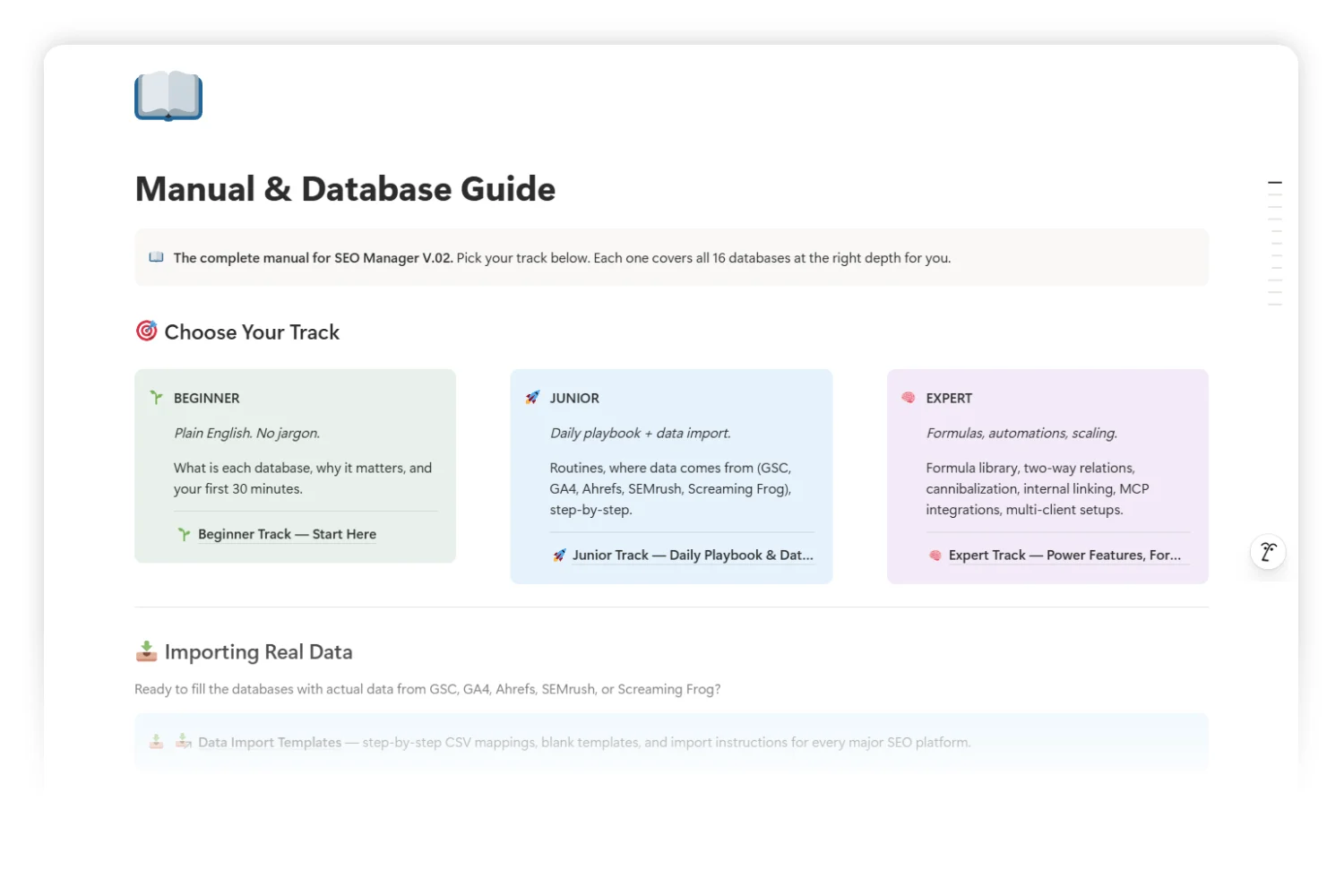
A workspace built as an operating system carries its own manual. The Manual & Database Guide ships with three reading tracks: a Beginner track in plain English, a Junior track with the daily playbook and data import flow, and an Expert track covering formulas, automations, and multi-client setup. A new hire picks the track matching their level on day one. The senior writes briefs instead of onboarding decks.
This is the part most SEO teams skip and then pay for. A workspace without an onboarding path scales linearly with hiring. A workspace with one scales with leverage.
How to Build Your SEO Operating System in 5 Steps
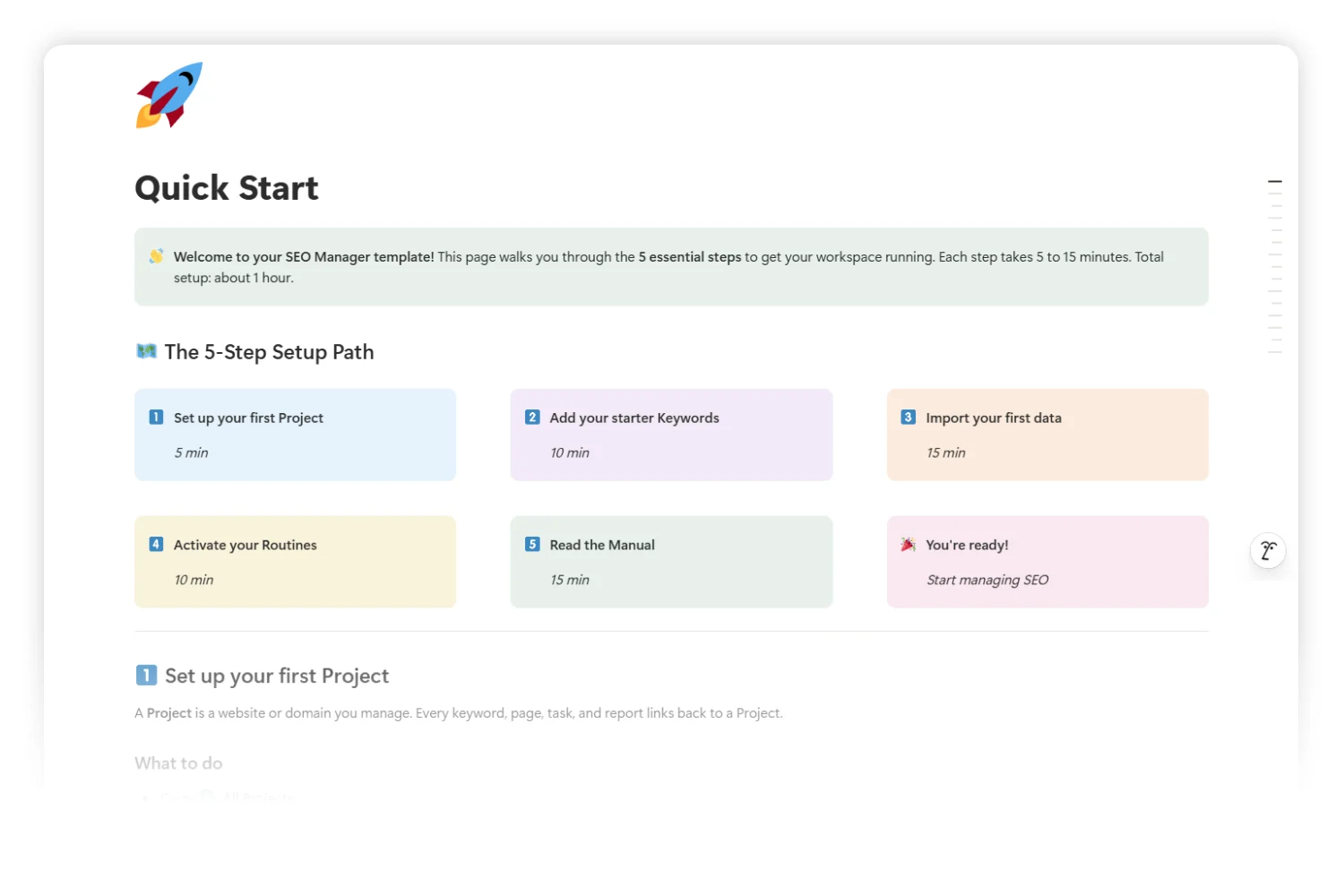
The pillars above are the destination. Here is how to assemble them in your own workspace this week. If you are starting from a fresh copy of SEO Manager V.02, this is your first hour.
Step 1: Set Up Your First Project (5 minutes)
Open All Projects, click + New, and fill in three fields: Project Name (your site or client), Domain (the bare URL), and Status (Active). Save. Every keyword, page, task, and report you add from here links back to this project automatically. If you manage two clients, create two projects. The system stays clean as you scale because nothing crosses project lines without you asking it to.
Step 2: Add 10 to 20 Starter Keywords (10 minutes)
Open All Keywords and add the top 10 to 20 keywords you already target. For each row, fill in the search term, search volume (from GSC, Ahrefs, or SEMrush), keyword difficulty, search intent (Informational, Commercial, Transactional, Navigational), and the project. Resist the urge to dump 1,000 keywords on day one. The whole point of this system: the data stays alive. Twenty live keywords beat a thousand dead ones.
Step 3: Connect Real Data with Google Search Console (15 minutes)
Open Google Search Console, set the date range to the last 7 days, go to the Queries tab, and export to CSV. Then open the Data Import Workflow page inside the template and follow the GSC mapping. Sort your export by Impressions descending and refresh your top 50 keyword rows. This single act flips the system from a static spreadsheet into a connected SEO workspace.
Step 4: Activate the 3 Default Routines (10 minutes)
Open All Routines and find three pre-built rows: Weekly GSC Refresh, Monthly GA4 Review, and Quarterly Ahrefs Audit. Set each one to Active, assign yourself as owner, and pick Next Due dates matching your real schedule. From this point forward, the system reminds you instead of waiting on willpower.
Step 5: Pick Your Manual Track (15 minutes)
Open Manual & Database Guide and pick one of three tracks based on your experience: Beginner if you are new to SEO, Junior if you know the basics, Expert if you want formulas, automations, and multi-client scaling. Read it before you onboard anyone else. The track you pick becomes the track your team gets on day one.
After these five steps, you have answered the question of how to manage SEO in Notion with something real, running, and connected.
Frequently Asked Questions
What is an SEO operating system?
An SEO operating system is a single workspace where keyword research, content briefs, published pages, technical issues, link building, and reporting share one source of truth. Every record links back to a project, so opening a project shows you the entire SEO state of the site in one scroll.
How is an SEO operating system different from an SEO tool?
SEO tools (Ahrefs, SEMrush, GSC, GA4) collect data. An SEO operating system organizes work. Tools tell you what is happening. The system tells you what to do next, who is doing it, when it ships, and how it performed. You still use tools. You stop letting them define your workflow.
Do I need to replace Ahrefs and SEMrush to run SEO in Notion?
No. Ahrefs and SEMrush stay as data sources. The system imports their CSVs on a weekly, monthly, and quarterly cadence and keeps the strategic layer (briefs, projects, reports, routines) inside Notion. You pay for the tools you still use. You stop paying for project management software you no longer need.
How long does it take to set up SEO Manager V.02?
About one hour for the five-step Quick Start: one project, twenty keywords, one GSC import, three routines activated, and one manual track read. The deeper setup (automations, multi-client setup, custom dashboards) is optional and lives in the Expert track of the manual.
Is this approach good for agencies managing multiple clients?
Yes. The project record is built for it. Each client gets one project row. Every keyword, page, task, brief, and report on the project filters by client out of the box. The Expert track of the Manual & Database Guide walks through multi-client setup and onboarding flows for client-facing dashboards.
Tools Referenced in This Guide
| Tool | What it does | Where it lives in the system |
|---|---|---|
| Google Search Console | Free Google product for query, impression, click, and indexing data | Source for the Weekly GSC Refresh routine |
| Google Analytics 4 (GA4) | Free Google product for traffic, conversions, and on-page behavior | Source for the Monthly GA4 Review routine |
| Ahrefs | Paid SEO suite for backlinks, keyword difficulty, and competitor analysis | Source for the Quarterly Ahrefs Audit and the Backlinks Tracker |
| SEMrush | Paid SEO suite, drop-in alternative to Ahrefs for keyword and backlink data | Drop-in source for the Quarterly Audit routine |
| Screaming Frog | Desktop crawler for technical SEO audits | Source for the Technical Issues database |
| Notion | The workspace where all the above data converges | Home of the SEO operating system |
Key Takeaways
- An SEO operating system is one workspace where keyword research, briefs, pages, technical work, link building, and reporting share a single source of truth.
- Five pillars hold the system up: one project view, the keyword-to-report chain, calendar-wired routines, self-building reports, and onboarding tracks.
- Every operational record links back to a project, so opening one shows the full SEO state of the site in one scroll.
- A connected SEO workspace does not replace Ahrefs, SEMrush, GSC, or GA4. It imports their data on a weekly, monthly, and quarterly cadence and keeps the strategic layer in Notion.
- The first hour of setup covers one project, twenty starter keywords, one GSC import, three routines activated, and one manual track read.
- Routines wired to the calendar turn willpower into cadence, so the weekly GSC pull happens whether or not Monday feels productive.
- Onboarding tracks (Beginner, Junior, Expert) let a new hire ramp on day one without a senior writing custom docs each time.
- The SEO project management template hosting all of this is SEO Manager V.02.
Your Next Step
You have read the framework. The next move is putting it on a real desk.
Get the template: SEO Manager V.02 on Fayedtion
Duplicate the workspace, run the five-step Quick Start, and you walk away with a working SEO operating system for your site.
