

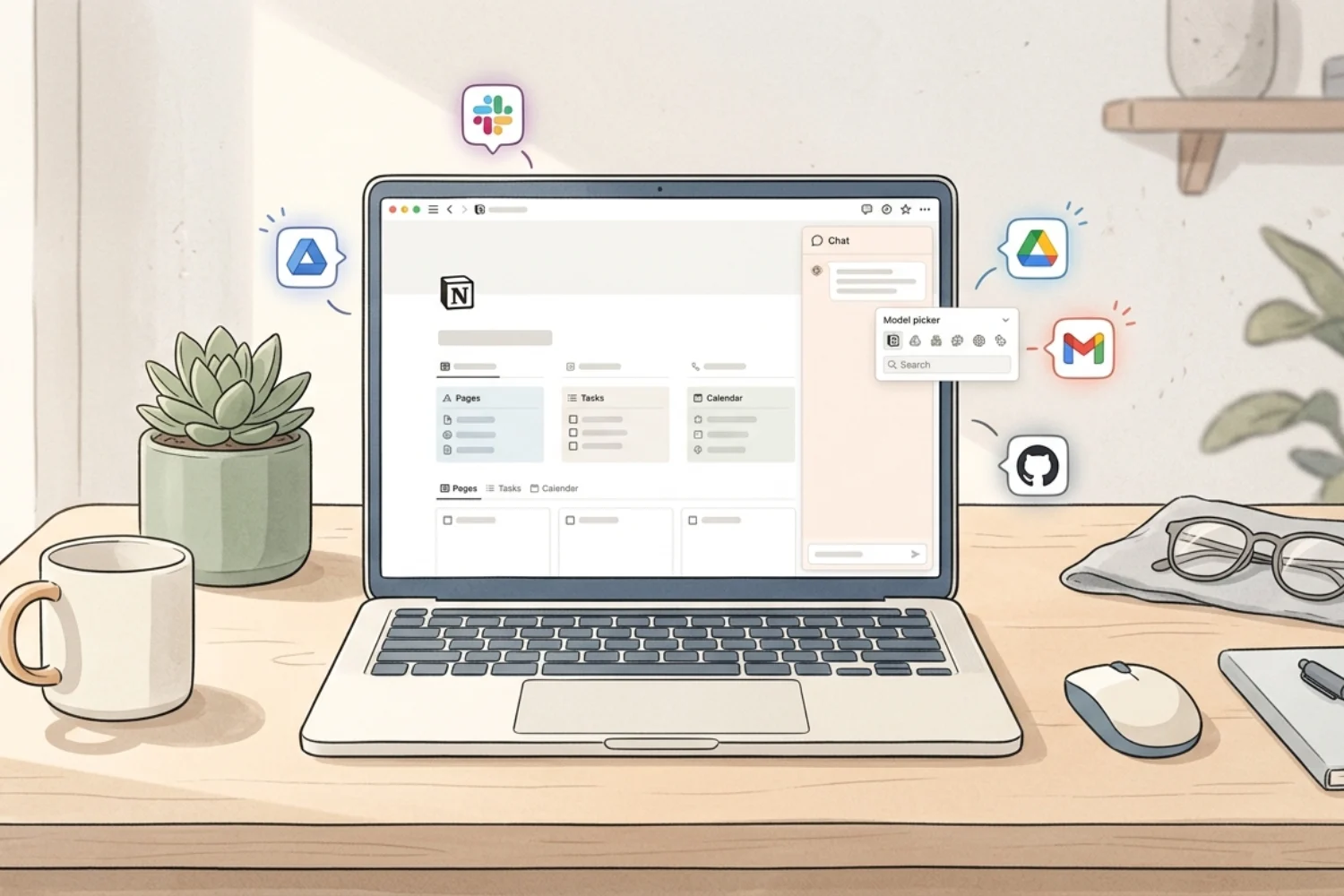
Notion AI in 2026 is a full team of agents, a model picker stacked with Claude Opus 4.8, GPT-5.5, Gemini 3.1 Pro, Grok, Kimi, and DeepSeek, search across every connected app, mobile AI Notes, and a brand-new credit system for Custom Agents that went live on May 4, 2026. This guide walks through every model, every feature, every dollar of the pricing, and the workflows that earn back the cost in the first week.
If you have been running Notion for a year or more, the shift is bigger than most users realize. The product moved from a writing assistant to an autonomous teammate that builds databases (also called data sources in current Notion), drafts pages, runs meetings, and now bills you per task on a credit dashboard your admin watches in real time. The pieces fit together once you see the full picture.
What Notion AI is in 2026 (and the journey from 1.0 to 3.5)
Notion AI is the AI layer built into your Notion workspace. It reads pages, databases (data sources), and connected apps, and it acts inside the same editor where work happens. No tab switching. No copy-paste between tools.
The modern story starts in September 2025 with Notion 3.0, which rebuilt the AI from the ground up as Agents. Anything you do in Notion, an agent does for you. The current Agent handles over 20 minutes of multi-step actions with a memory system stored as Notion pages and databases. The agent pulls context from your workspace, connected tools like Slack, Google Drive, Gmail, and GitHub, and the web, always inside your permissions.
Notion 3.2 followed in January 2026 with mobile AI Notes, a refreshed model picker, and the people directory. Notion 3.3 in February 2026 opened Custom Agents as a free beta. Notion 3.5 in May 2026 shipped the Notion Developer Platform and the External Agents API so Claude, OpenAI Codex, Decagon, and your own agents plug straight into Notion.
The short version: a writing helper became a workspace teammate, then a team of teammates with their own credit budget.
The Notion AI release timeline (Sept 2025 to mid-2026)
Here is the timeline in plain order:
- September 18, 2025 (Notion 3.0): Agents launched. Personal Notion Agent runs up to 20+ minutes of multi-step actions with memory.
- January 20, 2026 (Notion 3.2): AI Notes on mobile, refreshed model picker with new models, people directory.
- February 24, 2026 (Notion 3.3): Custom Agents open free beta on Business and Enterprise.
- May 4, 2026: Custom Agents general availability. Notion credits go live. Admin controls and spend caps ship.
- May 7, 2026: Plan Mode for the personal Agent.
- May 13, 2026 (Notion 3.5): Notion Developer Platform and External Agents API. Bring Claude, Codex, Decagon, or custom agents into Notion.
- May 26, 2026: Merge cells in simple tables (small win, big impact on table layouts).
Each release added a piece of the system in use today.
Every AI model inside Notion AI in 2026
Notion AI ships with 12 models in the picker. Open the model dropdown next to the chat input in Notion AI and the full list appears. Switching models keeps the context (the page, the database, the connected apps), so you swap mid-thread when the next step calls for a different brain.
Here is the full lineup, with what each one is built for and where it shines.
| Model | Strengths | Best for |
|---|---|---|
| Sonnet 4.6 | Rewriting, summaries, cleanup, quick tasks, light coding, checklists | Content Writer, Email Marketing, Execution Support |
| Opus 4.7 | Strategy, tradeoffs, critique, decisions, second checks | Decision Making, Strategy, Sales & Offers |
| Opus 4.8 | Final judgment, business truth, architecture, pricing, credibility, hard reasoning | Sales & Offers, Strategy, Notion Workspace, Templates Builder |
| Gemini 3.1 Pro | Visuals, screenshots, alternatives, UX, second opinions, fresh angles | Content Writer, Marketing & Growth, Research, Templates Builder |
| GPT-5.2 | Planning, writing, coding, automation, explanations, structure | Execution Support, Content Writer, Email Marketing |
| GPT-5.4 | Long planning, workflows, documentation, SEO structure, systems | Strategy, Research, Blog Post Writing, Notion Workspace |
| GPT-5.5 | Execution, content systems, SEO, automation, outlines, workspace planning | Blog Post Writing, Marketing & Growth, Notion Workspace, Templates Builder |
| Grok 4.3 | Hooks, critique, contrarian angles, ideas, assumptions, social variations | Content Writer, Marketing & Growth, Decision Making |
| Grok Build 0.1 | Builds, prototypes, automation ideas, product logic, system architecture | Templates Builder, Notion Workspace, Execution Support |
| Kimi K2.6 | Long reading, summaries, pattern extraction, document comparison, rough outlines | Research, Personal Knowledge, Strategy |
| DeepSeek V4 Pro | Technical reasoning, code, formulas, automation logic, structured problems | Notion Workspace, Execution Support |
Behind the picker, Notion also fine-tunes its own models for low-latency tasks like AI Meeting Notes transcription and Enterprise Search retrieval. Those run quietly and you do not pick them; they keep response times under a second where it matters most.
How to pick the right model for the right job
A practical rule of thumb after six months of running the full picker on real work:
- Daily chat and quick edits: Auto.
- Long-form blog drafts and SEO articles: GPT-5.5 or GPT-5.4.
- Page structure, formatting, and Notion-aware layouts: Sonnet 4.6 or Opus 4.7.
- Final business judgment and pricing decisions: Opus 4.8.
- Hooks, headlines, and contrarian angles: Grok 4.3.
- Notion formulas and automation logic: DeepSeek V4 Pro.
- System design and template architecture: Grok Build 0.1 or Opus 4.8.
- Visual-heavy research, screenshots, and UX critique: Gemini 3.1 Pro.
- Long PDFs and research dumps: Kimi K2.6.
- Planning, coding, and structured explanations: GPT-5.2.
- Strategy work and second opinions: Opus 4.7.
This is the cheat sheet most heavy users settle into. Switching is one dropdown click, so build the habit of swapping when the work changes.
Notion Agent vs Custom Agents (the big difference)
Notion AI ships with two kinds of agents, and the difference matters because one is included with your plan and the other burns credits.
Notion Agent (personal). The personal Agent built into Notion AI. You chat with it, it reads your workspace, and it executes tasks: build a page, fill a database, draft a doc, search Slack. Included with Business and Enterprise plans. Free and Plus get a limited trial. Personal Agent does not burn Notion credits.
Custom Agents. Autonomous agents you set up once and let run on a trigger (schedule, Slack message, email arriving, database row created, button pressed). They handle recurring work: daily standups, ticket routing, internal Q&A, status reports, inbox triage, content brief generation. Custom Agents went GA on May 4, 2026 and run on Notion credits. Each run consumes credits.
The rule of thumb: start with the personal Agent for any work you are still figuring out. Move to a Custom Agent only when the pattern repeats five times and you know exactly what the agent should do.
Every Notion AI feature in 2026 (the full toolbelt)
Here is the active toolbelt as of mid-2026, pulled from Notion AI, the help center, and the 2025-2026 release notes.
- Notion Agent. Chat-based personal agent. Multi-step actions, memory system, runs over 20 minutes per task.
- Custom Agents. Trigger-based autonomous agents. Run on schedule, Slack message, email, database change, or button. GA May 4, 2026.
- Enterprise Search. Natural-language search across Notion, Slack, Google Drive, Microsoft Teams, SharePoint, Gmail, GitHub, Linear, Jira, Asana, Salesforce, and more. Launched May 2025.
- AI Connectors. Plug external tools into Notion so the AI sees the full picture. Notion Mail, Slack, Drive, GitHub, Calendar, Outlook, Box, and others.
- AI Meeting Notes. Transcribes Zoom and Google Meet calls in 16 languages, summarizes key points, surfaces action items, links the notes back to project pages. Now available on mobile (Notion 3.2).
- Research Mode. A deep-research toggle inside Notion AI search. Reads Notion, connected apps, and the web. Produces structured reports with cited sources. Available on Business and Enterprise.
- AI Blocks. Slash-command AI blocks inside any page for drafting, rewriting, summarizing, translating, and brainstorming.
- Autofill on databases (data sources). AI fills properties on existing rows: status, tags, summaries, sentiment, category. Bulk work, one rule.
- Formulas by description. Describe the formula in plain English, Notion AI writes it. Works for both simple math and complex property logic.
- AI Translate. Translate any page or block into another language inline, preserving formatting.
- Plan Mode. Released May 7, 2026. The personal Agent drafts a step-by-step plan you approve before it executes. Reduces credit waste on Custom Agents and improves output quality on big jobs.
- External Agents (Notion 3.5). Bring Claude, OpenAI Codex, Decagon, or your own agents into Notion via the External Agents API. Notion becomes the shared canvas where every agent on your team works.
- People Directory. Released with Notion 3.2. A clean directory of every member of your workspace, tied into AI for context (who owns what, who edited which doc, who to ask).
- AI Notes on Mobile. Released with Notion 3.2. One tap starts transcription, works when you switch apps or lock your screen, produces clean summaries.
This list covers the active Notion AI feature set as of mid-2026.
Custom Agents and Notion credits explained (the May 4, 2026 GA)
This is the part most users get wrong because it changed twice in 90 days. Here is the current truth.
How credits work. Notion credits are a recurring monthly add-on available on Business and Enterprise plans. Custom Agents use Notion credits each time they perform a task. More complex tasks use more credits: longer instructions, more tool calls, more database (data source) reads, more model calls, and higher-tier model choices all push the count up.
Price. $10 per 1,000 monthly Notion credits. Available in packages from a few hundred to a few thousand. Workspace admins buy and adjust the monthly amount in-product from the Notion credits dashboard. Credits are billed alongside your Notion subscription.
Shared and reset. Credits are shared across the workspace. There is no rollover. Unused credits reset every month, so there is no reason to over-buy.
What runs on credits. Only Custom Agents. The personal Notion Agent, AI Meeting Notes, Enterprise Search, Research Mode, AI Blocks, Autofill, Formulas by description, and AI Translate all stay included in the Business and Enterprise plans with no extra credit cost.
When credits run out. On a Business or Enterprise plan, you keep access to other AI features (AI Meeting Notes and Notion Agent) up to a fair-use limit even after credits are exhausted. Custom Agents themselves pause once the monthly budget hits zero and resume the moment the next top-up or monthly reset happens.
The Credits Dashboard. Workspace admins open the Notion credits dashboard inside admin settings to see live usage broken down by agent and by user. The dashboard is the source of truth for budgeting. Heavy users recommend running the free beta data (Feb 24 to May 3, 2026) as a baseline, then sizing the monthly credit purchase from there.
Admin controls (shipped May 4, 2026). Per-agent and workspace-level spending caps. Unusual-spend detection that flags an agent burning credits faster than its baseline. Agent-creation permissions so only certain users (or only admins) build new Custom Agents. These three controls together keep a runaway agent from draining the workspace budget overnight.
Cost estimates for common workflows
Real-world numbers from public reports and Notion’s own examples:
- A simple daily standup agent reading one database and posting to Slack: small credit usage, sustainable on a few hundred credits per month.
- A medium content-brief generator pulling competitor research from the web and drafting a brief: moderate credit usage per run. A team running 10 briefs per month sits comfortably in the 1,000-2,000 credit range.
- A heavy enterprise-search agent running across 10 connected apps with long context windows and Opus 4.8 calls: high credit usage. Multi-thousand credits per month is realistic.
- An inbox triage agent processing 200 emails per day: medium-high. Budget 2,000+ credits.
The golden rule: run the agent on free beta data first, watch the dashboard for a week, then size the monthly purchase. Top up mid-month if the work warrants it.
Notion AI pricing in 2026 (full plan breakdown)
Pricing changed in 2025. The old “AI add-on for $10 per user” structure is gone. Now Notion AI is part of the plan tier itself, with Custom Agents as a separate credit add-on.
- Free plan. Limited trial usage of Notion AI features (a small number of complimentary AI responses). Good for getting a feel before upgrading.
- Plus plan ($10 per user per month, annual). Limited trial of Notion AI. Built for small team collaboration with unlimited file uploads, 30-day page history, and basic AI. Full Notion AI is gated behind Business.
- Business plan ($20 per user per month, annual). Full Notion AI: personal Notion Agent, AI Meeting Notes, Enterprise Search, AI Connectors, Research Mode, AI Blocks, Autofill, Translate, Formulas by description, Plan Mode. Custom Agents available with the credits add-on. This is the entry tier for serious Notion AI use.
- Enterprise plan (custom pricing). Everything in Business, plus zero data retention with LLM providers, SCIM provisioning, audit logs, advanced security and compliance connections, DLP and SIEM integration, domain management, advanced connections, and a dedicated customer success manager.
- Custom Agents add-on. $10 per 1,000 monthly Notion credits. Available on Business and Enterprise. Free to try during the beta window (now give 300 credits). Adjusts monthly. No rollover.
For most solopreneurs and small businesses: Business plan + a starter credit pack of 1,000-2,000 credits covers the first agent or two. Scale up the credit pack as Custom Agents prove their value.
Privacy, permissions, and how your data is handled
Notion AI runs on third-party models (Anthropic, OpenAI, Google, xAI, Moonshot, DeepSeek) plus Notion’s own fine-tuned models. The data flow is documented on the Notion AI security practices page and on the product page.
- No training on your data. Notion has contractual agreements with every AI subprocessor prohibiting use of customer data to train their models. This line is repeated on the product page, in the help docs, and on the security practices page.
- Permissions are honored. The models behind Notion AI do not see content the requesting user does not already have access to. If you do not have permission to read a page, the AI does not surface it for you either.
- Encryption in transit. When data is sent to subprocessors, it is encrypted with TLS 1.2 or higher.
- Enterprise zero-retention. On the Enterprise plan, Notion negotiates zero data retention with LLM providers, meaning prompts and outputs are not stored on the provider side.
- Opt-in for sharing. Notion will not use your data to train Notion’s own models unless you opt in to a specific request.
- Compliance posture. SOC 2 Type 2, ISO 27001, GDPR, and CCPA. Enterprise adds DLP and SIEM integration.
For most solopreneurs and small businesses, the Business plan privacy posture is enough. For regulated industries (health, finance, legal), the Enterprise plan adds the zero-retention layer and the compliance integrations.
Notion AI vs ChatGPT, Claude, and Gemini
A common question: does Notion AI replace ChatGPT, Claude, or Gemini?
Notion AI’s advantage: context. It reads your workspace, your databases (data sources), your Slack, your Drive, your meetings, your email, your calendar. Standalone chat tools start every conversation cold. Notion AI starts with the full picture of your work.
Standalone chat tools’ advantage: depth and breadth on general work. The native ChatGPT, Claude, and Gemini apps ship features faster (voice mode, deep research add-ons, image generation, custom GPTs and Projects). For open-ended creative work, code-heavy sessions, or general research outside your workspace, the native apps still win.
The honest split:
- Use Notion AI for anything tied to your work: drafting referencing your own pages, meeting summaries, agent-driven workflows, content pipelines, internal search.
- Keep a personal ChatGPT, Claude, or Gemini subscription for general use, deep coding, creative projects, and one-off research.
Many solopreneurs run both. Total spend is lower than the old setup of one standalone tool per job (AI search, AI writer, AI meeting notes, AI email, AI research), which Notion estimates would run $135 per user per month or more if bought separately.
Eight workflows where Notion AI earns its place
1) Auto-summarize every meeting. Turn on AI Meeting Notes, connect Notion to your calendar, and every call gets a clean summary with action items inside the related project page. Mobile AI Notes records the call on your phone when the laptop stays closed.
2) Daily standup written by an agent. Set a Custom Agent to read yesterday’s updates across your Tasks database and post a one-paragraph summary in Slack every morning at 9 a.m. The team reads it in one minute.
3) Content pipeline on autopilot. Pair the SEO Manager V.02 template with Notion AI Research Mode. Drop in a primary keyword. The agent pulls competitor research from the web, builds an outline, drafts the brief, and fills the database row.
4) Smart inbox and email triage. Connect Notion Mail. The AI labels messages, suggests replies, and links email threads back into the project they relate to. Pair this with the Email Marketing Toolkit for newsletters and sequences drafted from your existing content notes.
5) Bulk property autofill on every database (data source). Imported 200 leads into CRM V.2? Let Autofill tag company size, industry, and lead status based on the notes in each row. The job goes from a Tuesday afternoon to a coffee break.
6) Weekly portfolio report Custom Agent. A Custom Agent reads every project page in your workspace every Friday at 4 p.m., grades each one against last week, and posts a one-page report into your Reports database. Costs a few hundred credits per month.
7) Customer feedback router. A Custom Agent triggered on new rows in your Feedback database. It reads the message, tags sentiment, routes to the right team via Slack, and creates a Linear ticket if the message is a bug report.
8) Finance categorization on every transaction. Finance OS plus Autofill turns receipts into clean monthly reports without manual tagging. The Custom Agent labels each transaction by category and posts a monthly summary on the first of the next month.
Solopreneurs running UGC Creator OS or Digital marketing Agency get extra leverage on points 1, 3, and 6. Both pair tightly with AI for ideation, brief generation, and client reporting.
Setting up your first Custom Agent (step by step)
The shortest path from zero to your first running Custom Agent:
- Pick one repeating task. The candidate has happened at least five times. You know exactly what the input and the output look like. Daily standup is a classic starter agent.
- Build the source database. The agent needs a database (data source) to read from and a destination to write to. The format on both sides has to be consistent. A task database with Status, Assignee, and Last Updated works.
- Open Custom Agents. From the workspace sidebar, open Agents, then New Custom Agent. Give it a name, an icon, a one-paragraph description.
- Write the instructions page. The agent reads an instructions page inside Notion. Treat this page like a job description for a new hire. Tell the agent what to read, what to ignore, what the output format looks like, what tone to use, and which Slack channel or page to post into.
- Set the trigger. Schedule (daily at 9 a.m.), Slack message, email arriving, database row created, or button pressed. Pick one trigger to start.
- Set the scope. Give the agent access only to the specific databases and pages it needs. Tighter scope means fewer credits burned and fewer surprises.
- Pick the model. Sonnet 4.6 is the safe starting choice for most agents. Move to Opus 4.7 or GPT-5.5 when the task needs deeper reasoning.
- Run a test. Trigger the agent manually first. Read the output. Adjust the instructions page. Repeat until the output is clean.
- Turn on the schedule. Once the test runs are consistent, switch the trigger on and walk away.
- Monitor the Credits Dashboard. Watch credit burn for the first two weeks. Adjust scope, model choice, or trigger frequency if the agent is more expensive than the output is worth.
Follow the “one agent, one job” principle. Trying to make one agent do five jobs is the fastest way to burn credits with poor results.
Common mistakes and how to get more value
1) Treating Notion AI like ChatGPT. Generic prompts return generic output. The strength of Notion AI sits in workspace context. Reference a database, link a page, or open AI from inside a project so the model sees what you see.
2) Building Custom Agents before mastering the personal Agent. Custom Agents burn credits. Start with manual chats and Notion Agent runs. Once a pattern repeats five times, automate it.
3) Ignoring the model picker. Most users stick with Auto. Switching to Opus 4.8 for business judgment, GPT-5.5 for SEO articles, or DeepSeek V4 Pro for a formula changes output quality more than any prompt tweak.
4) Skipping the instructions page on your Agent. The Agent reads an instructions page you write for it. Tell it your tone, your filing rules, your project structure. Output goes from generic to “this sounds like me” overnight.
5) Forgetting permissions. The Agent respects existing sharing settings. If a doc is missing from the result, check whether you have access. Open the page (or invite the agent) and the answer appears.
6) Skipping the Credits Dashboard. Set a calendar reminder to check the dashboard every Friday for the first month. Surprises in week four are the most expensive ones.
7) Letting one heavy agent run on Opus 4.8 with a long context window. Cost balloons fast. Use lighter models (Sonnet 4.6, Auto) for the bulk of the work, and reserve Opus 4.8 for the final judgment step inside the chain.
8) Skipping Plan Mode. Plan Mode (released May 7, 2026) drafts the agent’s plan first and waits for your approval. One extra click, a lot fewer wasted credits on the wrong direction.
The pattern under all eight: feed Notion AI the same context you would feed a new teammate, pick the model the work needs, and watch the budget the same way you watch any other line item.
Frequently asked questions
What is Notion AI and what does it do?
Notion AI is the AI layer inside Notion. It writes drafts, summarizes meetings, searches across connected apps, runs autonomous agents, generates databases (data sources), translates pages, fills properties in bulk, writes formulas from plain English, and answers questions from your workspace knowledge. As of Notion 3.0 it acts as a teammate, not only an assistant.
Which AI models are inside Notion AI?
The 2026 picker ships with 12 models: Auto, Sonnet 4.6, Opus 4.7, Opus 4.8 (Anthropic), Gemini 3.1 Pro (Google), GPT-5.2, GPT-5.4, GPT-5.5 (OpenAI), Grok 4.3, Grok Build 0.1 (xAI), Kimi K2.6 (Moonshot), and DeepSeek V4 Pro. Notion also runs its own fine-tuned models behind features like AI Meeting Notes and Enterprise Search for low-latency tasks.
How much does Notion AI cost in 2026?
Notion AI is included in the Business plan ($20 per user per month, annual) and the Enterprise plan (custom). Custom Agents run on Notion credits, sold as a monthly add-on at $10 per 1,000 credits, shared across the workspace, with no rollover. Free and Plus plans get a limited trial of AI features.
What changed on May 4, 2026 with Custom Agents?
May 4, 2026 is the day Custom Agents went from free beta to general availability with usage-based pricing. The free beta ran from February 24, 2026 (Notion 3.3 release) until May 3, 2026. From May 4 onward, every Custom Agent run consumes Notion credits. Admin controls (per-agent caps, workspace caps, unusual-spend detection, agent-creation permissions) also shipped on that date.
What happens when I run out of Notion credits?
Custom Agents pause until the next monthly reset or until an admin tops up the workspace budget. Other AI features (personal Notion Agent, AI Meeting Notes, Enterprise Search, Research Mode, AI Blocks, Autofill, Translate) keep working on Business and Enterprise plans up to a fair-use limit.
Is Notion AI safe to use with confidential work?
Yes for most use cases. Notion has contractual agreements with every AI subprocessor prohibiting use of customer data to train their models. Enterprise customers get zero data retention with LLM providers, plus SOC 2 Type 2, ISO 27001, GDPR, CCPA compliance, audit logs, and DLP/SIEM integration. The AI honors all existing page permissions, so it never surfaces content the requesting user does not have access to.
Does Notion AI replace ChatGPT, Claude, or Gemini?
For workspace work, often yes. For general-purpose AI use outside Notion, no. Many solopreneurs and teams run Notion AI as the work brain plus a separate ChatGPT, Claude, or Gemini subscription for general use. The Notion AI savings on standalone tools (AI search, meeting notes, writing assistant, research) usually outweigh the cost.
What is Plan Mode?
Plan Mode (released May 7, 2026) is a feature for the personal Agent. Before the Agent executes a multi-step task, it drafts the plan and waits for your approval. The single extra click saves credit waste on Custom Agents and improves output quality on big jobs.
What are External Agents in Notion 3.5?
Notion 3.5 (May 13, 2026) opened the External Agents API. Bring Claude, OpenAI Codex, Decagon, or your own agents into Notion. The Notion workspace becomes the shared canvas where every agent on your team works, with the same context and the same permissions.
Final thoughts and next steps
Notion AI in 2026 is no longer a feature. It is the operating model for how serious Notion users get work done. Twelve models in the picker. Personal Agent and Custom Agents working side by side. Meeting Notes, Enterprise Search, Research Mode, Autofill, Translate, Formulas by description, Plan Mode, and External Agents all in one place. A credit system with admin controls that keeps spend predictable.
Start small. Turn on AI Meeting Notes for the next week. Run one Notion Agent task on a real project. Build one Custom Agent using the step-by-step setup in this guide. Watch the Credits Dashboard for a month before scaling.
If you want the shortcut, the Fayedtion library has Notion templates built around the AI features. The SEO Manager V.02 covers AI-assisted content briefs and publication tracking. The CRM V.2 pairs with Autofill for hands-off lead tagging. The Finance OS handles AI categorization on every transaction. UGC Creator OS and Digital marketing Agency both ship with AI-ready briefs and content flows. The Email Marketing Toolkit pairs with Notion Mail for inbox triage and sequence drafts. Each one is ready for the AI layer to plug in.
Ready to put Notion AI to work? Pick the workflow closest to the hour you waste most often, set the agent on it, and let the system earn its credit budget back in the first week.
