

Last updated on August 27th, 2026 at 03:49 pm
You open the app to post, the composer is blank, and the three ideas you had this morning are gone. You close the app and promise to post tomorrow, the fifth promise this week.
Daily posting is a tax on people whose energy runs in waves. ADHD creators, solo founders, and anyone running content next to a launch schedule pay this tax every day. The fix is not more discipline. The fix is switching from a daily grind to a batch sprint, then scheduling by energy instead of by clock.
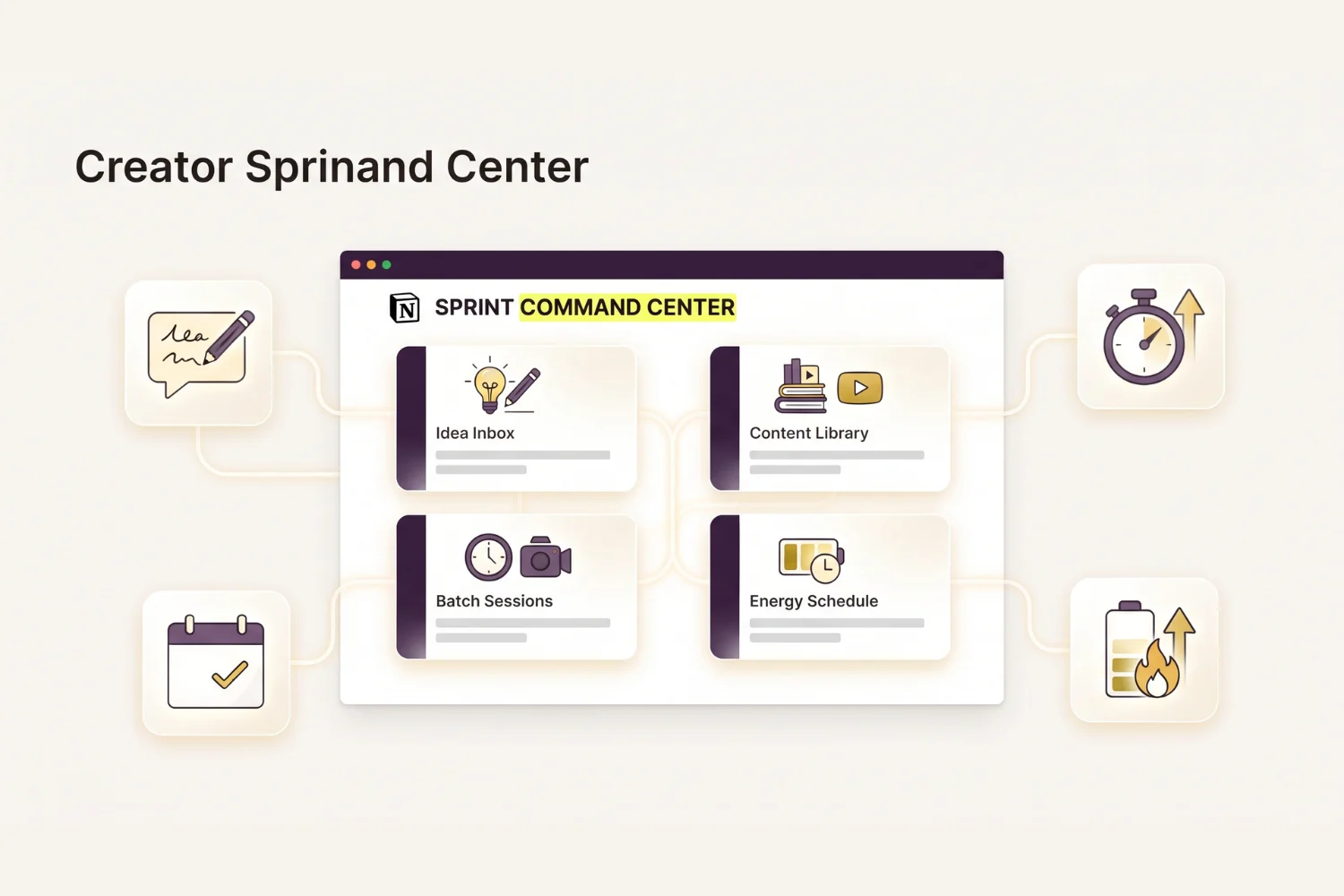
An ADHD content batching template is the workspace running the switch. This guide walks through what one is, the four pillars every batching system needs, and how to build the full workflow with the ADHD Content Batching System.
Table of Contents
What You’ll Learn
What Is an ADHD Content Batching Template?
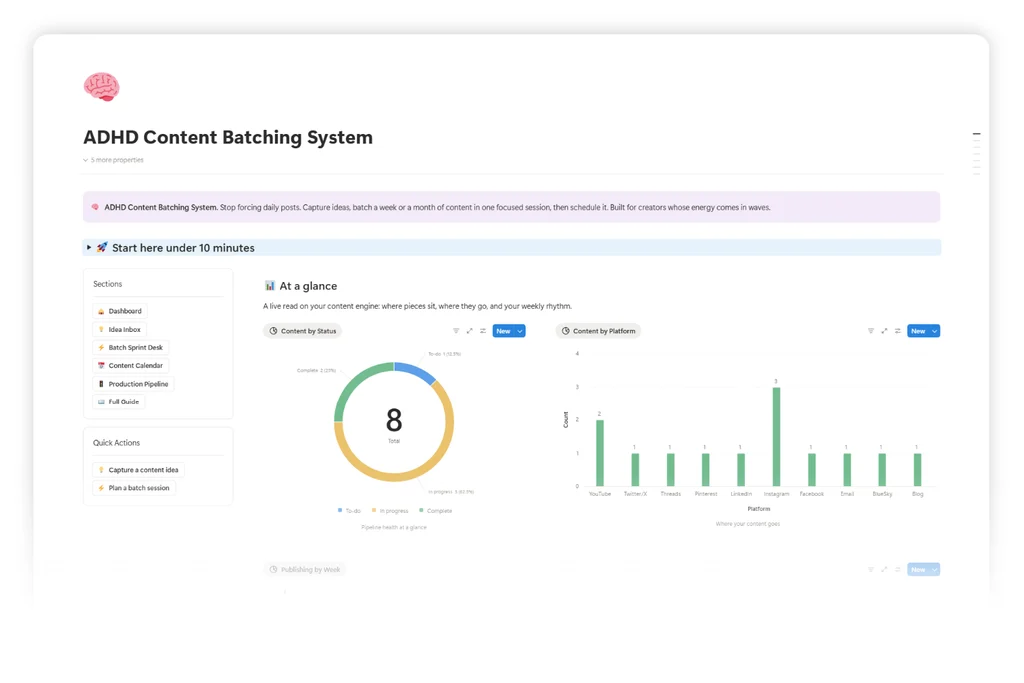
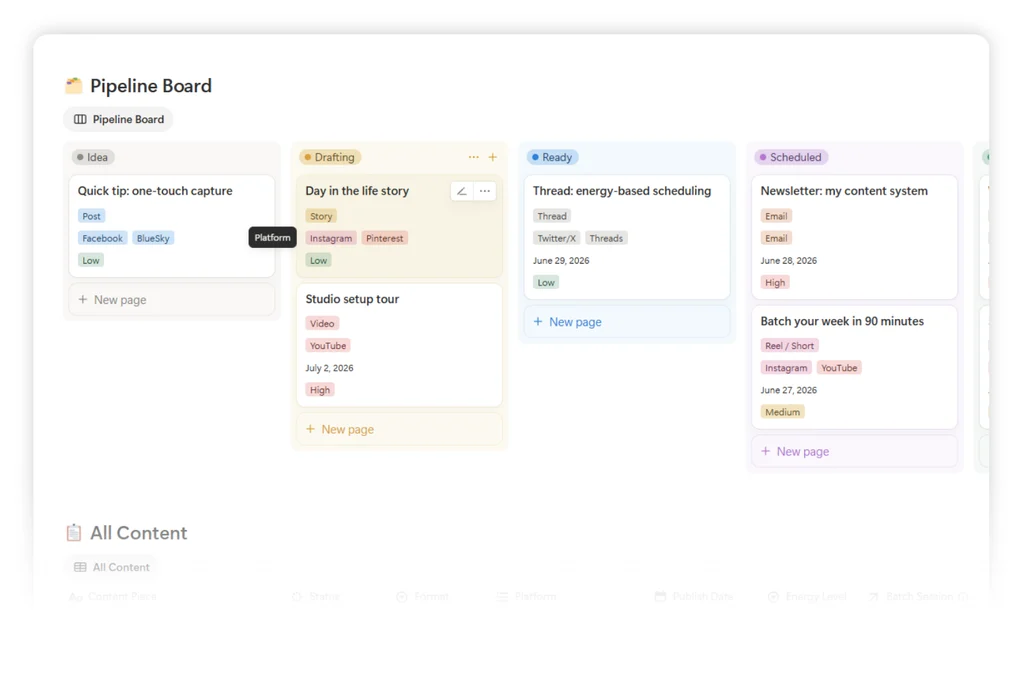
An ADHD content batching template is a connected Notion workspace built around one rule: produce content in focused sprints, not daily bursts. It holds four linked databases (Idea Inbox, Content Library, Batch Sessions, Content Pillars), a capture form, an energy-tagged calendar, and pre-built sprint templates. Every idea, every draft, every scheduled post lives in one graph.
This is a different shape from a standard content calendar or planner. A standard calendar schedules by date. A batching template schedules by energy and by sprint output. Open one batch session and every piece produced in it, its channel, its energy tag, and its scheduled date show up on the same page.
Why Daily-Posting Breaks for ADHD Creators
The typical creator stack looks like this:
- Notes app for ideas
- Camera roll for raw footage or screenshots
- A calendar app for posting dates
- A scheduler (Buffer, Later, Metricool) for queuing
- A spreadsheet for performance tracking
Each tool knows part of the story. None of them talks to the others. Ideas evaporate between the notes app and the composer. Energy drops mid-week and the calendar keeps demanding output. Launches hit and the entire pipeline dies for two weeks. The willpower tax gets paid over and over.
The 4 Pillars of a Content Batching System
Every content batching system rests on four pillars. Skip one and the workflow collapses back into daily grinding.
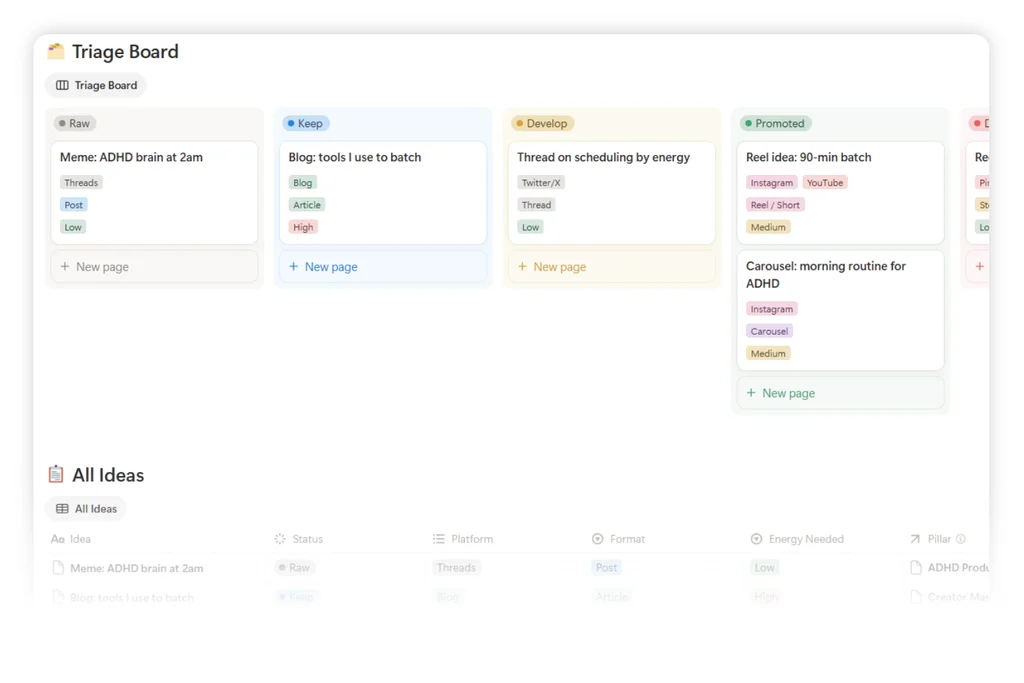
1. Idea Inbox
A frictionless capture layer. Every idea, hook, screenshot, or link goes in here in under four seconds. Status field starts at Raw, moves to Ready, then to Scheduled. This is what closes the gap between an idea firing and vanishing.
2. Content Library
Finished pieces filed by pillar, format, and channel. One row per piece with hook, body, hashtags, CTA, and a link back to its batch session. Rollups on each Content Pillar surface how many pieces exist per topic so nothing goes silent for weeks.
3. Batch Sessions
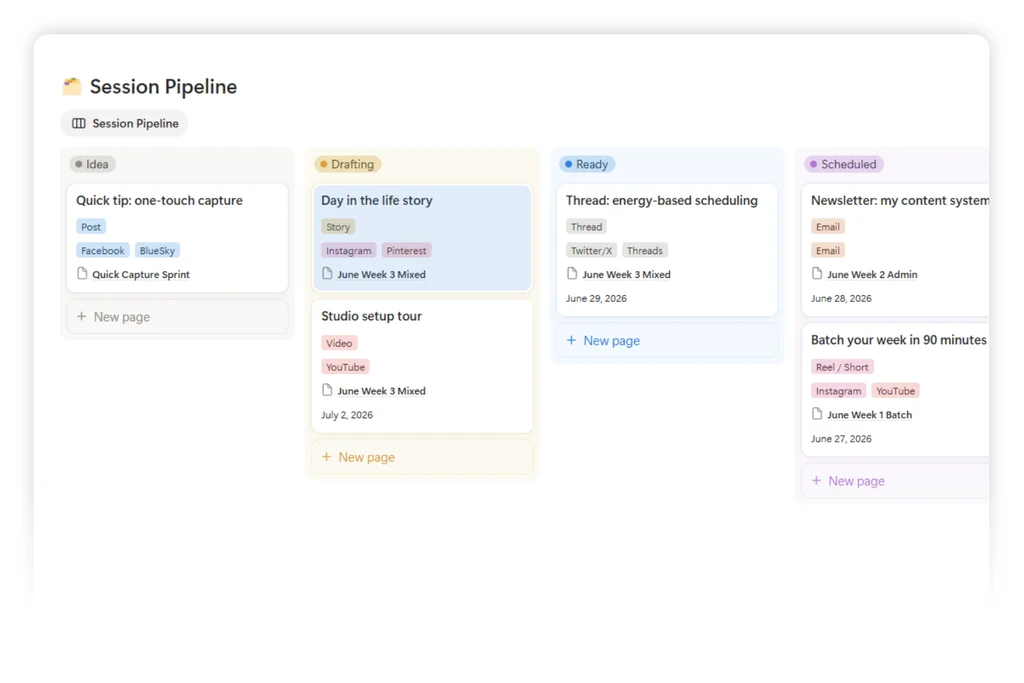
The engine. Each session is a 60 to 120 minute focused sprint with a target output (five Threads, three Reels scripts, one LinkedIn infographic, and so on). Pre-built session templates (Threads Sprint, Reels Script Sprint, LinkedIn Infographic Sprint) hold the checklist so you sit down and produce, no setup time.
4. Content Pillars & Energy Schedule
Pillars keep output on brand. Every piece links to one of three or four pillars (for example, ADHD Systems, Creator Tips, Product Launches). The Energy Schedule then queues pieces by the energy each format demands: high-energy for video record days, low-energy for text edits and hashtag research.
How to Run a 90-Minute Batch Sprint
Four steps. Do them in order.
Step 1: Drop Every Idea Into the Inbox First
Before writing anything, open Idea Inbox and dump. Ten raw ideas beats zero polished ones. Set each to Raw. Do not edit yet.
Step 2: Pick a Sprint Template and Lock a Target
Open Batch Sessions. Pick the template matching what you want to produce today (Threads Sprint for five Threads posts, Reels Script Sprint for three Reels scripts, and so on). Lock the target number and start a 90-minute timer.
Step 3: Produce Without Editing
Write every piece top to bottom. No editing mid-sprint. Every finished piece gets logged in Content Library with hook, body, hashtags, CTA, and a link back to this session. Skip the piece if the hook is not clear; put the idea back in the inbox for the next sprint.
Step 4: Queue by Energy, Not by Date
After the sprint, open the Energy Schedule. Slot each finished piece into a day matching the energy the channel demands. High-energy days for video record. Low-energy days for text scheduling. Rest days stay rest days.
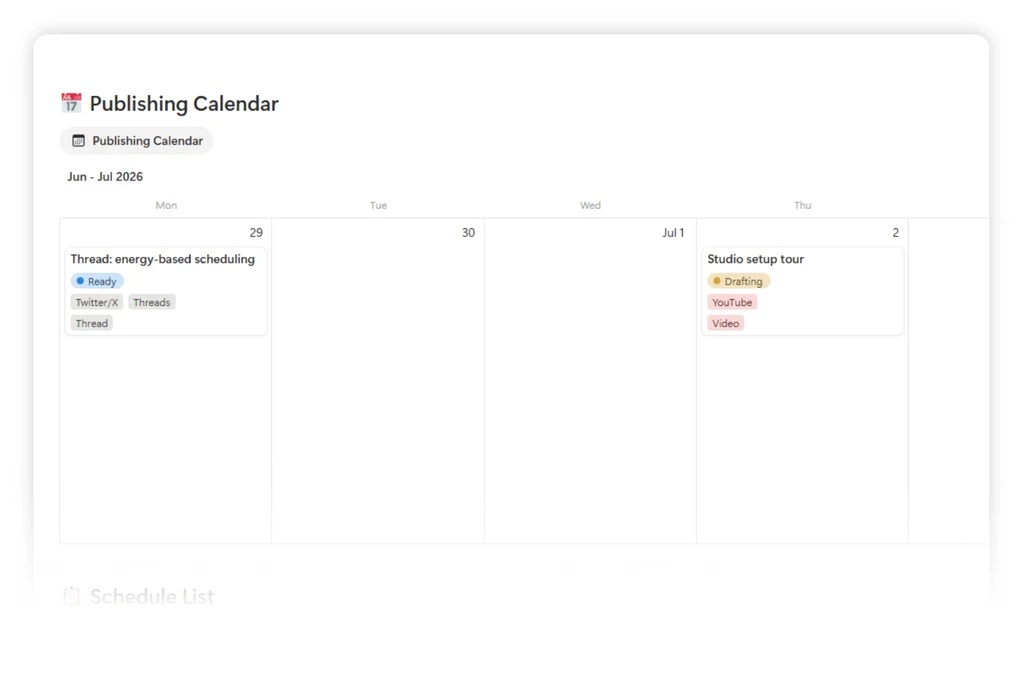
Or skip the build entirely. ADHD Content Batching System ships every database, session template, form, and calendar pre-built. Launch price is $19.
3 Batching Cadences by Creator Stage
Beginner Solo Creator (0-2 channels, 3-5 posts/week)
| Layer | Setup |
|---|---|
| Idea Inbox | 10 raw ideas minimum, refresh weekly |
| Content Library | One pillar, one format, one channel |
| Batch Sessions | One 60-minute sprint per week |
| Energy Schedule | Two energy tags: High, Low |
Full-Time Creator (3-4 channels, 8-15 posts/week)
| Layer | Setup |
|---|---|
| Idea Inbox | 30 to 50 ideas rolling, weekly triage |
| Content Library | Three pillars, three formats, four channels |
| Batch Sessions | Two 90-minute sprints per week, one per pillar cluster |
| Energy Schedule | Four energy tags: High, Medium, Low, Rest |
Creator + Small Team (5+ channels, 15-30 posts/week)
| Layer | Setup |
|---|---|
| Idea Inbox | 100+ ideas rolling, tagged by contributor |
| Content Library | Four to five pillars, five formats, six channels |
| Batch Sessions | One monthly full-day sprint plus weekly 60-minute top-ups |
| Energy Schedule | Four energy tags plus launch-week override view |
How to Pick the Right Cadence
Pick by the layer breaking most often.
- If ideas evaporate before you sit down to write: start with Idea Inbox and a Quick Capture form.
- If output is inconsistent week to week: start with a weekly Batch Session and a locked target.
- If content goes silent for weeks in one topic: start with Content Pillars and a rollup view.
- If Wednesday feels crushing and Saturday feels wasted: start with the Energy Schedule and two energy tags.
Beginners build in this order. Full-timers build all four pillars in one sitting because next month’s cadence depends on it.
Common Mistakes
- Editing mid-sprint. Producing and editing are different energy modes. Editing during a sprint drops output by half.
- Skipping the Idea Inbox. Sitting down to a Batch Session with an empty inbox turns the sprint into a stare-at-the-screen hour.
- Blanket batching without pillars. Ten pieces produced without pillar tags leaves one topic silent for three weeks and another over-posted.
- Ignoring the Energy Schedule. Scheduling a video record on a low-energy day means the piece gets bumped, then bumped again, then killed.
- One giant monthly sprint with no weekly top-ups. Ideas from the third week of the month never reach the queue.
- Treating rest days as batching-lite. Rest days stay rest days. The system holds because you rest, not despite it.
Metrics Cheat Sheet
| Metric | Where it lives | What to watch |
|---|---|---|
| Pieces produced per sprint | Batch Sessions rollup | Below target signals scope-too-big or inbox-too-thin |
| Idea-to-published rate | Content Library filter | Below 30 percent signals inbox bloat |
| Days since last post per pillar | Content Pillars view | Above 14 days flags a pillar going silent |
| Energy tag distribution | Energy Schedule view | Too many High days signals burnout risk |
| Sprint completion rate | Batch Sessions status | Below 70 percent signals wrong sprint length |
Who This Guide Is For
- Solo ADHD creators posting on 1 to 3 channels
- Indie founders selling digital products who lose posting cadence during launch weeks
- Content managers at small teams (2 to 20 people) whose calendars break under real work
- Anyone paying the willpower tax of daily posting
- Creators tired of watching three morning ideas vanish before lunch
When to Build Your First Batching System
Build the system before you commit to a daily-posting challenge. The migration cost triples after the first month of forced daily output. Ideas get lost in five apps. Weeks of silence stack up on two pillars. The willpower tax compounds into a full stop.
If daily posting is already broken, rebuild this week. Backfill the inbox from your notes app on Monday. Set up two energy tags on Tuesday. Run the first 60-minute sprint on Wednesday. Schedule what you produced across Thursday and Friday.
FAQ
What is an ADHD content batching template?
An ADHD content batching template is a Notion workspace holding an Idea Inbox, Content Library, Batch Sessions, and an energy-based schedule in linked databases. Ideas capture in under four seconds. Sprints produce a week of content in one focused session. Finished pieces queue by energy, not by clock.
Is content batching only for ADHD creators?
No. Content batching works for any creator whose energy or attention runs in waves, whose calendar breaks under launches, or who loses ideas between the notes app and the composer. ADHD creators feel the pain first, so the template is built for their intensity.
How is batching different from a normal content calendar?
A normal content calendar schedules by date. A batching template schedules by energy and by sprint output. Batching produces the pieces first, in one focused session, then queues them by energy. The calendar is downstream of the sprint, not upstream.
How does energy-based scheduling work in practice?
Every piece gets an energy tag (High, Medium, Low, Rest) matching the energy the channel demands. Video record is High. Text scheduling and hashtag research is Low. The Energy Schedule view queues pieces onto days matching your real energy pattern, so nothing forces a video record on a low-energy Wednesday.
Tools and References
| Tool | What it does | Link |
|---|---|---|
| Buffer | Multi-channel scheduling for finished pieces | https://buffer.com |
| Later | Visual scheduling for Instagram and TikTok | https://later.com |
| Metricool | Scheduling plus analytics across channels | https://metricool.com |
| Threads | Short-form text posts by Instagram | https://www.threads.net |
| Long-form text and infographic posts | https://www.linkedin.com | |
| ChatGPT | Idea expansion and hook variations inside a sprint | https://chat.openai.com |
| Notion | The workspace this template lives in | https://notion.com |
Key Takeaways
- An ADHD content batching template holds four linked layers: Idea Inbox, Content Library, Batch Sessions, and an energy-based schedule.
- Idea capture in under four seconds closes the gap between a thought firing and vanishing.
- A 60 to 120 minute sprint produces more content than five fragmented evenings.
- Energy-based scheduling matches each piece to a day where the energy is real, so nothing gets bumped for a week straight.
- Content Pillars stop one topic from going silent while another over-posts.
- Rest days stay rest days. The system holds because rest is scheduled, not skipped.
- Build the system before daily posting breaks, or rebuild inside a week if it already did.
Start Today
- ADHD Content Batching System: The full 4-database Notion workspace for creators whose energy runs in waves. Launch price $19. Grab it at fayedtion.com or on Gumroad.
Less grinding. More shipped.
