

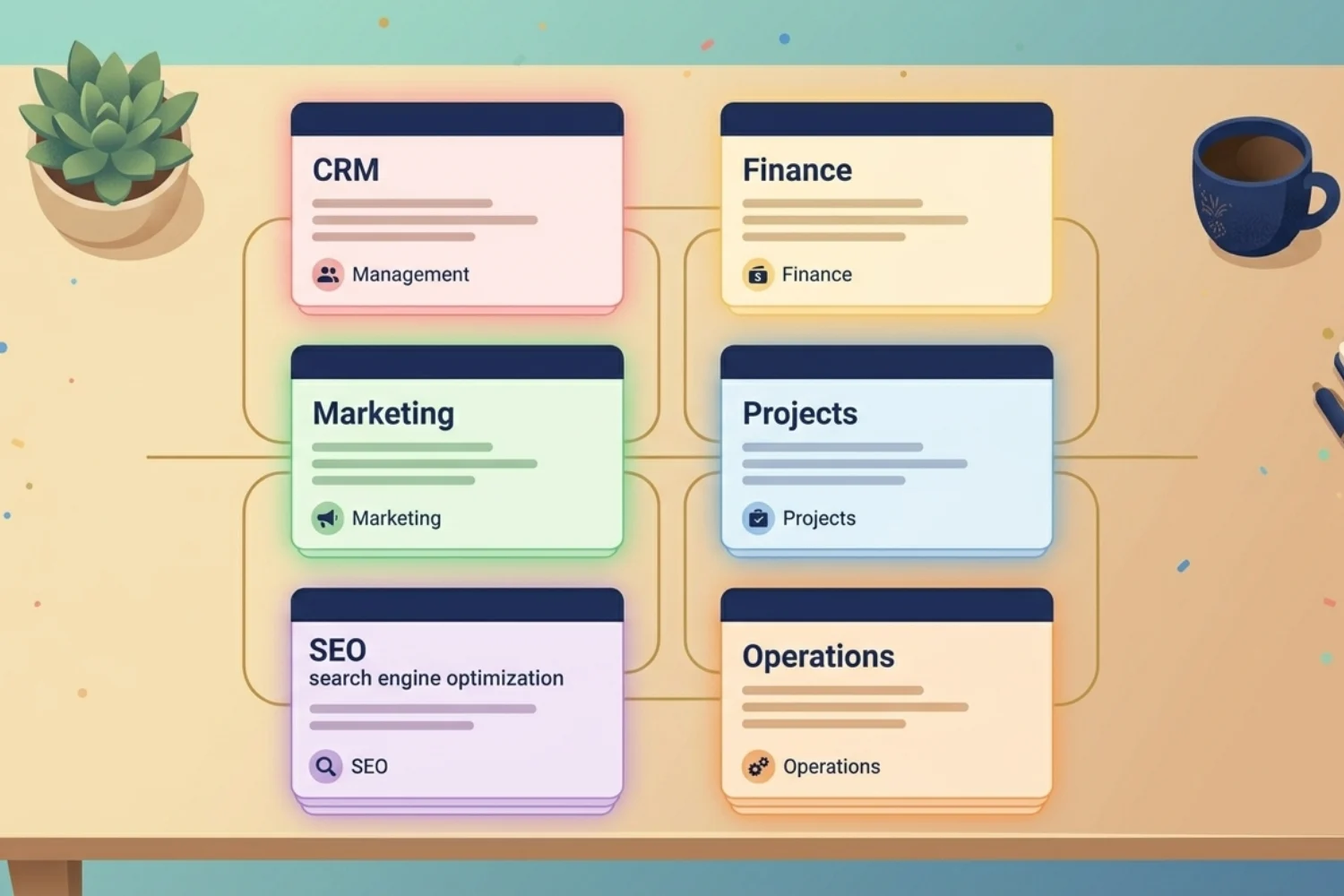
Most small business owners run on a stack of seven different apps. Spreadsheets for finance. ClickUp for projects. Mailchimp for email. Notion for notes. A separate CRM. A Google Doc for SOPs. The best Notion templates for small business consolidate all of it into one connected workspace, and this guide ranks the 10 worth installing in 2026.
These picks come from running my own template business and watching what real small business owners duplicate, keep using six months later, and recommend to peers.
Right, let’s get into the picks.
How to pick the right small Notion business templates
Before the list, three filters separate working templates from dashboard clutter.
- Connected, not flat. A working template links your contacts to your deals, your deals to your projects, your projects to your finance. A pretty dashboard with no relations breaks at month two.
- Active properties, not aesthetic ones. Status, owner, due date, next action. If a property doesn’t drive a filter or a view, it doesn’t earn its place.
- Edit-ready from day one. A small business owner has 30 minutes to set up, not a weekend. Pre-filled examples and a setup checklist matter.
If a template you find online fails any of these three, keep looking.
The 10 best Notion templates for small business in 2026
Each pick lists the pain it removes, the workflow it enables, and the type of small business it fits.
1. Business Pack Pro: the all-in-one stack
The top pick for any small business running services, products, or a mix. Business Pack Pro bundles CRM, project management, finance tracking, content planning, and SOPs into one connected workspace. You stop paying for five apps. You stop rebuilding context every time you switch tabs.
Best for: A founder running a 2 to 10 person service or product business.
The pain it removes: App switching, monthly subscription stacking, broken handoffs between sales and delivery.
The workflow it enables: Lead arrives, becomes a deal, becomes a project, becomes an invoice, becomes a case study.
2. CRM System (Team Version): sales and client management
For small businesses with a sales motion. Contacts and companies in connected views. A pipeline with stage, value, owner, and next-action fields. Activity logs per deal. Multi-pipeline support when you sell different services with different cycles.
Best for: Agencies, consultancies, B2B services with 3 to 20 active deals at any time.
The pain it removes: Leads going cold while you forget to follow up.
The workflow it enables: Lead capture, qualification, proposal, close, handoff to delivery, all in one record.
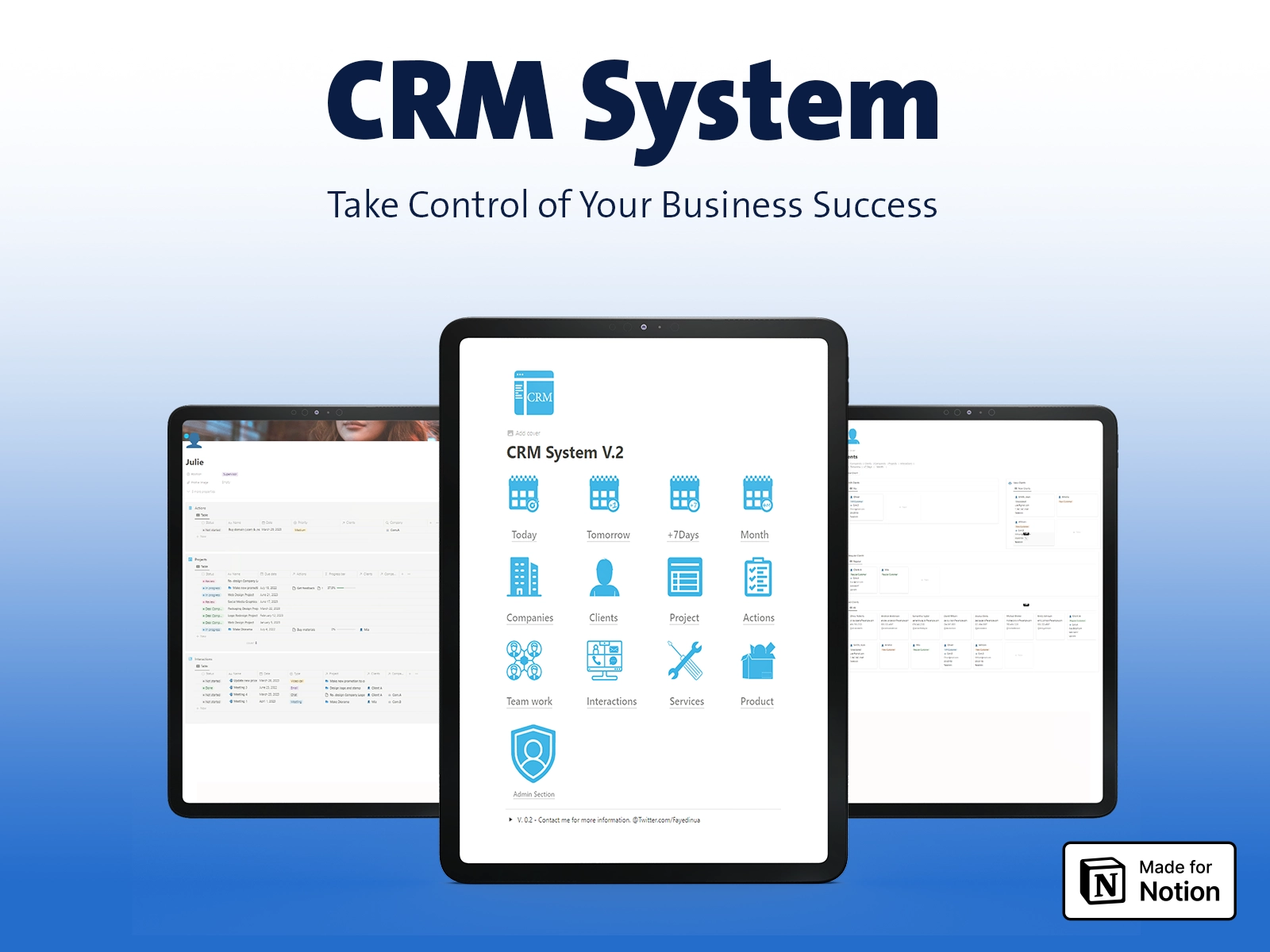
Manage your Business With CRM Notion Template
A comprehensive CRM Solution. Effortlessly Manage Clients
✅ Manage Clients and Projects
✅ Ready to Fit with Your Product Inventories and Services
✅ Calendar for Meetings with Team and Clients
✅ User-Friendly Page Designs
3. Email Marketing Toolkit: campaigns and sequences
A Notion business template for the team running email but without a marketing manager. Campaign planner, sequence builder, A/B test log, and KPI dashboard. Drafts and approvals live next to your customer list.
Best for: Small businesses sending 2 or more email campaigns a month.
The pain it removes: Campaign drafts scattered across Google Docs and Mailchimp.
The workflow it enables: Idea, brief, draft, schedule, send, measure, all in one workspace.
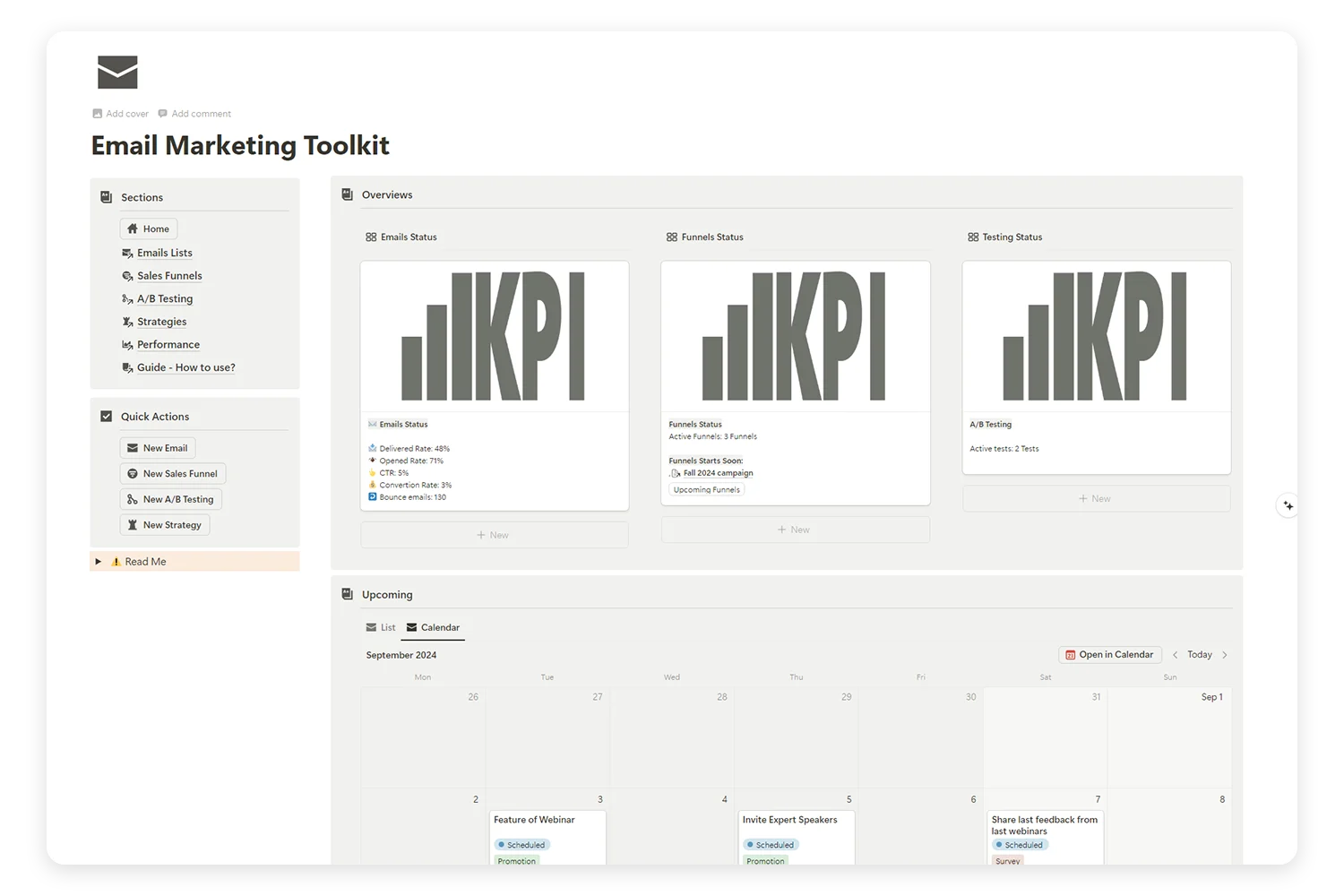
Supercharge Your Email Marketing with the Ultimate Toolkit!
Tired of juggling multiple platforms to manage your email campaigns, sales funnels, and A/B tests? Our Email Marketing Toolkit is here to organize, analyze, and optimize your email strategies—all in one place.
4. Finance Tracker: money in, money out
Income, expenses, accounts, budgets, and subscription tracking by category. Live dashboard for month-to-date and year-to-date. Tag every record with a project, client, or campaign for clean attribution.
Best for: Small businesses pre-bookkeeper, or owners who want a live view between accountant meetings.
The pain it removes: Excel sheets nobody opens, the 9 PM month-end scramble.
The workflow it enables: Log income or expense in 10 seconds, see the running total instantly.
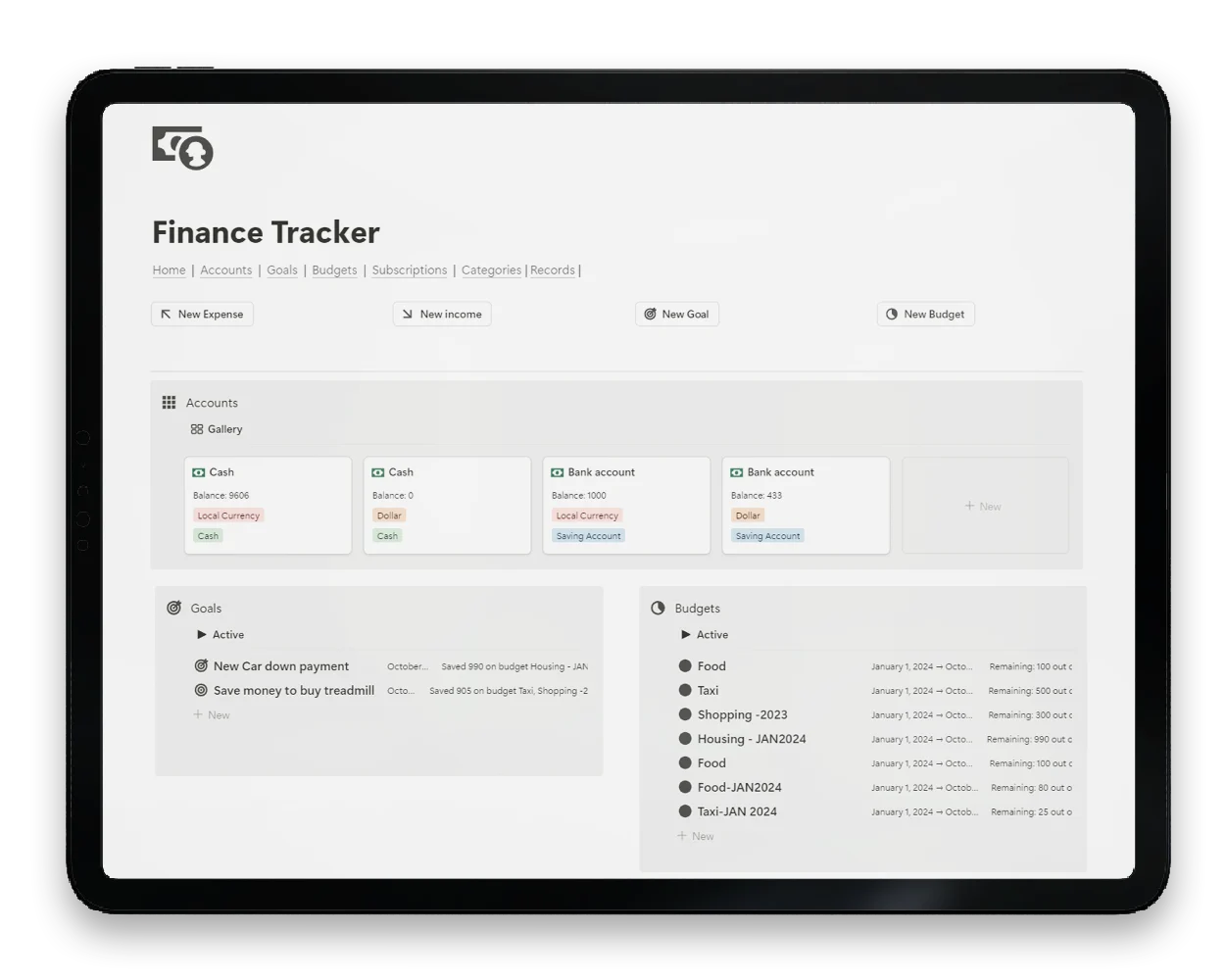
Take control of your money today
One place for income, expenses, budgets, and reminders. Simple to start, easy to keep. Free template with lifetime updates
5. Automation OS: workflows and SOPs
The template for the small business owner who keeps explaining the same process to the same teammate. SOP library, automation playbook, and trigger tracker. Pair it with n8n or Make for the actual execution layer.
Best for: Small businesses with repeatable client work or product fulfillment.
The pain it removes: Tribal knowledge, re-training, the same question asked four times.
The workflow it enables: Document once, run forever, hand it to the next teammate without a call.
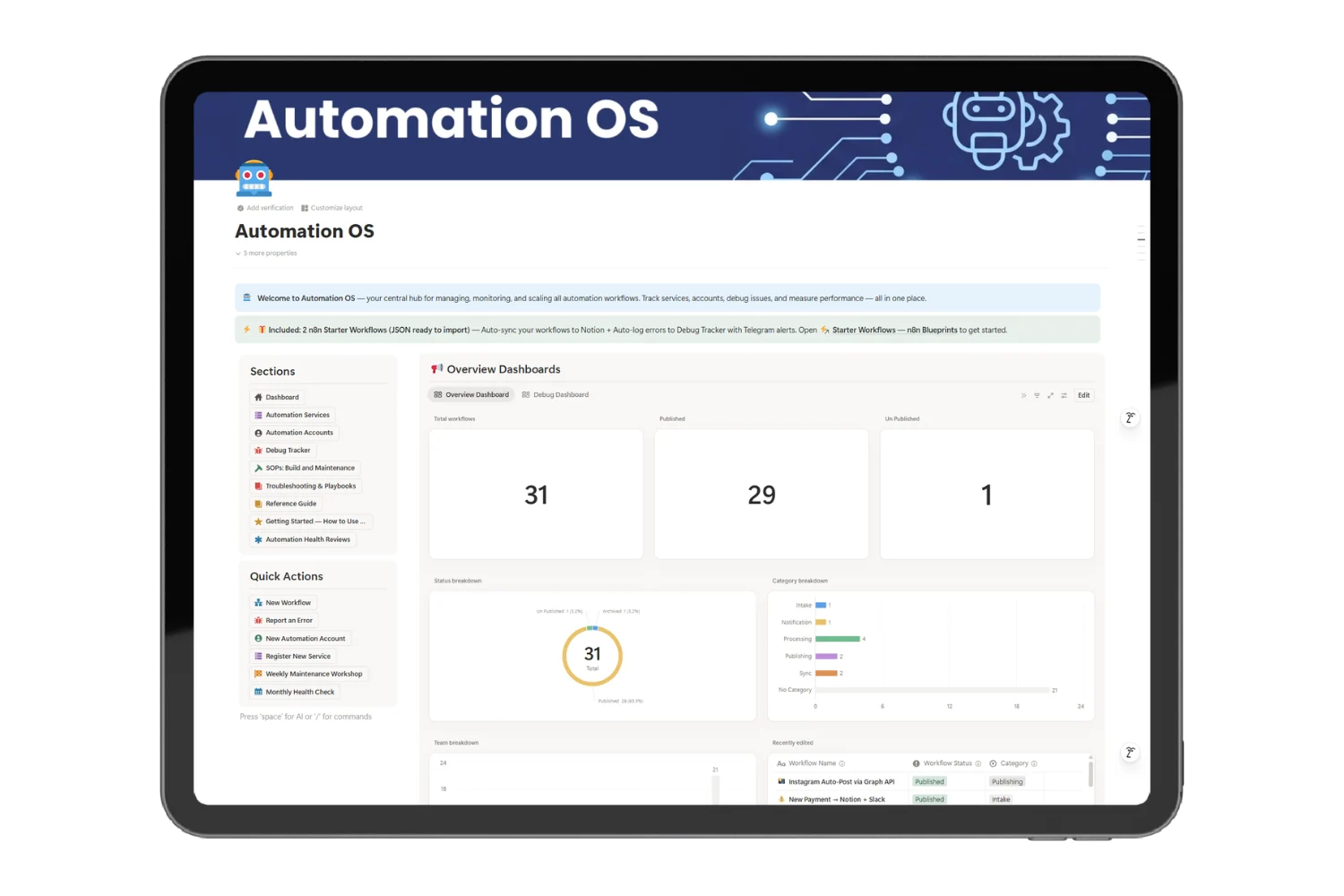
Stop Firefighting Your Automations at 2 AM
A command center for every workflow, error, and credential across n8n, Make, and Zapier. Know what broke before your users do.
- Catch errors the moment they happen
- Track every workflow, status, and SLA in one hub
- Map services, accounts, and credentials in one place
- Run weekly health reviews with ready playbooks
6. Product Roadmap OS: planning what to build
For small businesses with a product, a service line, or a content library. RICE scoring, backlog, sprints, release planning. Stop guessing what to ship next. Stop saying yes to every customer request.
Best for: Small SaaS, digital product creators, agencies productizing a service.
The pain it removes: Roadmap chaos, scope creep, missed launch dates.
The workflow it enables: Idea, score, backlog, sprint, release, retro.
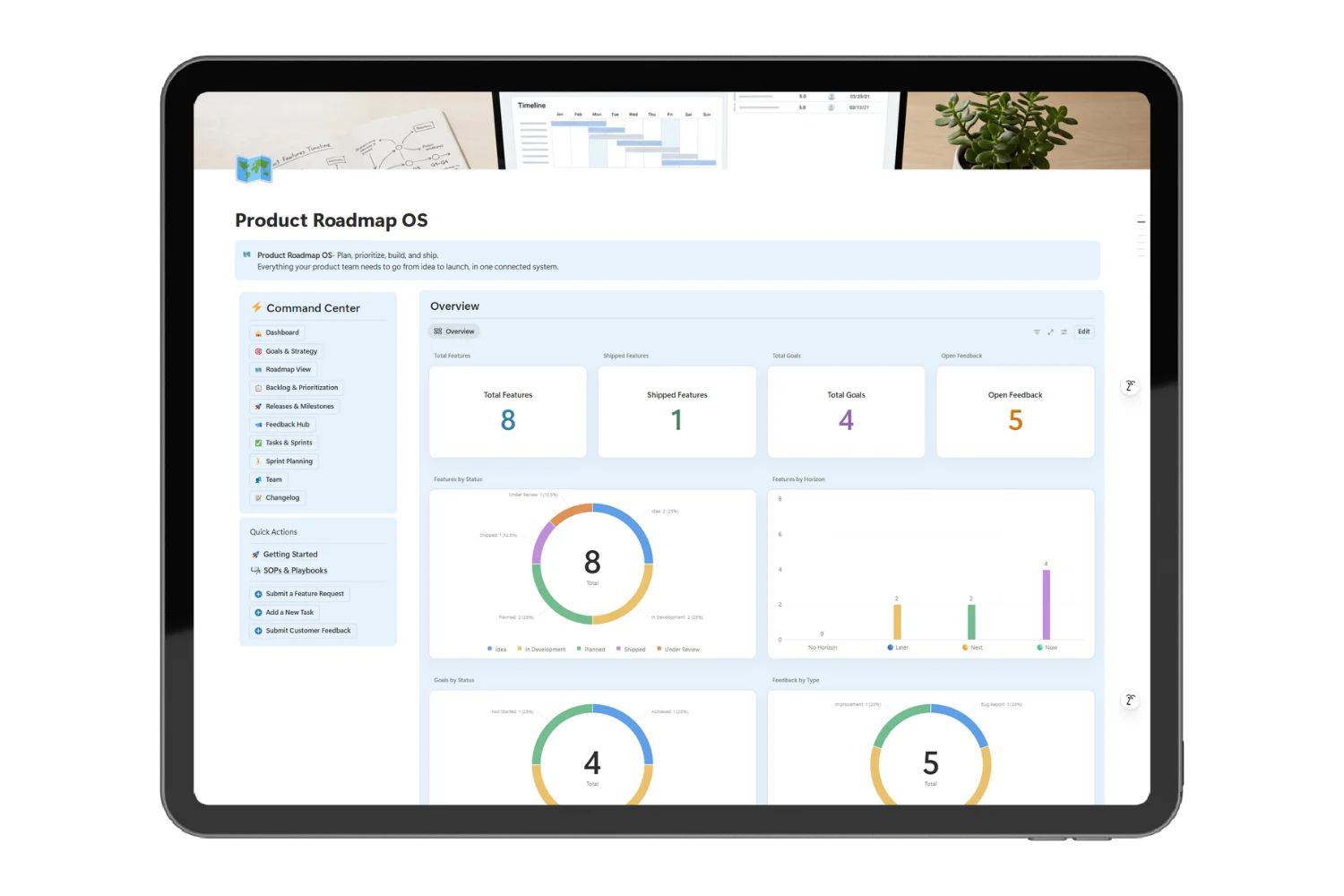
Ship Features Without the Tab-Switching Tax
One workspace for roadmap, backlog, sprints, releases, and feedback. No more copy-pasting between five tools every Monday.
Prioritize features in minutes with built-in scoring
Track every release, sprint, and task in one place
Capture feedback before it disappears
See progress live on a connected dashboard
7. SEO Manager V.02: keyword and content tracking
A connected SEO operations workspace. Keyword bank, content briefs, internal link planner, indexing tracker, and ranking log. Tie every keyword to a piece of content and every piece of content to a template or service line.
Best for: Small businesses driving organic traffic to a website or store.
The pain it removes: Keyword spreadsheets, lost briefs, content gaps found six months too late.
The workflow it enables: Pick keyword, brief content, draft, publish, track ranking.
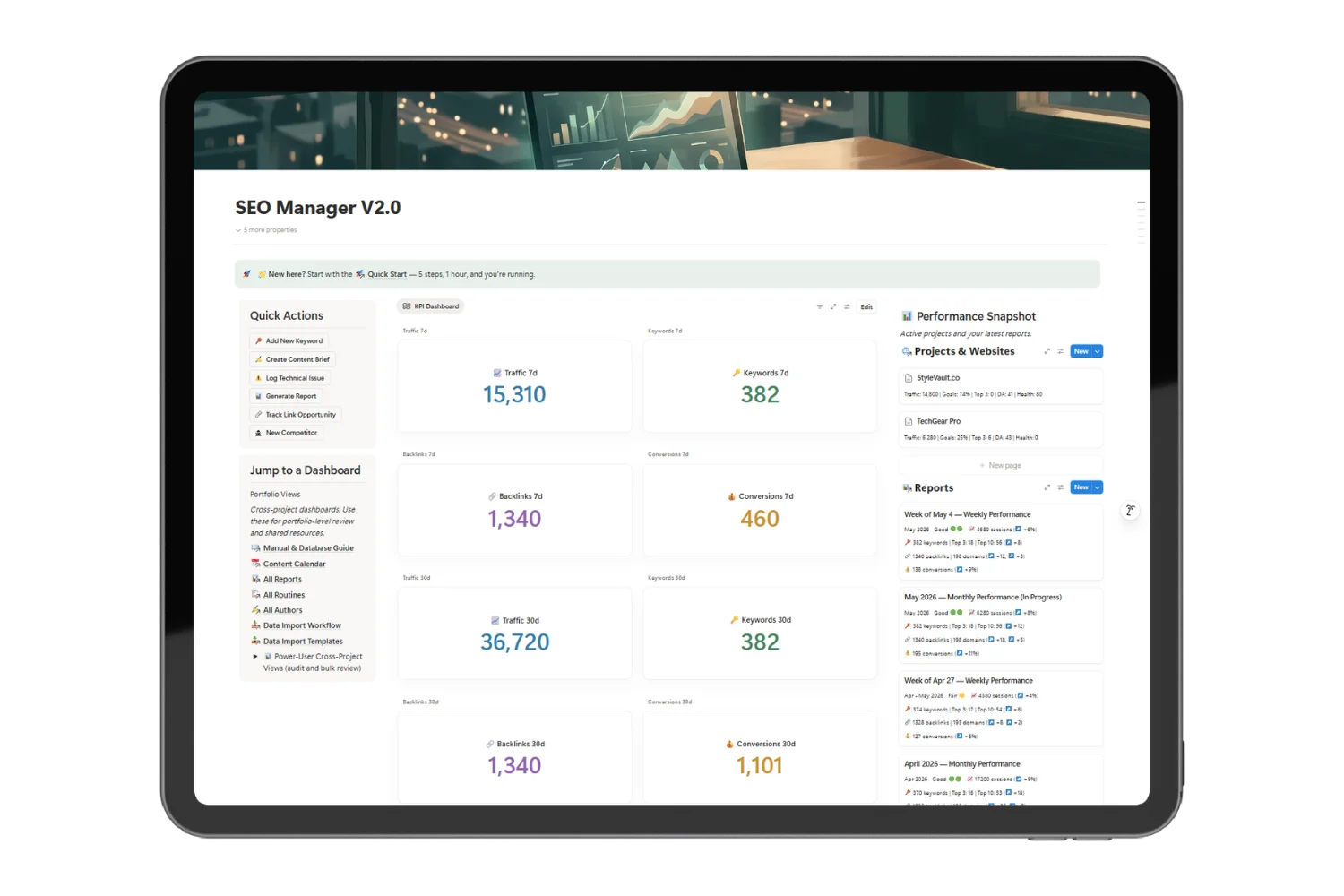
Run SEO Like a System, Not a Stack of Tools
One connected workspace for keywords, briefs, pages, backlinks, and client reports. Stop copy-pasting between GSC, Ahrefs, and three spreadsheets every Friday.
Bullets:
- Move every keyword from research to ranked page in one workflow
- Generate monthly client reports without rebuilding them from scratch
- Onboard anyone, from beginner to senior SEO, in their first week
- Recover from algorithm updates with pre-wired routines
8. UTM Links Generator: campaign attribution
The link layer for everything you publish. Auto-naming rules, link library, performance dashboards. Know which Instagram post drove the sale, not which one looked good.
Best for: Small businesses running paid ads, affiliate campaigns, or multi-platform launches.
The pain it removes: “Where did this customer come from?” on a Friday afternoon.
The workflow it enables: Create link, publish, track click, attribute revenue.
9. Issue Tracking: bug and ticket management
For small businesses with a product, support inbox, or internal ops. Issue intake, severity, owner, status, and resolution log. Connect it to your CRM so support tickets sit next to the customer record.
Best for: Software, digital products, services with technical delivery.
The pain it removes: Support tickets lost in email, bugs forgotten in a Slack thread.
The workflow it enables: Issue logged, triaged, assigned, fixed, closed, communicated.
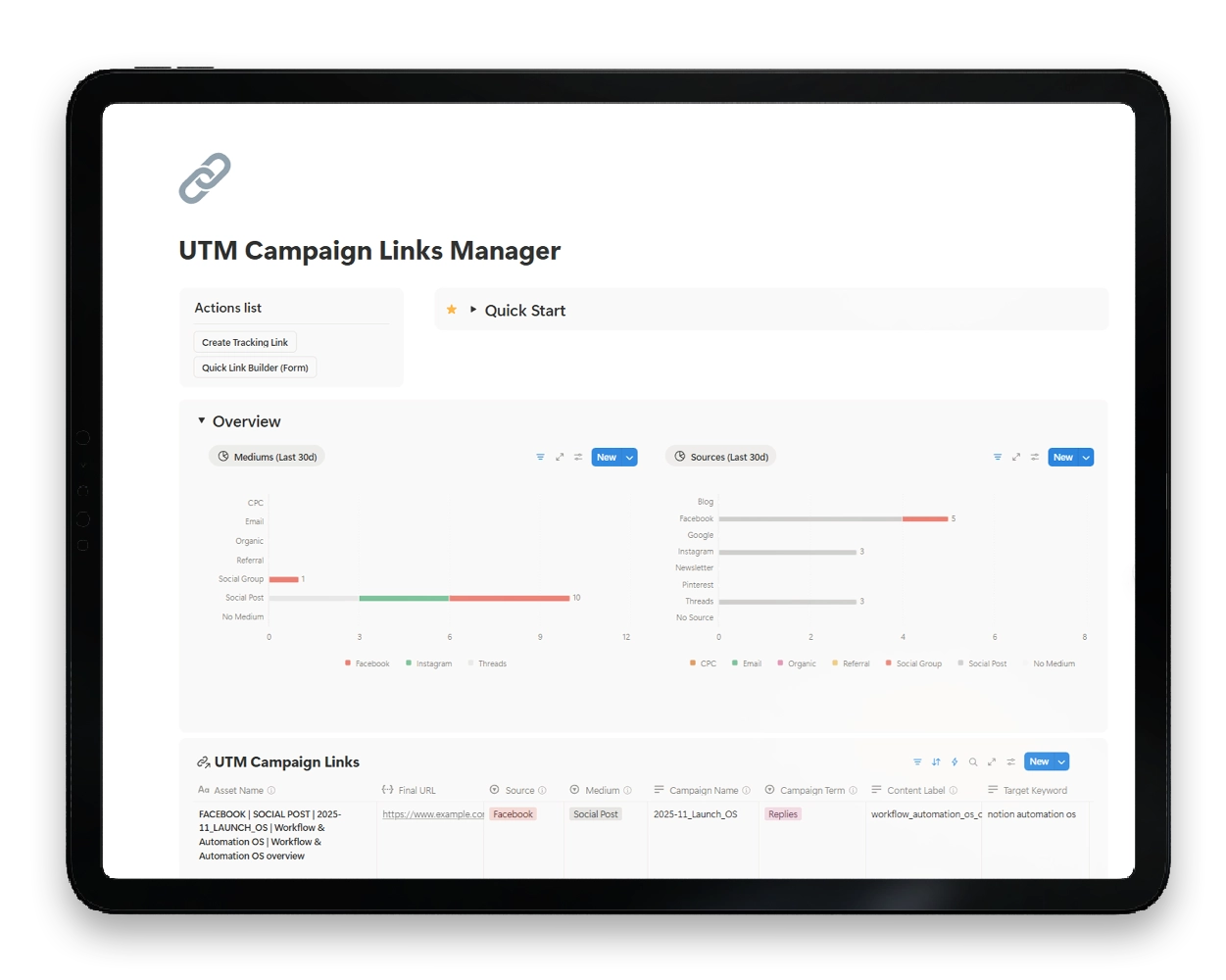
Stop Breaking Your Reports With Messy UTM Names
Build, store, and reuse clean tracking links inside Notion. Every campaign tagged the same way, every time.
Bullets:
- Generate consistent UTMs in seconds, no web form needed
- Store every link in one searchable library
- Connect each link to its product, campaign, and source
- See last-30-day performance by Source and Medium
10. Free Business Pack: the free starter
The risk-free way to test the small business Notion template approach before paying for anything. A trimmed version of Business Pack Pro with the core CRM, projects, and notes modules.
Best for: Owners new to Notion who want a working starter before committing.
The pain it removes: “Is Notion right for my business?” paralysis.
The workflow it enables: Duplicate, fill with current clients and projects, run for two weeks, decide.
Manage your Business With CRM Notion Template
A comprehensive CRM Solution. Effortlessly Manage Clients
✅ Manage Clients and Projects
✅ Ready to Fit with Your Product Inventories and Services
✅ Calendar for Meetings with Team and Clients
✅ User-Friendly Page Designs
Notion vs separate apps: the real cost comparison
A small Notion business templates running 4 people on a typical SaaS stack pays more than most owners realize.
| Tool | Year 1 cost (4 seats) | Coverage |
|---|---|---|
| Monday.com Standard | $576 | Projects only |
| ClickUp Business | $576 | Projects and docs |
| HubSpot Starter | $960 | CRM only |
| Mailchimp Standard | $240 | Email only |
| Typical small business stack | $2,000+ | Fragmented, switching cost |
| Notion Team plan + Business Pack Pro | ~$580 | Everything in one workspace |
You aren’t buying enterprise analytics, role-based call-center routing, or 50-seat permissions. A small business needs the workflow, not the overhead. Notion business templates close the gap at a fraction of the cost.
How many templates does a small business need
Three to five. Not 30. The trap with template marketplaces is buying every category and using none.
The working set for most small businesses:
- One CRM template (clients and deals)
- One operations template (projects and tasks)
- One finance template (money and budgets)
- One marketing template (content and campaigns)
- One bundle or starter to tie them together
A bundle like Business Pack Pro replaces items 1 to 4 with a single connected workspace. This is why bundles outperform stacks of individual templates for small business owners.
Frequently Asked Questions
What is the best Notion template for small business?
The best Notion template for small business depends on what breaks first in your week. Sales chaos? Start with the CRM System. Project chaos? Start with Automation OS or Product Roadmap OS. All four at once? Start with Business Pack Pro to cover the full stack.
Are there free Notion templates for small business?
Yes. The Free Business Pack covers CRM, projects, and notes at zero cost. It is the lowest-risk way to test whether Notion fits how your team thinks before paying for a full bundle.
How many Notion templates does a small business need?
Three to 6 templates, or one connected bundle. The mistake new buyers make is collecting 20 templates and connecting none. A small Notion business template stack works because records flow between modules.
Can I customize Notion business templates?
Notion vs Monday vs ClickUp for small business: which fits?
Notion if you also need notes, content, finance, and SOPs in the same workspace. Monday or ClickUp if your whole business is project management and you want a Gantt-first view. For a small business with mixed work, the best Notion templates for small business win on consolidation.
Where to go from here
Pick one. Not five. The biggest mistake small business owners make with templates is buying too many and installing none.
If you want the full system today, start with Business Pack Pro. If you want to test the approach first, duplicate the Free Business Pack and run your next two weeks from it. If your single biggest pain is sales follow-up, start with the CRM System.
The best Notion templates for small business are the ones you open on Monday morning. Pick one. Open it tomorrow.
