

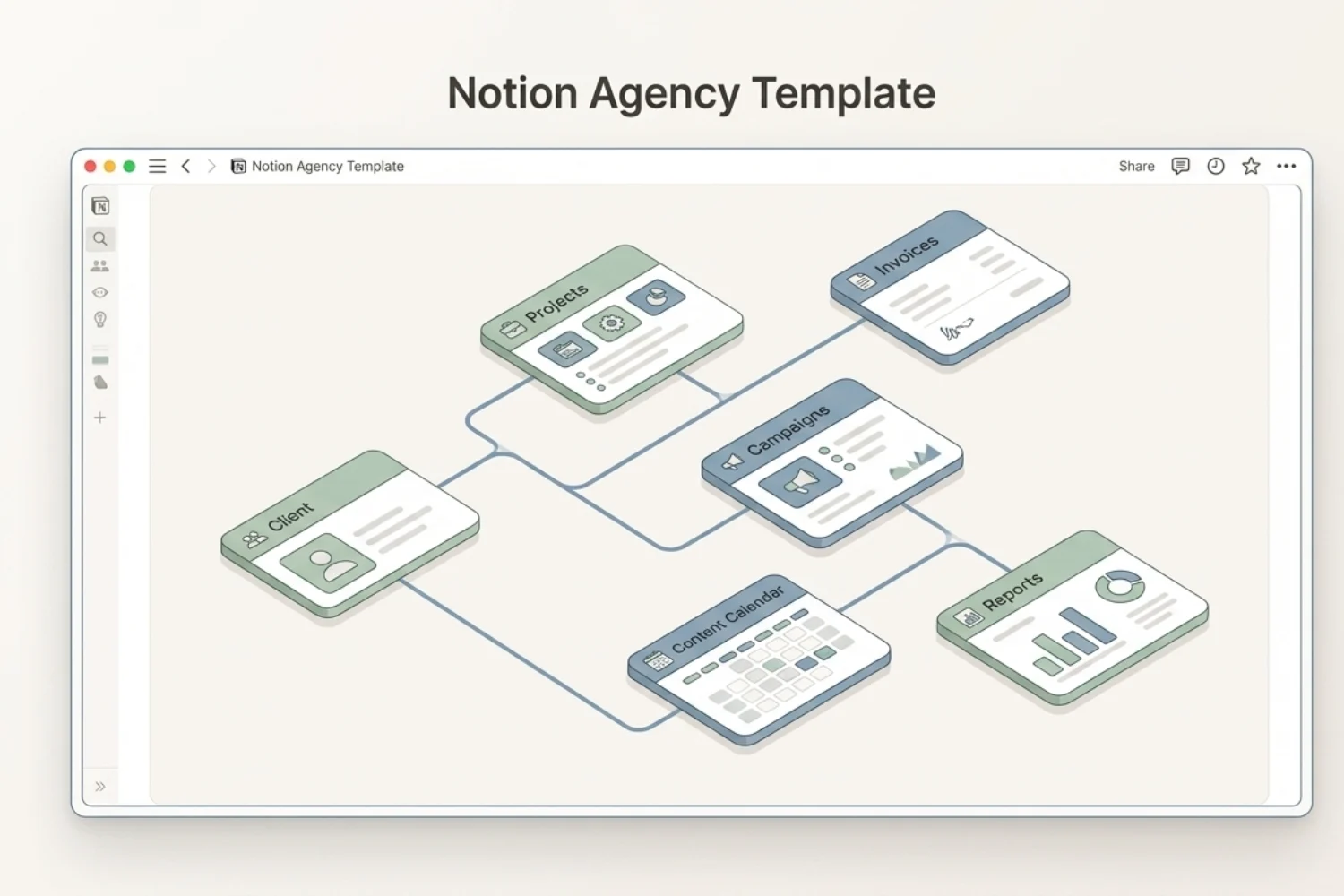
You did not start an agency to switch between HubSpot, Asana, FreshBooks, Hootsuite, Toggl, PandaDoc, and three Google Sheets. You started it to win clients, do great work, and get paid for it. Yet the day fills with tab switching, re-entering the same client name into five systems, and chasing invoices nobody marked paid.
This guide walks through what changes when an agency stops running on a stack of eight disconnected SaaS tools and starts running on one Notion agency template instead. One workspace. One connected client record. Lead to invoice to report inside a single workflow.
The Digital Marketing Agency template was built for agencies stuck between two walls: too big for spreadsheets, too small to justify HubSpot plus Asana plus FreshBooks every month. Solo freelancers carrying 4 to 12 retainers. Two to thirty person teams trying to scale past the 7-retainer operations ceiling. Owners who want one place where every client, project, campaign, invoice, and report lives together.
Below you will see how the template replaces eight separate tools with one workspace, what each pillar inside the system does, how to set it up in seven steps, and the one workflow holding the whole thing together: lead → proposal → project → invoice → report.
Who This Guide Is For
- Solo freelance marketers running 4 to 12 retainer clients across multiple channels and services.
- Small marketing agencies of 2 to 30 people who outgrew Google Sheets but will not write a $300 monthly check to HubSpot.
- SEO consultants, PPC specialists, and social media managers running 5 or more campaigns per client per quarter.
- Agency owners who need one view of revenue, receivables, project status, and team workload without rebuilding a reporting deck every month.
- In-house marketing teams running campaigns, content, and reporting across multiple brands inside a single marketing agency workspace.
This is not for solo creators with one client and no invoicing yet. A spreadsheet still works at the scale.
When to Use This Template
Open the Notion agency template when three or more of these are true:
- Client data lives in one tool, projects in another, invoices in a third, and the same client name gets re-entered into all three.
- A client emails asking “where are we?” and answering takes 20 minutes of tab digging across five apps.
- Month-end reporting eats a full workday because nothing is connected and every number lives in a different export.
- A new team member needs a week of onboarding because “where stuff lives” sits undocumented and spread across email threads.
- Invoices ship out, then nobody tracks which got paid until the bank statement arrives 30 days later.
- You said yes to a sixth retainer client and the operations stack started showing limits the same week.
If two or fewer apply, the operations layer is not the bottleneck yet. Keep using what works.
What an Agency OS Means (The 8-Tool Tax)
Most marketing agencies run on a “stack” of SaaS tools. HubSpot for CRM. Asana for project management. FreshBooks for invoicing. Hootsuite for social scheduling. Toggl for time tracking. PandaDoc for proposals. Google Sheets for reporting. A standalone SEO tool of choice.
Each tool is good in isolation. None of them speak to each other.
The hidden cost is the 8-Tool Tax: a measurable drag on billable hours from tab switching, exporting CSVs, re-entering the same client name into five systems, and reconciling data which never quite matches. Independent surveys of agency owners put the figure at roughly 31% of billable hours lost to operations friction. Money the agency earned but never converted into shipped work.
An agency operating system flips the model. One Notion CRM for agencies. One project list. One invoicing layer. One content calendar. One reporting layer. And one client record every other section inherits from. Add a client once and they appear inside every project, every invoice, every campaign, and every report attached to them. No copy paste. No re-entry. No five-name typo.
It is the structural difference the Notion agency template delivers. Not a fancier task list. A connected workspace built around how an agency runs day to day, from lead to paid.
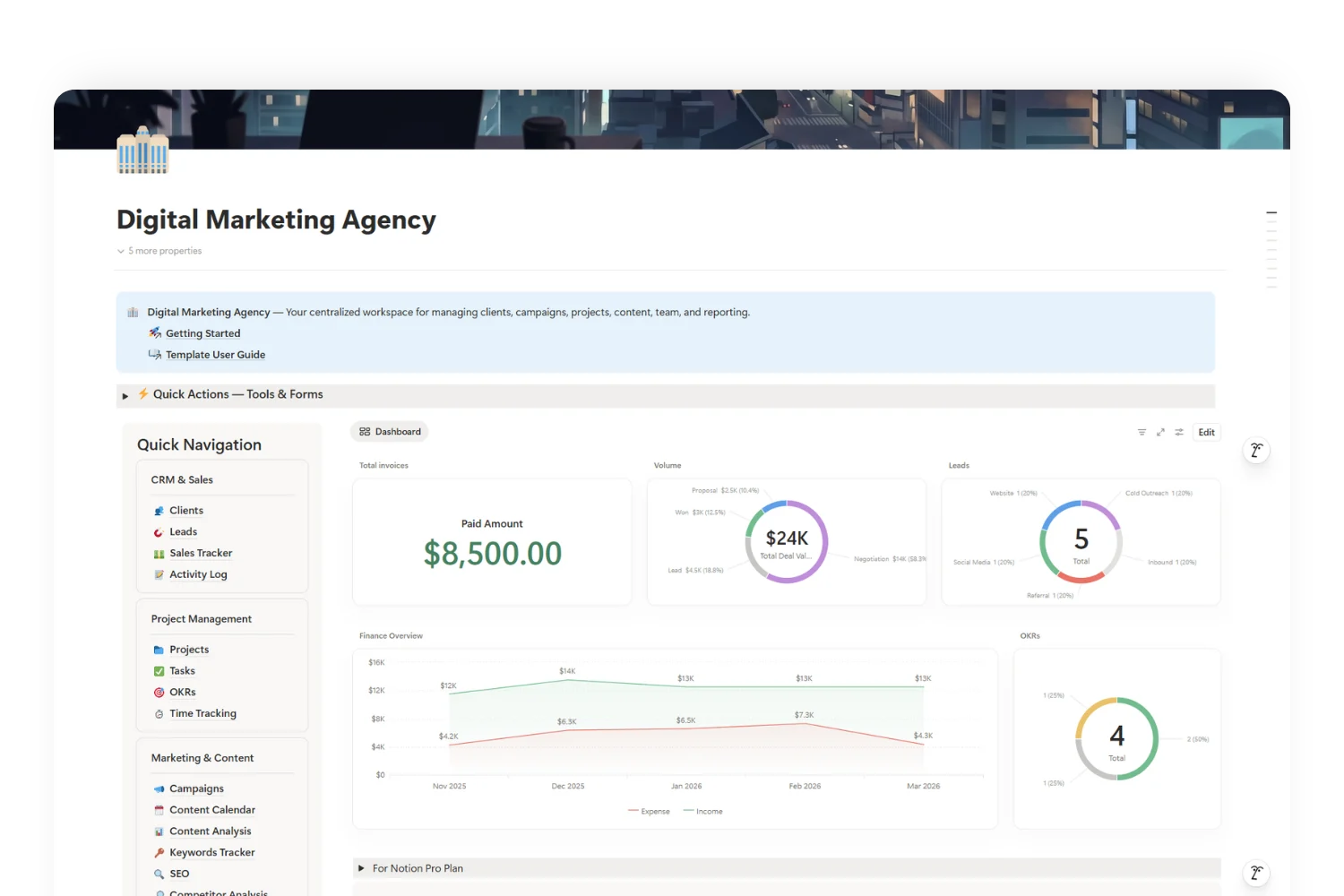
The 6 Pillars Inside Your Agency Operating System
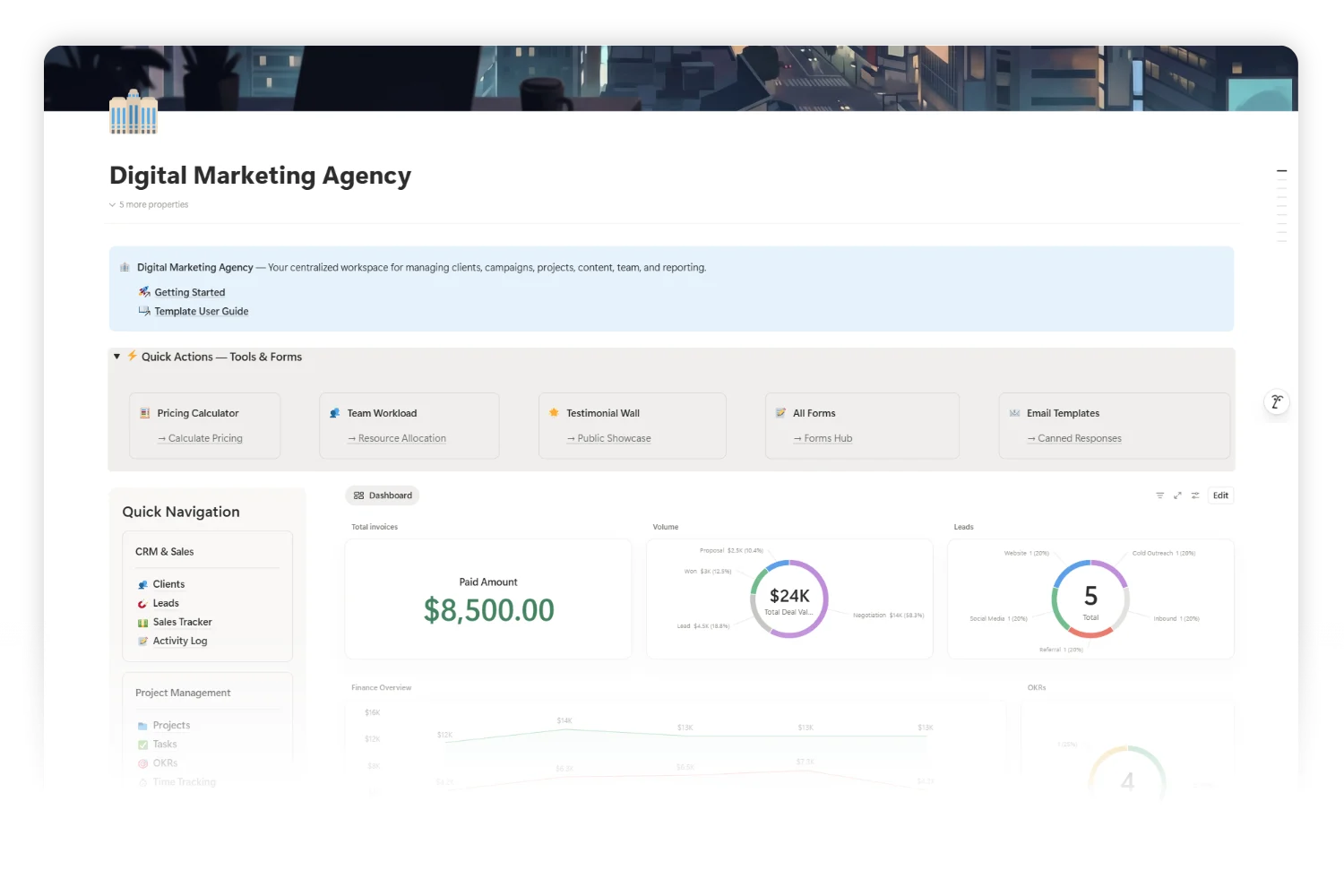
Every pillar inside the Notion agency template uses the same connected client record, so data flows across the entire workspace without manual stitching.
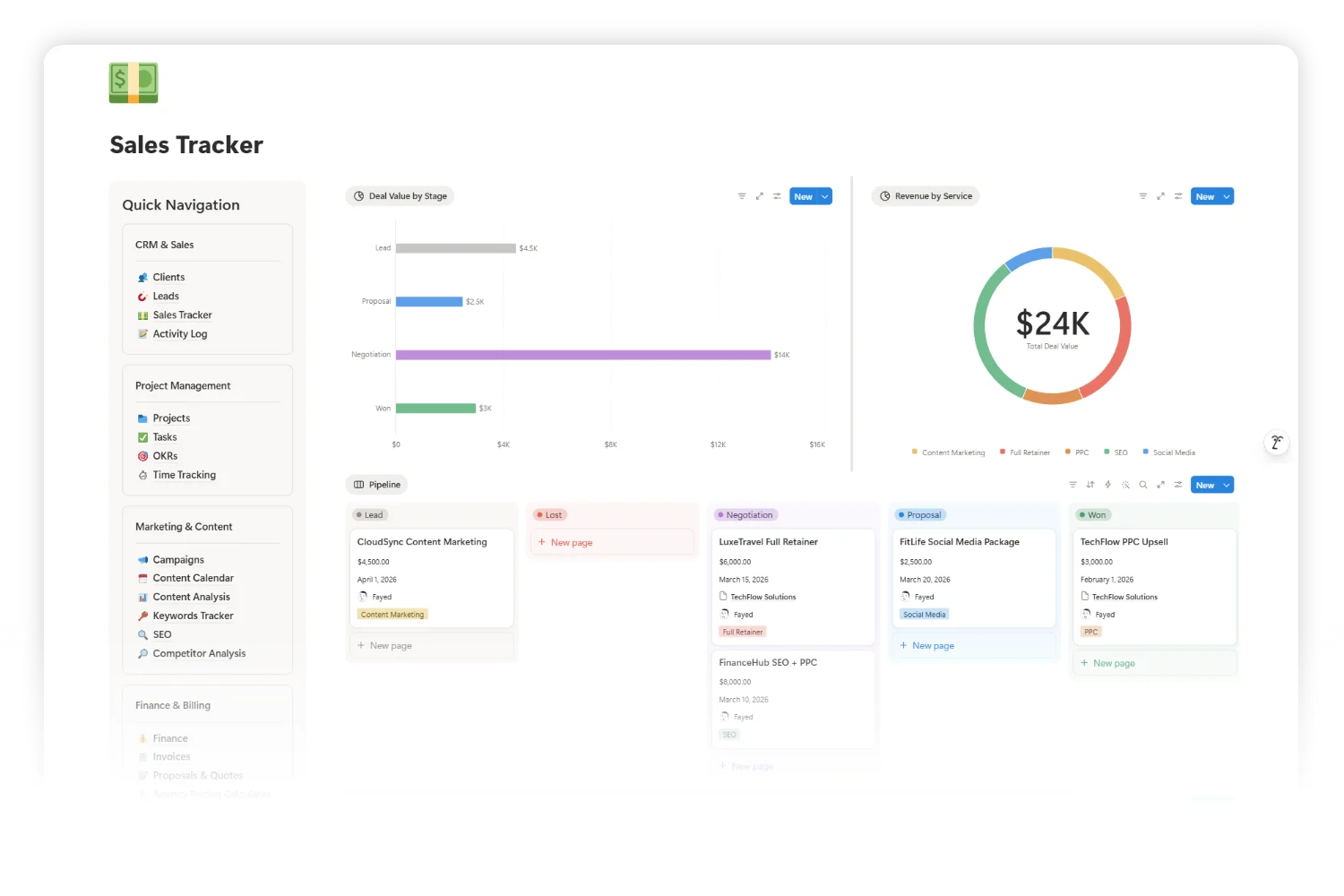
Pillar 1: CRM & Sales Pipeline
Clients, Leads, Sales Tracker, and Activity Log live as one connected stack. Sales Tracker runs a visual Kanban: Lead → Proposal → Negotiation → Won/Lost. Every call, email, meeting, demo, and follow-up logs against the right client inside Activity Log. A follow-up calendar view surfaces every overdue touchpoint. Each client record holds an auto-calculated Invoice Summary showing total invoiced, total paid, and total outstanding.
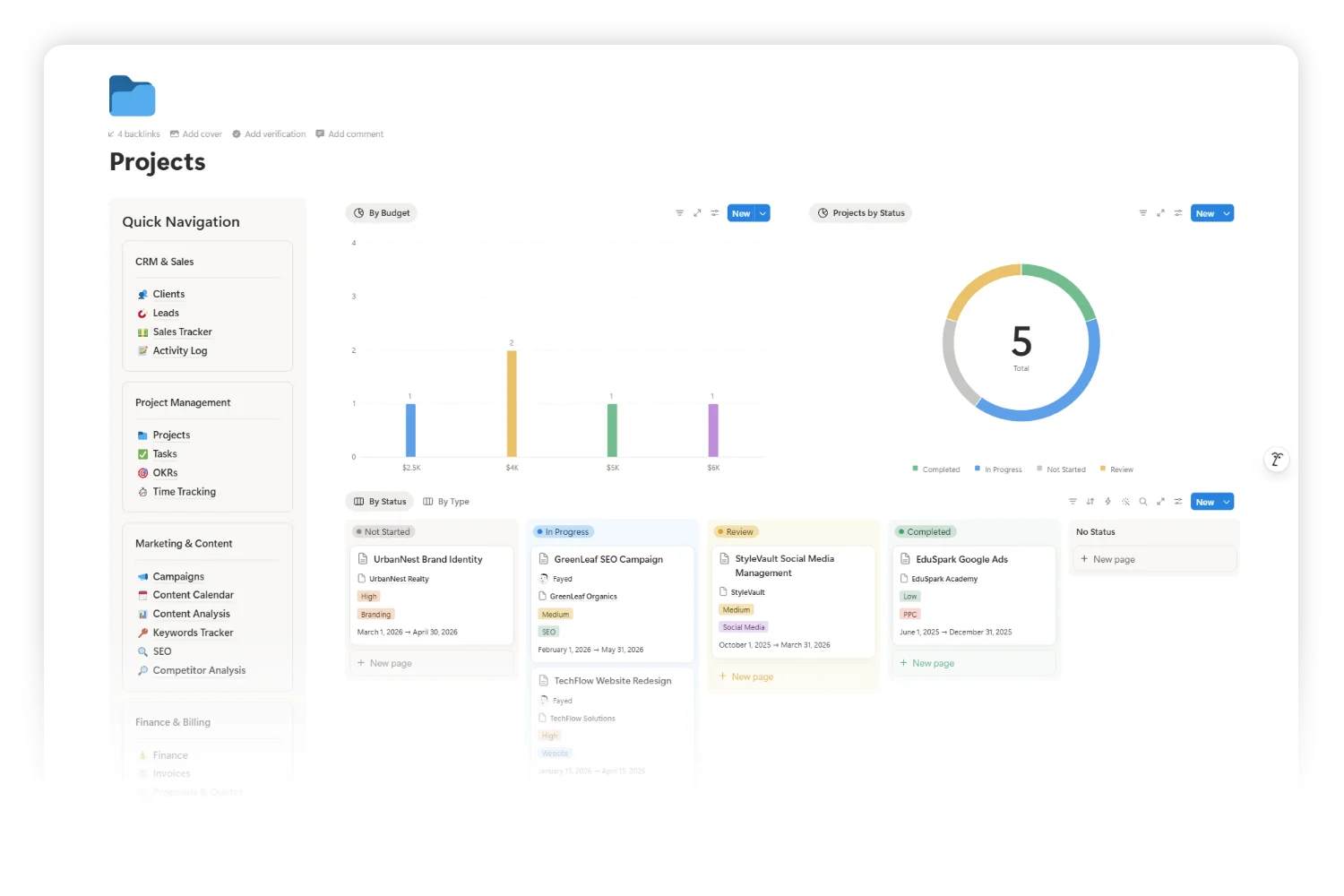
Pillar 2: Project Management
Projects, Tasks, OKRs, and Time Tracking form the agency project management Notion layer. Tasks move through a 5-stage workflow: To Do → In Progress → In Review → Done → Blocked. Projects link to clients, tasks link to projects, OKRs roll up against client and agency goals. Auto-calculated Task Progress and live Billable Amount fields mean status meetings stop being “let me check Asana.”
Pillar 3: Marketing & Content
Campaigns runs across 8 channels: Google Ads, Meta, Email, SEO, LinkedIn, TikTok, YouTube, X. Content Calendar ships with 6 views including Calendar, Content Gallery, Social Media Calendar, Social by Platform Kanban, and Social Pipeline. Content Analysis tracks impressions, reach, clicks, shares, saves, and an auto-calculated engagement rate per piece. SEO covers on-page and off-page work. Keywords Tracker monitors current vs target rank with search volume and difficulty. Competitor Analysis maps domain authority, traffic estimates, and SWOT for each rival.
Pillar 4: Finance & Billing
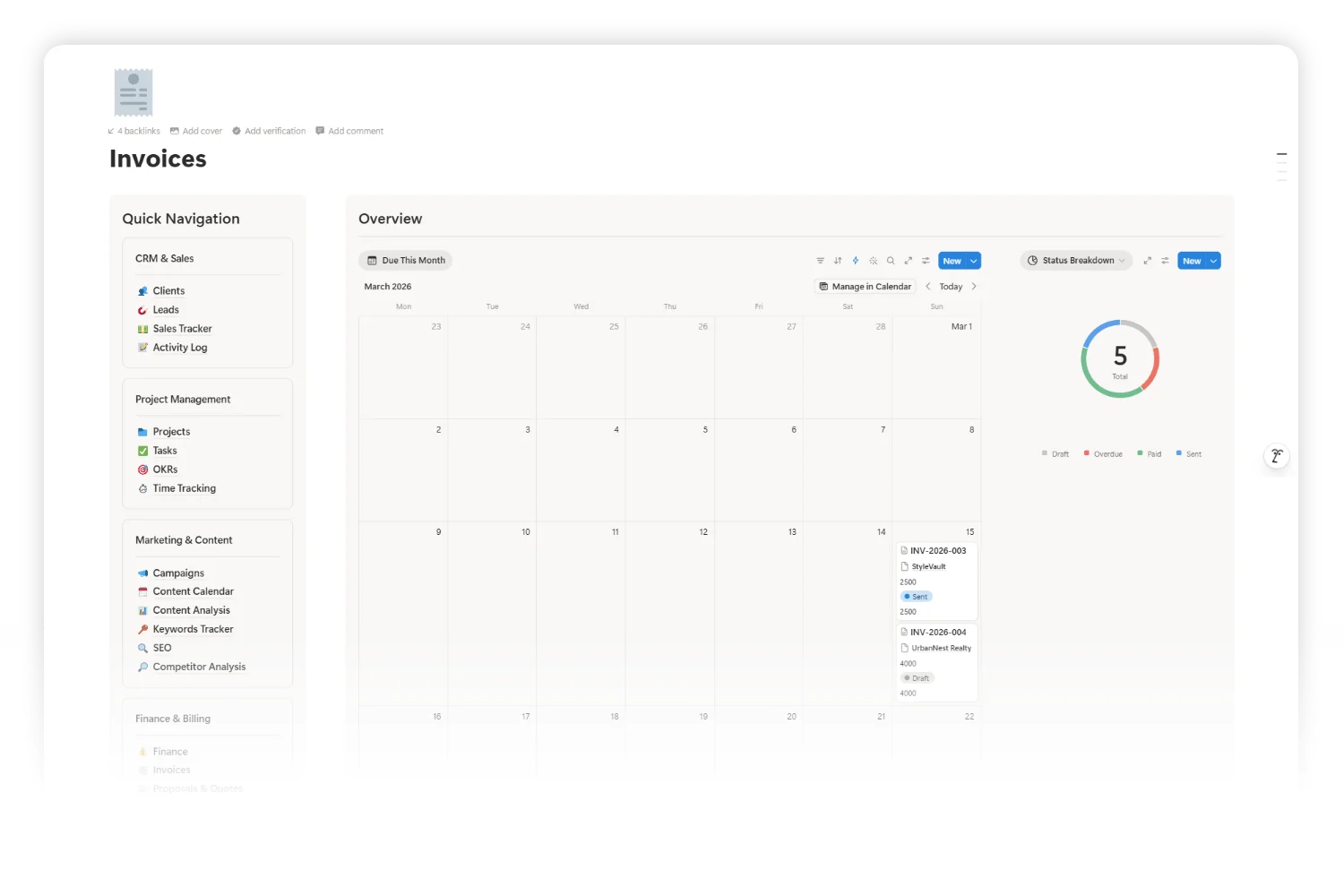
Invoices ship with line items, tax, discounts, and 7 status options (Draft, Sent, Paid, Overdue, Partially Paid, Cancelled, Refunded). Auto-formulas handle subtotal, tax, total, and balance due. An Aging Status formula flags overdue invoices by bucket: Current, 1-30 Days, 31-60 Days, 61-90 Days, 90+ Days. Finance database tracks income and expenses with client linking. Proposals & Quotes runs its own pipeline: Draft → Sent → Under Review → Accepted → Rejected → Expired. Agency Pricing Calculator estimates project cost in real time from hours, rates, ad spend, management fees, and discounts.
Pillar 5: Team & Resources
Team Directory holds roles, emails, hourly rates, and availability for every person inside the agency. Tools & Resources catalogs every SaaS tool the agency pays for with costs and billing cycles. Time Tracking logs hours per project with billable/non-billable toggle and auto-calculated Billable Amount. 16 pre-written Email Templates cover 8 categories: Onboarding, Updates, Invoicing, Proposals, Follow-ups, Offboarding, and more.
Pillar 6: Reporting & Knowledge Base
Reports ships 3 templates: Monthly Report, Campaign Report, SEO Audit. Monthly Recaps generates agency-wide summaries with financials, project updates, team highlights, and next-month priorities. Feedback & Testimonials collects client feedback with permission tracking. Testimonial Wall holds a public-ready showcase. Client-Facing Forms covers intake, project request, and approval. The Wiki section stores Client Onboarding SOP, Team Onboarding SOP, Brand Guidelines, Platform Best Practices, Agency Policies, and a Meeting Notes Archive.
Lead → Invoice → Report: The One Workflow Holding It Together
The reason the Notion agency template earns the “OS” label is one workflow running unbroken from first touch to closed loop.
- Lead lands. A prospect emails. Log them inside Leads with status, source, deal value, and follow-up date. Activity Log captures the first call.
- Pipeline advances. Lead status shifts: Proposal → Negotiation. Proposals & Quotes drafts the offer with services, pricing, and validity date.
- Client converts. Lead becomes a Client. One record now feeds every other section.
- agency project management Notion opens. A new Project links to the client with timeline, budget, and team. Tasks get assigned. Time Tracking starts. The client record now shows the project automatically.
- Campaigns launch. Campaigns attach to the client and project. Content Calendar drafts and schedules posts. Content Analysis tracks performance per piece as it ships.
- Invoice ships. An invoice generates with line items, tax, and discount. Auto-formulas calculate subtotal, total, and balance due. Aging Status flags it if a deadline passes.
- Report writes itself. Monthly Recap pulls revenue, projects shipped, campaigns run, and content performance from the connected records. No exports. No spreadsheet stitching.
Same client record at every step. No five-tool reconciliation. It is the difference between an agency stack and an agency operating system.
Built-In Automations: GSC, GA4, and the Data Ingestion Layer
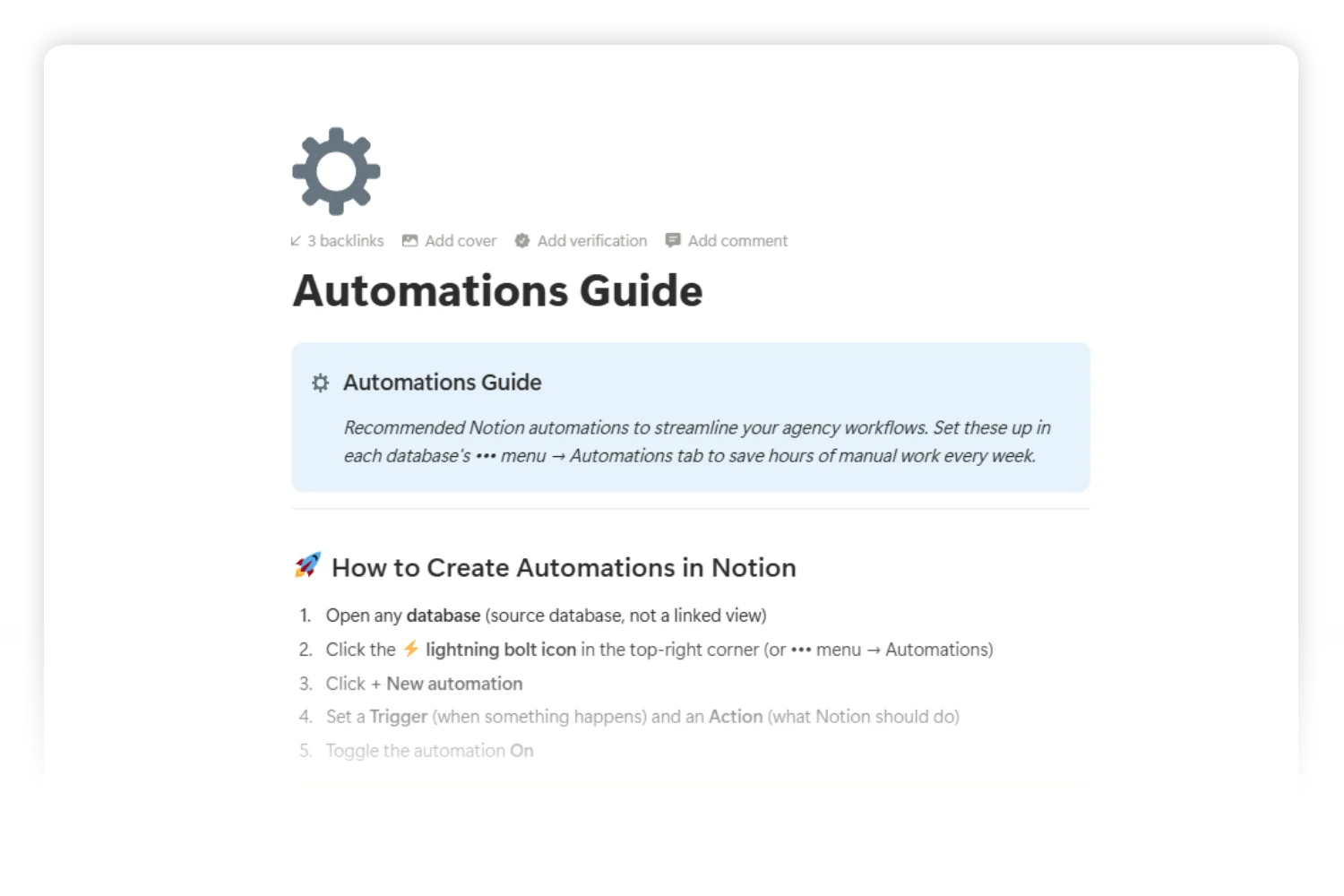
A connected workspace is half the value. The other half is the automations layer keeping it alive while client work fills the day. The Digital Marketing Agency template ships with a dedicated Automations Guide page (open it from Quick Navigation under Reporting & More) documenting 20 ready-to-build automations across 7 categories.
What the in-template guide covers:
- CRM & Sales (4): Auto-assign new leads with status and owner, notify the account manager on lead qualification, auto-fill activity log dates and creators, auto-link client IDs on form submissions.
- Project Management (4): Default project template on creation, notify the assignee on task assignment, due date reminders, project status auto-update from task progress rollups.
- Finance & Invoicing (3): Invoice defaults on creation (Issue Date, Status, Net 30 terms), overdue invoice alerts, auto-record paid invoices to the Finance database when status flips to Paid.
- Marketing & Content (3): Content status auto-publish on date, campaign auto-activate on start date, content performance review reminder 7 days after publish.
- Time & Team (2): Time entry defaults (date, billable=true, status logged), weekly timesheet reminder every Friday at 4pm.
- Client Experience (2): Auto-flag 4+ star testimonials with share permission, client onboarding checklist trigger.
- Reporting (2): Monthly client report auto-create on the 1st, monthly recap auto-generate.
Each automation lists the exact database, trigger, action, plan requirement (Free/Plus vs Business/Enterprise), and where Notion’s native automations hit a ceiling.
Where Notion native automations stop and external tools start.
The in-template guide is honest about Notion’s automation limits. Native automations work for property changes and template applications. They do not fire on date arrival (only on date edits), do not trigger on rollup or formula values, and do not match data across databases dynamically. For those cases the guide documents three escalation paths:
- Notion AI Autofill for cross-database matching (e.g., link a Client relation from a Client ID text field on form submissions) and date-aware status flips.
- Make.com or n8n for scheduled checks, GSC and GA4 ingestion, multi-platform data sync, cross-database queries, and recurring background jobs.
- Notion’s built-in date reminders plus filtered views as the manual fallback for solo operators on the Free plan.
This is the layer where marketing-specific data ingestion lives. Pulling Google Search Console rankings into the Keywords Tracker every Monday. Syncing Google Analytics 4 traffic and conversions into the Content Analysis database every morning. Posting Meta Ads spend and ROAS into the Campaigns database every 6 hours. Each one runs as a Make.com or n8n scenario, then writes back to the relevant Notion database. The template provides the database schema, the property names, and the recommended trigger pattern. You bring the API credentials.
If automation becomes its own management problem: Workflow & Automation OS.
For solo builders, freelancers, or small agencies running 10+ workflows across Make.com, n8n, Zapier, and custom APIs, automation stops being “set it and forget it” and becomes its own job. Which workflow broke? Which credential expired? Which API hit a rate limit at 2am?
It is the job of a separate template I built: Workflow & Automation OS. A command center for every running workflow. Auto-imported n8n syncs, error tracking with Telegram alerts, service and credential registry, SLA monitoring, weekly and monthly health reviews, plus 2 ready-to-import n8n starter workflows (JSON included).
Two ways to think about the pairing:
- Digital Marketing Agency template alone is enough when the agency runs 1 to 5 automations (mostly Notion native) and the connected workspace itself is the value.
- Digital Marketing Agency + Workflow & Automation OS is the move when automation grows past 10 workflows and the agency needs a system for managing the automations themselves, not the client operations alone.
Both run as separate templates inside the same Notion workspace. The agency template handles client operations. The Workflow & Automation OS handles the automations powering them. Run one, run both, or upgrade later.
How to Set Up Your Agency OS in 7 Steps
The Getting Started page inside the template walks through every step with field-by-field detail. Here is the short version.
- Add your team. Open Team Directory and add yourself and any people working inside the agency. Roles, emails, hourly rates.
- Add your tools. Inside Tools & Resources, list the SaaS tools the agency pays for with costs and billing cycles. Helps with later cost tracking and Wiki references.
- Add 1 to 3 real clients. Inside Clients. Use real examples so the rest of the workflow has data to attach to.
- Set up the first project. Inside Projects, create a project, link it to a client, assign 3 to 5 tasks. Proves the connected data architecture in 5 minutes.
- Send the first invoice. Inside Invoices, add line items, tax, discount. Watch the formulas auto-calculate. Mark a test one as Paid to see the cycle close.
- Schedule one campaign. Inside Campaigns, attach a campaign to a client. Open Content Calendar and draft 1 to 3 social posts linked to it.
- Open the Dashboard. Watch every number from the previous 6 steps appear inside the live charts on the home page. Becomes the daily home screen from here on.
Most users finish steps 1 to 4 in under an hour. Full migration of existing client data takes 2 to 4 hours depending on volume.
Frequently Asked Questions
Is this a real replacement for HubSpot, Asana, and FreshBooks?
For freelance marketers and agencies under 30 people, yes. The CRM, project management, and invoicing layers cover the daily work of running an agency. Larger teams using HubSpot Enterprise for marketing automation often keep the piece and run everything else here.
Does the Notion agency template require Notion AI or third-party integrations?
No. The template uses native Notion features only: databases, relations, formulas, charts. No code. No paid integrations required to get full value on day one. Notion AI helps if available, but the template runs without it.
How long does setup take?
Most users finish steps 1 to 4 in under an hour. Full migration of existing client data takes 2 to 4 hours depending on volume. Agencies with 50+ historical clients usually run migration over a weekend.
Does it handle multi-currency invoicing?
Single currency at a time inside one invoice. Agencies billing in multiple currencies usually run a dedicated invoicing tool for the one job and run everything else from the template.
Will it work for a non-marketing agency?
The CRM, projects, finance, team, and reporting pillars work for any client-services agency: design, dev, video, consulting, coaching. The marketing-specific pillars (Campaigns, Content Calendar, SEO, Keywords Tracker) stay useful for any agency shipping content for clients.
Tools Referenced in This Guide
| Tool | Used for | Link |
|---|---|---|
| HubSpot | CRM (replaced inside the template) | hubspot.com |
| Asana | Project management (replaced) | asana.com |
| FreshBooks | Invoicing (replaced) | freshbooks.com |
| Hootsuite | Social scheduling (replaced) | hootsuite.com |
| Toggl | Time tracking (replaced) | toggl.com |
| PandaDoc | Proposals (replaced) | pandadoc.com |
| Google Sheets | Reporting (replaced) | sheets.google.com |
| Notion | The new home for all of the above | notion.com |
Key Takeaways
- The 8-Tool Tax costs marketing agencies roughly 31% of billable hours to tab switching and data reconciliation across disconnected SaaS tools.
- A Notion agency template replaces 8 separate SaaS subscriptions with one connected workspace built around one client record.
- The 6 pillars (CRM/Sales, Projects, Marketing/Content, Finance/Billing, Team, Reporting) all share the same client record so data flows without manual stitching.
- The “OS” label comes from one workflow holding it together: lead → proposal → project → invoice → report.
- 7-step setup gets a working workspace running in under an hour for solo freelancers.
- Built for freelance marketers and 2 to 30 person agencies, not enterprise teams running HubSpot Enterprise.
- Auto-calculated formulas handle invoice math, aging status, task progress, engagement rate, and billable amount with zero spreadsheet work.
- One workspace replaces a $77+ per month per seat SaaS stack, paid once.
Your Next Step
If 8 disconnected SaaS tools are eating the week, the Digital Marketing Agency template is the all in one Notion template for agencies wanting to run on connected data instead of copy paste.
