

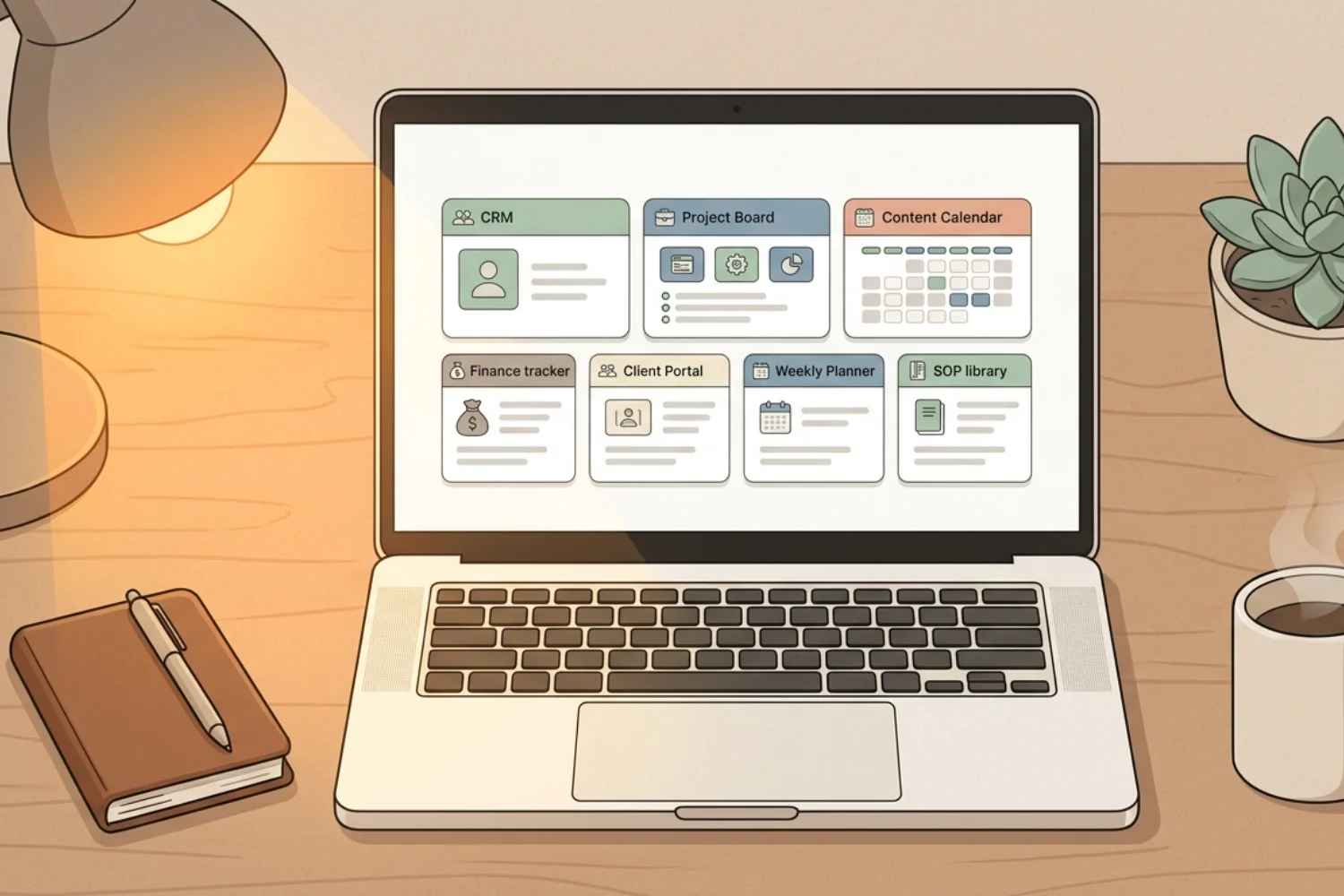
You do not need 8 tools to run a solo business. You need one workspace with the right templates.
Notion templates for solopreneurs solve a specific problem: you know Notion is flexible, but starting from a blank page feels overwhelming. A good template hands you a pre-built structure so you skip the setup phase and start running your business right away.
This guide covers the best Notion templates 2026 offers for solo business owners. Each section pairs a real category with a published Fayedtion template worth duplicating. No decorative dashboards. No screenshot-ready demos collapsing in daily use.
Table of Contents
What You’ll Learn
Why solopreneurs need templates (not a blank workspace)
Notion is flexible. The flexibility is also a trap. You build anything. But building takes time. And as a solopreneur, your time is the most limited resource.
Notion business templates solve this by handing you a tested structure. Someone already worked out the database properties, the views, the relations, and the workflow. You duplicate the template, customize the details, and start working.
The difference between a productive Notion setup and an abandoned one is the starting point. A good template hands you the starting point.
What makes a good solopreneur template
Before reviewing specific templates, here is what separates useful Notion business templates from the ones collecting dust.
It solves one clear problem. A CRM template manages clients. A project tracker manages projects. Templates trying to do everything do nothing well.
It uses database relations. The strength of Notion is connecting data sources. A good template links projects to clients, tasks to projects, and content to campaigns. A template with no relations is a glorified spreadsheet.
It has multiple views. A project database should show a board view for status tracking, a calendar view for deadlines, and a table view for bulk editing. Multiple views on the same data source means you see what you need when you need it.
It is customizable without breaking. You should have the ability to add properties, change labels, and adjust views without the template falling apart.
It fits your real workflow. The best template is the one you open daily. Ignore templates with 20 databases if you only need 4.
1. Notion CRM template
What it does: Tracks clients, leads, and deals from first contact to closed deal.
Why solopreneurs need it: You are the sales team, the account manager, and the support department. A Notion CRM template keeps every client interaction in one place so nothing falls through the cracks.
Key features to look for:
- Contact database with name, email, company, and status
- Deal pipeline with stages (Lead, Contacted, Proposal, Negotiation, Closed)
- Activity log or notes section linked to each contact
- Revenue tracking with deal value and close date
- Relations to projects (so when a deal closes, the project is already connected)
How to evaluate: Open the template. Add 5 test clients. Move them through the pipeline. If the workflow feels natural after 10 minutes, the template works. If you are confused, move on.
Try this published pick: CRM V.2 ships in freelancer and team versions. Clients, companies, projects, tasks, meetings, services, and products live in one workspace with built-in financial, budget, and team-salary trackers. The freelancer edition replaces HubSpot, Pipedrive, or a messy spreadsheet for any solopreneur managing fewer than 200 clients.
2. Notion project management template
What it does: Tracks projects from kickoff to delivery with tasks, deadlines, and status updates.
Why solopreneurs need it: You juggle 3 to 10 projects at any time. Without a system, deadlines slip and tasks get lost between sticky notes and mental checklists.
Key features to look for:
- Project database with client relation, start date, end date, and status
- Task data source linked to projects with priority, due date, and assignee
- Board view for Kanban-style tracking
- Timeline view for seeing project overlap
- Dashboard or summary view showing active projects at a glance
A Notion project management template replaces Trello, Asana, or Monday for solopreneurs who do not need team-level features. The advantage: your projects connect to your clients, your notes, and your content calendar in the same workspace.
Try this published pick: Digital marketing Agency bundles CRM, lead tracking, projects, tasks, OKRs, campaigns, content calendars, invoicing, and dashboards into one workspace. Solo consultants and freelance agencies use the project + task layer as a stand-alone project OS even without the agency overhead.
Lighter pick: Task Manager Eisenhower matrix if you want a single-database Eisenhower-style task system before graduating to multi-project tracking.
3. Notion content calendar template
What it does: Plans, tracks, and manages content across platforms.
Why solopreneurs need it: Content marketing is how most solopreneurs attract clients. Without a system, you publish randomly, forget to repurpose, and lose track of what performed well.
Key features to look for:
- Content database with title, platform, format, status, and publish date
- Calendar view for visual scheduling
- Board view grouped by status (Idea, Draft, Editing, Scheduled, Published)
- Relations to keywords or topics
- Performance tracking properties (views, clicks, engagement)
A Notion content calendar template turns random posting into a repeatable system, and the right one connects keywords, drafts, performance, and republishing in the same data source.
Try this published pick: SEO Manager V.02 is a connected SEO operating system replacing multiple tools with a single Notion workspace. Keyword research, content calendar, briefs, drafts, reporting, and maintenance all live in one place, with three onboarding tracks (Beginner, Junior, Expert).
For email creators: Email Marketing Toolkit pairs subject-line testing with a campaign calendar for newsletter operators.
4. Notion finance template
What it does: Tracks income, expenses, invoices, and profit margins.
Why solopreneurs need it: You need to know if your business is making money. Most solopreneurs avoid financial tracking until tax season. A simple template makes it painless.
Key features to look for:
- Income database with amount, client, date, and category
- Expense data source with amount, vendor, date, and category
- Invoice tracker with status (Sent, Paid, Overdue)
- Monthly summary view with totals
- Relations to clients (so you see revenue per client)
A Notion finance template does not replace QuickBooks or Xero for complex accounting. For tracking cash flow and reading your numbers at a glance, it is one of the best Notion templates 2026 offers for solo businesses.
Try this published pick: Finance OS consolidates income, expenses, invoicing, VAT, cash flow, client pipeline, and subscriptions into one workspace with a lead-to-invoice-to-cash workflow and live dashboards. Starter pricing at $19 for early adopters.
5. Client portal template
What it does: Gives clients a shared space to view project progress, deliverables, and communication.
Why solopreneurs need it: Instead of sending status updates via email, you share a Notion page. The client sees real-time progress. You save time on update emails. Everyone stays aligned.
Key features to look for:
- Project overview with timeline and milestones
- Deliverables section with file attachments
- Feedback area where clients leave comments
- Status indicators updating automatically from your internal project tracker
Client portals are an underrated category of Notion business templates. They make a solo operation look professional and organized.
Try this published pick: The client portal layer is built into CRM V.2. Each client record holds shared-view documents, deliverable links, and a feedback thread, so the portal lives next to the CRM record instead of as a separate template.
6. Weekly planner and review template
What it does: Structures your week with priorities, time blocks, and a weekly review.
Why solopreneurs need it: Without a boss or team to create structure, your week drifts. A weekly planner forces you to set priorities on Monday and review results on Friday.
Key features to look for:
- Weekly database with top 3 priorities, energy level tracker, and notes
- Daily task section linked to your main task data source
- Weekly review prompts (What went well? What did not? What changes next week?)
- Habit or routine tracker
This is not a business template in the traditional sense. It is the system keeping everything else running. Structure creates output.
Try this published pick: Daily planner covers schedule, priorities, routines, to-do lists, meals, gratitude, notes, and major events in one daily flow. For a goal + habit + life-area review layer on top, Life Planner adds goal, habit, financial, and event tracking with a weekly cadence.
7. SOPs and knowledge base template
What it does: Stores your standard operating procedures, how-to guides, and business documentation.
Why solopreneurs need it: You repeat the same tasks daily. Onboarding a client. Publishing a blog post. Sending an invoice. Documenting these processes saves time and reduces mistakes. It also prepares your business for hiring help later.
Key features to look for:
- Categorized page structure (Operations, Marketing, Finance, Client Management)
- Step-by-step procedure pages with checklists
- Search-friendly titles and tags
- Version tracking or last-updated dates
A solid SOP library rounds out the essential Notion templates for solopreneurs. Your business knowledge belongs in a system, not in your head.
Try this published pick: Workflow & Automation OS ships with an SOP layer alongside service registry, credential registry, error tracking, health reviews, dashboards, and quick actions. The SOP module works as a stand-alone knowledge base even if you skip the automation pieces.
How to choose the right template
Do not install 7 templates at once. The same overwhelm you are escaping returns instantly.
Start with your biggest pain point. If you are losing clients, start with the CRM. If you are missing deadlines, start with the Notion project management template. If your finances are a mess, start with the finance tracker.
Use one template for 2 weeks before adding another. Let the system become a habit before expanding.
Customize after you understand the structure. Use the template as-is for the first week. Then adjust properties, views, and labels to match your language and workflow.
Connect templates with relations. The real result shows up when your CRM links to your projects, your projects link to your tasks, and your tasks link to your content calendar. This is what separates Notion from running 5 separate apps.
Free vs. paid templates
Free templates work for basic needs. Notion’s built-in template gallery has solid starting points for CRM, project management, and content calendars.
Paid templates (typically 15 to 50 dollars) offer more polish:
- Pre-built relations between databases and data sources
- Multiple views already configured
- Documentation on how to use and customize
- Ongoing updates from the creator
The investment makes sense if the template saves you 2 or more hours of setup time. At any hourly rate, it pays for itself right away.
Where to find the best Notion templates 2026: Notion’s official template gallery, Gumroad, Etsy, and creator websites. Look for templates with reviews, demo videos, and active creators updating their work. The Fayedtion picks listed in this guide all ship with documentation, video walkthroughs, and ongoing updates.
Building your solopreneur stack in Notion
Here is the recommended build order for a complete solopreneur workspace.
Week 1: CRM and project management. These are your core business operations. Start with CRM V.2 and the project + task layer from Digital marketing Agency.
Week 2: Content calendar. Add SEO Manager V.02 and start planning your marketing.
Week 3: Finance tracker. Drop in Finance OS for visibility on your numbers.
Week 4: Client portal, weekly planner, and SOPs. Layer the client portal inside CRM V.2, add Daily planner or Life Planner for cadence, and seed the SOP module from Workflow & Automation OS.
By the end of one month, you have a complete business operating system built from Notion business templates. One workspace. One login. Everything connected.
Frequently Asked Questions
Are Notion templates worth it for solopreneurs?
Yes. A good template saves 5 to 20 hours of setup time. You get a tested structure so you focus on running your business instead of building systems from scratch.
How do I customize a Notion template after installing it?
Every property, view, and page is editable. Start with the template as-is, then adjust properties, views, and labels after you understand how the structure works.
What is the most important Notion template for a solopreneur?
A CRM or project management template. They cover your two biggest operational needs: tracking clients and tracking work.
Do I need paid templates, or are free ones enough?
Free templates cover the basics. Paid templates save more setup time and usually include better documentation, pre-built relations, and ongoing updates from the creator.
How many tools does Notion replace for a solopreneur?
For most solopreneurs, Notion replaces 4 to 5 tools (project manager, CRM, notes, content calendar, and knowledge base). Keep specialized tools for accounting and email.
Key Takeaways
The best Notion templates for solopreneurs solve real business problems: client tracking, project management, content planning, and financial visibility. Start with your biggest pain point. Use one template at a time. Connect them with relations for a unified workspace built from databases and data sources you control. Notion business templates turn a blank workspace into a complete business operating system. One workspace replaces 4 to 5 scattered tools. The result is fewer logins, less context switching, and more time on the work growing your business.
