
Notion Issue Tracker Template That Ships Fixes Faster for Creators and Small Teams
Designed for solo founders, creators, and small teams who want to capture problems, triage by severity, and close issues on a weekly cadence without switching tools.
Still Losing Track of Problems That Cost You Time and Trust?
- You spot a bug on your site, jot it in a random doc, and forget about it for weeks.
- Issues pile up across Slack threads, sticky notes, and half-finished to-do lists with no clear owner.
- You skip weekly reviews because pulling together a status update takes longer than fixing the issue itself.
- Critical problems sit next to minor tweaks with no way to tell which fires to put out first.
- You tried full-scale bug trackers built for dev teams and abandoned them within a week.
That is exactly why Fix Flow exists.
Introducing Fix Flow: A Simple Notion Issue Tracker Template
Fix Flow is a lightweight issue tracking system built inside Notion for creators and small teams who need clarity without overhead. It gives you fast triage, severity-based prioritization, and one-click weekly reports so you can move from problem to shipped fix in minutes, not days.
Unlike bloated dev bug trackers, Fix Flow strips away the noise and focuses on one thing: getting issues resolved.
What You Get Inside This Issue Tracking System
One Next Action per issue
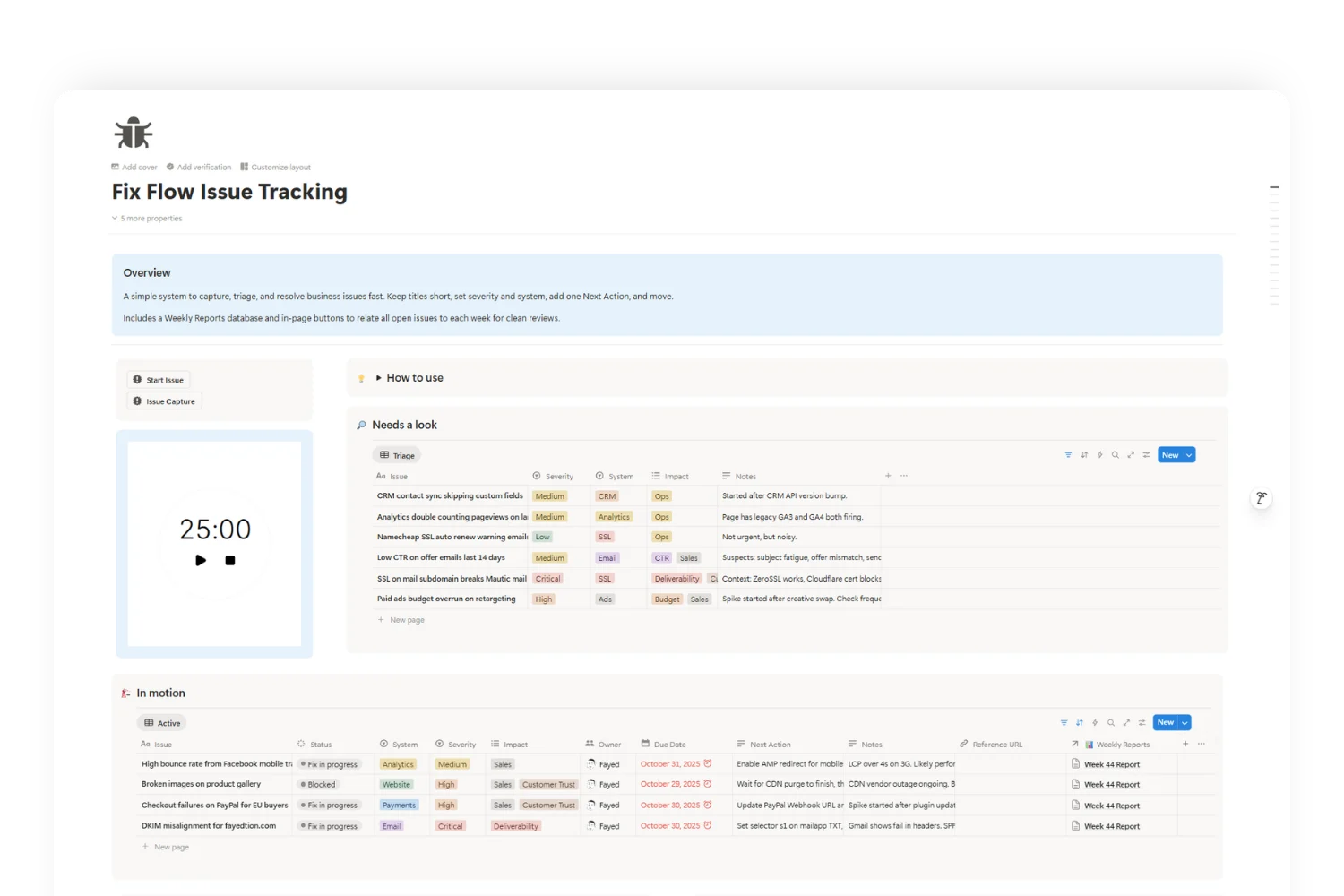
Every issue stores a single, concrete next step. No multi-step checklists that stall momentum. You open an issue, see the action, and execute. This removes decision fatigue and keeps progress measurable across your entire workflow.
Severity and System Classification
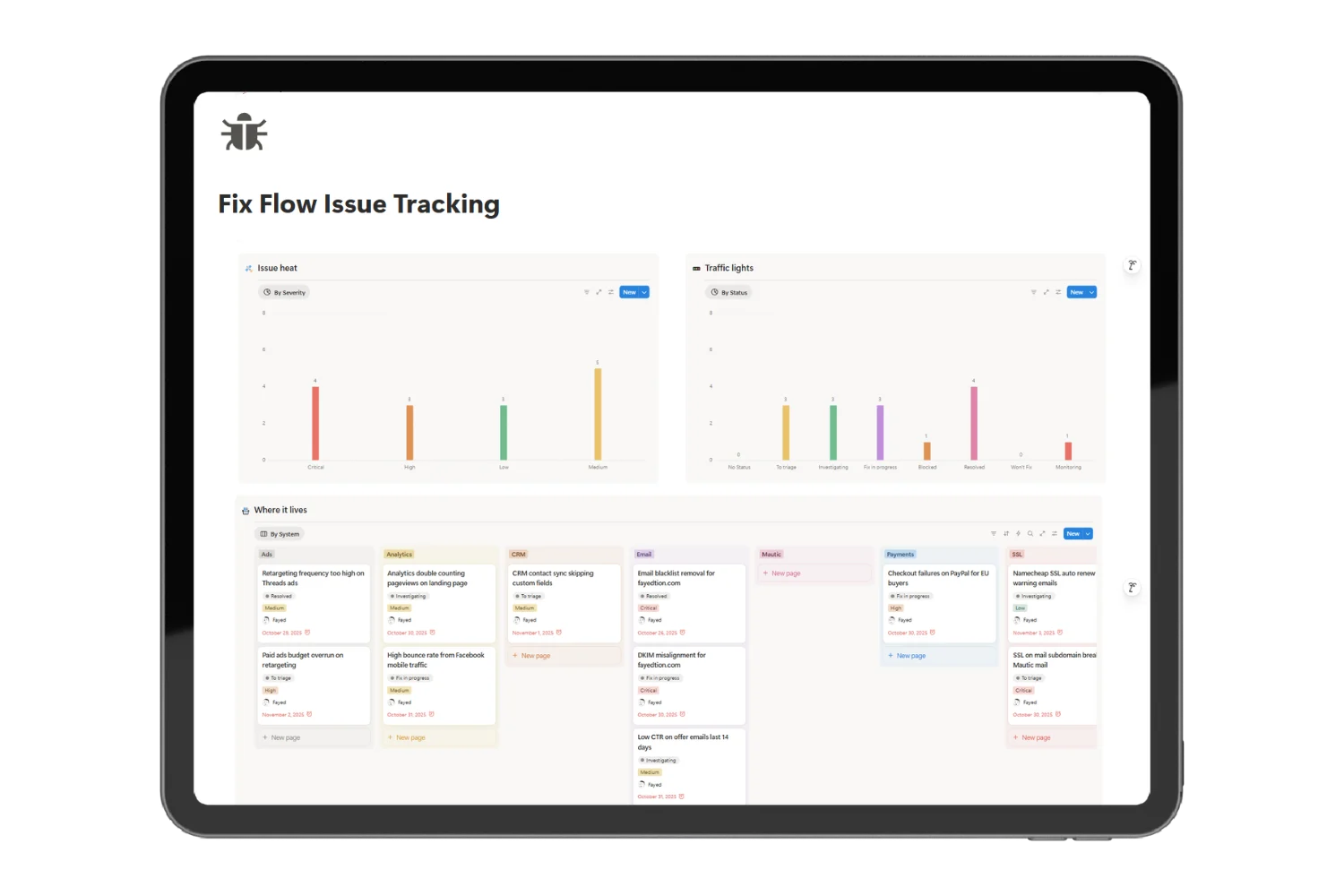
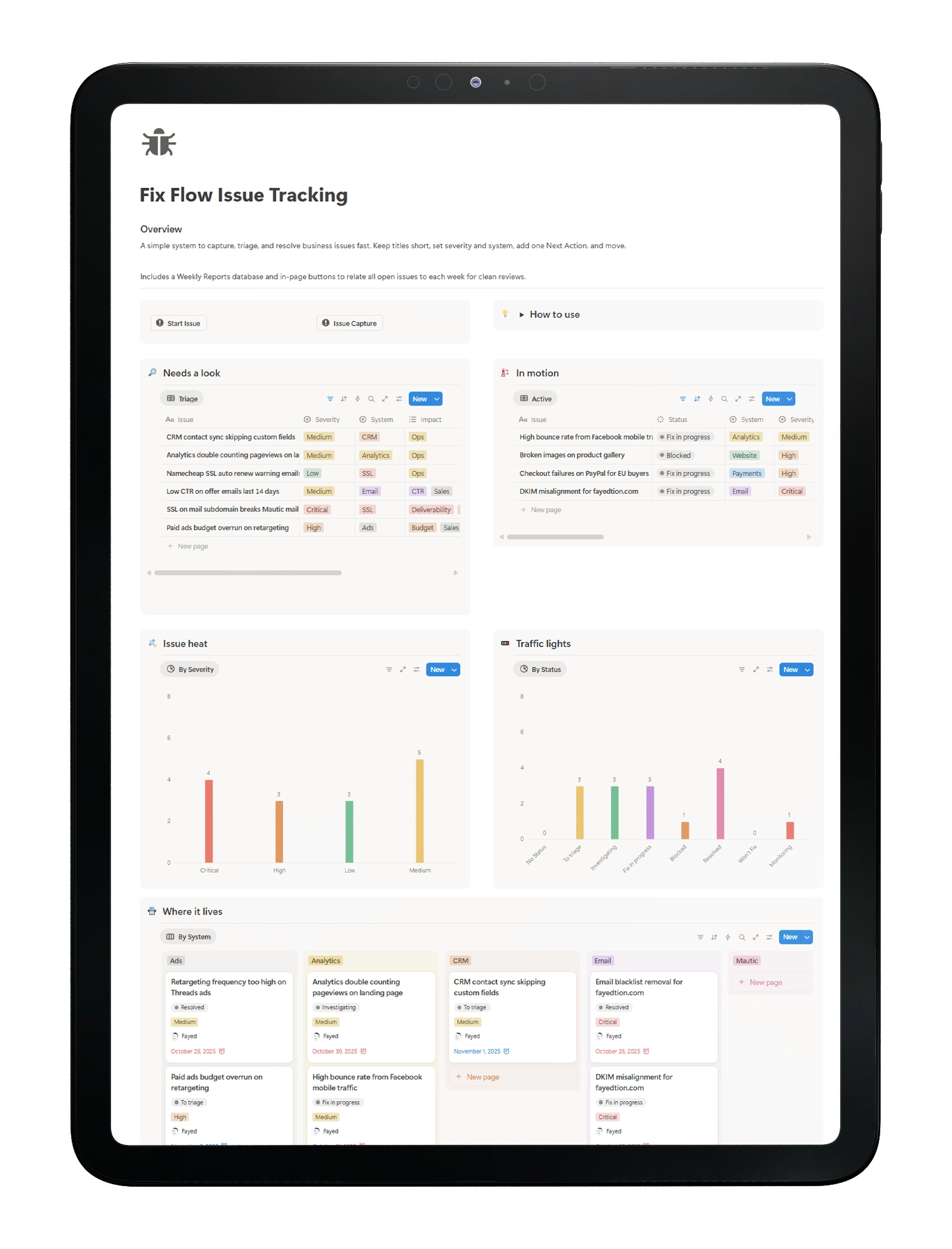
Tag each issue with a Severity level (Critical, High, Medium, Low) and a System label (Website, Email, Payments, CRM). This severity-based tracking lets you sort signal from noise, sequence work correctly, and communicate priority in seconds.
Ready-to-Use Triage Views
Work from purpose-built views: Triage, Active, By System, and Calendar. Each view filters issues by context so you spend zero time setting up dashboards. Open the right view, act on what matters, move on.
Weekly Reports in One Click
Create a weekly issue review with a single button. Fix Flow relates all open issues to the report automatically. You get a clean snapshot for stand-ups or solo reviews with zero manual copying. Trends surface over time without extra effort.
Clear Ownership and Due Dates
Assign an Owner and Due Date to every issue. Vague problems become scheduled work. Accountability improves. Follow-ups become straightforward. Nothing drifts.
Lightweight Status and Severity Charts
See counts by Status and Severity at a glance. Quick visuals help you spot bottlenecks, balance workload, and report progress without exporting data or switching to another tool.
Real Issues Creators and Small Teams Face Every Week
Here is how Fix Flow handles the problems you already know.
Content Pipeline
YouTube thumbnail export fails on Tuesdays. System = Website. Severity = Medium. Next Action: check image optimization plugin conflict. One entry, one next step, done.
Email Marketing
Welcome sequence sending twice for some leads. System = Email. Severity = High. Next Action: audit automation triggers and disable the duplicate tag rule. Logged, triaged, and assigned in under a minute.
Payments
Stripe checkout throws a 3D Secure error for EU cards. System = Payments. Severity = Critical. Next Action: test SCA flow in live mode and contact Stripe support. Critical issues surface first so nothing revenue-blocking sits idle.
Analytics
UTM parameters missing on paid ad links. System = Analytics. Severity = High. Next Action: add auto-tagging in the ad platform and verify in GA. The system-based view groups all analytics issues together for batch fixes.
CRM
Lead source not syncing to a custom field. System = CRM. Severity = Medium. Next Action: review field mapping and add a fallback in the automation. Weekly Reports catch recurring patterns before they become costly.
Why Teams Love the Issue Tracker
Stay organized, move faster, and never let an issue fall through the cracks, all inside Notion.
Faster Triage
Take action in seconds. Every issue includes a clear next step so you can decide, delegate, or close without losing focus. Less context switching, more progress.
Focus Where It Matters
Use Severity and System tags to instantly spot high impact issues. Prioritize what truly matters and schedule the rest when it makes sense.
Clear Ownership
No confusion, no follow-ups. Assign an Owner and Due Date so everyone knows exactly who’s responsible, and when to expect results.
Reliable Weekly Reviews
Get a quick, visual summary of what’s open, resolved, or overdue. In five minutes, align priorities and plan your next moves with confidence.
Simple by Design
Built entirely in Notion, no extra tools, no setup headaches. Duplicate the template, adjust fields, and get a clean, stable workflow that just works.
What Creators and Small Teams Are Saying
I used to lose track of site bugs in random Notion pages. After setting up Fix Flow, I resolved 12 issues in my first week. The one-click weekly report saved me 30 minutes every Monday.
Alex R., Solo Creator
We tried Jira, Linear, and GitHub Issues for our 3-person team. All overkill. Fix Flow gave us exactly what we needed: fast triage, clear owners, and a weekly snapshot.
Sam K., Small Agency Owner
The severity tags changed how I prioritize. I stopped treating every bug as urgent and started fixing what actually affected revenue first.
Jordan M., Notion Template Seller
Everything Included in Fix Flow Issue Tracking
✅ Issues Database
with Status, Severity, System, Owner, Due Date, and Next Action
✅ Issue Triage View
for fast sorting and assignment
✅ Active Issues View
for current sprint focus
✅ By System View
to group issues by origin (Website, Email, Payments, CRM)
✅ Calendar View
for deadline-based planning
✅ Prebuilt Charts
by Status and Severity
✅ Weekly Reports
Database with Report Date, Week Number, and Related Issues
✅ One-Click Report Button
that auto-relates all open issues
✅ Sample Issues
to see the system in action immediately
✅ Setup Checklist
to get running in under 10 minutes
Get Your Notion Issue Tracker Template Today
Free Notion Template (life-time access)
What you get:
- Full issue tracking dashboard with all views and reports
- One-click weekly review automation
- Severity-based triage system ready to use
- Lifetime access, duplicate and customize freely
Instant delivery. One-time payment. No subscription. Works in any Notion workspace.
Frequently Asked Questions
Notion is a notetaking app and all-in-one workspace where you can write notes, manage projects, and collaborate with others. Its flexibility lets you customize pages with free Notion templates, build databases, or even design a template notion aesthetic for visual appeal—perfect for organizing work, life, or creative goals!
It replaces bloated trackers for small teams and creator workflows. If you run sprints with backlogs, keep your dev tool and mirror high‑level issues here
Yes. Fix Flow is built specifically for solo founders, creators, and small teams running content, marketing, or lightweight product workflows. If you need fast triage without enterprise complexity, this fits.
It is a Notion template. You duplicate it into your workspace and start using it immediately. No external tools, no integrations required.
No. Duplicate the template, read the setup checklist, and log your first issues. The system is self-contained and ready to use out of the box.
Yes. Rename statuses, add new System tags, and tweak any property to match your stack. The core structure stays stable while you adapt the details.
Open the current week's report page, click the button, and all open issues link to that report automatically. Your five-minute weekly review starts and ends there.
For creator workflows and small teams, yes. If you run engineering sprints with backlogs and epics, keep your dev tool and mirror high-level issues here for visibility.
Yes. Keep Next Action inside Fix Flow for triage clarity. Spawn tasks in your preferred app when you need deeper project management.
You receive a Notion template link immediately after payment. Click to duplicate into your workspace and start logging issues.
Stop Losing Track of Problems. Start Shipping Fixes Today.
Every unresolved issue chips away at your momentum, your revenue, and your reputation. Fix Flow gives you a focused, severity-based issue tracking system that runs entirely in Notion. Capture fast, triage smart, review weekly.
Explore More Templates
Explore More Helpful Resources
Explore these blog posts to get to know more about the template and other cool stuff!
How to Create an Email Marketing Calendar in 2026 | Notion Template & Examples
Email Marketing Guide: Strategy, Tools, and Best Practices for 2026
How to Create an Email Marketing Calendar: 7 Steps + Free Notion Template
16 Best widget ideas to upgrade your dashboard
Free Email Marketing Calendar Template for Notion | Organize Campaigns in 2026
Notion Spreadsheet: Can Notion Replace Excel? (2026 Comparison)
Unlock 5 Free Notion Templates + Weekly Productivity Hacks
Our Notion templates are built to solve the real problems that slow people down — and to give you systems that actually work in daily life
Boost Your Productivity with Free Notion Resources
Join 15,000+ creators and entrepreneurs who get:
🎁 Exclusive free Notion templates
🛠 Weekly tips to organize life & work
🚀 Insider strategies to save time and stay focused
No spam. Just one powerful email per week.